
1. Introducción
This manual provides essential instructions for the proper setup, operation, and maintenance of your SMACKAPE WLMOUSE Beast X Miao Ultralight Gaming Mouse. Please read this manual thoroughly before using the product to ensure optimal performance and longevity.
2. Información de seguridad
- No exponga el ratón al agua ni a la humedad excesiva.
- Evite dejar caer o someter el mouse a impactos fuertes.
- No intente desmontar ni reparar el ratón usted mismo. Contacte con el servicio de atención al cliente para obtener ayuda.
- Mantenga el ratón alejado de temperaturas extremas.
- Utilice únicamente el cable de carga proporcionado.
3. Contenido del paquete
Verifique que todos los artículos estén presentes en su paquete:
- SMACKAPE WLMOUSE Beast X Miao Ultralight Gaming Mouse
- 2.4G Wireless Dongle (1K Polling Rate)
- Dongle inalámbrico con tasa de sondeo de 8K
- USB Type-C Ultra-Flex Paracord Cable
- Manual de usuario (este documento)
- Customizable Cat Paw Grip Pads (if included with your specific model)
4. Producto terminadoview
The SMACKAPE WLMOUSE Beast X Miao is an ultralight gaming mouse designed for precision and comfort. It features a magnesium alloy shell, a high-performance PAW3950HS sensor, and dual-mode connectivity.

Figura 1: Parte frontal superior view of the pink WLMOUSE Beast X Miao gaming mouse, showcasing its perforated magnesium alloy shell and cat paw themed scroll wheel.
Características principales:
- Diseño ultraligero: Weighs approximately 31g, ideal for fast movements and reduced fatigue.
- Magnesium Alloy Shell: Proporciona durabilidad manteniendo un peso bajo.
- PAW3950HS Sensor: High-speed optical sensor for precise tracking.
- Tasa de sondeo de 8000 Hz: Adjustable polling rate for ultra-low latency.
- Conectividad de modo dual: 2.4G wireless and USB Type-C wired connection.
- TTC/OM Switches: Equipped with either TTC Nihil Transparent Black Dot Switches or OM Optical Switches for responsive clicks.
- TTC Dustproof Encoder: Ensures consistent scroll wheel performance.

Figura 2: Diagram illustrating key features of the Beast Miao mouse, including size (3.58x2.17x1.34 inches), weight (31±2g), magnesium alloy construction, Nordic 52840 MCU, PAW3950HS sensor, 125-8000Hz adjustable polling rate, Omron Opticals, and 220mAh Lithium-ion battery capacity.
5. Instrucciones de configuración
5.1 Carga del ratón
- Connect the USB Type-C end of the provided cable to the mouse's charging port.
- Connect the USB-A end of the cable to an available USB port on your computer or a USB wall adapter.
- The mouse's indicator light will show charging status (refer to LED indicator section for details). A full charge typically takes approximately 1-2 hours.
5.2 Conexión inalámbrica (2.4G)
- Locate the 2.4G wireless dongle (1K or 8K, depending on desired polling rate) from the package.
- Conecte el dongle a un puerto USB disponible en su computadora.
- Encienda el mouse utilizando el interruptor de encendido ubicado en la parte inferior del mouse.
- The mouse should automatically connect to the dongle. If not, press the pairing button (if available, refer to product diagram) or cycle the power.
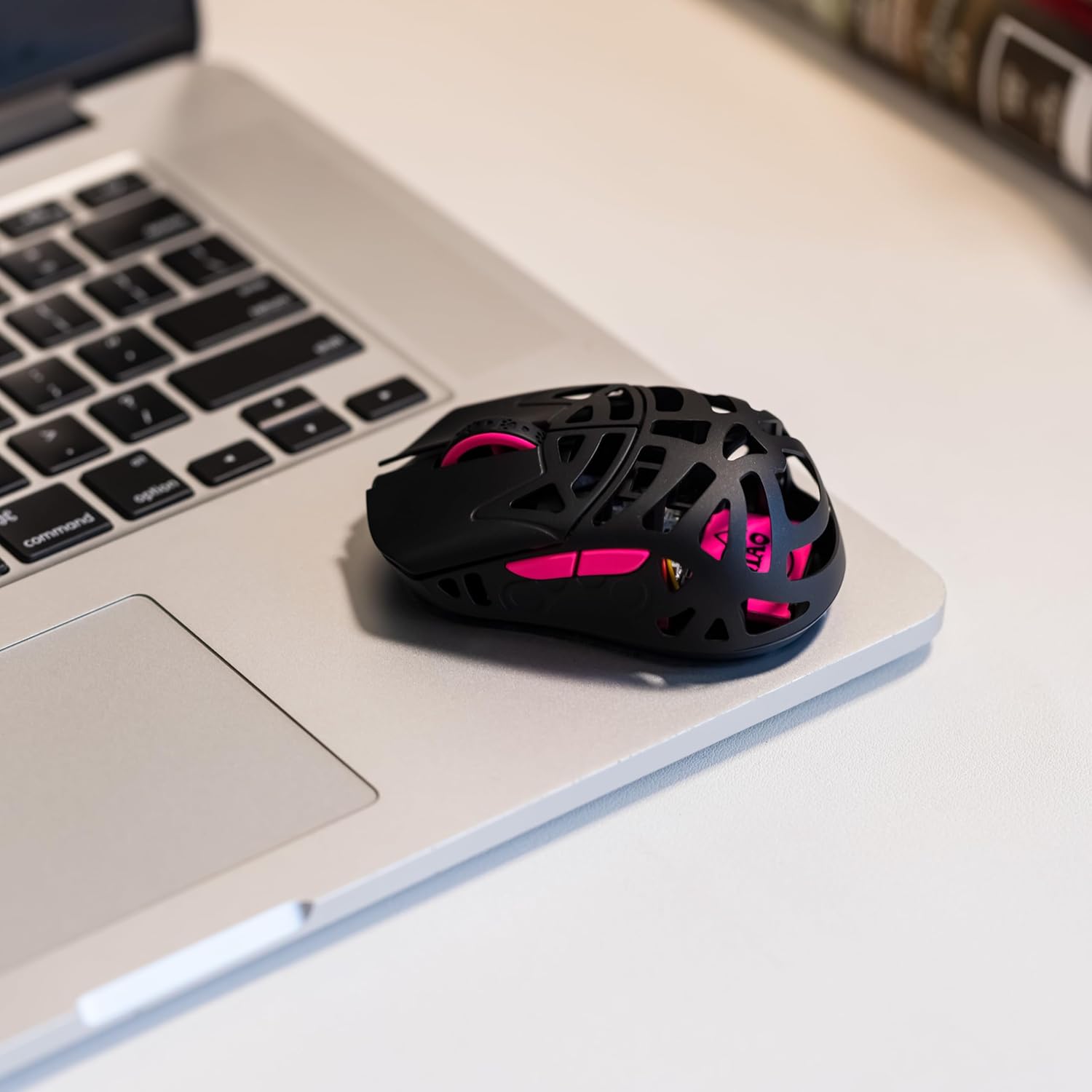
Figura 3: The WLMOUSE Beast X Miao gaming mouse positioned on a laptop trackpad, demonstrating its compact size and portability for use with various devices.
5.3 conexiones cableadas
- Conecte el extremo USB tipo C del cable provisto al mouse.
- Conecte el extremo USB-A del cable a un puerto USB disponible en su computadora.
- El ratón funcionará inmediatamente en modo cableado y también se cargará simultáneamente.
6. Instrucciones de funcionamiento
6.1 Ajuste de ppp
The mouse features a dedicated DPI button (usually on the bottom or top, refer to product diagram) to cycle through preset DPI levels. Each press will change the sensitivity. The current DPI level may be indicated by an LED color change (refer to product software for customization).
6.2 Ajuste de la tasa de sondeo
The Beast X Miao supports adjustable polling rates up to 8000Hz. The polling rate is primarily determined by the dongle used (1K or 8K) and can be further configured via the web-based configuration software.
- 1K Dongle: Provides polling rates up to 1000Hz.
- 8K Dongle: Provides polling rates up to 8000Hz.
For detailed polling rate settings and other customizations, access the official SMACKAPE web-based configuration software (URL typically found on the product packaging or official websitio).
6.3 Customizing Grip Pads
Your mouse may include customizable cat paw grip pads. These can be applied to the sides of the mouse for enhanced grip and personalized aesthetics. Ensure the mouse surface is clean and dry before applying the pads.
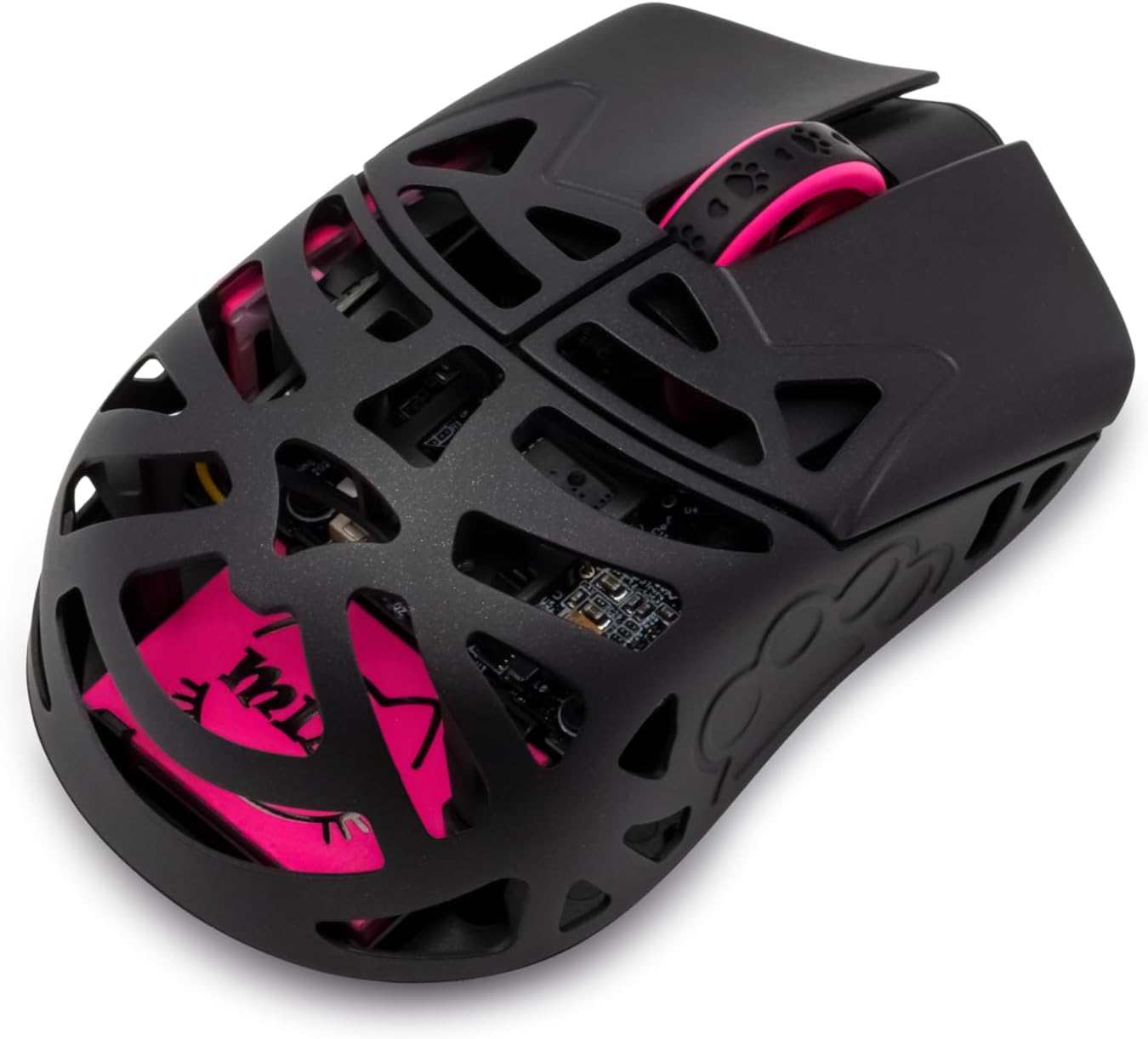
Figura 4: A black variant of the WLMOUSE Beast X Miao gaming mouse, highlighting its internal structure and pink accents visible through the perforated shell.
7. Mantenimiento
7.1 Limpieza
- Desconecte el mouse de su computadora antes de limpiarlo.
- Utilice un paño suave, seco y sin pelusa para limpiar la superficie del mouse.
- Para la suciedad persistente, dampEnjuague el paño con agua o una solución limpiadora suave. Evite productos químicos agresivos.
- Utilice aire comprimido para limpiar el polvo de las grietas y el área del sensor.
7.2 Almacenamiento
Cuando no utilice el ratón durante períodos prolongados, guarde el ratón en un lugar fresco y seco, alejado de la luz solar directa y de temperaturas extremas.
8. Solución de problemas
| Problema | Posible causa | Solución |
|---|---|---|
| El ratón no responde | Low battery; Dongle not connected; Mouse not powered on; Driver issue. | Charge the mouse; Ensure dongle is securely plugged in; Turn on the mouse; Try a different USB port; Reinstall mouse drivers. |
| Movimiento retardado o tartamudeante | Interference; Low battery; Incorrect polling rate setting; Dirty sensor. | Move dongle closer to mouse; Charge mouse; Adjust polling rate in software; Clean the optical sensor. |
| El DPI no cambia | Mal funcionamiento del botón DPI; conflicto de software. | Ensure button is pressed firmly; Check software settings; Reset mouse to factory defaults (if option available). |
9. Especificaciones
| Característica | Detalle |
|---|---|
| Nombre del modelo | Beast X Miao |
| Marca | SMACKAPE |
| Sensor | PAW3950HS Optical Sensor |
| MCU | 52840 nórdica |
| Conectividad | 2.4G inalámbrico, cable USB tipo C |
| Tasa de sondeo | 125 Hz - 8000 Hz (ajustable) |
| Rango de DPI | 50 - 30000 ppp |
| Interruptores | TTC Nihil Transparent Black Dot or OM Optical Switches |
| Codificador | TTC Dustproof Encoder |
| Batería | Batería de litio de 220 mAh |
| Peso | Aprox. 31 g |
| Dimensiones (L x An x Al) | 91 x 55 x 34 mm (3.58 x 2.17 x 1.34 pulgadas) |
| Material de la carcasa | Aleación de magnesio |
10. Garantía y soporte
SMACKAPE products are designed and manufactured to the highest quality standards. For warranty information, technical support, or customer service inquiries, please refer to the official SMACKAPE websitio o póngase en contacto con su distribuidor.
Conserve su comprobante de compra para cualquier reclamo de garantía.