
1. Introducción
Thank you for choosing the GOBOULT Flex On-Ear Bluetooth Headphones. This manual provides essential information for setting up, operating, and maintaining your headphones. Please read it carefully before use to ensure optimal performance and longevity of your device.

Image: GOBOULT Flex On-Ear Bluetooth Headphones in Jet Black, showcasing el diseño elegante.
2. ¿Qué hay en la caja?
Verifique que todos los artículos estén presentes en su paquete:
- GOBOULT Flex On-Ear Bluetooth Headphones
- Cable de carga rápida tipo C
- AUX Cable (for wired connection)
- Manual de usuario (este documento)
- Tarjeta de garantía
3. Producto terminadoview
The GOBOULT Flex headphones feature an adjustable headband and soft earcups designed for comfort during extended use. Key components include:
- Diadema ajustable: For a customized fit.
- Auriculares: Padded for comfort, housing the 40mm audio drivers.
- Botones de control: Power, Volume Up/Down, Multi-function Button.
- Puerto de carga tipo C: Para recargar la batería interna.
- Puerto AUX: Para conexión de audio por cable.
- Micrófono: Integrated Zen™ ENC mic for clear calls.

Image: Close-up of the GOBOULT Flex headphones highlighting the adjustable headband and earcups for comfortable wear.
4. Configuración
4.1 Carga de los auriculares
Before first use, fully charge your headphones. Connect the provided Type-C charging cable to the headphone's charging port and the other end to a USB power source (e.g., wall adapter, computer USB port).
- Una carga completa tarda aproximadamente 60 minutos.
- Una carga de 10 minutos proporciona hasta 5 horas de tiempo de reproducción.
- El indicador LED mostrará el estado de carga (por ejemplo, rojo para carga, azul para carga completa).
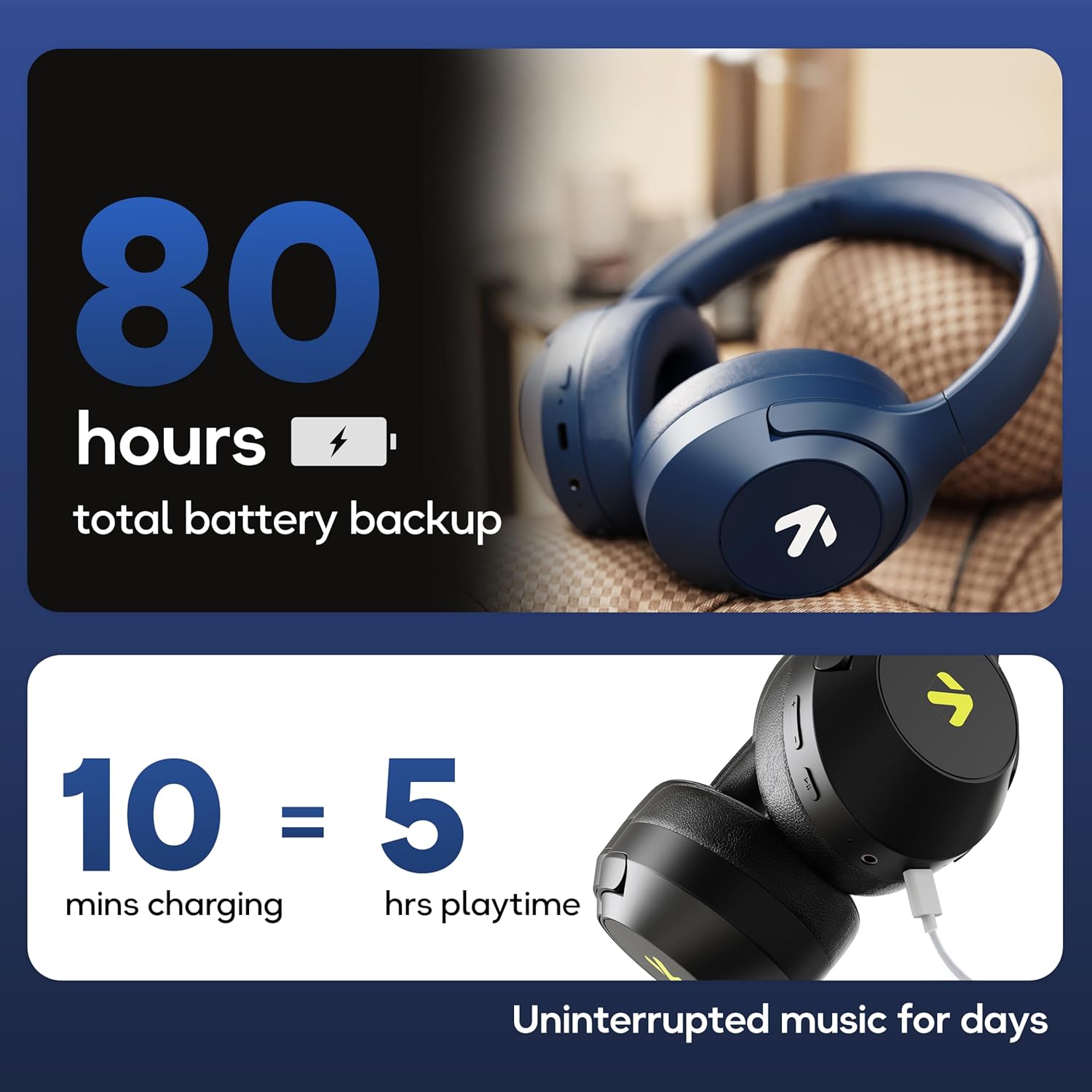
Image: Visual representation of the GOBOULT Flex headphones' battery life and fast charging capability.
4.2 Encendido / Apagado
- Para encender: Mantenga pulsado el botón de encendido durante 3 segundos. El indicador LED parpadeará.
- Para apagar: Mantenga pulsado el botón de encendido durante 5 segundos. El indicador LED se apagará.
4.3 Emparejamiento Bluetooth
The GOBOULT Flex headphones utilize Bluetooth 5.4 for stable and fast connections.
- Asegúrese de que los auriculares estén apagados.
- Mantenga presionado el botón de encendido durante aproximadamente 5 a 7 segundos hasta que el indicador LED parpadee en rojo y azul alternativamente, lo que indica el modo de emparejamiento.
- En su dispositivo (teléfono inteligente, tableta, computadora portátil), habilite Bluetooth y busque los dispositivos disponibles.
- Select "GOBOULT Flex" from the list of devices.
- Una vez conectado, el indicador LED parpadeará en azul lentamente.

Image: Illustration of the GOBOULT Flex headphones connecting via Bluetooth 5.4, highlighting the fast pairing feature.
4.4 Conexión AUX
You can use the headphones with a wired connection when the battery is low or for devices without Bluetooth. Connect one end of the 3.5mm AUX cable to the headphone's AUX port and the other end to your audio source's 3.5mm jack.
5. Instrucciones de funcionamiento
5.1 Controles básicos
| Función | Acción |
|---|---|
| Reproducir/Pausa | Presione el botón multifunción una vez. |
| Subir volumen | Presione el botón Subir volumen (+). |
| Bajar volumen | Presione el botón para bajar el volumen (-). |
| Pista siguiente | Mantenga presionado el botón Subir volumen (+). |
| Pista anterior | Mantenga presionado el botón para bajar el volumen (-). |
5.2 Gestión de llamadas
The integrated Zen™ ENC (Environmental Noise Cancellation) microphone ensures clear communication during calls.

Imagen: Detallada view of the GOBOULT Flex headphones highlighting the Zen™ ENC mic for noise-reduced calls.
| Función | Acción |
|---|---|
| Responder/Finalizar llamada | Presione el botón multifunción una vez. |
| Rechazar llamada | Mantenga pulsado el botón multifunción durante 2 segundos. |
5.3 Asistente de voz
Activate your device's voice assistant (e.g., Google Assistant, Siri) directly from your headphones.
- Activar asistente de voz: Presione dos veces el botón multifunción.

Image: GOBOULT Flex headphones showing compatibility with voice assistants and IPX5 water resistance.
5.4 Modo de juego (baja latencia)
For an optimized gaming experience, activate the 60ms ultra-low latency Combat™ Gaming Mode.
- Activar el modo de juego: Refer to your device's specific instructions or the product's quick start guide for the button combination to toggle gaming mode.

Image: GOBOULT Flex headphones illustrating the Combat™ Gaming Mode with 60ms ultra-low latency for mobile gaming.
5.5 modos de ecualización
The headphones feature 4 EQ modes to customize your audio experience:
- Bajo
- Roca
- Estallido
- Vocal
To switch between EQ modes, refer to the specific button press sequence in your quick start guide or product packaging. This functionality allows you to tailor the sound profile según su preferencia.

Imagen: Más alláview of GOBOULT Flex features, including the 4 EQ modes for sound customization.
6. Mantenimiento
6.1 Limpieza
Wipe the headphones with a soft, dry cloth. Do not use abrasive cleaners or solvents. For earcups, gently wipe with a damp paño y dejar secar al aire completamente antes de usar.
6.2 Almacenamiento
Guarde los auriculares en un lugar fresco y seco, alejados de la luz solar directa y temperaturas extremas. Su diseño plegable permite un almacenamiento compacto.
6.3 Resistencia al agua (IPX5)
The GOBOULT Flex headphones are rated IPX5, meaning they are resistant to sweat and light splashes of water. They are not designed for submersion in water. Avoid exposing them to heavy rain or showering.
7. Solución de problemas
| Problema | Posible solución |
|---|---|
| Los auriculares no se encienden. | Asegúrate de que los auriculares estén cargados. Conéctalos a una fuente de alimentación mediante el cable tipo C. |
| No se puede emparejar a través de Bluetooth. | Ensure headphones are in pairing mode (flashing red/blue). Turn off and on your device's Bluetooth. Move closer to the device. |
| No hay sonido. | Check volume levels on both headphones and connected device. Ensure headphones are properly paired or AUX cable is fully inserted. |
| Mala calidad de llamada. | Asegúrese de que el micrófono no esté obstruido. Vaya a un entorno más tranquilo. |
8. Especificaciones
| Característica | Detalle |
|---|---|
| Nombre del modelo | Flex (ProBass) |
| Conectividad | Bluetooth 5.4, AUX |
| Tamaño del controlador de audio | 40 mm |
| Recreo | Hasta 80 horas |
| Puerto de carga | Tipo C |
| Tiempo de carga | Aproximadamente 60 minutos |
| Micrófono | Micrófono Zen™ ENC |
| Modo de baja latencia | 60 ms (modo de juego Combat™) |
| Resistencia al agua | IPX5 |
| Respuesta de frecuencia | 20 Hz |
| Sensibilidad | 118 dB |
| Impedancia | 32 ohmios |
| Peso del artículo | 214 gramos |
9. Garantía y soporte
The GOBOULT Flex headphones come with a 1-year warranty. To avail of the extended warranty and for any support inquiries, please register your product on the official GOBOULT website. For technical assistance or customer service, refer to the contact information provided on your warranty card or the GOBOULT official websitio.
Manufacturer: Exotic Mile Private Limited
País de origen: China