
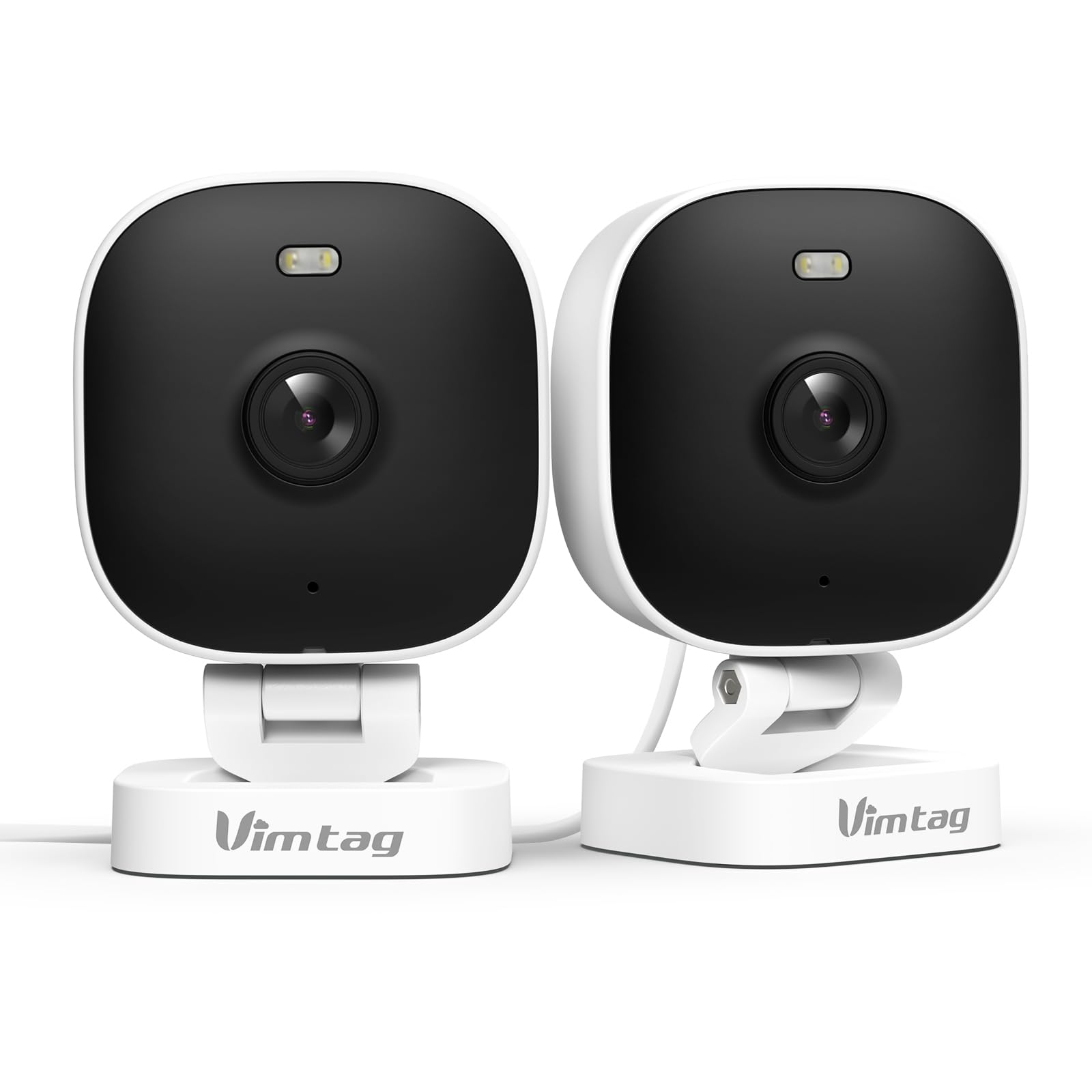
1. Introducción
El VIMTAG 8310 2.5K Security Camera is designed to provide comprehensive surveillance for your home, pets, and loved ones. This manual provides detailed instructions for setting up, operating, and maintaining your camera to ensure optimal performance and security.
Características principales:
- Operación continua: The camera operates 24/7 via a plug-in power cable, eliminating the need for battery charging. It supports 2.4GHz and 5GHz dual-band WiFi, including WiFi 6 technology, for stable connections.
- Vídeo de alta resolución: Provides 2.5K resolution for clear day and night visibility. Features full-color night vision, enhanced by a built-in LED light, for detailed monitoring in various indoor and outdoor environments.
- Detección inteligente: Offers advanced detection capabilities for motion, people, and sound up to 33 feet. Users receive instant alerts for detected activity.
- Resistencia a la intemperie: Rated IP65, the camera is designed for outdoor use and can withstand rain, snow, heat, and cold, ensuring continuous operation in various weather conditions.
- Acceso remoto y audio bidireccional: The mobile app allows remote access to live video footage and recorded content. Built-in two-way audio enables real-time communication through the camera.
- Gestión centralizada: Up to 32 Vimtag WiFi cameras can be managed within a single application. Features include smart cloud storage (subscription required), motion detection, and event filtering.
2. ¿Qué hay en la caja?
Verifique el contenido del paquete para asegurarse de que todos los artículos estén presentes:
- Camera with cable
- Tornillo de montaje
- Adaptador de corriente
- Manual de instrucciones (este documento)
3. Configuración
3.1 Configuración inicial y conexión de la aplicación
- Descargar la aplicación: Buscar "Canny Cam" in your smartphone's app store (iOS or Android) and download the application.
- Registrar Cuenta: Open the Canny Cam app and follow the on-screen instructions to register a new user account.
- Encendido: Connect the camera to the power adapter using the provided cable and plug it into an electrical outlet. The camera will power on automatically.
- Agregar dispositivo: In the Canny Cam app, select the option to add a new device. Enable Bluetooth and Wi-Fi on your smartphone as prompted by the app.
- Siga las instrucciones de la aplicación: The app will guide you through the process of connecting the camera to your home Wi-Fi network. Ensure your Wi-Fi network is 2.4GHz or 5GHz compatible.
- Confirmación de conexión: Once successfully connected, the app will confirm the device has been added.

Image: Visual guide showing the steps to download the Canny Cam app, enable Bluetooth and Wi-Fi, and connect the camera.
3.2 opciones de montaje
El VIMTAG 8310 camera offers flexible mounting options to suit various indoor and outdoor locations. Use the provided mounting screws for secure installation.
- Montaje en pared: Fije firmemente la cámara a la pared utilizando el soporte de montaje y los tornillos.
- Montaje en el techo: Install the camera on a ceiling for an overhead view.
- Tabletop Mount/Freestanding: Place the camera on a flat surface such as a table, shelf, or desk.
- Door Mount/Window Mount: Position the camera near doors or windows for specific entry point monitoring.

Image: A hand using a screwdriver to mount the VIMTAG camera to a surface.
Imagen: Examples of various mounting positions for the camera, including freestanding, wall-mounted, and ceiling-mounted.
4. Operación de la cámara
4.1 en vivo View y Grabación
Acceda a la transmisión de video en vivo y a las comidas grabadas.tage through the Canny Cam app on your smartphone or tablet.

Image: A comparison demonstrating the enhanced detail of 2.5K QHD resolution compared to 1080p.
4.2 Visión nocturna en color
The camera features full-color night vision, providing clear and detailed images even in low-light conditions, unlike traditional black-and-white night vision.
Image: A visual comparison illustrating the difference between color night vision and traditional night vision.
4.3 Conectividad Wi-Fi de doble banda
The camera supports both 2.4GHz and 5GHz Wi-Fi bands, offering flexibility for network connection. 2.4GHz provides a stable connection over longer distances, while 5GHz offers faster speeds for shorter ranges.

Image: Explanation of 2.4GHz and 5GHz Wi-Fi benefits for the camera's connectivity.
4.4 Detección inteligente y alertas
Configure motion, human, and sound detection settings within the Canny Cam app. The camera can trigger a smart sound and light alarm and send instant notifications to your smartphone upon detecting activity.

Image: Depiction of the smart sound and light alarm feature in action.

Image: App interface showing options for setting detection types and sensitivity levels.
4.5 Audio bidireccional
Utilize the built-in microphone and speaker for two-way communication. This allows you to speak to visitors, deter intruders, or comfort pets remotely.
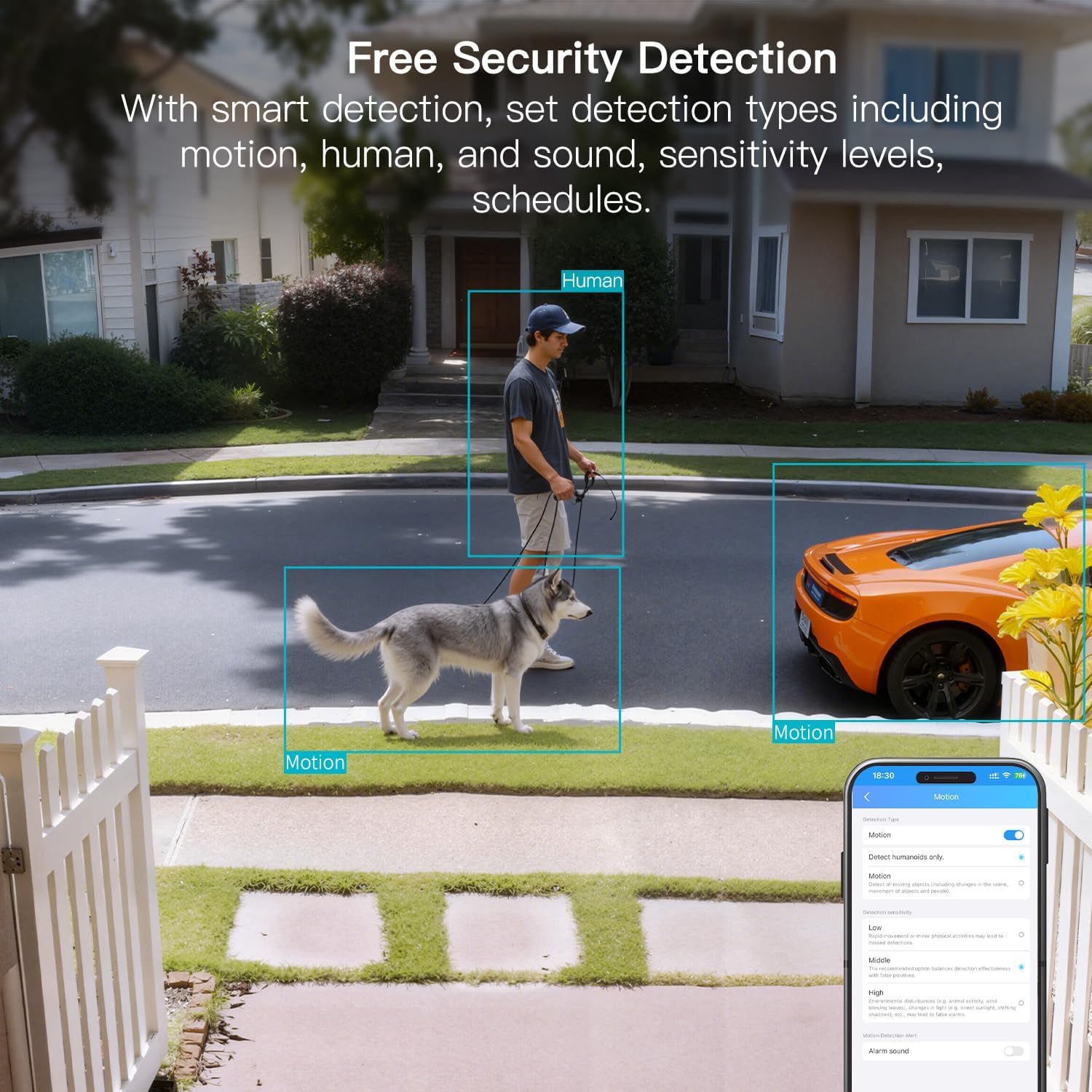
Imagen: ExampLe de utilizar audio bidireccional para comunicarse a través de la cámara.
4.6 Opciones de almacenamiento
The camera supports local storage via a MicroSD card (up to 512GB, sold separately) for continuous or event-triggered recording. Cloud storage is also available through a subscription service, offering event recording and multi-device playback.

Image: The camera's recording capabilities to a TF card or cloud storage.

Imagen: Más alláview of Canny Cam app features, including those available with and without a cloud subscription.
4.7 Integración con Alexa
El VIMTAG 8310 camera is compatible with Alexa, allowing for hands-free control and live streaming to compatible Alexa-enabled devices.

Imagen: ExampLe de usar Alexa para view la alimentación de la cámara.
5. Mantenimiento
Para garantizar la longevidad y el rendimiento óptimo de su VIMTAG 8310 camera, follow these maintenance guidelines:
- Limpieza: Limpie regularmente la lente y el cuerpo de la cámara con un paño suave y seco para eliminar el polvo y las manchas. Evite el uso de productos químicos agresivos o materiales abrasivos.
- Actualizaciones de firmware: Check the Canny Cam app periodically for available firmware updates. Keeping your camera's firmware up-to-date ensures you have the latest features and security enhancements.
- Fuente de alimentación: Ensure the camera is connected to a stable power source. Avoid using damaged cables or adapters.
- Protección ambiental: While the camera is IP65-rated for weather resistance, avoid direct exposure to extreme conditions or prolonged submersion in water.
6. Solución de problemas
If you encounter any issues with your VIMTAG 8310 camera, please refer to the following common troubleshooting tips or contact support:
- Sin energía: Asegúrese de que el adaptador de corriente esté conectado de forma segura tanto a la cámara como a una toma de corriente que funcione.
- Problemas de conexión Wi-Fi: Verify your Wi-Fi network is active and the camera is within range. Try restarting your router and the camera. Ensure you are connecting to the correct 2.4GHz or 5GHz network as supported by your router and camera settings.
- Problemas de conectividad de aplicaciones: Check if your smartphone has a stable internet connection. Ensure the Canny Cam app is updated to the latest version. Try restarting the app or your phone.
- Mala calidad de vídeo: Check your internet speed. A slow connection can affect streaming quality. Ensure the camera lens is clean.
- La detección de movimiento no funciona: Review the motion detection settings in the Canny Cam app to ensure they are configured correctly and sensitivity levels are appropriate.
Note: No relevant product videos with 'creator_type: Seller' were found in the provided data to include in this section.
7. Especificaciones
| Característica | Detalle |
|---|---|
| Uso en interiores y exteriores | Interior, exterior |
| Dispositivos compatibles | Smartphone, iPhone, iPad, Android Phone, Android Pad |
| Fuente de poder | Eléctrico con cable |
| Protocolo de conectividad | Wifi |
| Tipo de controlador | APLICACIÓN |
| Tipo de montaje | Wall mount, Ceiling mount, Tabletop Mount, Freestanding, Door mount, Window mount |
| Resolución de captura de video | 1440p (2.5K) |
| Color | Blanco |
| Número de artículos | 2 |
| Número de canales | 2 |
| Tecnología de comunicación inalámbrica | Wifi |
| Factor de forma | Cubo |
| Resolución de vídeo efectiva | 4 MP |
| Viewángulo de ing | 130 grados |
| Rango de visión nocturna | 33 pies |
| Velocidad de cuadros | 25 cuadros por segundo |
| Material | Plástico |
| Volumentage | 5 voltios |
| Quétage | 5 vatios |
| Dimensiones del artículo L x W x H | 2.28 x 1.85 x 2.8 pulgadas |
| Nivel de resistencia al agua | Impermeable (IP65) |
| ¿Se requieren pilas? | No |
| Tipo de memoria flash | Micro SD |
| Peso del artículo | 0.19 kilogramos (6.7 onzas) |
| Codificacion de video | H.264 & H.265 |
| Forma | Rectangular |
| Tipo de enfoque | Enfoque automático |
| Tecnología con poca luz | Color de la noche |
| Tipo de zoom | Zoom digital |
| Relación de zoom | 8 |
| Tipo de alerta | Audio y movimiento |
| Tipo de fuente de luz | LED, IR |
| Formato de captura de video | MPEG-4 |
| Tecnología de fotosensor | CMOS |
| Resolución de imágenes fijas efectiva | 4 MP |
| Calificación de protección internacional | IP66 |
| Máximo WebResolución de imagen de cámara | 4 MP |
| Método de control | Aplicación, remoto |
| Cantidad de LED IR | 2 |
| Tamaño máximo admitido de la memoria flash | 512 GB |
| Grado del producto | Barrio residencial |
| Compatibilidad con hogares inteligentes | Smart Home Compatible |
| Tecnología celular | 2.4G 5G |
| Capacidades de grabación audiovisual | Audio, Still Image, Video |
| Clase de banda de frecuencia | Doble banda |

Image: Product dimensions of the VIMTAG 8310 camera.
8. Garantía y soporte
For expert support with setting up and optimizing your VIMTAG cameras, please contact our support team:
- Soporte telefónico: +1 (978) 437-5767
- Disponibilidad: Monday to Friday, 9:00 AM - 6:00 PM (ET)
EMPUJETAG is committed to providing lifetime technical support for its products. For any inquiries or assistance, please reach out to our dedicated support channels.

Imagen: VIMTAG Free Expert Support contact information.