
1. Introducción
The Turtlebox Ranger is a rugged, waterproof, and ultra-portable Bluetooth 5.4 speaker designed for outdoor use. It delivers powerful, distortion-free sound with deep bass, capable of reaching 105dB. Built to withstand various outdoor conditions, it features shockproof construction and IP67 waterproofing. This manual provides essential information for setting up, operating, and maintaining your Turtlebox Ranger speaker.

Image: Turtlebox Ranger speaker in an outdoor environment, showcasing su construcción robusta.
2. ¿Qué hay en la caja?
Asegúrese de que todos los elementos estén presentes al desembalar:
- Turtlebox Ranger Speaker
- Cable de alimentación
3. Características principales
- Unmatched Volume & Bass: Delivers 105dB of powerful, distortion-free sound, optimized for outdoor environments.
- IP67 Waterproof & Built Tough: Fully waterproof, dustproof, and shockproof design ensures durability in challenging conditions.
- Duración de la batería durante todo el día: Proporciona hasta 25 horas de reproducción con una sola carga.
- Unlimited Pairing (Party Mode): Sync multiple Ranger speakers for a premium, portable surround sound experience.
- Designed for the Outdoors: Features a rugged handle, built-in tie-down anchors, and a compact, easy-to-carry design.

Image: Visual representation of the Turtlebox Ranger's main features.
4. Configuración
4.1 Carga del altavoz
Before first use, fully charge your Turtlebox Ranger. Connect the provided Power Cable to the USB-C charging port located on the back of the speaker. The battery indicator lights will show charging progress. A full charge typically takes approximately 3 hours and provides up to 25 hours of playtime.
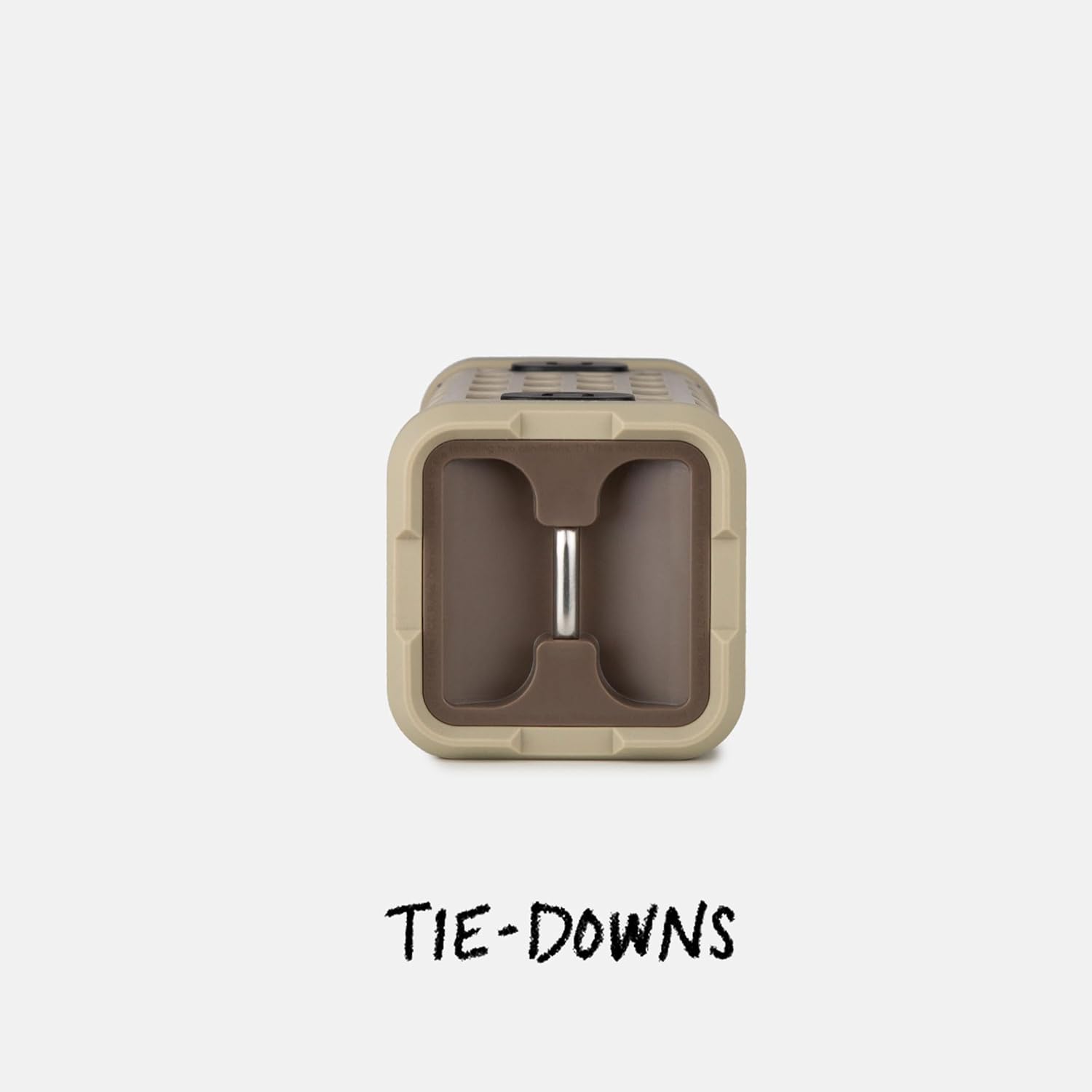
Image: The fully waterproof charging ports of the Turtlebox Ranger.
4.2 Encendido / Apagado
Mantenga pulsado el Botón de encendido (usually indicated by a circle with a vertical line) on the control panel until the indicator lights illuminate. To power off, press and hold the Power button again.
4.3 Emparejamiento Bluetooth
- Asegúrese de que el altavoz esté encendido y que la luz indicadora de Bluetooth esté parpadeando, lo que indica que está en modo de emparejamiento.
- En su dispositivo móvil (teléfono inteligente, tableta, etc.), vaya a la configuración de Bluetooth.
- Select "Turtlebox Ranger" from the list of available devices.
- Una vez conectado, la luz indicadora de Bluetooth en el altavoz se volverá fija.
5. Instrucciones de funcionamiento
5.1 controles sobreview
The control panel on the speaker allows for easy management of audio playback and settings.

Image: The control panel of the Turtlebox Ranger, showing various buttons.
- Botón de encendido: Manténgalo presionado para encender o apagar el altavoz.
- Subir volumen (+): Aumenta el volumen.
- Bajar volumen (-): Disminuye el volumen.
- Reproducir/Pausa: Controla la reproducción de audio.
- Track Skip (Forward/Backward): Salta a la pista siguiente o anterior.
- Botón Bluetooth: Inicia el modo de emparejamiento Bluetooth.
5.2 Reproducción de audio
Once paired, you can control music directly from your connected device or using the speaker's control buttons.
6. Party Mode Pairing
For an enhanced audio experience, you can wirelessly connect multiple Turtlebox Ranger speakers using Party Mode.
- Asegúrese de que todos los altavoces estén encendidos y no conectados a ningún dispositivo Bluetooth.
- On the primary speaker (the one you want to control from), press the Party Mode button (often indicated by a chain link or multiple speaker icon).
- On the secondary speakers, press their respective Party Mode buttons.
- The speakers will automatically connect, creating a synchronized audio system.

Image: Multiple Turtlebox Ranger speakers connected wirelessly in Party Mode.
7. Mantenimiento
7.1 Limpieza
Due to its IP67 rating, the Turtlebox Ranger can be easily cleaned with water. Rinse off dirt, sand, or mud. Avoid using harsh chemicals or abrasive cleaners.

Image: The Turtlebox Ranger being rinsed with water, showcasing su diseño impermeable.
7.2 Almacenamiento
Guarde el altavoz en un lugar fresco y seco cuando no lo use. Evite la exposición prolongada a temperaturas extremas.
8. Solución de problemas
- Sin energía: Ensure the speaker is fully charged. Connect to a power source and check the battery indicator lights.
- Sin sonido: Comprueba el volumen tanto del altavoz como del dispositivo conectado. Asegúrate de que el dispositivo esté correctamente emparejado por Bluetooth.
- Problemas de emparejamiento de Bluetooth: Turn off and restart the speaker and your device's Bluetooth. Try re-pairing the devices. Ensure no other devices are actively connected to the speaker.
- Mala calidad de audio: Ensure the speaker is within Bluetooth range of your device. Move closer to the device or away from potential interference sources.
9. Especificaciones
| Nombre del modelo | Turtlebox Ranger |
| Tipo de altavoz | Exterior |
| Tecnología de conectividad | Bluetooth 5.4 |
| Potencia de salida | 105 decibeles |
| Duración de la batería | Hasta 25 horas |
| Capacidad de la batería | 25.2 Wh Lithium-ion (25200 Milliamp Horas) |
| Nivel de resistencia al agua | IP67 (resistente al agua y al polvo) |
| Dimensiones del producto | 3.15" de profundidad x 3.15" de ancho x 8.05" de alto |
| Peso del artículo | 2.4 libras |
| Componentes incluidos | Cable de alimentación |
| Tipo de montaje | Montaje magnético |
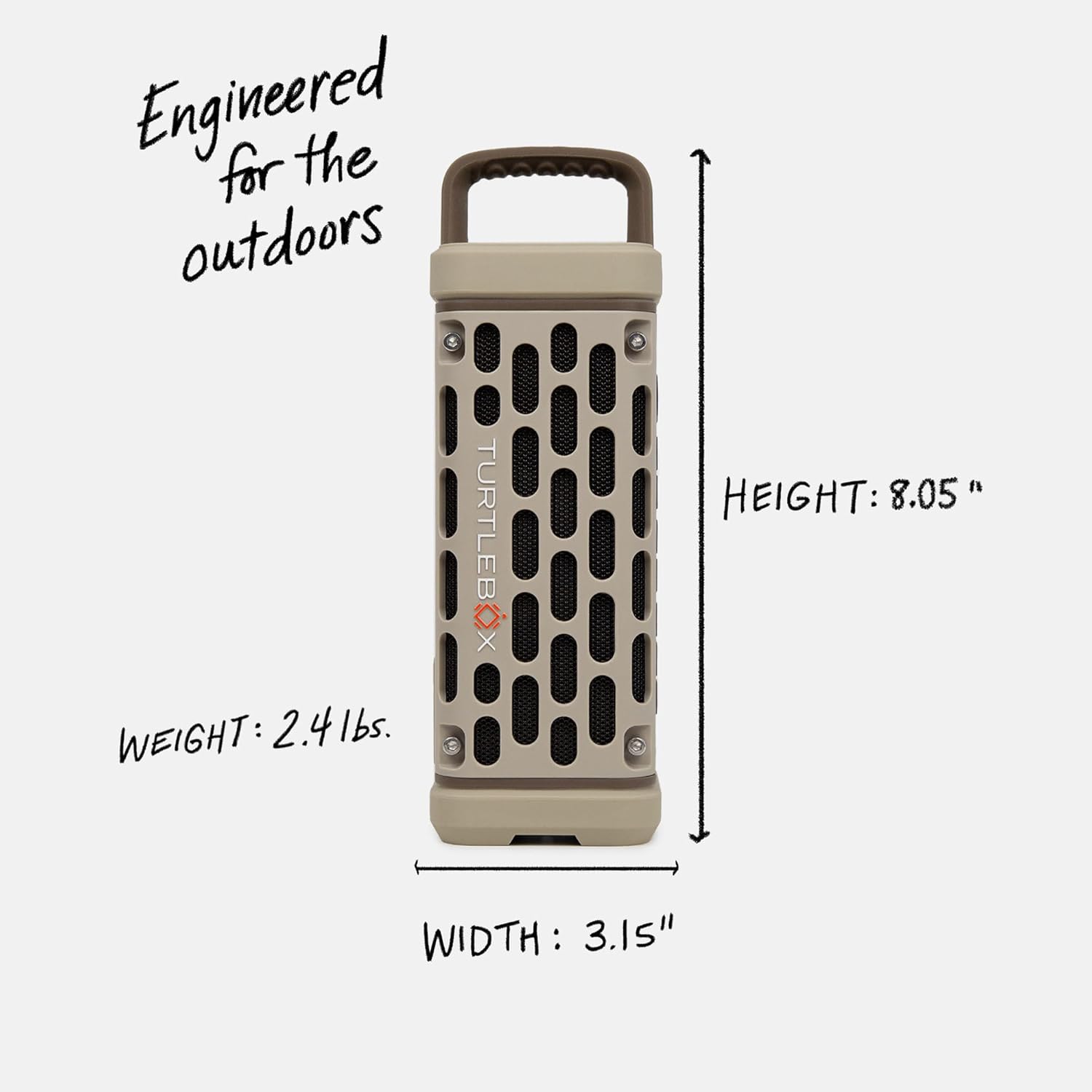
Image: Dimensions and weight of the Turtlebox Ranger speaker.
10. Garantía y soporte
10.1 Garantía limitada
The Turtlebox Ranger comes with a limited warranty. For specific terms and conditions, please refer to the warranty card included with your product or visit the official Turtlebox websitio.
10.2 Atención al cliente
For further assistance, technical support, or warranty claims, please contact Turtlebox customer support through their official websitio o la información de contacto proporcionada en el embalaje de su producto.