
1. Introducción
Welcome to the OUKITEL C59 Pro user manual. This guide provides detailed instructions on how to set up, operate, maintain, and troubleshoot your new Android 15 smartphone. Please read this manual thoroughly to ensure optimal performance and longevity of your device.
2. Información de seguridad
To prevent injury to yourself or others, or damage to your device, read all safety information before using the device. Keep this manual for future reference.
- No exponga el dispositivo a temperaturas extremas, luz solar directa o humedad alta.
- Utilice únicamente cargadores, baterías y accesorios aprobados por OUKITEL.
- Evite dejar caer o someter el dispositivo a impactos fuertes.
- No desmonte, modifique ni repare el dispositivo usted mismo.
- Maintain a safe distance from medical devices to avoid interference.
- Deseche el dispositivo y sus componentes de forma responsable según las regulaciones locales.
3. Contenido del paquete
Verifique que todos los artículos estén presentes en la caja de su producto:
- Teléfono inteligente OUKITEL C59 Pro
- Funda de teléfono
- Cable USB (Tipo-C)
- Herramienta de expulsión de SIM
- Adaptador de corriente
4. Dispositivo terminadoview
Familiarize yourself with the physical features and components of your OUKITEL C59 Pro smartphone.

Imagen: General view del teléfono inteligente OUKITEL C59 Pro, muestraasing su elegante diseño y módulo de cámara trasera.
4.1 Botones y puertos físicos
- Botón de encendido: Located on the side, used to power on/off the device or wake/sleep the screen. Integrates fingerprint recognition.
- Botones de volumen: Ubicado en el lateral, se utiliza para ajustar el volumen de los medios y el volumen del tono de llamada.
- Puerto USB tipo C: Ubicado en la parte inferior, se utiliza para cargar y transferir datos.
- Ranura para tarjeta SIM/MicroSD: Located on the side, for inserting Nano SIM cards and a MicroSD card.
- 110lm LED Flashlight: An exclusive physical flashlight located at the top of the device, activated by a dedicated button.
4.2 Pantalla
The OUKITEL C59 Pro features a large 6.88-inch HD+ display with a 90Hz refresh rate and 450 nits brightness, providing a clear and smooth visual experience.

Image: The OUKITEL C59 Pro's 6.88-inch HD+ display, highlighting its size and visual clarity.
4.3 Cámaras
The device is equipped with a dual rear camera system, featuring a 13MP main camera, and a 5MP front camera for selfies and video calls.

Image: Close-up of the OUKITEL C59 Pro's rear camera module and exampArchivos de fotos tomadas con la cámara principal de 13MP y la cámara frontal de 5MP.
4.4 Linterna
The OUKITEL C59 Pro features a powerful 110 lumen LED flashlight at the top. This flashlight can be activated instantly by pressing a dedicated physical button on the side of the phone, even when the screen is locked.

Image: The OUKITEL C59 Pro's 110lm LED flashlight illuminating dark environments, demonstrating its brightness and utility in various scenarios.
5. Configuración
5.1 Inserción de tarjetas SIM y MicroSD
Your OUKITEL C59 Pro supports Dual Nano SIM cards and a MicroSD card for expandable storage up to 1TB.
- Localice la bandeja de la tarjeta SIM en el costado del dispositivo.
- Inserte la herramienta de extracción de SIM en el pequeño orificio al lado de la bandeja para abrirla.
- Place your Nano SIM cards and/or MicroSD card into the designated slots on the tray, ensuring correct orientation.
- Empuje suavemente la bandeja dentro del dispositivo hasta que encaje en su lugar.

Image: The SIM card tray of the OUKITEL C59 Pro, showing slots for two Nano SIM cards and one MicroSD card.
5.2 Carga del dispositivo
Before first use, fully charge your OUKITEL C59 Pro. The device supports 18W fast charging.
- Conecte el cable USB tipo C al puerto de carga en la parte inferior del teléfono.
- Conecte el otro extremo del cable USB al adaptador de corriente.
- Conecte el adaptador de corriente a una toma de pared.
- A full charge typically takes approximately four hours.
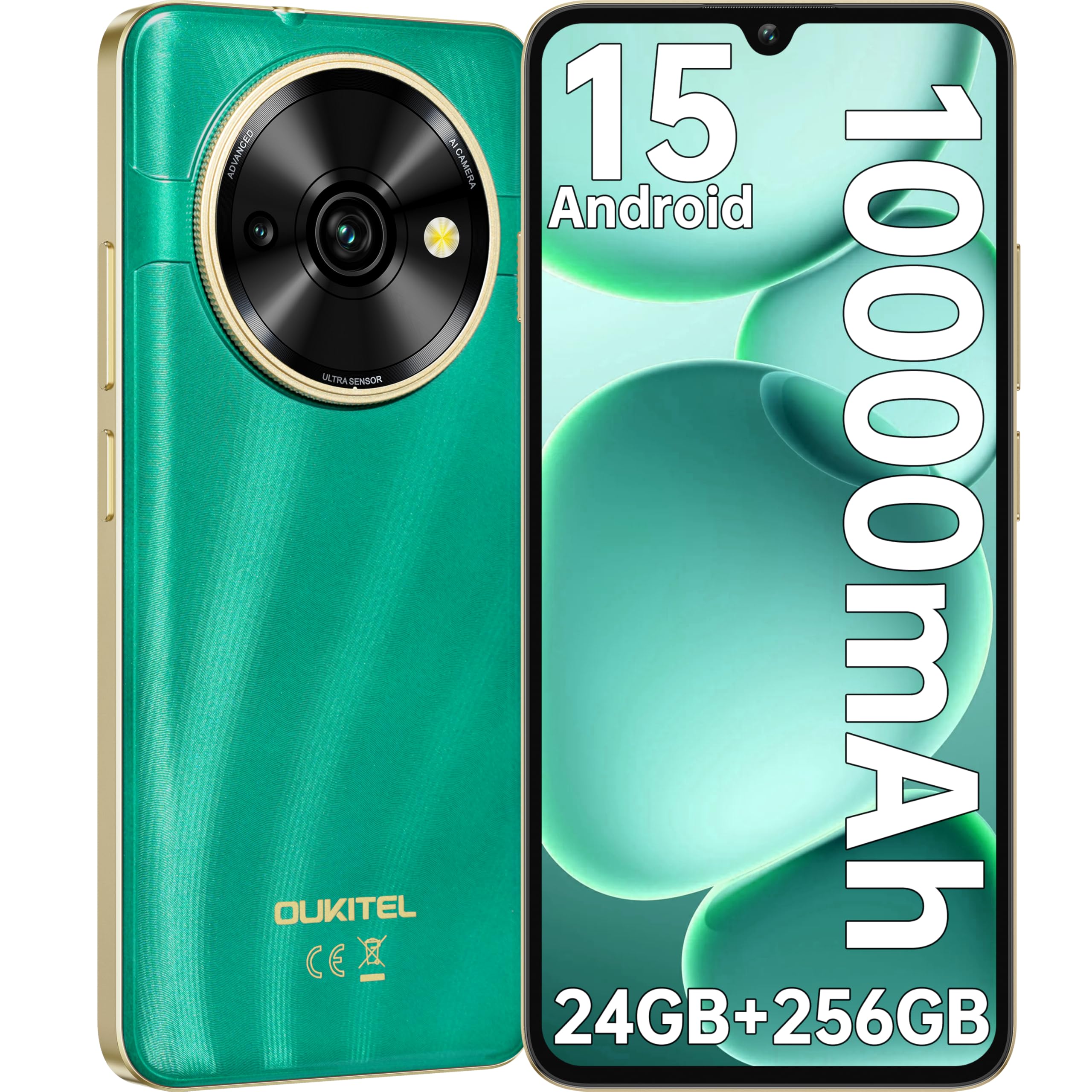
Image: Visual representation of the OUKITEL C59 Pro's 10000mAh battery capacity, indicating extended standby, talk, flashlight, and video playback times.
5.3 Encendido / Apagado
- Para encender: Mantenga presionado el botón de encendido hasta que aparezca el logotipo de OUKITEL.
- Para apagar: Mantenga presionado el botón de Encendido, luego seleccione “Apagar” en las opciones en la pantalla.
- Para reiniciar: Mantenga presionado el botón de Encendido, luego seleccione ‘Reiniciar’ en las opciones.
6. Operación de su teléfono inteligente
6.1 Sistema operativo Android 15
Your OUKITEL C59 Pro runs on the latest Android 15 operating system, offering enhanced energy efficiency, privacy protection, and multi-device integration capabilities optimized with artificial intelligence.

Imagen: Una representación visual de la interfaz del sistema operativo Android 15, que muestraasing its modern design and various application icons.
6.2 Biometric Security (Fingerprint & Face ID)
Unlock your device securely using the side-mounted fingerprint sensor or Face ID recognition.
- Reconocimiento de huellas dactilares: Register your fingerprints in the Security settings. To unlock, simply place your registered finger on the side power button.
- Identificación facial: Configura Face ID en la configuración de seguridad. Para desbloquear, coloca el teléfono frente a tu cara.
6.3 Connectivity Features (NFC, GPS)
The OUKITEL C59 Pro supports NFC for contactless payments and data transfer, and GPS for navigation and location services.
- NFC: Enable NFC in Settings > Connected devices > Connection preferences > NFC. Tap your phone to compatible devices for quick pairing or payments.
- GPS: Location services are enabled by default. You can manage them in Settings > Location.
6.4 Memoria y almacenamiento
The device comes with 24GB RAM (8GB physical + 16GB virtual) and 256GB internal storage, expandable up to 1TB via MicroSD card.

Image: A graphical representation of the OUKITEL C59 Pro's memory configuration, showing 24GB RAM (8GB + 16GB expansion) and 256GB ROM (expandable to 1TB).
6.5 Funcionalidad OTG
The OUKITEL C59 Pro supports OTG (On-The-Go) reverse charging, allowing you to transfer data to other devices or use your phone as an emergency power bank.
7. Mantenimiento
Un mantenimiento adecuado garantiza la longevidad y el rendimiento óptimo de su teléfono inteligente.
- Limpieza: Utilice un paño suave y sin pelusa para limpiar la pantalla y el cuerpo del dispositivo. Evite utilizar productos químicos agresivos o materiales abrasivos.
- Actualizaciones de software: Revisa e instala periódicamente las actualizaciones del sistema para asegurarte de que tu dispositivo cuente con las funciones y parches de seguridad más recientes. Ve a Ajustes > Sistema > Actualización del sistema.
- Cuidado de la batería: Evite descargar la batería por completo con frecuencia. Para un almacenamiento prolongado, cárguela aproximadamente al 50 %.
- Administración de almacenamiento: Limpiar periódicamente lo innecesario files y aplicaciones para liberar espacio de almacenamiento y mejorar el rendimiento.
8. Solución de problemas
Si tiene problemas con su dispositivo, pruebe las siguientes soluciones:
- El dispositivo no responde: Mantenga presionado el botón de encendido durante aproximadamente 10 a 15 segundos para forzar el reinicio.
- Las aplicaciones se bloquean: Clear the cache and data of the problematic app in Settings > Apps > [App Name] > Storage. If the issue persists, uninstall and reinstall the app.
- Poca duración de la batería: Check battery usage in Settings > Battery to identify power-hungry apps. Reduce screen brightness, disable unnecessary features like GPS or Wi-Fi when not in use.
- Problemas de red: Ensure SIM cards are correctly inserted. Try restarting the device. Check network settings or contact your service provider.
- Calentamiento excesivo: Avoid using the device while charging or during prolonged heavy usage. Close background apps.
- Restablecimiento de fábrica: Como último recurso, si los problemas de software persisten, puede realizar un restablecimiento de fábrica. Advertencia: Esto borrará todos los datos de su dispositivo. Haga una copia de seguridad de los datos importantes antes de continuar. Vaya a Configuración > Sistema > Opciones de restablecimiento > Borrar todos los datos (restablecimiento de fábrica).
9. Especificaciones
Detailed technical specifications for the OUKITEL C59 Pro smartphone.
| Característica | Especificación |
|---|---|
| Marca | Oukitel |
| Nombre del modelo | OUKITEL C59 Pro |
| Sistema operativo | Androide 15 |
| Tamaño de RAM instalada | 24 GB (8 GB físicos + 16 GB virtuales) |
| Capacidad de almacenamiento | 256 GB |
| Max Supported Flash Memory Size | 1024 GB (1 TB) |
| Tamaño de pantalla | 6.88 pulgadas |
| Resolución | 1640 x 720 píxeles |
| Frecuencia de actualización | 90 Hz |
| Tipo de pantalla | Pantalla LCD |
| Tecnología celular | 4G |
| Tecnología de conectividad | 4G |
| Color | VERDE |
| Number of SIM Card Slots | Doble SIM |
| Tamaño de la tarjeta SIM | Nano |
| Tipo de conector | USB tipo C |
| Factor de forma | Bar |
| Función de seguridad biométrica | Reconocimiento de huellas dactilares, Face ID |
| Nivel de resistencia al agua | No es impermeable |
| Toma de auriculares | Ninguno |
| Resolución de la cámara trasera | 13 MP |
| Number of Rear Cameras | 2 |
| Number of Front Cameras | 1 |
| Resolución de captura de video | 1080p |
| Velocidad de cuadros | 30 fps, 60 fps, 120 fps |
| Capacidad de la batería | 10000 mAh |
| Duración de la batería | 50 horas (tiempo de conversación) |
| GPS | Sí |
| Componentes incluidos | Phone case, USB cable, SIM ejector tool, Power adapter |
| Usos específicos del producto | Gaming, Photography, Streaming, Video Conferencing |
10. Garantía y soporte
10.1 Información de garantía
The OUKITEL C59 Pro smartphone comes with a Garantía del fabricante de 2 años. This warranty covers defects in materials and workmanship under normal use. It does not cover damage caused by misuse, accidents, unauthorized repairs, or normal wear and tear. Please retain your proof of purchase for warranty claims.
10.2 Atención al cliente
For technical assistance, warranty claims, or any other inquiries regarding your OUKITEL C59 Pro, please contact OUKITEL customer support through their official website or the contact information provided with your purchase. Ensure you have your device model and purchase details ready when contacting support.