
1. Introducción
This manual provides essential information for setting up, operating, and maintaining your TCL 98Q7K 98-inch QLED 4K Google TV. This television features a stunning QLED 4K display with a 144 Hz panel for smooth motion, integrated Google TV for smart functionality, and advanced audio with Dolby Atmos. It also includes Google Assistant and Alexa compatibility for hands-free voice control, VisionHDR10+, and AiPQ™ processing for optimized picture quality.

2. Configuración
2.1 Desembalaje e inspección inicial
Carefully remove the television from its packaging. Inspect the TV and all included accessories for any signs of damage. Keep the packaging materials for future transport or service needs.
2.2 Instalación del soporte
If you plan to use the TV with its included stand, follow these steps:
- Coloque el televisor con la pantalla hacia abajo sobre una superficie suave y plana para evitar rayones.
- Alinee los componentes del soporte con las ranuras designadas en la parte inferior del televisor.
- Secure the stand using the screws provided in the accessory kit. Ensure all screws are tightened firmly.

2.3 Montaje en pared (opcional)
For wall mounting, a compatible VESA wall mount (not included) is required. Due to the size and weight of the 98-inch television, professional installation is highly recommended to ensure safety and proper mounting. Refer to the wall mount manufacturer's instructions for specific installation details.
2.4 Conexión de periféricos
Connect your external devices such as Blu-ray players, gaming consoles, sound systems, and cable/satellite boxes to the appropriate ports on the TV. The TCL 98Q7K features 4 HDMI ports and 2 USB ports for versatile connectivity.
3. Instrucciones de funcionamiento
3.1 Encendido y apagado
Connect the power cord to the TV and a power outlet. Press the power button on the remote control or on the TV itself to turn the television on or off.
3.2 Initial Setup with Google TV
Upon first power-on, the TV will guide you through the initial setup process for Google TV. This includes selecting your language, connecting to a Wi-Fi network, signing in with your Google account, and configuring basic settings. Follow the on-screen prompts.

3.3 Funciones de control remoto
The included remote control allows you to navigate the TV's interface, adjust volume, change channels, and access smart features. It supports voice control via Google Assistant and Alexa. Insert the provided batteries into the remote control before use.
3.4 Funciones inteligentes y control por voz
- Google TV: Access a wide range of streaming apps, movies, and shows.
- Asistente de Google y Alexa: Use voice commands for hands-free control of your TV, search for content, get information, and control smart home devices.
- Chromecast integrado: Transmite contenido desde tus dispositivos móviles compatibles directamente al televisor.
3.5 Características de juego
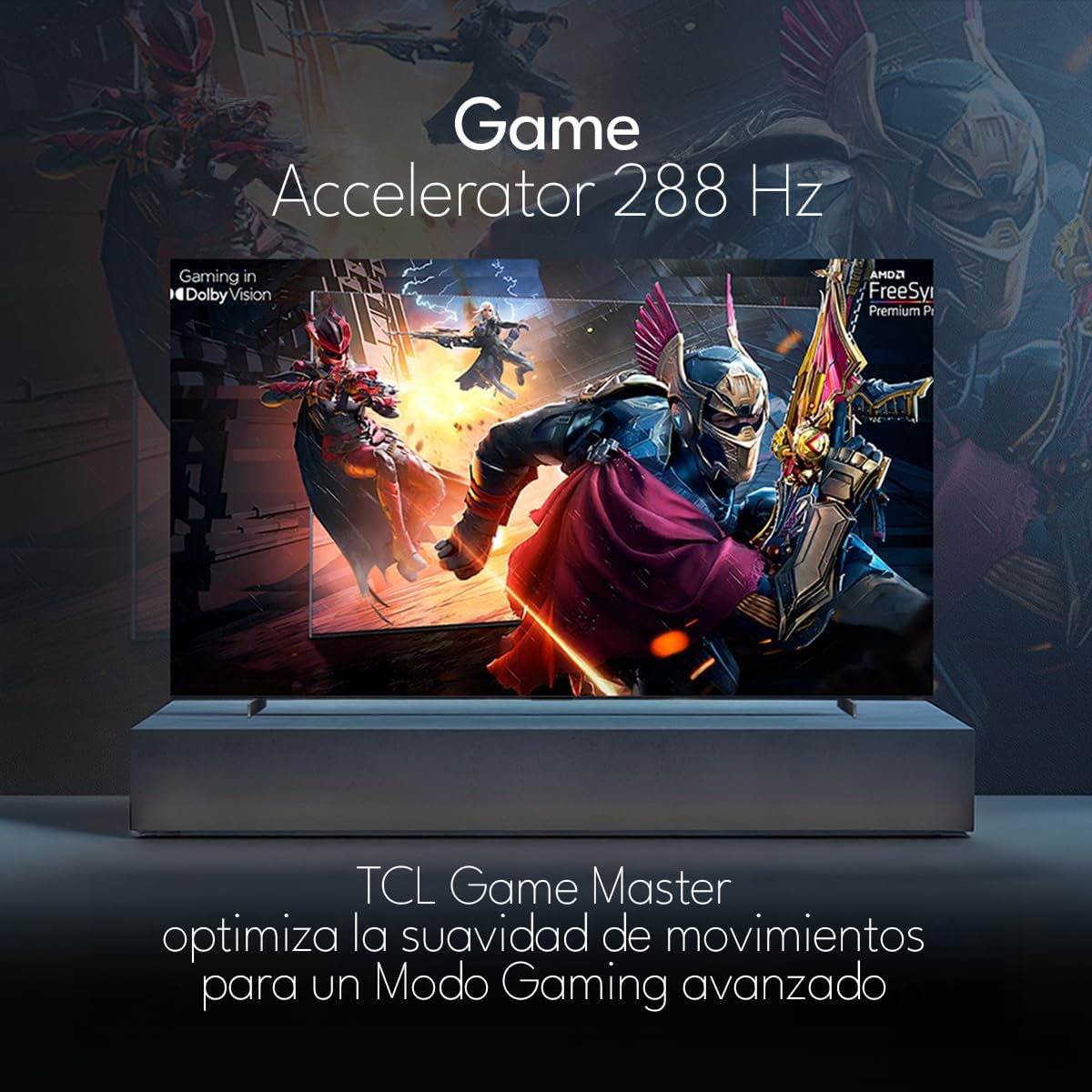
The TCL 98Q7K features a 144 Hz panel and Game Accelerator technology for an enhanced gaming experience with reduced latency and smoother motion.

3.6 Funciones de audio
Experience immersive sound with Dolby Atmos and the integrated ONKYO Hi-Fi System 2.1 Channels, providing clear vocals and deep bass.

3.7 producto másview Video
4. Mantenimiento
4.1 Limpieza de la pantalla
Para limpiar la pantalla, límpiela suavemente con un paño suave que no deje pelusa. Para manchas difíciles, frote ligeramenteampEnjuague el paño con agua o un limpiador de pantallas especializado. Evite usar productos químicos agresivos, materiales abrasivos o rociar líquidos directamente sobre la pantalla.
4.2 Limpieza del cuerpo del televisor
Wipe the TV body with a soft, dry cloth. Do not use liquid cleaners directly on the TV body.
4.3 Actualizaciones de software
Your TCL Google TV may receive automatic software updates. To manually check for updates, navigate to the settings menu, then select System > About > System update. Ensure your TV is connected to the internet for updates.
5. Solución de problemas
Si tiene problemas con su televisor, consulte las siguientes soluciones comunes:
- Sin energía:
Asegúrese de que el cable de alimentación esté bien conectado tanto al televisor como a una toma de corriente que funcione. Intente conectar otro dispositivo a la misma toma para confirmar que tenga corriente. - Sin imagen ni sonido:
Verify that the correct input source is selected (e.g., HDMI 1, AV). Check all cable connections between the TV and external devices. Ensure the volume is not muted or set to minimum. - El control remoto no funciona:
Cambie las pilas del control remoto. Asegúrese de que no haya obstrucciones entre el control remoto y el sensor infrarrojo del televisor. - Problemas de conexión de red:
Check your Wi-Fi router and ensure it is powered on and functioning correctly. Restart the TV and your router. In the TV settings, verify the Wi-Fi connection status. - Problemas de calidad de la imagen (por ejemplo, borrosa, distorsionada):
Check the resolution settings of your input source. Ensure the cables are not damaged. Adjust picture settings (brightness, contrast, sharpness) in the TV menu.
For persistent issues, consult the full electronic manual available through the TV's help menu or contact TCL customer support.
6. Especificaciones
| Característica | Especificación |
|---|---|
| Tamaño de pantalla | 98 pulgadas |
| Tecnología de visualización | LED Q |
| Resolución | 4K (3840 x 2160) |
| Frecuencia de actualización | 144 Hz |
| Soporte de formato HDR | Dolby Vision, HDR10, HDR10+, HLG |
| Brillo máximo | 450 NITES |
| Sistema de sonido | Dolby Atmos, Dolby Digital, ONKYO Hi-Fi System 2.1 Channels |
| Sistema operativo | Google TV |
| Control de voz | Asistente de Google, Alexa |
| Conectividad | Wi-Fi, Ethernet, 4 HDMI, 2 USB |
| Dimensiones (con soporte) | 217.8 x 128.5 x 42 cm |
| Dimensiones (sin soporte) | 0.06prof. x 2.18an. x 1.25alt. Meters (approx. 6 cm depth) |
| Año del modelo | 2025 |
| Componentes incluidos | Manual, control remoto, pilas |
7. Garantía y soporte
7.1 Garantía del producto
The TCL 98Q7K television comes with a Garantía limitada de 2 años A partir de la fecha de compra. Esta garantía cubre defectos de fabricación y mal funcionamiento en condiciones normales de uso. Conserve su comprobante de compra para reclamaciones de garantía.
7.2 Atención al cliente
For technical assistance, troubleshooting beyond this manual, or warranty inquiries, please contact TCL customer support. Refer to the contact information provided in the separate warranty card or visit the official TCL websitio para su región.