
THINKYA JA-318
THINKYA Vintage Bluetooth Stereo System
Modelo: JA-318
Introducción
Thank you for choosing the THINKYA Vintage Bluetooth Stereo System. This manual provides essential information for setting up, operating, and maintaining your new audio system. Please read this manual thoroughly before using the product to ensure proper operation and to maximize your listening experience. Keep this manual for future reference.
Contenido del paquete
Revise cuidadosamente el contenido del paquete. Si falta algún artículo o está dañado, contacte con su vendedor.
- THINKYA Vintage Bluetooth Stereo System Unit
- Mando a distancia
- Adaptador de corriente
- Antena FM (si corresponde)
- Manual de usuario (este documento)
Producto terminadoview
Familiarize yourself with the components and features of your stereo system.

Figura 1: Frente view of the stereo system with the included remote control. The system features a top-loading CD player and integrated speakers.

Figura 2: The system supports Bluetooth 5.1 for wireless audio streaming, along with Aux and USB playback options. A smartphone is shown connected via Bluetooth.

Figura 3: The system features a premium 30W RMS sound system with dual 3-inch full-range units, designed for clear and powerful audio output.
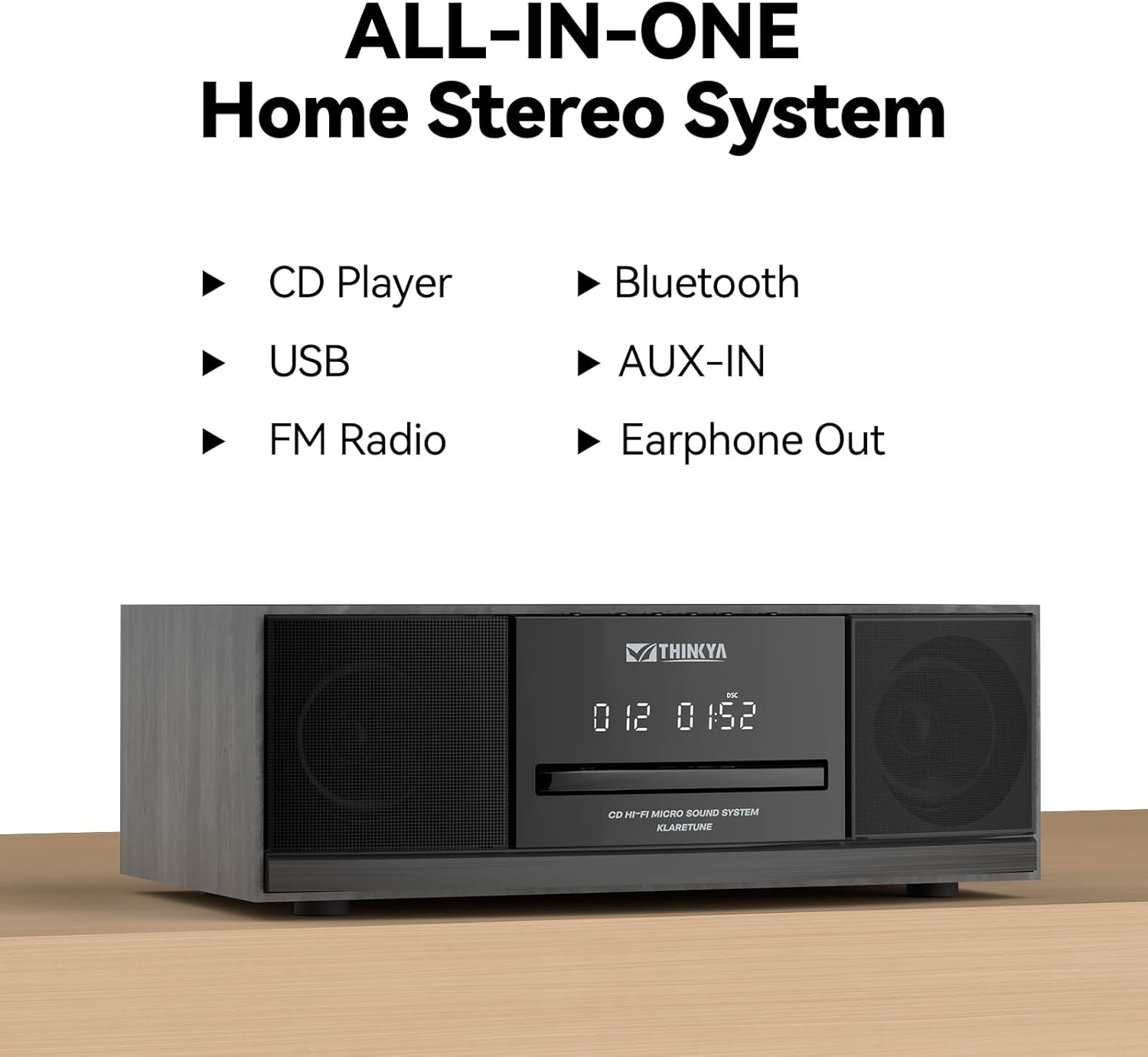
Figura 4: This all-in-one home stereo system integrates multiple audio sources including CD Player, USB, FM Radio, Bluetooth, AUX-IN, and Earphone Out.

Figura 5: The top-loading CD player supports various disc formats including CD, CD-R, CD-RW, and MP3 CDs. It also offers 5 EQ modes: Flat, Pop, Rock, Jazz, and Classic.

Figura 6: Rear panel connections include AUX Input (RCA and 3.5mm), USB Input, and Earphone Output for versatile connectivity.
Configuración
1 Colocación
Coloque el sistema estéreo sobre una superficie estable y plana, alejado de la luz solar directa, fuentes de calor y exceso de polvo o humedad. Asegúrese de que haya una ventilación adecuada alrededor de la unidad.
2. Conexión de alimentación
- Conecte el adaptador de corriente al puerto DC IN en la parte posterior de la unidad.
- Enchufe el adaptador de corriente en un tomacorriente de pared estándar.
3. Conexión de antena FM
For optimal FM radio reception, connect the included FM antenna to the FM ANT port on the rear of the unit. Extend the antenna fully and adjust its position for the best signal.
Instrucciones de funcionamiento
Encendido/apagado
Presione el FUERZA button on the unit or the remote control to turn the system on or off.
Selección de modo
Presione el MODO button on the unit or remote control repeatedly to cycle through available modes: CD, Bluetooth, FM Radio, USB, and AUX-in.
Funcionamiento del reproductor de CD
- Seleccione el modo de CD.
- Gently insert a CD into the top-loading CD slot with the label side facing up. The disc will be automatically detected and playback will begin.
- Utilice el REPRODUCIR/PAUSA, SALTAR HACIA ADELANTE, y SALTAR HACIA ATRÁS Botones para controlar la reproducción.
- Presione el DETENER para detener la reproducción.
- Modos de repetición: Presione el REPETIR button to cycle through repeat one, repeat all, or random playback.
- Modos de ecualización: Presione el EQ button to select desired sound equalization: Flat, Classic, Rock, Pop, or Jazz.
Emparejamiento Bluetooth
- Select Bluetooth mode. The display will show "BT" and flash, indicating it's in pairing mode.
- En su dispositivo con Bluetooth (teléfono inteligente, tableta, etc.), habilite Bluetooth y busque los dispositivos disponibles.
- Select "THINKYA JA-318" (or similar name) from the list.
- Once paired, the "BT" indicator will stop flashing and remain solid. You can now stream audio from your device to the stereo system.
- Note: This system is designed for receiving Bluetooth audio from devices and does not support connection to wireless headphones.
Funcionamiento de la radio FM
- Seleccione el modo de radio FM.
- Auto escáner: Mantenga pulsado el REPRODUCIR/PAUSA Botón para escanear y guardar automáticamente las estaciones de FM disponibles.
- Sintonización manual: Utilice el SALTAR HACIA ADELANTE or SALTAR HACIA ATRÁS Botones para sintonizar manualmente las frecuencias deseadas.
- Estaciones preestablecidas: Use the number buttons on the remote control to directly select saved preset stations.
Reproducción USB
- Seleccione el modo USB.
- Inserte una unidad flash USB que contenga audio MP3 o WMA files en el puerto USB en la parte posterior de la unidad.
- Playback will begin automatically. Use the playback controls (PLAY/PAUSE, SKIP FORWARD/BACKWARD) to navigate your music.
AUX-in Usage
- Select AUX-in mode.
- Connect an external audio device (e.g., smartphone, MP3 player) to the AUX-in port (3.5mm or RCA) on the rear of the unit using an appropriate audio cable (not included).
- Controle la reproducción directamente desde su dispositivo externo conectado.
Funciones del control remoto

Figura 7: The included remote control allows convenient operation of all system functions from a distance.
The remote control provides full functionality for the stereo system. Ensure batteries are correctly inserted. Refer to the button labels on the remote for specific functions such as Power, Mode, Volume, Playback controls, EQ, and Number buttons for FM presets.
Mantenimiento
Limpieza
Wipe the unit with a soft, dry cloth. Do not use abrasive cleaners, waxes, or solvents as they may damage the finish. For the CD lens, use a specialized CD lens cleaner if necessary.
Almacenamiento
Si la unidad no se utilizará durante un período prolongado, desconéctela del tomacorriente y guárdela en un lugar fresco y seco.
Cuidado del CD
Sujete los CD por los bordes. Manténgalos limpios y sin rayones. Guarde los CD en sus estuches cuando no los use.
Solución de problemas
Si encuentra algún problema, consulte la siguiente tabla antes de ponerse en contacto con el servicio de atención al cliente.
| Problema | Posible causa | Solución |
|---|---|---|
| Sin poder | Cable de alimentación no conectado; toma de corriente no activa. | Asegúrese de que el cable de alimentación esté enchufado de forma segura. Pruebe con una toma de corriente diferente. |
| Sin sonido | Volume too low; Incorrect mode selected; Mute function active. | Increase volume. Select the correct input mode (CD, BT, FM, USB, AUX). Press the MUTE button on the remote. |
| El CD salta o no se reproduce | El CD está sucio o rayado; el CD se insertó incorrectamente. | Clean the CD with a soft, lint-free cloth. Ensure the CD is inserted label side up. Try a different CD. |
| El Bluetooth no se conecta | System not in pairing mode; Device Bluetooth off; Device too far. | Ensure system is in Bluetooth mode and "BT" is flashing. Enable Bluetooth on your device. Move device closer to the system (within 30 feet). |
| Recepción de FM deficiente | Antena no conectada o mal posicionada. | Connect the FM antenna and adjust its position for better signal. |
| El control remoto no funciona | Las baterías están agotadas o insertadas incorrectamente; Obstrucción entre el control remoto y la unidad. | Reemplace las pilas. Asegúrese de que la polaridad sea correcta. Retire cualquier obstrucción. Apunte el control remoto directamente al sensor de la unidad. |
Presupuesto
| Característica | Detalle |
|---|---|
| Número de modelo | JA-318 |
| Marca | PIENSA EN TI |
| Dimensiones del producto (L x An x Al) | 16 x 11 x 9 pulgadas |
| Peso del artículo | 8.73 libras |
| Tecnología de conectividad | Bluetooth |
| Tipo de altavoz | Estéreo |
| Color | Negro |
| Salida de potencia RMS | 30W (15W RMS per speaker) |
| Compatibilidad con CD | CD, CD-R/RW, CD MP3 |
| Modos de ecualización | Flat, Classic, Rock, Pop, Jazz |
| Preajustes de FM | 20 estaciones |
| Entradas | USB Port, Aux-in (3.5mm, RCA) |
| Salidas | Puerto para auriculares |
Garantía y soporte
For warranty information and technical support, please refer to the contact details provided with your purchase or visit the official THINKYA webSitio. Conserve su comprobante de compra para cualquier reclamación de garantía.
Para obtener más ayuda, comuníquese con:
- Fabricante: PIENSA EN TI
- Websitio: Search THINKYA on Amazon (or official websitio si está disponible)
Ask a question about this manual
Ask about setup, troubleshooting, compatibility, parts, safety, or missing instructions. Manuals+ will review the question and use this page’s manual context to help answer it.