
1. Instrucciones de seguridad importantes
Please read all instructions carefully before using the projector and retain this manual for future reference. Improper use may result in electric shock, fire, or other hazards.
- No obstruya las aberturas de ventilación. Asegúrese de que haya suficiente espacio alrededor del proyector para una ventilación adecuada.
- No exponga el proyector a la lluvia o la humedad para evitar incendios o descargas eléctricas.
- Evite mirar directamente a la lente del proyector cuando lamp Está encendido, ya que la luz brillante puede causar daños en los ojos.
- Utilice únicamente accesorios especificados por el fabricante.
- Desenchufe el proyector durante tormentas eléctricas o cuando no lo utilice durante períodos prolongados.
- No intente reparar este producto usted mismo. Deje todas las reparaciones a personal técnico cualificado.
2. Guía de configuración
2.1 ¿Qué hay en la caja?
Verifique que todos los artículos estén presentes en el paquete:
- HOMPOW Mini Projector
- Mando a distancia
- Adaptador de corriente
- Cable HDMI
- Manual de usuario
- Tarjeta de garantía

Image: The HOMPOW Mini Projector shown with its remote control, power adapter, and HDMI cable.
2.2 Configuración inicial
2.2.1 Conexión de alimentación
- Conecte el adaptador de corriente al puerto de entrada de alimentación del proyector.
- Conecte el adaptador de corriente a una toma de corriente adecuada.
2.2.2 Ubicación y enfoque
Coloque el proyector sobre una superficie plana y estable. Para una óptima viewing, place it perpendicular to the projection surface (wall or screen).
- Distancia de proyección: The recommended projection distance ranges from 3.49 feet to 7.26 feet.
- Tamaño de la imagen: This allows for an image size between 40 inches and 120 inches.
- Ajuste de enfoque: Gire el anillo de enfoque en la lente del proyector hasta que la imagen aparezca clara y nítida.

Image: Visual comparison demonstrating the clarity of 1080P Full HD supported resolution versus 480P.
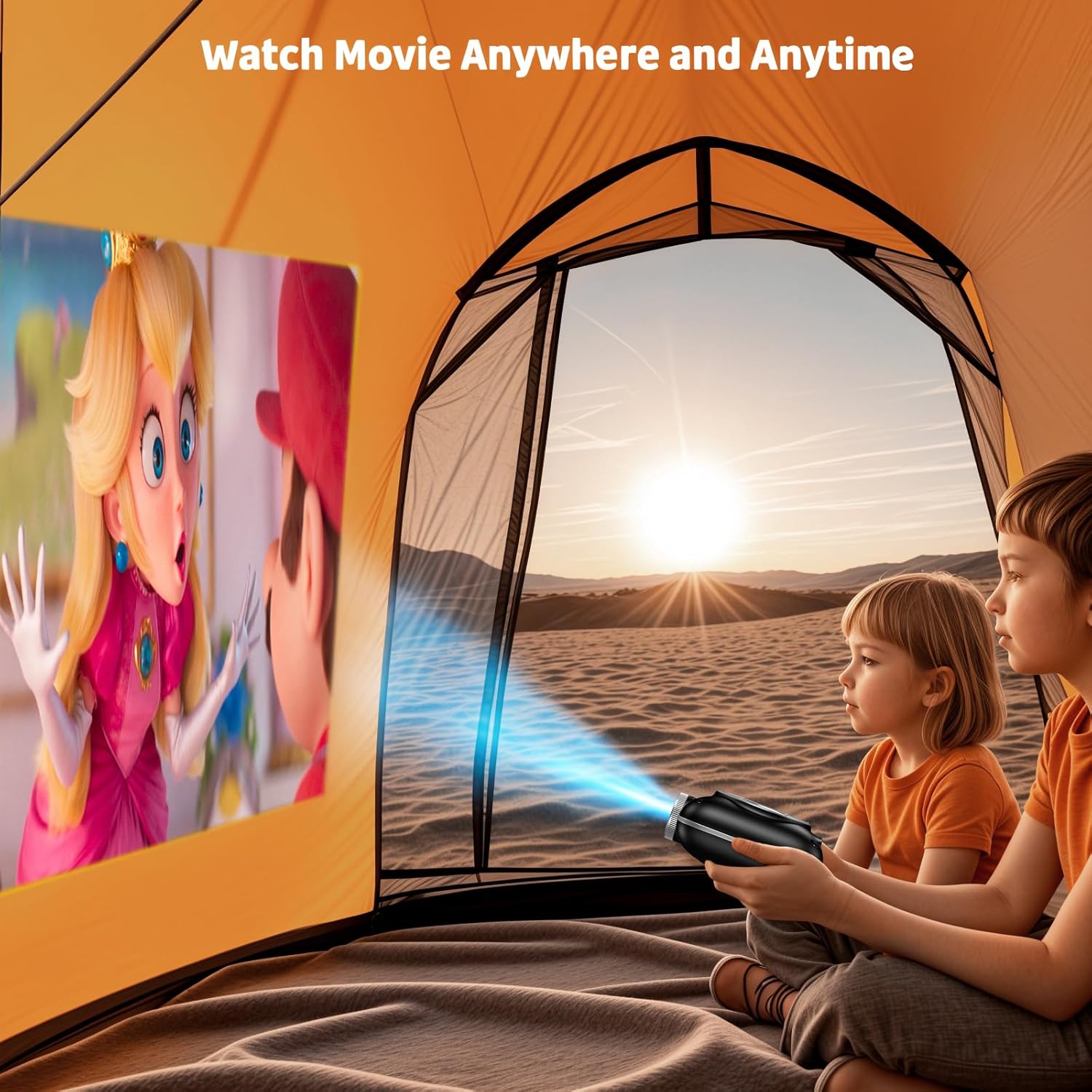
Image: The compact projector projecting a movie inside a tent, highlighting its portability for outdoor use.
3. Instrucciones de funcionamiento
3.1 Encendido y apagado
Press the power button on the projector or the remote control to turn the device on or off. The projector features an auto-off timer for convenient screen time management.
3.2 Conectividad
The HOMPOW Mini Projector offers multiple connectivity options:
- Puerto HDMI 2.0: Connect to laptops, TV sticks, gaming consoles (PS4, PS5), and other HDMI-enabled devices using the included HDMI cable.
- Puerto USB 2.0: Conecte unidades USB para reproducción multimedia.
- Bluetooth 5.1 bidireccional: Connect external Bluetooth speakers for enhanced audio or use the projector as a Bluetooth speaker to play music from your phone.

Image: The projector highlighting its wireless connectivity features, including WiFi and Bluetooth.

Image: A visual guide illustrating how to connect various devices such as smartphones, tablets, TV sticks, laptops, PS3/PS4, headphones, and USB drives to the projector.
3.3 Duplicación de pantalla
Para reflejar la pantalla de su teléfono inteligente o tableta:
- Para teléfonos Android: Use a Micro USB/Type-C to HDMI adapter (sold separately).
- For iPhones/iPads: Use a Lightning to HDMI adapter (sold separately).
- Para servicios de streaming: Plug in a TV stick (sold separately) for Netflix/Hulu and other HDCP-compliant streaming platforms.
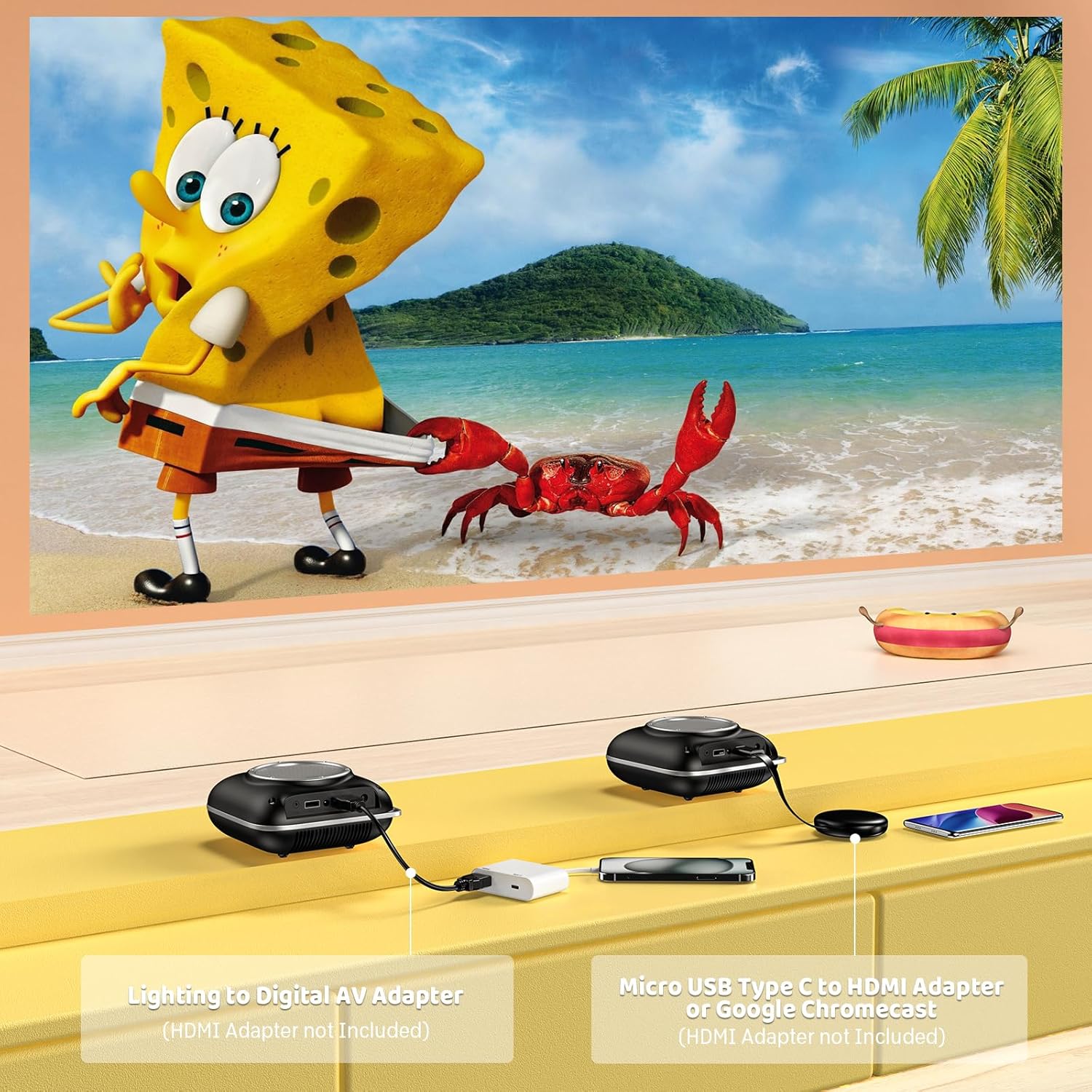
Image: Instructions for connecting mobile devices to the projector using Lightning to Digital AV Adapter for iOS and Micro USB Type-C to HDMI Adapter or Google Chromecast for Android.
3.4 salida de audio
The projector features built-in 5W high-powered stereo speakers. For enhanced sound, utilize the bidirectional Bluetooth 5.1 to connect to external Bluetooth speakers or headphones.

Image: Diagram showing the projector's two-way Bluetooth functionality, allowing connection to an external speaker or functioning as a Bluetooth speaker for a phone.
3.5 Projection Size and Zoom
The projector supports a projection size from 40 to 120 inches. Use the 50%-100% zoom function to adjust the image size without moving the projector.

Image: A visual representation of the 50%-100% zoom function, showing how the projected image size can be adjusted.
4. Mantenimiento
4.1 Limpieza
- Lente: Utilice un paño suave y sin pelusa, especialmente diseñado para lentes ópticas. No utilice limpiadores abrasivos.
- Exterior: Limpie el exterior del proyector con un paño suave y seco. Evite el uso de productos químicos o disolventes agresivos.
- Ventilación: Asegúrese de que las aberturas de ventilación estén libres de polvo y residuos para evitar el sobrecalentamiento.
4.2 Almacenamiento
Cuando no lo utilice, guarde el proyector en un lugar fresco y seco, alejado de la luz solar directa y de temperaturas extremas. Utilice el embalaje original o una funda protectora para evitar la acumulación de polvo y daños.
5. Solución de problemas
Consulte la siguiente tabla para conocer los problemas más comunes y sus soluciones.
| Asunto | Posible causa | Solución |
|---|---|---|
| No se proyecta ninguna imagen | Alimentación no conectada, fuente de entrada incorrecta, tapa de lente puesta. | Verifique la conexión de alimentación, seleccione la fuente de entrada correcta (HDMI/USB), retire la tapa de la lente. |
| Imagen borrosa | Focus not adjusted, projector too close/far. | Adjust the focus ring, ensure projector is within optimal projection distance (3.49-7.26 ft). |
| Sin sonido | Volume too low, external speaker not connected, audio format unsupported. | Increase volume, connect Bluetooth speaker, check audio format compatibility. |
| La duplicación de pantalla no funciona | Incorrect adapter, device compatibility issue. | Ensure correct HDMI adapter for your phone (Micro USB/Type-C for Android, Lightning for iOS). |
| Sobrecalentamiento del proyector | Ventilación bloqueada, uso prolongado. | Ensure clear space around vents, allow projector to cool down if used for extended periods. |
6. Especificaciones técnicas
| Característica | Detalle |
|---|---|
| Marca | HOMPOW |
| Modelo | B0F43PY223 |
| Resolución nativa | 1280 x 720 (720p) |
| Resolución admitida | 1920 x 1080 (1080P Full HD) |
| Tecnología de conectividad | HDMI, USB 2.0, Bluetooth 5.1 (Two-Way) |
| Tipo de pantalla | CRT (as per specification, typically LCD for mini projectors) |
| Relación de contraste | 10000:1 |
| Tamaño de proyección | 40 - 120 pulgadas |
| Distancia de lanzamiento | 3.49 - 7.26 pies |
| Vida útil de la fuente de luz | 50000 horas |
| Altavoz incorporado | 5W High-Powered Stereo Speakers |
| Función de zoom | 50%-100% |
| Dimensiones (L x An x Al) | 4.9" x 4.9" x 2.1" |
| Peso | 0.7 kilogramos |
| Consumo de energía | 30 vatios |
| Volumentage | 110 voltios |
7. Garantía y soporte
7.1 Información de garantía
The HOMPOW Mini Projector comes with:
- A 30-day replacement window.
- 2-year repair coverage.
Conserve su comprobante de compra para reclamos de garantía.
7.2 Atención al cliente
For any questions, troubleshooting assistance, or warranty inquiries, please contact HOMPOW customer support. We offer 24/7 assistance to ensure stress-free ownership.
Contact information can typically be found on the HOMPOW official websitio o la tarjeta de garantía incluida en su paquete.