
1. Introducción
Gracias por la compraasing the THINKYA TH-A10 Portable CD Player. This device combines classic CD playback with modern connectivity options, including Bluetooth 5.1, USB, AUX, and optical output. Designed for high-fidelity audio, it features built-in stereo speakers, a rechargeable battery, and anti-skip protection for stable playback. Please read this manual thoroughly before use to ensure proper operation and to maximize your listening experience.

Image: The THINKYA TH-A10 Portable CD Player, highlighting its elegant wooden finish and compact form factor.
2. Producto terminadoview
2.1 Componentes y controles
The TH-A10 CD player is designed with user-friendly controls and a robust build. It features a wooden cabinet for enhanced sound quality and reduced resonance.
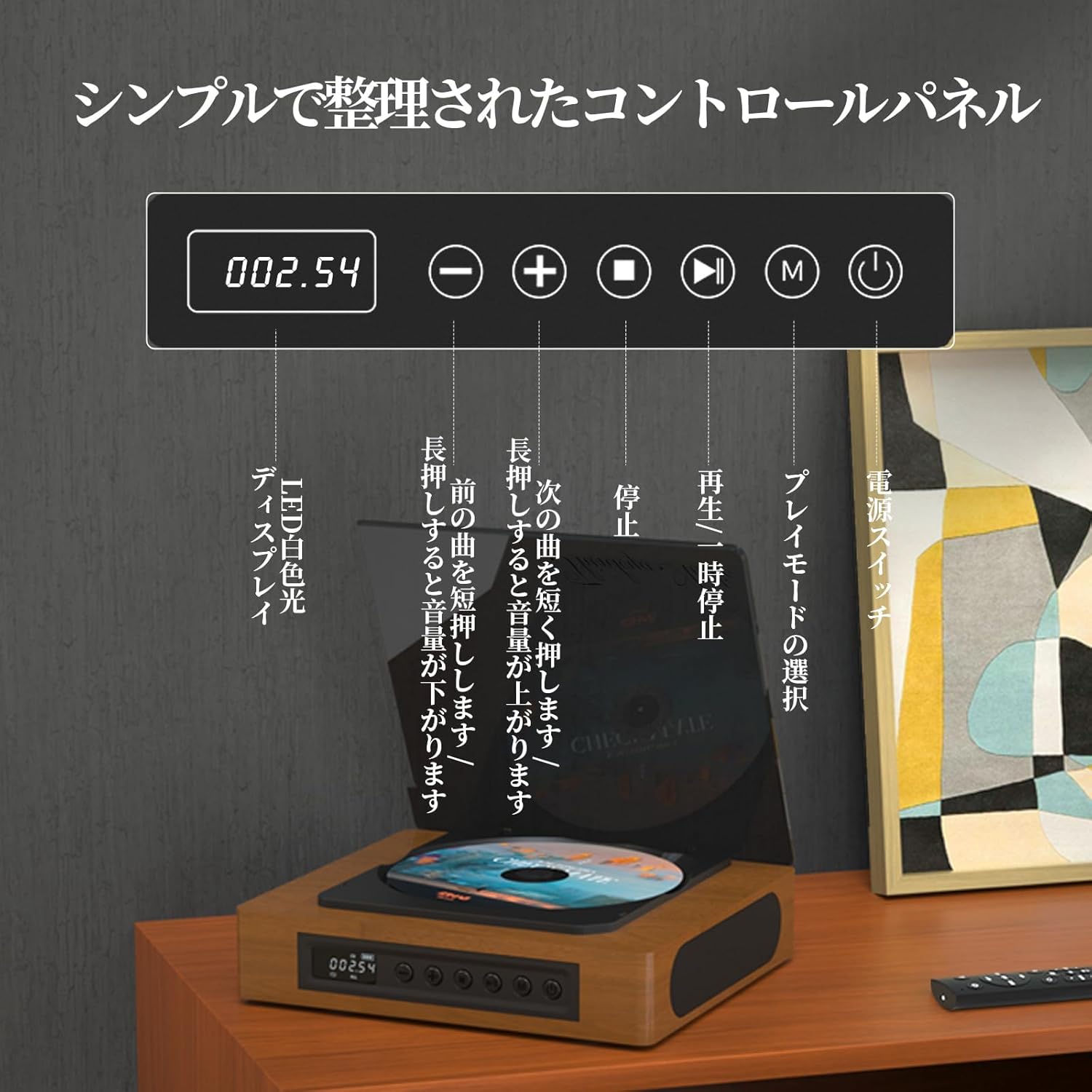
Image: The control panel and LED display of the TH-A10 CD Player. The LED display shows track number and time, while buttons control playback, volume, and mode selection.
Funciones del panel de control:
- Pantalla LED: Shows current track, time, and mode.
- Interruptor de alimentación: Enciende/apaga el dispositivo.
- Botón de reproducción/pausa: Inicia o pausa la reproducción.
- Botón Anterior/Bajar Volumen: Presione brevemente para ir a la pista anterior, presione prolongadamente para disminuir el volumen.
- Botón Siguiente/Subir volumen: Presione brevemente para pasar a la siguiente pista, presione prolongadamente para aumentar el volumen.
- Botón Detener: Detiene la reproducción.
- Botón de modo (M): Selects playback mode (CD, Bluetooth, USB, AUX, Optical).

Imagen: Detallada view of the LED display, indicating operational status and battery level.
2.2 Conexiones del panel posterior
El panel trasero proporciona varios puertos para conexiones externas.

Image: The rear panel of the TH-A10, displaying the various input/output ports including USB, AUX, Type-C for charging, and Optical output.
Puertos:
- Entrada de CC (tipo C): Para cargar la batería interna o alimentar el dispositivo.
- Puerto USB: Para reproducir audio files desde una memoria USB.
- ENTRADA/SALIDA AUXILIAR (conector de 3.5 mm): For connecting external audio devices or outputting audio to headphones/speakers.
- Optical Output (SPDIF): Para conectar a un dispositivo externo amplifier or DAC for high-fidelity audio.
3. Configuración
3.1 Encendido y carga
- Connect the provided Type-C charging cable to the DC IN port on the rear of the player.
- Conecte el otro extremo del cable a un adaptador de corriente USB (no incluido) o a un puerto USB con alimentación.
- The LED display will indicate charging status. A full charge provides approximately 6 hours of playback.
- Press the Power Switch to turn on the device.

Image: Charging options for the TH-A10, including wall adapter, car charger, and power bank, connected via the Type-C port.
3.2 Colocación inicial
Place the CD player on a stable, flat surface. Ensure adequate ventilation around the unit.
4. Instrucciones de funcionamiento
4.1 Reproducción de CD
- Abra suavemente la cubierta antipolvo.
- Place a CD (CD, CD-R, CD-RW) onto the spindle, label side up.
- Cierre la cubierta antipolvo.
- Press the 'M' (Mode) button until 'CD' mode is selected.
- Presione el botón Reproducir/Pausa para iniciar la reproducción.
- Use the Previous/Next buttons to skip tracks. Long press for volume adjustment.
Nota: This player does not support Blu-ray discs.

Image: Playback modes (sequential, repeat one, repeat all, random) and the ASP anti-shock function are shown, indicating versatile and stable audio experience.
4.2 Bluetooth Operation (Receive/Transmit)
The TH-A10 supports Bluetooth 5.1 for both receiving and transmitting audio.

Image: The TH-A10's Bluetooth functionality, demonstrating connections to various devices like smartphones, tablets (receiving), and Bluetooth speakers or headphones (transmitting).
4.2.1 Bluetooth Receive Mode:
- Press the 'M' (Mode) button until 'BT' mode is selected. The LED display will show 'BT' and flash, indicating pairing mode.
- En su teléfono inteligente o tableta, habilite Bluetooth y busque dispositivos disponibles.
- Select 'TH-A10' from the list to pair. Once connected, the 'BT' indicator will stop flashing.
- You can now play audio from your device through the TH-A10's speakers.
4.2.2 Bluetooth Transmit Mode:
- Asegúrese de que sus auriculares o altavoz Bluetooth estén en modo de emparejamiento.
- Press the 'M' (Mode) button until 'BT' mode is selected.
- The TH-A10 will automatically search for nearby Bluetooth receiving devices.
- Once connected, audio from the CD player (or other selected source) will be transmitted to your Bluetooth headphones/speaker.
Reproducción USB 4.3
- Insert a USB memory stick containing MP3, WMA, or WAV audio files en el puerto USB en el panel trasero.
- Press the 'M' (Mode) button until 'USB' mode is selected.
- The player will automatically begin playing audio files desde la memoria USB.
4.4 Entrada/salida AUX
4.4.1 Entrada AUX:
- Connect an external audio device (e.g., smartphone, MP3 player) to the AUX port using a 3.5mm audio cable.
- Press the 'M' (Mode) button until 'AUX' mode is selected.
- Play audio from your external device. The sound will be output through the TH-A10's speakers.
4.4.2 AUX Output (Headphones/External Speakers):
- Connect headphones or external speakers to the AUX port using a 3.5mm audio cable.
- Select your desired playback mode (CD, Bluetooth, USB).
- Audio will be routed to the connected headphones or external speakers.
4.5 Salida óptica
For the highest audio fidelity, use the optical output.
- Connect an optical cable (not included) from the SPDIF Optical Output port on the TH-A10 to an optical input on your ampamplificador o DAC.
- Select the optical input on your amplifier/DAC.
- Play audio from the TH-A10 (CD, USB, or Bluetooth source).
4.6 control remoto
El control remoto incluido permite una operación conveniente desde una distancia de hasta 10 metros.
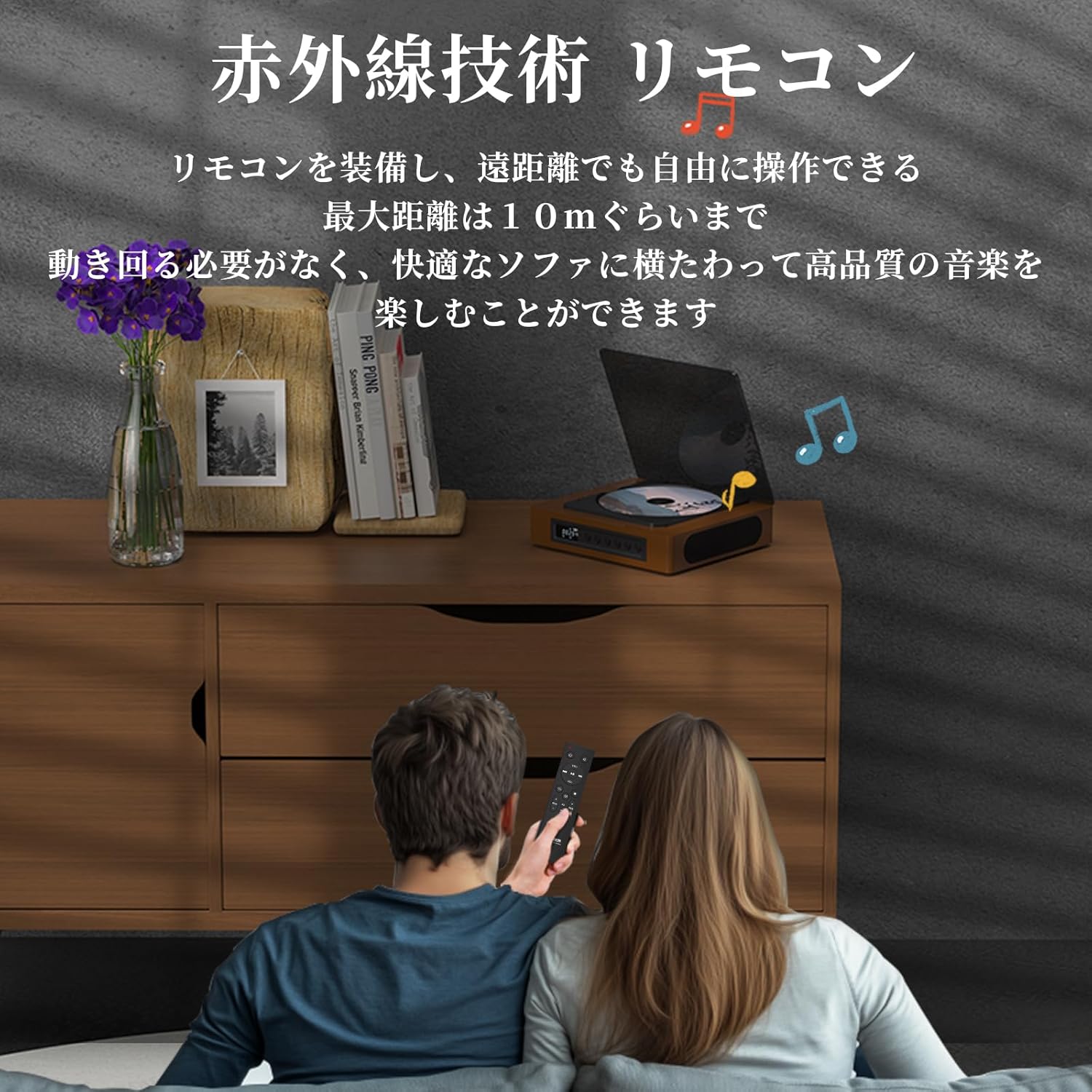
Image: A couple using the remote control for the TH-A10 CD Player, demonstrating its convenience for remote operation.
5. Mantenimiento
5.1 Limpieza
- Limpie el exterior de la unidad con un paño suave y seco.
- For the CD lens, use a specialized CD lens cleaner. Do not touch the lens directly.
- Keep the transparent dust cover clean to prevent dust accumulation on the CD.

Image: The transparent dust cover of the TH-A10, designed to protect the CD mechanism from dust and moisture.
5.2 Almacenamiento
Cuando no utilice el reproductor durante períodos prolongados, guárdelo en un lugar fresco y seco, alejado de la luz solar directa y de temperaturas extremas.
6. Solución de problemas
| Problema | Posible causa | Solución |
|---|---|---|
| Sin poder | Batería agotada; cable de alimentación no conectado. | Cargue la batería; asegúrese de que el cable de alimentación esté conectado de forma segura. |
| El CD no se reproduce | CD inserted incorrectly; Disc is dirty or scratched; Incorrect mode selected; Blu-ray disc inserted. | Reinsert CD correctly; Clean or replace disc; Select 'CD' mode; Blu-ray discs are not supported. |
| No hay sonido de los altavoces | Volume too low; Mute activated; External headphones/speakers connected to AUX out. | Increase volume; Check mute status; Disconnect external audio devices from AUX out if using internal speakers. |
| El emparejamiento de Bluetooth falló | Dispositivo no en modo de emparejamiento; Fuera de alcance; Interferencia. | Ensure both devices are in pairing mode; Move devices closer; Restart Bluetooth on both devices. |
| Skipping during CD playback | Player is unstable; Disc is damaged; Excessive vibration. | Place player on a stable surface; Clean or replace disc; ASP anti-shock function is active for minor vibrations. |
7. Especificaciones
| Característica | Detalle |
|---|---|
| Número de modelo | TH-A10 |
| Marca | PIENSA EN TI |
| Conectividad | Bluetooth 5.1 (Receive/Transmit), USB, AUX (3.5mm), Optical (SPDIF), Type-C (Power) |
| Formatos de disco admitidos | CD, CD-R, CD-RW (Not compatible with Blu-ray discs) |
| Formatos de audio compatibles | MP3, WMA, WAV, APE, FLAC (from USB) |
| Capacidad de la batería | 2600 mAh |
| Playback Time (Battery) | Aprox. 6-8 horas (dependiendo del uso) |
| Oradores | Built-in Stereo Speakers (2x50mm Neodymium Iron Boron Magnetic Units) |
| Anti-Shock Protection (ASP) | 60 seconds for CD, 120 seconds for MP3 |
| Dimensiones (L x An x Al) | 17.8 x 15.8 x 4.85 cm |
| Peso | 1.12 kilogramos |
| Accesorios incluidos | CD Player, Audio Line, Type-C Charging Cable, Remote Control, Instruction Manual |
8. Garantía y soporte
8.1 Información de garantía
This THINKYA TH-A10 CD Player comes with a 1 año de garantía from the date of purchase. This warranty covers defects in materials and workmanship under normal use. If the product fails due to a manufacturing defect within this period, we will provide a free replacement. Please retain your proof of purchase for warranty claims.
Nota: La garantía no cubre daños causados por mal uso, accidentes, modificaciones no autorizadas o desgaste normal.
8.2 Atención al cliente
For any questions, technical assistance, or warranty claims, please contact THINKYA customer support through the retailer where you purchased the product. Our team is dedicated to providing prompt and helpful service.