
1. Introducción
Thank you for choosing the MONODEAL Bone Conduction Headphones X14. These open-ear headphones utilize advanced bone conduction technology to deliver audio through your cheekbones, allowing your ears to remain open to ambient sounds. Featuring Bluetooth 5.3 connectivity, a Type-C charging port, and IPX6 water resistance, the X14 is designed for comfort and awareness during various activities such as jogging, cycling, and fitness.
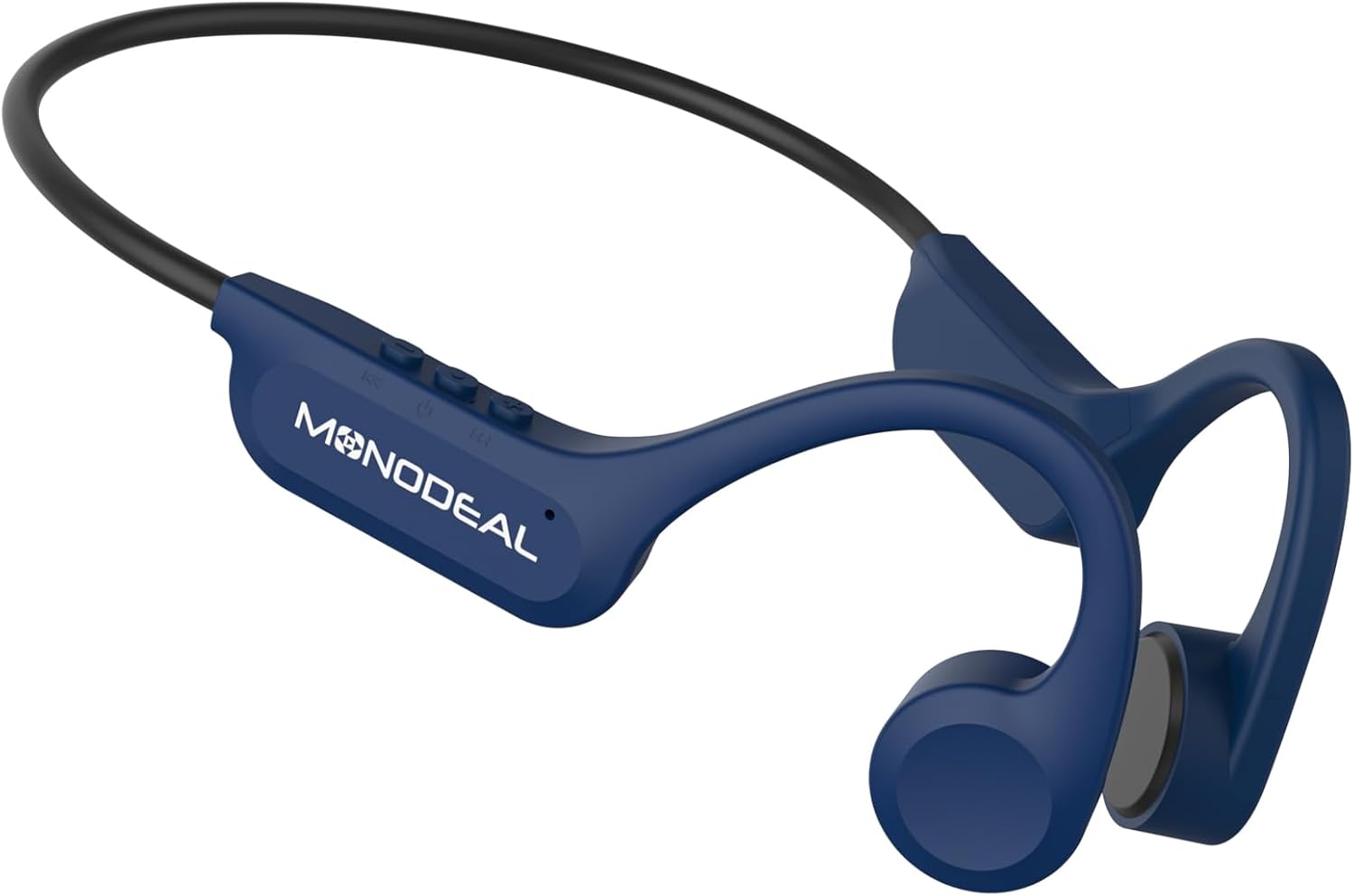
Image 1.1: MONODEAL Bone Conduction Headphones X14. These headphones feature an open-ear design and a flexible neckband.
2. Contenido del paquete
Verifique que todos los artículos estén presentes en su paquete.
- MONODEAL Bone Conduction Headphones X14
- Cable de carga USB-C
- Manual de usuario

Image 2.1: The package includes the MONODEAL X14 headphones, a USB-C charging cable, and the user manual.
3. Configuración
3.1 Carga de los auriculares
Before initial use, fully charge your headphones.
- Localice el puerto de carga USB-C en los auriculares.
- Connect the provided USB-C cable to the charging port and the other end to a compatible USB power source (e.g., computer, wall adapter).
- La luz indicadora de carga se iluminará.
- Una carga completa suele tardar aproximadamente 2 horas.
- Una vez completamente cargada, la luz indicadora cambiará o se apagará, según el modelo.
Una carga completa proporciona hasta 8 horas de reproducción continua.

Image 3.1: Key features including Bluetooth 5.3, Type-C charging, CVC Microphone Noise Reduction, and 8-hour battery life.

Image 3.2: The headphones offer up to 8 hours of music playback on a single charge.
3.2 Emparejamiento Bluetooth
Para conectar sus auriculares a un dispositivo:
- Asegúrese de que los auriculares estén cargados y apagados.
- Press and hold the Power button (usually the multi-function button) until the indicator light flashes rapidly, indicating pairing mode.
- En tu dispositivo (teléfono inteligente, tableta, etc.), activa el Bluetooth y busca dispositivos disponibles.
- Select "MONODEAL X14" from the list of found devices.
- Once connected, the indicator light will stop flashing and remain solid or turn off.
- Los auriculares intentarán reconectarse automáticamente al último dispositivo emparejado cuando se enciendan.
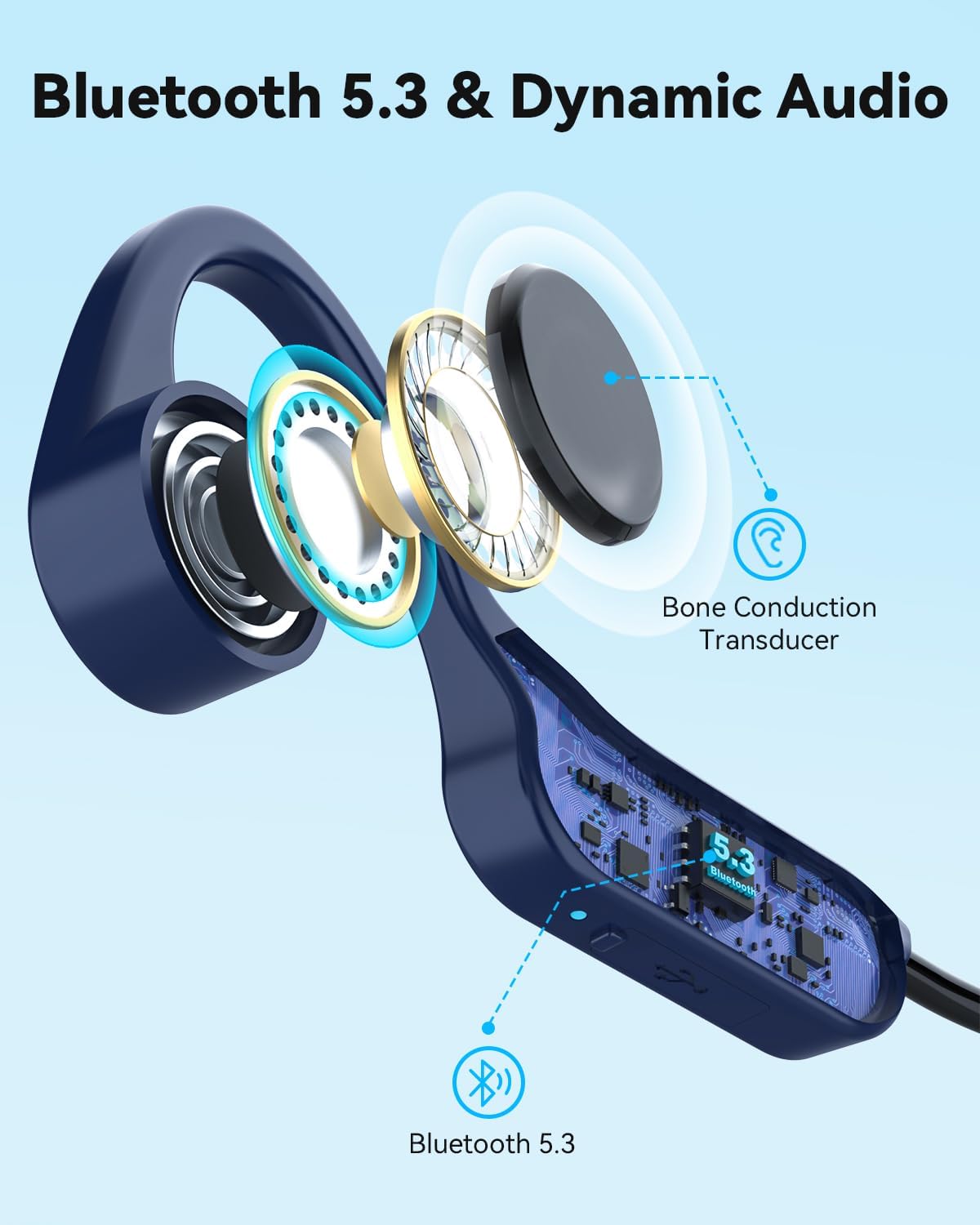
Image 3.3: The headphones feature Bluetooth 5.3 for stable and fast connections, utilizing a bone conduction transducer for audio.
4. Instrucciones de funcionamiento
4.1 Uso de los auriculares
Place the headphones with the transducers resting on your cheekbones, just in front of your ears. The flexible band should wrap around the back of your head. Adjust for a comfortable and secure fit.

Image 4.1: The headphones use bone conduction technology, resting comfortably on the cheekbones.

Image 4.2: The open-ear design provides comfort for all-day wear, especially during exercise.
4.2 Controles básicos
The headphones feature three buttons for easy control:
- Botón de encendido/multifunción:
- Mantenga presionado para encender/apagar.
- Presione una vez para reproducir/pausar la música.
- Press once to answer/end calls.
- Press and hold during an incoming call to reject.
- Botón de subir volumen (+):
- Presione una vez para aumentar el volumen.
- Press and hold for next track (specific models/firmware).
- Botón para bajar el volumen (-):
- Presione una vez para disminuir el volumen.
- Press and hold for previous track (specific models/firmware).
Note: Specific button functions may vary slightly based on device and firmware.
4.3 Experiencia de audio
The X14 headphones provide stereo sound quality through 15mm large speakers. The open-ear design ensures you can enjoy your audio while remaining aware of your surroundings, enhancing safety during outdoor activities. The integrated microphone with CVC noise reduction ensures clear call quality.

Image 4.3: The open-ear design promotes safety and awareness by allowing users to hear ambient sounds while enjoying music.
5. Mantenimiento
To ensure the longevity and optimal performance of your MONODEAL X14 headphones, follow these maintenance guidelines:
- Limpieza: Limpie los auriculares con un paño suave yamp paño. Evite el uso de productos químicos agresivos o materiales abrasivos.
- Resistencia al agua: The headphones are IPX6 water-resistant, meaning they can withstand strong jets of water. They are suitable for use during workouts and in light rain. Do not submerge them in water.
- Almacenamiento: Guarde los auriculares en un lugar fresco y seco, alejado de la luz solar directa y de temperaturas extremas.
- Puerto de carga: Keep the USB-C charging port clean and free of debris. Ensure the rubber stopper (if present) is properly sealed when not charging to maintain water resistance.
6. Solución de problemas
Si tiene problemas con sus auriculares, consulte las siguientes soluciones comunes:
- Sin energía: Asegúrese de que los auriculares estén completamente cargados. Conéctelos a una fuente de alimentación y compruebe el indicador de carga.
- No se puede emparejar:
- Asegúrese de que Bluetooth esté habilitado en su dispositivo.
- Asegúrese de que los auriculares estén en modo de emparejamiento (luz indicadora intermitente).
- Acerque los auriculares a su dispositivo.
- Intente desvincular y volver a vincular los auriculares desde la configuración de Bluetooth de su dispositivo.
- Reinicie tanto los auriculares como el dispositivo.
- Sin sonido/volumen bajo:
- Verifique los niveles de volumen tanto en los auriculares como en el dispositivo conectado.
- Asegúrese de que los auriculares estén conectados correctamente a su dispositivo.
- Verifique que la fuente de audio se esté reproduciendo.
- Mala calidad de llamada:
- Asegúrese de que el micrófono no esté obstruido.
- Muévete a un área con menos ruido de fondo.
- Verifique la configuración de llamadas de su dispositivo.
Si el problema persiste, comuníquese con el servicio de atención al cliente.
7. Especificaciones
| Característica | Detalle |
|---|---|
| Nombre del modelo | Bone Conduction Headphones X14 |
| Marca | MONODEAL |
| Tecnología de conectividad | Inalámbrico (Bluetooth V5.3) |
| Versión de Bluetooth | 5.3 |
| Factor de forma | Conducción ósea, oído abierto |
| Material | Titanio |
| Nivel de resistencia al agua | IPX6 (impermeable) |
| Duración de la batería | Hasta 8 horas (reproducción) |
| Tiempo de carga | Aproximadamente 2 horas |
| Puerto de carga | USB-C |
| Peso | 27 gramos |
| Dispositivos compatibles | Mobile phones, tablets, laptops, desktop computers, smart speakers, TVs, car audio systems |

Image 7.1: The headphones are ultra-lightweight at 27g, designed for all-day comfort with soft silicone pads.
8. Garantía y soporte
MONODEAL products are designed for reliability and performance. For warranty information and customer support, please refer to the documentation included with your purchase or visit the official MONODEAL websitio.
If you require assistance, please contact our customer service team with your product model and purchase details.