
1. Introducción
Welcome to the user manual for your CHZHVAN S10 Android Tracker Tags. This guide provides comprehensive instructions for setting up, operating, and maintaining your new smart Bluetooth tracker. The CHZHVAN S10 is designed to help you locate your valuable items quickly and efficiently using the Google Find Hub app on compatible Android devices.
Nota importante de compatibilidad: This device is specifically designed for Android phones running Android 9 and above. It is no compatible with iOS (Apple) or Huawei devices.
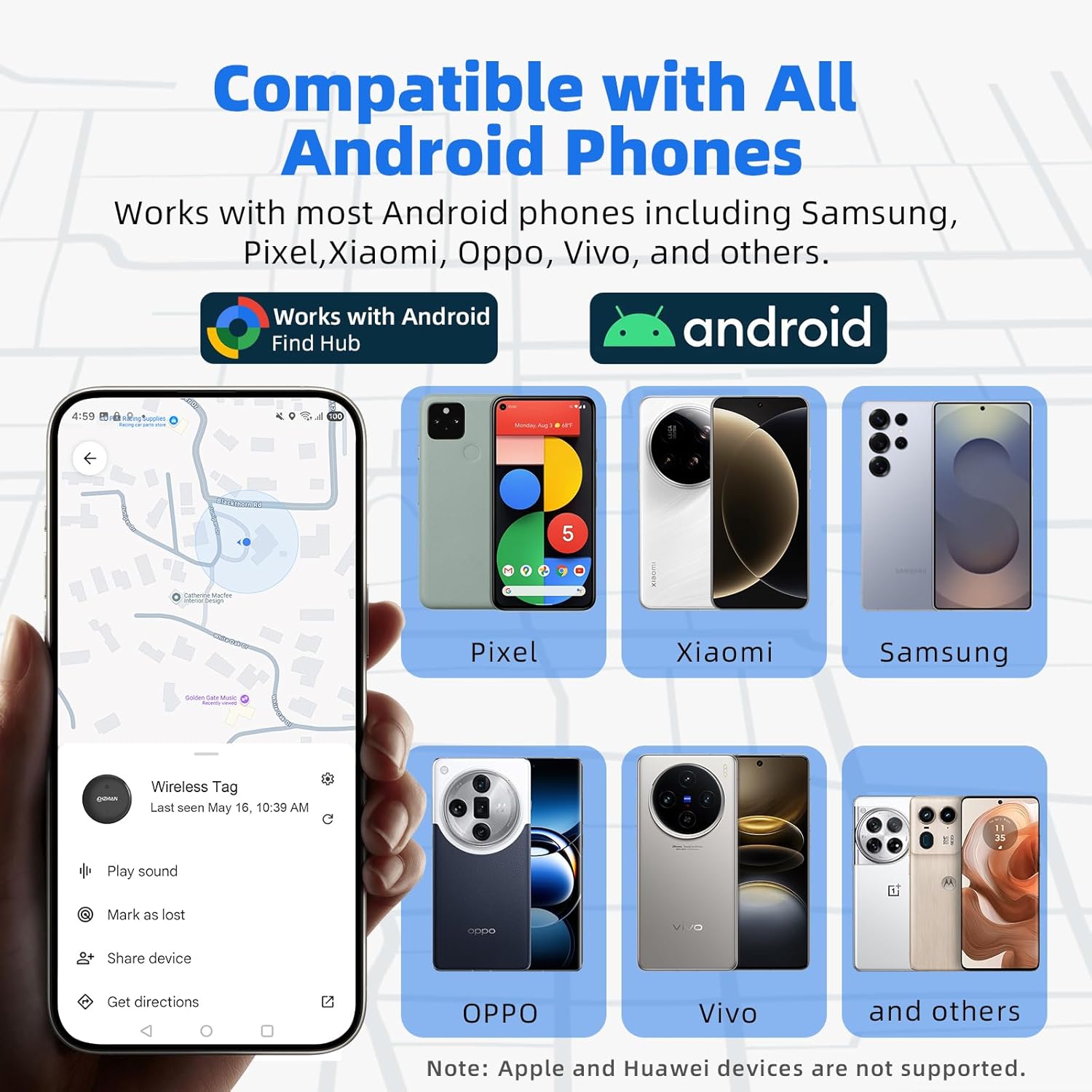
Image: The CHZHVAN S10 tracker is compatible with a wide range of Android phones, including Pixel, Xiaomi, Samsung, OPPO, and Vivo, utilizing the Google Find Hub app.
2. Producto terminadoview
The CHZHVAN S10 is a Google-certified smart Bluetooth tracker engineered for reliability and ease of use. Its compact design allows it to be attached to various items such as keys, wallets, bags, luggage, and more, ensuring you can always keep track of your belongings.
Características principales:
- Certificado por Google: Seamless integration with the Google Find Hub app for reliable tracking.
- Resistente al agua IP67: Designed to withstand splashes, rain, and short periods of immersion (up to 30 minutes).
- Batería reemplazable: Powered by a CR2032 battery, offering up to 12 months of usage (battery life may vary).
- Ultra-Loud Sound: Activate a loud ring from the Find Hub app to quickly locate nearby items within Bluetooth range (up to 50 meters / 160 feet).
- Sin cuotas de suscripción: Utilize the Google Find Hub app without any additional costs.
- Compartir dispositivo: Share access to your tracker's location with trusted friends and family.

Image: A set of CHZHVAN S10 Android Tracker Tags in various colors, illustrating their compact design and included keychains.

Image: The CHZHVAN S10 tracker is shown partially submerged in water, highlighting its IP67 water-resistant feature.

Image: An illustration of the CHZHVAN S10 tracker with its back cover removed, revealing the replaceable CR2032 coin cell battery.
3. Guía de configuración
Follow these steps to set up your CHZHVAN S10 tracker and connect it to your Android device:
- Download and Install the "Find Hub" App:
Go to the Google Play Store on your Android phone. Buscar "Find Hub" and tap "Install" to download the application. - Open the App and Set It Up:
Once installed, open the "Find Hub" app. Log in with your Google account to access the main interface. - Select Your Primary Account:
If you have multiple Google accounts on your device, ensure you select the primary account you wish to link your tracker to. - Grant Necessary Permissions:
The app will request certain permissions (e.g., location access, Bluetooth). Review and grant these permissions as prompted to complete the setup. - Pair Your Tracker:
Ensure Bluetooth is enabled on your Android phone. Turn on your CHZHVAN S10 tracker. The pairing window should appear automatically in the Find Hub app. Follow the on-screen instructions to complete the pairing process. If the pairing window does not appear, update your phone's system or restart your device.

Image: A visual representation of the four-step setup process for the CHZHVAN S10 tracker, from app download to granting permissions.

Image: A four-panel image illustrating the step-by-step pairing process of the CHZHVAN S10 tracker with an Android phone via the Find Hub app.
4. Instrucciones de funcionamiento
Once your CHZHVAN S10 tracker is paired, you can use the Find Hub app to locate your items.
4.1 Localización de elementos cercanos
If your item is within Bluetooth range (up to 50 meters / 160 feet), you can use the app to trigger a sound or get proximity cues.
- Reproducir sonido: Open the Find Hub app, select your tracker, and tap the "Play Sound" button. The tracker will emit a loud ring to help you pinpoint its exact location.
- Buscar cerca: The app provides visual cues indicating your proximity to the tracker, guiding you closer to your lost item.

Image: An illustration of using the "Play Sound" feature in the Find Hub app to locate keys with a CHZHVAN S10 tracker nearby.

Image: The Find Hub app interface showing the option to trigger a loud ring from the CHZHVAN S10 tracker to locate items instantly.
4.2 Localización de objetos lejanos
For items outside Bluetooth range, the Google Find Hub network can help you locate them globally.
- Ubicación del mapa: The Find Hub app will display the last known location of your tracker on a map, leveraging the vast network of Android devices to anonymously update its position.
- Modo perdido: Activate "Lost Mode" in the app. If another Android device in the Find Hub network comes within range of your tracker, you will receive a notification with its updated location.

Image: The Find Hub app displaying the global tracking capability of the CHZHVAN S10 tracker on a map.
4.3 Uso compartido de dispositivos
You can share access to your CHZHVAN S10 tracker with other individuals, allowing multiple phones to track the same device.
- In the Find Hub app, select your tracker and look for the "Share device" option. Follow the prompts to invite others to view su localización.

Image: Two Android phones simultaneously displaying the location of a single CHZHVAN S10 tracker via the Find Hub app, demonstrating the device sharing function.
5. Mantenimiento
5.1 Reemplazo de batería
The CHZHVAN S10 uses a replaceable CR2032 coin cell battery. When the battery level is low, you will receive a notification in the Find Hub app.
- Carefully open the tracker's casing.
- Retire la batería CR2032 vieja.
- Inserte una nueva batería CR2032 con el lado positivo (+) hacia arriba.
- Cierra la casing securely, ensuring a tight seal to maintain its IP67 water resistance.
5.2 Limpieza
To clean your tracker, wipe it with a soft, damp cloth. Avoid using harsh chemicals or abrasive materials, as these may damage the device or compromise its waterproof seal.
6. Solución de problemas
- El rastreador no se conecta:
Ensure Bluetooth is enabled on your Android phone. Check if the tracker's battery is charged or needs replacement. Try restarting your phone and the tracker. Make sure the Find Hub app has all necessary permissions granted. - Sonido demasiado bajo:
Ensure there are no obstructions blocking the tracker's speaker. The sound volume is fixed; if it's still too low, try moving closer to the item. - Ubicación inexacta:
Location accuracy depends on the density of the Google Find Hub network and GPS availability. In areas with fewer Android devices or poor GPS signal, location updates may be less precise. Ensure your phone's location services are enabled. - La batería se agota rápidamente:
Battery life can be affected by temperature and frequency of use. If the battery drains significantly faster than expected, ensure the tracker is not constantly searching or playing sound. Replace the battery if necessary.
7. Especificaciones
| Característica | Detalle |
|---|---|
| Número de modelo | S10 |
| Marca | CHZHVAN |
| Compatibilidad | Android 9 and above (Find Hub App) |
| Resistencia al agua | IP67 |
| Tipo de batería | CR2032 (4 incluidas) |
| Duración de la batería | Hasta 12 meses (varía según el uso) |
| Método de control | App (Find Hub) |
| Peso del artículo | 4.6 onzas |
| Dimensiones del paquete | 4.06 x 3.15 x 0.94 pulgadas |

Image: Detailed dimensions of the CHZHVAN S10 tracker, showing its diameter and thickness.
8. Garantía y soporte
For warranty information and customer support, please refer to the official CHZHVAN website or contact their customer service directly. Details are typically provided with your product packaging or on the manufacturer's online support pages.
For app-related issues or questions about the Google Find Hub network, please consult the Google Play Store listing for the Find Hub app or Google's official support resources.