
Introducción
This manual provides detailed instructions for the proper use and maintenance of your Micool T18 Invisible Sleep Wireless Earphones. Please read this manual thoroughly before using the product to ensure optimal performance and longevity.
¿Qué hay en la caja?
- Micool T18 Invisible Sleep Wireless Earphones
- Cable de carga
- Manual de usuario
Producto terminadoview
The Micool T18 earphones are designed for comfort during sleep and extended wear. They feature a unique elephant-shaped, non-in-ear design, ensuring a lightweight and unobtrusive fit. Equipped with Bluetooth 5.4, they offer stable connectivity and intuitive touch controls.
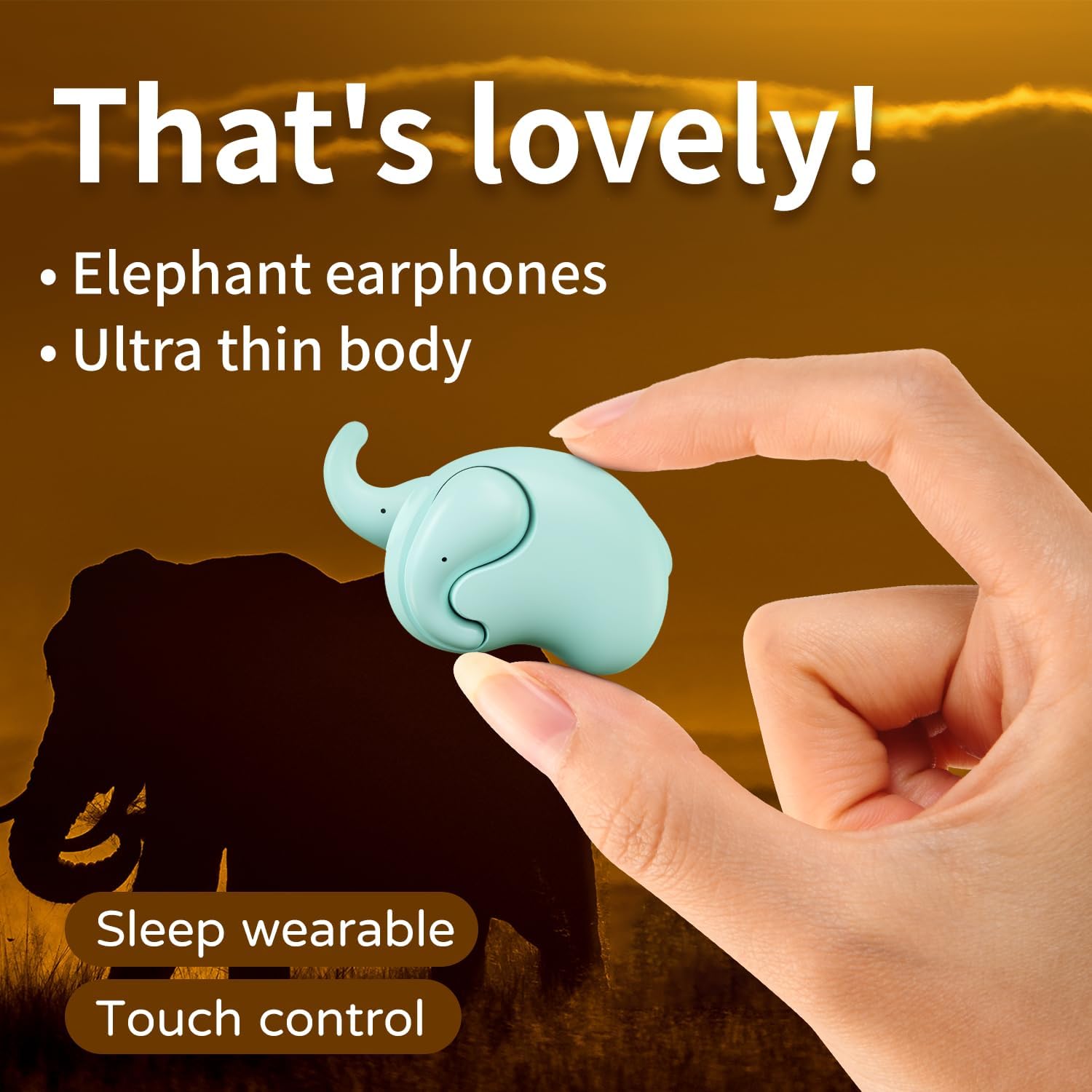
Image: The Micool T18 earphone, showcasing its compact, elephant-shaped design, held between two fingers. This image highlights its ultra-thin body and suitability for sleep wear.

Imagen: Un primer plano view of the Micool T18 earphone comfortably placed in an ear, demonstrating its mini comfort and ergonomic fit for sleeping.
Configuración
1. Carga de los auriculares
Before first use, fully charge the earphones. Connect the provided charging cable to the charging port on the earphones and to a USB power source. The indicator light will show charging status and turn off or change color when fully charged.
2. Emparejamiento Bluetooth
- Asegúrese de que los auriculares estén cargados y apagados.
- Press and hold the multi-function button on both earphones until the indicator lights flash red and blue alternately, indicating pairing mode.
- En tu dispositivo (teléfono inteligente, tableta, etc.), activa el Bluetooth y busca dispositivos disponibles.
- Select "Micool T18" from the list of devices.
- Once connected, the indicator lights will stop flashing and remain solid blue or turn off, depending on the model.
- Si se le solicita una contraseña, ingrese "0000".
Instrucciones de funcionamiento
The Micool T18 earphones feature intuitive touch controls for various functions.
Encendido/apagado
- Encendido: Press and hold the touch area for approximately 3 seconds.
- Apagado: Press and hold the touch area for approximately 5 seconds.
Reproducción de música
- Reproducir/Pausa: Un solo toque en cualquiera de los auriculares.
- Pista siguiente: Toque dos veces el auricular derecho.
- Pista anterior: Toque dos veces el auricular izquierdo.
Gestión de llamadas
- Responder/Finalizar llamada: Un solo toque en cualquiera de los auriculares.
- Rechazar llamada: Mantenga presionada la zona táctil durante 2 segundos.
Control de volumen
- Sube el volumen: Toque tres veces el auricular derecho.
- Bajar volumen: Toque tres veces el auricular izquierdo.
Mantenimiento
Limpieza
Gently wipe the earphones with a soft, dry, lint-free cloth. Do not use abrasive cleaners, alcohol, or chemical solvents. Avoid getting moisture into any openings.
Almacenamiento
Store the earphones in a cool, dry place away from direct sunlight and extreme temperatures. When not in use for extended periods, ensure they are fully charged to preserve battery life.
Resistencia al agua
The Micool T18 earphones are IPX5 waterproof, meaning they are resistant to splashes and sweat. They are not designed for submersion in water. Avoid using them during swimming or showering.
Solución de problemas
| Problema | Solución |
|---|---|
| Los auriculares no se encienden. | Asegúrese de que los auriculares estén completamente cargados. |
| No se puede emparejar con el dispositivo. | 1. Asegúrese de que Bluetooth esté habilitado en su dispositivo. 2. Make sure earphones are in pairing mode (flashing red/blue). 3. Forget "Micool T18" from your device's Bluetooth list and try pairing again. 4. Move earphones closer to your device. |
| No hay sonido o el sonido es intermitente. | 1. Check device volume and earphone volume. 2. Ensure earphones are within Bluetooth range of your device. 3. Re-pair the earphones with your device. |
| Los auriculares no se cargan. | 1. Check if the charging cable is securely connected. 2. Try a different USB power source or cable. 3. Ensure charging contacts on earphones are clean. |
Presupuesto
| Característica | Detalle |
|---|---|
| Marca | Micool |
| Número de modelo | T18 |
| Tecnología de conectividad | Inalámbrico (Bluetooth) |
| Versión de Bluetooth | 5.4 |
| Colocación de orejas | In Ear (Non-in-ear design) |
| Factor de forma | Verdaderamente inalámbrico |
| Resistencia al agua | IPX5 |
| Material | Plástico |
| Dispositivos compatibles | Teléfonos móviles |
| Usos específicos | Sleeping, Music |
Garantía y soporte
Información de garantía
This product comes with a 1-year limited warranty from the date of purchase. This warranty covers manufacturing defects. Please retain your proof of purchase for warranty claims.
Atención al cliente
For further assistance, technical support, or warranty inquiries, please visit the official Micool Store on Amazon: