
Introducción
This manual provides essential information for the safe and efficient use of your Samsung QLED 4K Vision AI Smart TV, model QE50Q8FAAUXZT. Please read these instructions thoroughly before operating the device and retain them for future reference.
Contenido del paquete
Verifique que todos los componentes estén presentes en la caja:
- 1x Samsung Smart TV 50'' Serie Q8F, QLED 4K
- 1x cable de alimentación
- 1x Standard Remote Control
- 1x Solar-powered Remote Control
- 1x Manual de usuario (este documento)
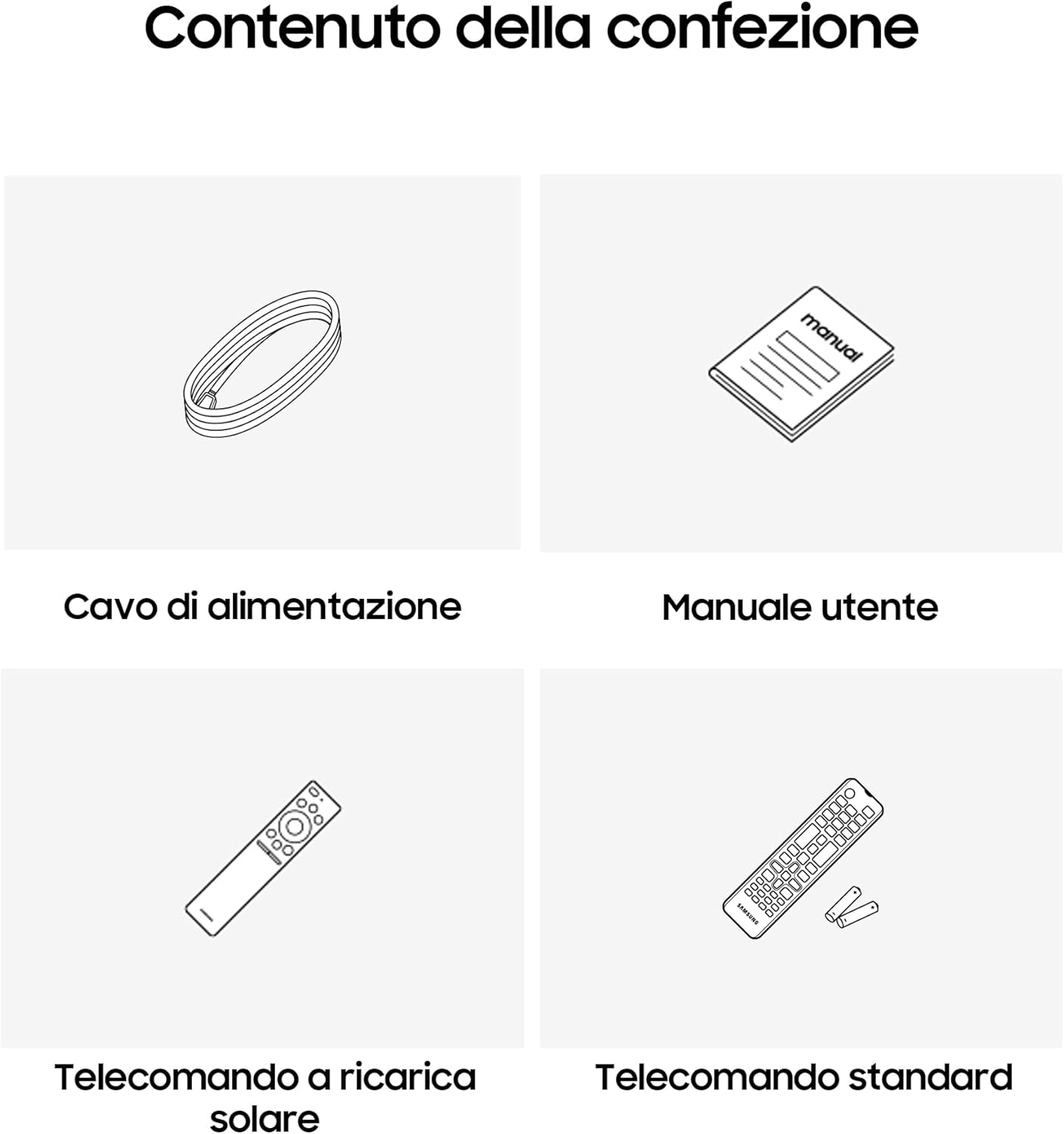
Image: Diagram showing the included items: power cable, user manual, solar-powered remote, and standard remote.
Configuración
Desembalaje y Colocación
Retire con cuidado el televisor de su embalaje. Colóquelo sobre una superficie estable y plana o móntelo en la pared con un soporte VESA compatible (se vende por separado). Asegúrese de que haya suficiente ventilación alrededor del televisor.
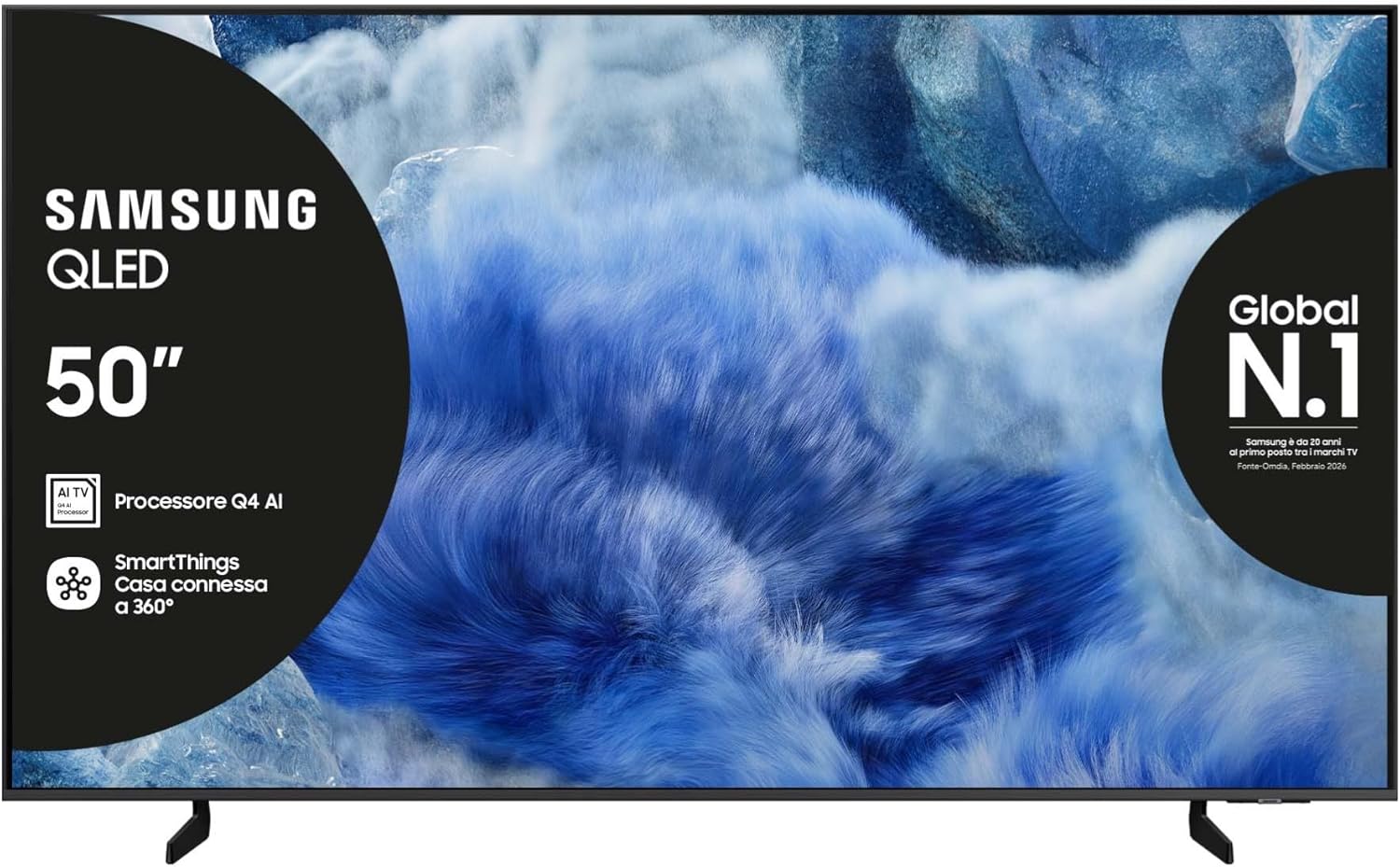
Imagen: Frente view del televisor Samsung QLED con su soporte.

Imagen: Lateral view of the Samsung QLED TV, showcasing its Air Slim Design.
Conexión de periféricos
Conecte sus dispositivos externos (por ejemplo, decodificador de cable, reproductor de Blu-ray, consola de juegos) a los puertos correspondientes en la parte posterior del televisor.

Image: Rear panel connections of the TV, showing HDMI, USB, LAN, and antenna ports.
- HDMI: For high-definition audio and video devices. The TV features multiple HDMI ports, including HDMI 3 with eARC support.
- USB: Para conectar dispositivos de almacenamiento USB.
- LAN: Para conexión a Internet por cable.
- HORMIGA EN: Para conectar una antena o cable.
Conexión de energía
Conecte el cable de alimentación a la entrada de alimentación del televisor y luego a una toma de pared.
Asistente de configuración inicial
Al encenderlo por primera vez, el televisor lo guiará a través del proceso de configuración inicial, incluida la selección de idioma, la conexión de red y la búsqueda de canales.
Manejo de la TV
Funciones del control remoto
Your TV comes with two remote controls. The solar-powered remote offers convenience and reduces battery waste. Familiarize yourself with the buttons for power, volume, channel, navigation, and smart features.

Image: The Samsung Vision AI Companion interface displayed on the TV screen, alongside a remote control, illustrating voice command capabilities.
Smart Hub and AI Features
Access the Smart Hub for applications, streaming services, and connected devices. The Q4 AI Processor enhances picture and sound quality through 4K Upscaling and AI Mode. Utilize Vision AI for personalized entertainment and real-time suggestions.

Imagen: Un detalle view of the Samsung Q4 AI Processor chip, emphasizing its role in 4K upscaling and optimizing visual and audio experience.

Image: Icons representing Samsung Knox Security, SmartThings, Samsung Vision AI, and Endless Free Content, highlighting key features of the TV's ecosystem.
Configuración de imagen y sonido
Adjust picture modes (e.g., Standard, Dynamic, Movie) and sound settings (e.g., Standard, Adaptive Sound, OTS Lite) to suit your preferences. OTS Lite provides 3D surround sound, and Q-Symphony synchronizes TV speakers with a compatible soundbar.

Image: A vibrant image on the QLED screen, illustrating the 100% Color Volume with Quantum Dot technology for optimal viewEn.
Centro de juegos
Access the Gaming Hub to play games from various platforms directly on your TV, enhanced by Motion Xcelerator for smooth visuals.
Mantenimiento
limpiar la televisión
Gently wipe the screen and frame with a soft, dry, lint-free cloth. Do not use abrasive cleaners or solvents. For stubborn marks, lightly dampen el paño con agua.
Actualizaciones de software
Ensure your TV's software is up to date for optimal performance and security. Updates can be performed via the TV's settings menu or automatically when connected to the internet.
Solución de problemas
Sin poder
- Compruebe si el cable de alimentación está conectado de forma segura tanto al televisor como a la toma de pared.
- Verifique que el tomacorriente de pared esté funcionando enchufando otro dispositivo.
Sin imagen ni sonido
- Asegúrese de que esté seleccionada la fuente de entrada correcta.
- Verifique que todas las conexiones de cables (HDMI, antena, etc.) no estén flojas.
- Reinicie el televisor y todos los dispositivos conectados.
El control remoto no funciona
- For the solar-powered remote, ensure it has sufficient light exposure to charge.
- For the standard remote, replace the batteries if necessary.
- Asegúrese de que no haya obstrucciones entre el control remoto y el televisor.
Problemas de conexión de red
- Reinicie su enrutador y módem.
- Verifique la contraseña de Wi-Fi si se conecta de forma inalámbrica.
- If using a wired connection, ensure the LAN cable is properly connected.
Presupuesto
| Característica | Especificación |
|---|---|
| Tamaño de pantalla | 50 pulgadas |
| Tecnología de visualización | LED Q |
| Resolución | 4K (3840 x 2160) |
| Frecuencia de actualización | 50 Hz |
| Procesador | Procesador de inteligencia artificial Q4 |
| Conectividad | Bluetooth, Ethernet, HDMI (múltiples, incluido eARC), USB, Wi-Fi |
| Características especiales | Built-in Speaker, Multi-voice Assistant, Browser, Parental Controls, Flat Panel |
| Relación de aspecto | 16:9 |
| Dimensiones del producto (WxDxH) | 111.8 cm x 23.9 cm x 70.2 cm (con soporte) |

Image: Energy label for the Samsung QE50Q8FAAU, indicating an energy class of E and power consumption details. More details can be found at eprel.ec.europa.eu/qr/2204814.

Image: Detailed product information sheet, including supplier name, model identification, energy efficiency classes, power consumption, display technology, screen dimensions, and other technical data.
Garantía y soporte
Your Samsung TV is covered by a manufacturer's warranty. Please refer to the warranty card included in your package for specific terms and conditions. For technical support, service, or warranty claims, please contact Samsung Customer Service.
Información del contacto:
- Proveedor: Samsung
- Dirección del proveedor: Public Contact, Samsung PO Box 12987, Blackrock, Co Dublin Ireland
- Websitio: www.samsung.com (general web(Sitio, el enlace de soporte específico puede variar según la región)
- Correo electrónico: eprel@samsung.com (for EPREL related inquiries)
The product information sheet indicates a minimum availability of spare parts for 7 years and minimum support for product software for 7 years.


