
1. Producto terminadoview
The ENOMIR Smart Watch for Kids is designed to provide children aged 3-16 with a fun and functional wearable device. It features a 1.83" HD touchscreen, health monitoring capabilities, interactive games, and various utility functions. This watch can be used standalone or connected to a smartphone app for enhanced features and parental control.
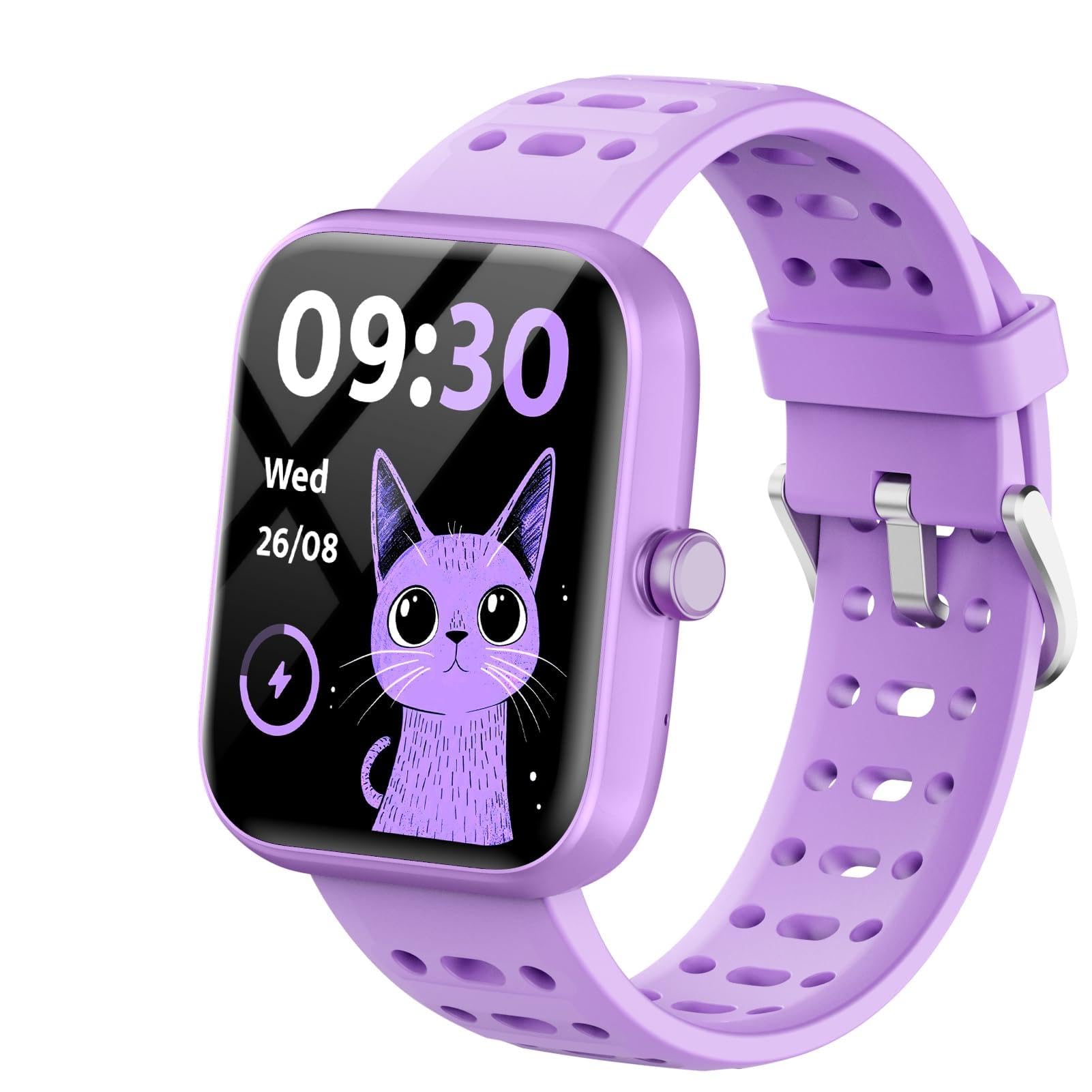
Figure 1: ENOMIR Smart Watch for Kids, showcasing its vibrant purple design.
2. ¿Qué hay en la caja?
- ENOMIR Smart Watch (Model: Bright)
- Cable de carga
- Manual de usuario (este documento)

Figure 2: Packaging and contents of the ENOMIR Smart Watch, including the watch and charging cable.
3. Guía de configuración
3.1 Carga inicial
Before first use, fully charge your ENOMIR Smart Watch. Connect the provided magnetic charging cable to the charging port on the back of the watch and plug the USB end into a compatible power adapter (not included).
- Tiempo de carga: Aproximadamente 2 horas para una carga completa.
- Duración de la batería: Up to 5-7 days of usage, 30 days standby.

Figure 3: The ENOMIR Smart Watch connected to its magnetic charging cable, illustrating the ease of charging.
3.2 Llevando el reloj
The watch features an adjustable silicone band designed to fit wrists from 4.33 inches to 7.48 inches. Ensure the watch is snug but comfortable on the wrist for accurate health monitoring.

Figure 4: A child wearing the ENOMIR Smart Watch, demonstrating its comfortable and adjustable fit.
3.3 Configuración inicial del dispositivo
Upon first power-on or after a reset, you may need to set the date, time, and user profile (gender, age, height) directly on the watch. Navigate through the settings menu using the touchscreen.
Video 1: Official product video demonstrating the initial setup and basic navigation of the ENOMIR Smart Watch.
4. Instrucciones de funcionamiento
4.1 Navegación
The watch features a 1.83" HD color touchscreen. Swipe left/right or up/down to navigate through menus and tap icons to select functions.
4.2 Monitoreo de Salud
The watch provides 24-hour real-time tracking for several health metrics:
- Frecuencia cardíaca: Monitors heart rate and alerts for abnormalities.
- Oxígeno en sangre (SpO2): Automatic detection of blood oxygen levels.
- Monitor de sueño: Measures sleep quality and duration (deep sleep, light sleep, awake time).

Figure 5: Visual representation of the watch's health monitoring features, including heart rate, blood oxygen, and sleep tracking.
4.3 Seguimiento de actividad
Track daily activities and set goals to encourage healthy habits:
- Más de 80 modos de ejercicio: Real-time recording of calories, steps, and distance for various sports.
- Podómetro: Cuenta los pasos diarios.
- Rastreador de calorías: Monitors calories burned.
- Rastreador de distancia: Registra la distancia recorrida.

Figure 6: The activity tracker interface on the ENOMIR Smart Watch, displaying steps, calories, and a selection of over 80 sports modes.
4.4 Entertainment & Learning
- 5 juegos de rompecabezas: Engage children's thinking, calculation, and reaction skills.
- Esferas personalizables: Choose from 100+ dials or create custom ones.
- Despertador: Helps children develop independence and goal-setting habits.
- Flash: A convenient built-in light.
- Cronómetro y temporizador: Herramientas útiles para diversas actividades.
- Cámara y vídeo: Captura fotos y vídeos directamente desde el reloj.
- Reproductor de música: Listen to music (requires connection to app for content transfer).
- Grabadora: Grabar audio.
- Calculadora y calendario: Herramientas de utilidad básicas.
- Tarjetas de aprendizaje: Educational flashcards for learning to read and numbers.

Figure 7: The ENOMIR Smart Watch screen showing a selection of its 5 built-in puzzle games.

Figure 8: A collage of customizable watch dials available for the ENOMIR Smart Watch, allowing children to personalize their device.
4.5 App Connection & Parental Control (Optional)
The ENOMIR Smart Watch can be used standalone. For extended features and parental control, connect it to the companion app (compatible with Android 6.0+ and iOS 9.0+ smartphones).
- Control parental: Limit game usage time or lock games entirely.
- Daily Habits: Set hydration reminders, sedentary alerts, and wake-up/bedtime alarms.
- Almacenamiento de datos: View Datos detallados de salud y actividad.
- Notificaciones: Receive call and message notifications on the watch when connected to a smartphone.

Figure 9: The companion app interface, illustrating parental control options for setting daily habits and managing watch features.
Video 2: Official product video demonstrating the full features of the ENOMIR Kids Smart Watch, including optional app connectivity.
5. Mantenimiento
5.1 Impermeabilización
The watch is IP68 rated, making it sweatproof and waterproof. It can withstand splashes, hand washing, rain, and even bathing without issue. However, it is not recommended for prolonged submersion or hot water activities.

Figure 10: Two children playing by a pool, highlighting the IP68 waterproof feature of the ENOMIR Smart Watch.
5.2 Limpieza
Limpie el reloj y la correa regularmente con un paño suave.amp paño. Evite utilizar productos químicos agresivos o materiales abrasivos que puedan dañar el dispositivo.
6. Solución de problemas
- El reloj no enciende: Asegúrese de que el reloj esté completamente cargado.
- Lecturas inexactas: Asegúrese de que el reloj se ajuste cómodamente a la muñeca.
- Problemas de conectividad de la aplicación: Check Bluetooth connection on your smartphone and ensure the app is updated.
If you encounter any problems, please refer to the detailed instructions in the included manual or contact customer service.
Servicio al cliente: ENOMIR offers 24-hour customer service to assist with any product issues.
7. Especificaciones
| Característica | Detalle |
|---|---|
| Marca | ENOMIR |
| Número de modelo | Brillante |
| Tamaño de pantalla | 1.83 pulgadas |
| Tipo de pantalla | HD TouchScreen |
| Clasificación de impermeabilidad | IP68 |
| Capacidad de la batería | 300 miliamp Horas |
| Duración de la batería (uso normal) | 5-7 días |
| Tiempo de espera | 30 días |
| Conectividad | Bluetooth |
| Compatibilidad del sistema operativo | Android 6.0+ y iOS 9.0+ |
| Características de salud | Heart Rate Monitor, Blood Oxygen (SpO2), Sleep Monitor |
| Activity Features | 80+ Exercise Modes, Pedometer, Calorie Tracker, Distance Tracker |
| Funciones de entretenimiento | 5 Puzzle Games, Customizable Dials, Camera, Video, Music Player, Recorder |
| Características de utilidad | Alarm Clock, Flashlight, Stopwatch, Timer, Calculator, Calendar |
| Peso del artículo | 5.6 onzas |
| Ajuste de muñeca | 4.33 pulgadas - 7.48 pulgadas |
8. Garantía y soporte
Política de devolución de 8.1
Este producto es elegible para un reembolso o reemplazo dentro de los 30 días posteriores a la compra.
8.2 Atención al cliente
For any questions, concerns, or technical assistance, please contact ENOMIR customer service. Our dedicated team is available 24 hours to help resolve any issues you may encounter.