
1. Introducción
This manual provides detailed instructions for the safe and proper installation, operation, and maintenance of your BEISHI Full Motion TV Wall Mount. This mount is designed to securely hold TVs ranging from 37 to 75 inches, with a maximum weight capacity of 132 lbs (60 kg), and supports VESA patterns up to 600x400mm. It offers extensive adjustability including 180° swivel, +5°/-20° tilt, and 90° screen rotation for optimal viewflexibilidad.
Please read this manual thoroughly before beginning installation to ensure a safe and successful setup. Keep this manual for future reference.
2. Información de seguridad
La instalación o el uso incorrectos de este producto pueden provocar lesiones o daños graves. Observe las siguientes precauciones de seguridad:
- Capacidad de peso: Do not exceed the maximum weight capacity of 132 lbs (60 kg). Ensure your TV's weight, including accessories, is within this limit.
- Tamaño de pantalla: Este soporte es adecuado para televisores de entre 37 y 75 pulgadas.
- Tipo de pared: This mount is designed for installation on wood studs (8", 12", 14" spacing), concrete, or brick walls. NO lo instale únicamente sobre paneles de yeso.
- Compatibilidad VESA: Verify your TV's VESA mounting pattern (distance between mounting holes on the back of the TV) is compatible with this mount (Min 100x100mm to Max 600x400mm).
- Instalación profesional: Si no está seguro sobre el proceso de instalación o el tipo de pared, consulte con un profesional calificado.
- Herramientas: Utilice herramientas adecuadas y siga todas las instrucciones cuidadosamente.
- Niños: Mantenga a los niños alejados del área de instalación durante la configuración.
- Daño: No utilice el soporte si alguna pieza está dañada o falta. Contacte con atención al cliente para obtener piezas de repuesto.
3. Contenido del paquete
Please check that all components are present and undamaged before beginning installation. Refer to the image below for a visual representation of the included parts.

Image 3.1: All components included with the BEISHI Full Motion TV Wall Mount.
- Conjunto de placa de pared
- Brazos de soporte para TV (2 piezas)
- Extension Arms (2 pieces)
- Kit de hardware de montaje (tornillos, anclajes, arandelas, espaciadores)
- Nivel de burbuja
- Bridas para cables
- Plantilla de instalación
4. Instrucciones de instalación
4.1 Lista de verificación previa a la instalación
- Confirm your TV's weight is less than 132 lbs (60 kg).
- Verifique que el patrón VESA de su televisor esté entre 100 x 100 mm y 600 x 400 mm.
- Identify your wall type (wood stud, concrete, or brick). Ensure stud spacing is compatible (8", 12", or 14").
- Gather necessary tools: drill, stud finder, pencil, measuring tape, screwdriver, socket wrench.
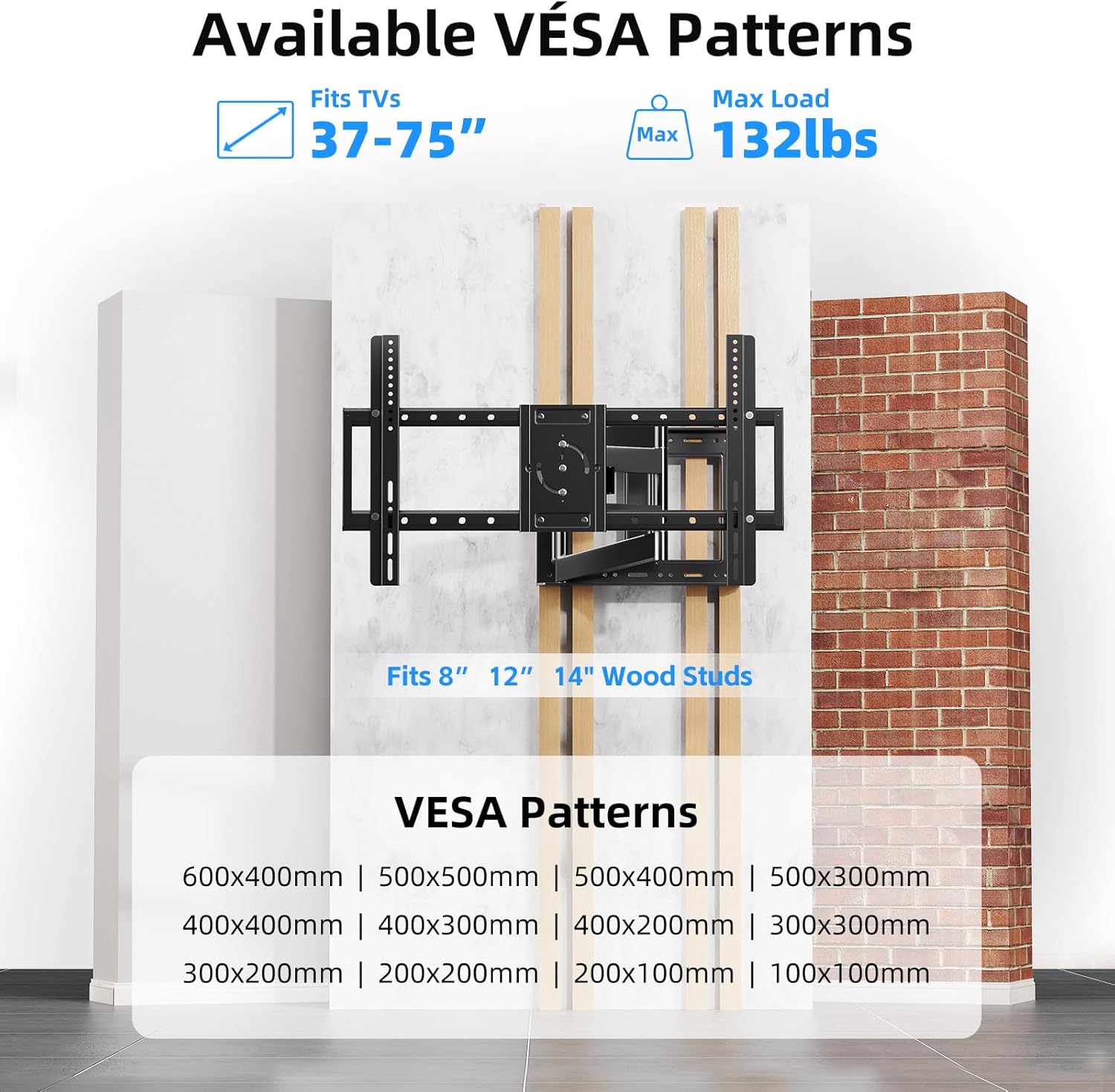
Image 4.1: VESA compatibility and supported wall types for installation.
4.2 Instalación paso a paso
The following video provides a visual guide for the installation process:
Video 4.1: Step-by-step product installation guide for the BEISHI TV Wall Mount.
- Marcar agujeros de perforación: Use the provided installation template to mark the desired drilling locations on your wall. Ensure the template is level.
- Perforación de agujeros: Drill pilot holes at the marked locations. The drill bit size will depend on your wall type and the anchors provided.
- Inserting Anchors: Insert the appropriate wall anchors into the drilled holes. For wood studs, lag bolts are typically used directly.
- Mounting Wall Plate: Secure the wall plate assembly to the wall using the provided screws and a socket wrench. Use the bubble level to ensure it is perfectly horizontal.
- Attaching Extension Arms: If your TV requires a wider VESA pattern, attach the extension arms to the main wall plate assembly. Secure them with the provided screws.
- Attaching TV Brackets to TV: Lay your TV face down on a soft, clean surface. Attach the TV bracket arms to the back of your TV using the appropriate screws and spacers from the hardware kit. Ensure they are securely fastened.
- Montaje del televisor en la placa de pared: Carefully lift the TV and hook the TV bracket arms onto the wall plate assembly. Secure the TV to the mount using the safety screws or locking mechanisms.

Image 4.2: The BEISHI TV wall mount fully installed and extended.
5. Funcionamiento del soporte de pared para TV
Your BEISHI Full Motion TV Wall Mount offers versatile adjustments for optimal viewing. The following video demonstrates the key features:
Vídeo 5.1: Terminadoview of the BEISHI TV Wall Mount's features, including extension, swivel, and tilt capabilities.
5.1 Extensión y retracción
The mount features an extra-long extension arm that allows the TV to extend from 2.6 inches to 40.9 inches from the wall. Gently pull or push the TV to achieve the desired distance. Ensure smooth movement and avoid sudden forceful actions.

Image 5.1: The mount's extension capability, ranging from 2.4 to 36.4 inches.
5.2 Ajuste giratorio
The mount allows for a 180° left-right swivel. Gently pivot the TV to the desired viewing angle. This feature is useful for viewing from different areas within a room.
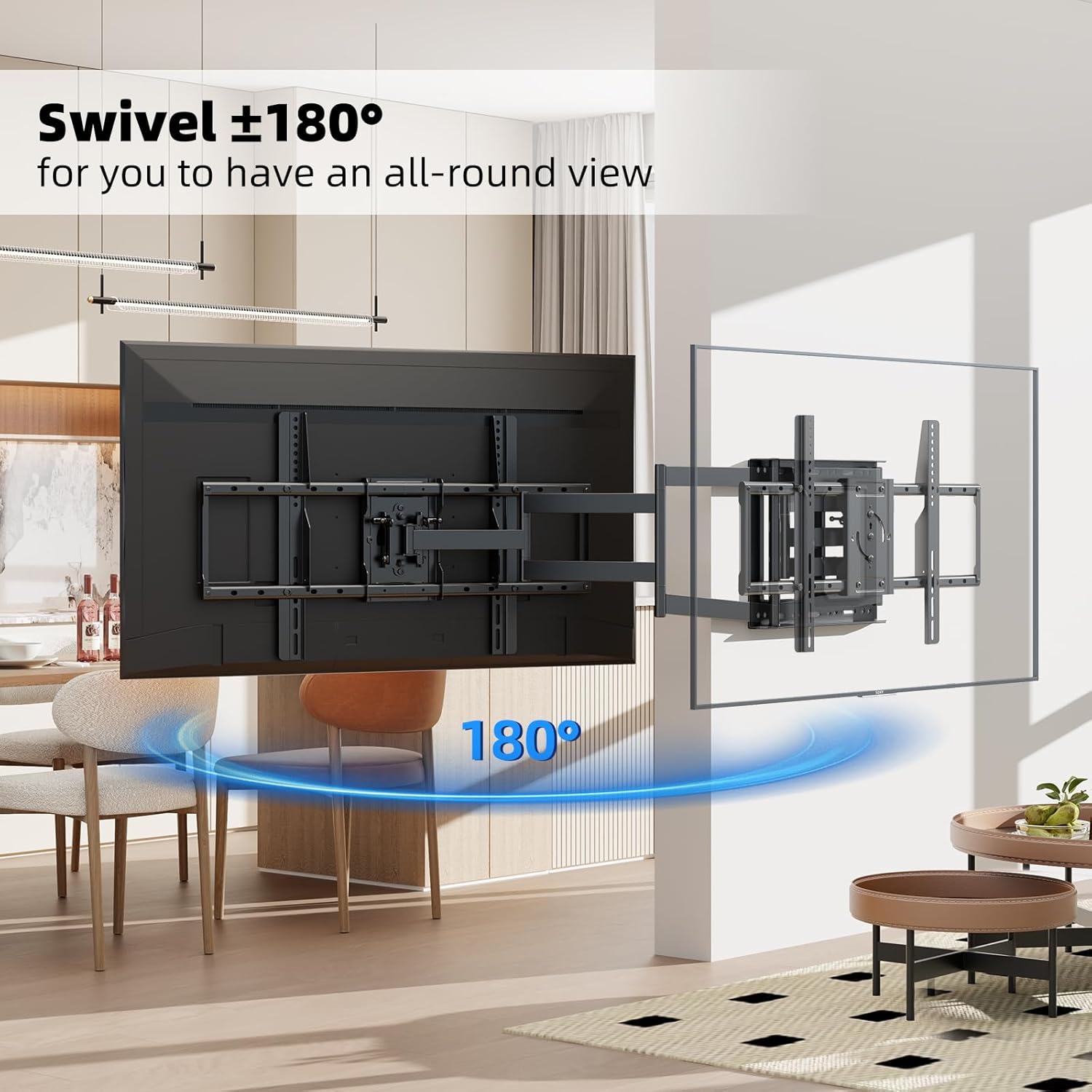
Image 5.2: The 180° swivel feature of the TV wall mount.
5.3 Ajuste de inclinación
Adjust the TV's vertical angle by tilting it +5° upwards or -20° downwards. This helps reduce glare and optimize viewing comfort. The tilt mechanism can be adjusted using the provided tools or by hand, depending on the specific design.

Image 5.3: The tilt adjustment range of +5° to -20°.
5.4 Rotación de pantalla
The TV screen can be rotated 90° for switching between horizontal and vertical orientations. This feature is useful for specific applications like live broadcasting, online meetings, or gaming. Ensure the rotation mechanism is securely locked after adjustment.
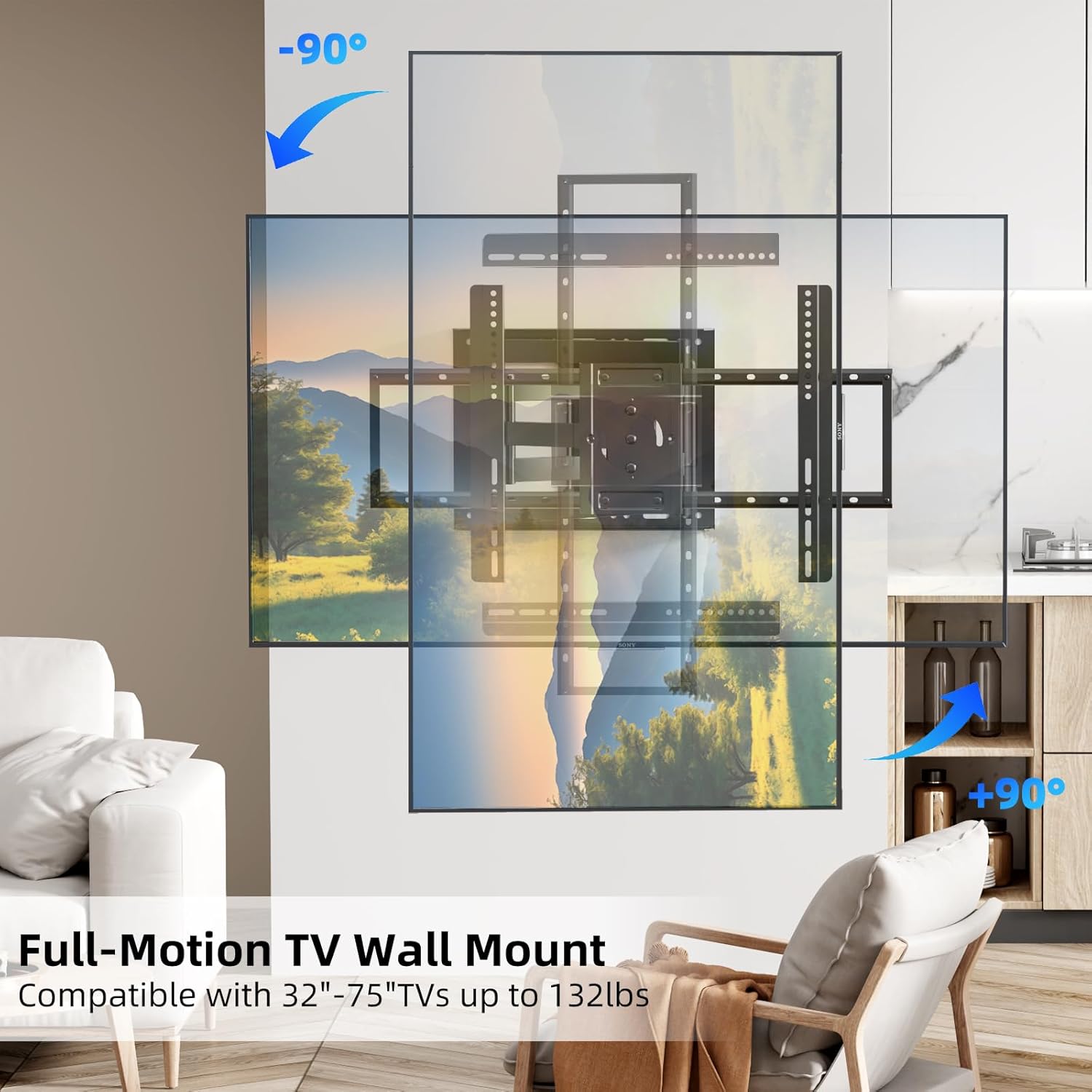
Image 5.4: The 90° screen rotation capability of the mount.
6. Mantenimiento
El mantenimiento regular garantiza la longevidad y el funcionamiento seguro de su soporte de pared para TV:
- Limpieza: Limpie el soporte con un paño suave y seco para eliminar el polvo. Evite usar limpiadores abrasivos o disolventes.
- Controles periódicos: Revise periódicamente todos los tornillos y pernos para asegurarse de que estén bien apretados. Con el tiempo, las vibraciones o los ajustes pueden provocar que los sujetadores se aflojen.
- Movimiento: If the mount's movement becomes stiff, apply a small amount of silicone-based lubricant to the pivot points. Do not use oil-based lubricants.
- Inspección de daños: Inspect the mount for any signs of wear, corrosion, or damage. If any issues are found, discontinue use and contact customer support.
7. Solución de problemas
If you encounter any issues with your BEISHI TV Wall Mount, refer to the following common problems and solutions:
- El monte no está nivelado: Use the integrated bubble level or a separate level to check the wall plate. If it's off, slightly loosen the mounting bolts, adjust, and re-tighten.
- Dificultad para mover el televisor: Ensure all adjustment screws are not overtightened. If movement is still stiff, apply a small amount of silicone lubricant to the joints.
- La televisión se siente inestable: Double-check all mounting screws on both the wall plate and the TV brackets. Ensure they are securely tightened. Verify that the wall type and anchors used are appropriate for the TV's weight.
- Partes faltantes: Refer to the 'Package Contents' section. If parts are missing, contact BEISHI customer support immediately.
8. Especificaciones del producto
| Característica | Especificación |
|---|---|
| Marca | BEISHI |
| Modelo | B0F98ZTHGF |
| Compatibilidad de tamaño de TV | 37-75 pulgadas |
| Capacidad de carga máxima | 132 libras (60 kg) |
| Compatibilidad VESA | 100x100mm hasta 600x400mm |
| Rango giratorio | 180° (left-right) |
| Rango de inclinación | +5° / -20° |
| Rotación de pantalla | 90° |
| Extensión desde la pared | 2.6 pulgadas a 40.9 pulgadas |
| Material | Acero aleado |
| Color | Negro |
| Peso del artículo | 18.46 libras |
| Compatibilidad de pared | Wood Studs (8", 12", 14"), Concrete, Brick |
9. Garantía y atención al cliente
BEISHI products are manufactured to high-quality standards. For warranty information, technical support, or to inquire about replacement parts, please refer to the product packaging or contact BEISHI customer service through their official channels. You can also visit the BEISHI Store on Amazon Para más información.