
Introducción
This manual provides essential information for the safe and efficient use of your SUPVAN T50M Pro Label Maker. Please read these instructions carefully before operating the device and retain them for future reference.
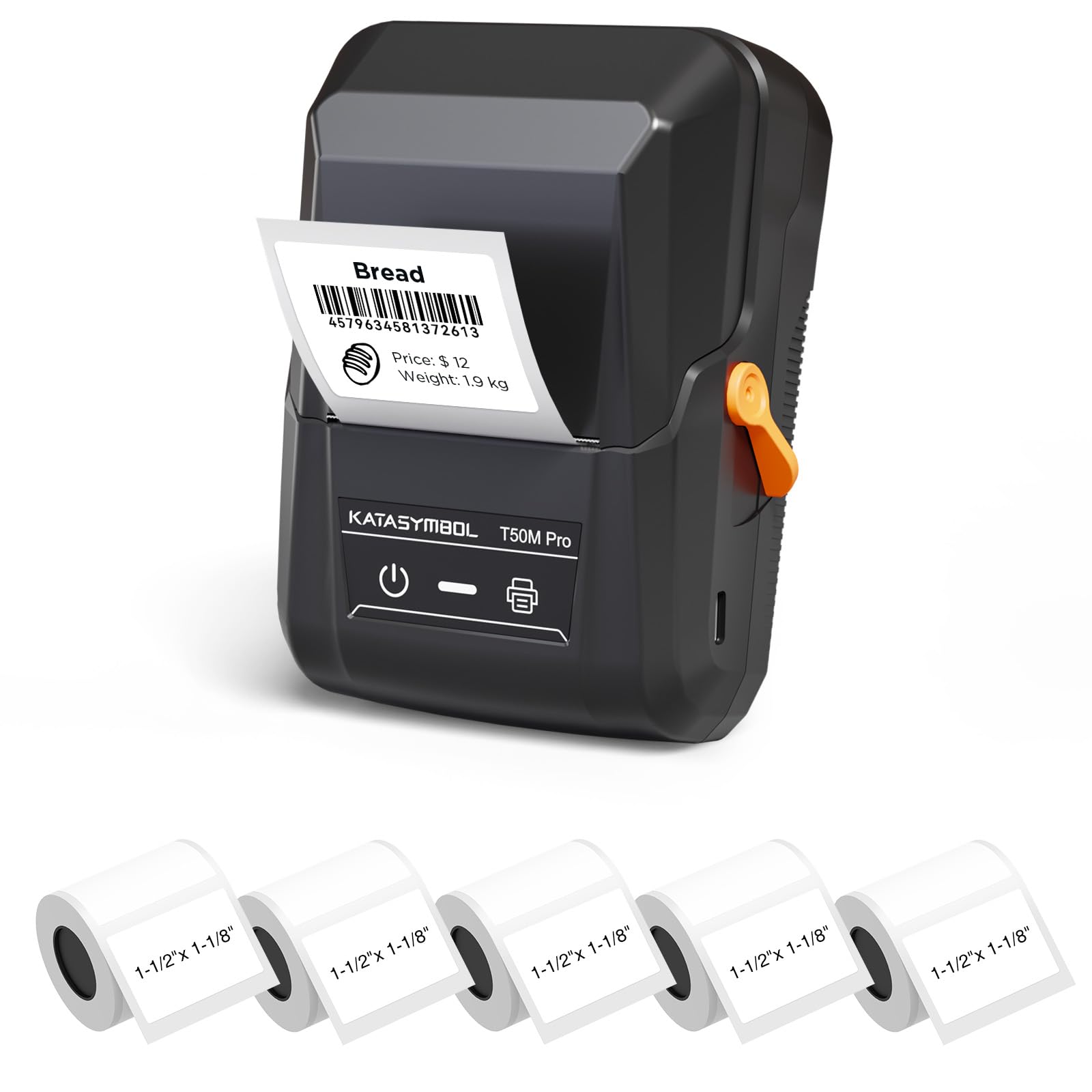
Image: The SUPVAN T50M Pro Label Maker, a compact thermal printer.
Contenido del paquete
Verifique que todos los artículos estén presentes en su paquete:
- Etiquetadora profesional SUPVAN T50M
- 5 rolls of 1.57'' × 1.18'' (40mm × 30mm) white labels (250 labels/roll)
- Cable USB (para carga y conectividad)
- Manual de usuario (este documento)
Guía de configuración
1. Carga del dispositivo
Before first use, fully charge the label maker using the provided USB cable. The device features a 1200 mAh built-in rechargeable battery, offering extended use on a single charge.
2. Instalación del rollo de etiquetas
The T50M Pro uses thermal paper, eliminating the need for ink or toner. Follow these steps to install a label roll:
- Abra la tapa del compartimento de etiquetas.
- Inserte el rollo de etiquetas con la superficie de impresión hacia arriba.
- Ensure the label edge is aligned with the printer's feed mechanism.
- Close the cover. The device's Smart RFID Auto-Detection will recognize the label size automatically.

Image: Illustration of loading thermal paper into the label maker. The device uses thermal printing technology, requiring no ink or toner.
3. Instalación y conexión de la aplicación
Download the official SUPVAN app from your device's app store. The app provides all editing functions and is free to use.
- Encienda la etiquetadora.
- Open the SUPVAN app on your smartphone or tablet.
- Follow the in-app instructions to connect to your T50M Pro via Bluetooth or USB.
Instrucciones de funcionamiento
1. Creación de etiquetas con la aplicación
The SUPVAN app offers a comprehensive suite of editing tools:
- Edición de texto: Choose from over 40 fonts.
- Image & Picture Integration: Add custom images and logos.
- Plantillas: Access over 140 free, constantly updated templates for various uses.
- Reconocimiento automático del tamaño de la etiqueta: The app automatically detects the loaded label size, reducing errors.

Image: The SUPVAN app's editing interface, demonstrating font choices, image integration, and automatic label size detection.

Image: A selection of over 140 free templates available within the SUPVAN app, suitable for diverse labeling needs.
2. Impresión de etiquetas
After designing your label in the app, select the "Print" option. Ensure the label maker is connected and has sufficient battery. The T50M Pro supports various label styles and sizes, printing 3/4 to 2-inch wide labels.

Imagen: Examples of labels created with the T50M Pro, including address labels, price tags, and decorative labels, demonstrating support for various styles.

Image: A visual comparison highlighting the high-quality image output from the SUPVAN T50M Pro's app compared to other label makers.
3. Aplicaciones comunes
The SUPVAN T50M Pro is suitable for a wide range of labeling tasks:
- Pequeña empresa: Shipping addresses, product information, QR codes, brand logos.
- Oficina y escuela: Nombre tags, folder labels, documentation, asset tagfue.
- Organización del hogar: Pantry labels, storage bins, personal items.

Image: Demonstrates diverse uses for the label maker, such as labeling containers in a pantry, creating product labels, printing shipping labels, and organizing school supplies.
Mantenimiento
1. Limpieza del cabezal de impresión
Para garantizar una calidad de impresión óptima, limpie periódicamente el cabezal de impresión térmica. Utilice un paño suave y sin pelusa.ampened with isopropyl alcohol. Do not use abrasive cleaners or sharp objects.
2. Cuidado de la batería
Recharge the device when the battery indicator is low. Avoid fully discharging the battery frequently to prolong its lifespan. Store the device in a cool, dry place when not in use for extended periods.
3. Almacenamiento de etiquetas
Guarde los rollos de etiquetas en un lugar fresco y seco, alejado de la luz solar directa y del calor para evitar la degradación del material térmico.
Solución de problemas
1. El dispositivo no se enciende
- Asegúrese de que el dispositivo esté completamente cargado. Conéctelo a una fuente de alimentación mediante el cable USB.
- Mantenga presionado el botón de encendido durante unos segundos.
2. Printing Issues (Blank or Faint Prints)
- Check if the label roll is installed correctly with the printing surface facing up.
- Asegúrese de que el rollo de etiquetas no esté vacío.
- Limpie el cabezal de impresión como se describe en la sección Mantenimiento.
- Verify that the label type is compatible with the T50M Pro.
3. Problemas de conectividad de la aplicación
- Asegúrese de que Bluetooth esté habilitado en su dispositivo móvil.
- Make sure the label maker is turned on and within range.
- Restart both the label maker and the app.
- Si los problemas persisten, intente reinstalar la aplicación.
4. Label Misalignment
- Asegúrese de que el rollo de etiquetas esté correctamente colocado y alineado en el compartimento.
- The Smart RFID Auto-Detection should prevent most misalignment issues; if not, try re-seating the roll.
Presupuesto
| Característica | Detalle |
|---|---|
| Nombre del modelo | T50M Pro |
| Marca | SUPVÁN |
| Tecnología de impresión | Térmico |
| Tecnología de conectividad | USB, Bluetooth |
| Interfaz de hardware | USB |
| Salida de impresora | Monochrome (Black Ink Color) |
| Tamaño máximo de medios | 1.57'' × 1.18'' (40mm × 30mm) - 3/4 to 2-inch wide labels supported |
| Característica especial | Portable, Smart RFID Auto-Detection, BPA-free labels |
| Batería | Batería recargable incorporada de 1200 mAh |
| Dimensiones | Aprox. 5" x 3.7" x 2.3" |
| Peso | Aprox. 0.6 libras |
| Componentes incluidos | Label Maker, Labels, USB Cable |

Image: The compact design of the T50M Pro, highlighting its portability, lightweight nature, and 1200 mAh rechargeable battery.
Garantía y soporte
Información de garantía
For detailed warranty information, please refer to the warranty card included with your product or visit the official SUPVAN webSitio. Los términos y condiciones de la garantía pueden variar según la región y el minorista.
Atención al cliente
If you encounter any issues or have questions regarding your SUPVAN T50M Pro Label Maker, please contact SUPVAN customer support through their official websitio o el minorista donde se compró el producto.
También puedes visitar el Tienda SUPVAN en Amazon para obtener información adicional sobre el producto y recursos de soporte.