
1. Introducción
This manual provides detailed instructions for setting up and operating your MFVLP LC210 Smart Watch. Please read this guide thoroughly to ensure proper use and to maximize the features of your device. The MFVLP LC210 is designed to connect your health data, provide insights into athletic performance, and support an efficient lifestyle.
2. Configuración
2.1 ¿Qué hay en la caja?
Your MFVLP LC210 Smart Watch package includes:
- Reloj inteligente x 1
- Cargador magnético x 1
- Manual de usuario x 1
- Grey Watch Band x 1

Image: Contents of the MFVLP LC210 Smart Watch package.
2.2 Carga del reloj inteligente
Before initial use, fully charge your smart watch. Connect the magnetic charger to the charging points on the back of the watch and plug the USB end into a power adapter (not included). A full charge typically takes 2 hours. The watch provides 3-6 days of active use and up to 30 days of standby time.

Image: Magnetic charging process and battery life details.
Video: A 3D feature overview of the smartwatch, including a demonstration of magnetic charging.
2.3 Instalación y emparejamiento de la aplicación
To unlock the full potential of your MFVLP LC210 Smart Watch, download and install the "Da Fit" app on your smartphone. The app is compatible with Android 5.0 or above and iOS 9.0 or above.
- Encienda el Bluetooth en su teléfono inteligente.
- Abra la tienda de aplicaciones de su teléfono (Google Play Store para Android o Apple App Store para iOS).
- Buscar "Da Fit" and download the application. You can also scan the QR code provided in the quick start guide or visit http://plus.crrepa.com/app-download/dafit.
- Open the "Da Fit" app and follow the on-screen instructions to add your device. Select "LC210" from the list of available devices to pair.
- Grant necessary permissions for notifications and other features when prompted.

Image: Step-by-step guide for connecting the smartwatch to a smartphone.
Video: Instructions on how to connect and use the smartwatch with mobile applications for both iOS and Android devices.
3. Funcionamiento del reloj inteligente
3.1 Navegación básica
The MFVLP LC210 features a 1.85-inch AMOLED HD touchscreen display and a rotating encoder crown for easy navigation. Swipe across the screen to access different functions and menus. Use the crown to scroll through options or adjust settings.

Image: Rotating encoder crown for navigation.
The watch also supports an Always-On Display (AOD) for instant time checks without needing to raise your wrist. Note that enabling this feature may shorten battery life.

Image: Screen clock feature for always-on display.
3.2 Notificaciones de llamadas y mensajes por Bluetooth
With its Bluetooth 5.3 chip, built-in microphone, and waterproof speaker, you can make and receive calls directly from your wrist. The watch also displays notifications from various apps like SMS, WhatsApp, Facebook, and Twitter, ensuring you stay updated.

Image: Bluetooth calling and message reminder features.

Image: Bluetooth 5.3 calling interface.

Image: Smartwatch displaying various app notifications.
3.3 Monitoreo de salud 24/7
The LC210 is equipped with an advanced optical sensor for continuous health monitoring:
- Monitoreo del ritmo cardíaco: Seguimiento de la frecuencia cardíaca en tiempo real durante todo el día.
- Monitoreo del sueño: Automatically tracks sleep duration and analyzes sleep quality (light sleep, deep sleep, awake sleep) to help improve sleeping habits.
- Monitoreo de oxígeno en sangre (SpO2): Mide los niveles de saturación de oxígeno en sangre.
- Medición del nivel de estrés: Monitors stress levels 24 hours a day. The watch can also provide stress relief aids.
- Recordatorio del ciclo menstrual femenino: Features a built-in period tracker for female health monitoring.

Imagen: Funciones de monitoreo de salud que incluyen sueño, frecuencia cardíaca y oxígeno en sangre.

Imagen: Monitoreo de frecuencia cardíaca en acción.

Image: Sleep monitoring interface.

Image: Blood oxygen saturation monitoring.

Image: Stress level monitoring.

Image: Female menstrual cycle reminder feature.
3.4 Más de 120 modos deportivos y seguimiento de actividad
The LC210 offers over 120 built-in sport modes, including running, walking, cycling, yoga, and more. It continuously records activity data such as steps, distance, and calories burned, providing professional analysis to help you achieve your fitness goals.

Image: Sports modes and activity tracking interface.

Image: All-day activity tracking.

Imagen: Examples of 120+ sports modes.
3.5 Control de música
When connected to the "Da Fit" app and your phone's music playback function is active, you can control music directly from your watch. This is ideal for managing your audio during exercise without needing to access your phone.
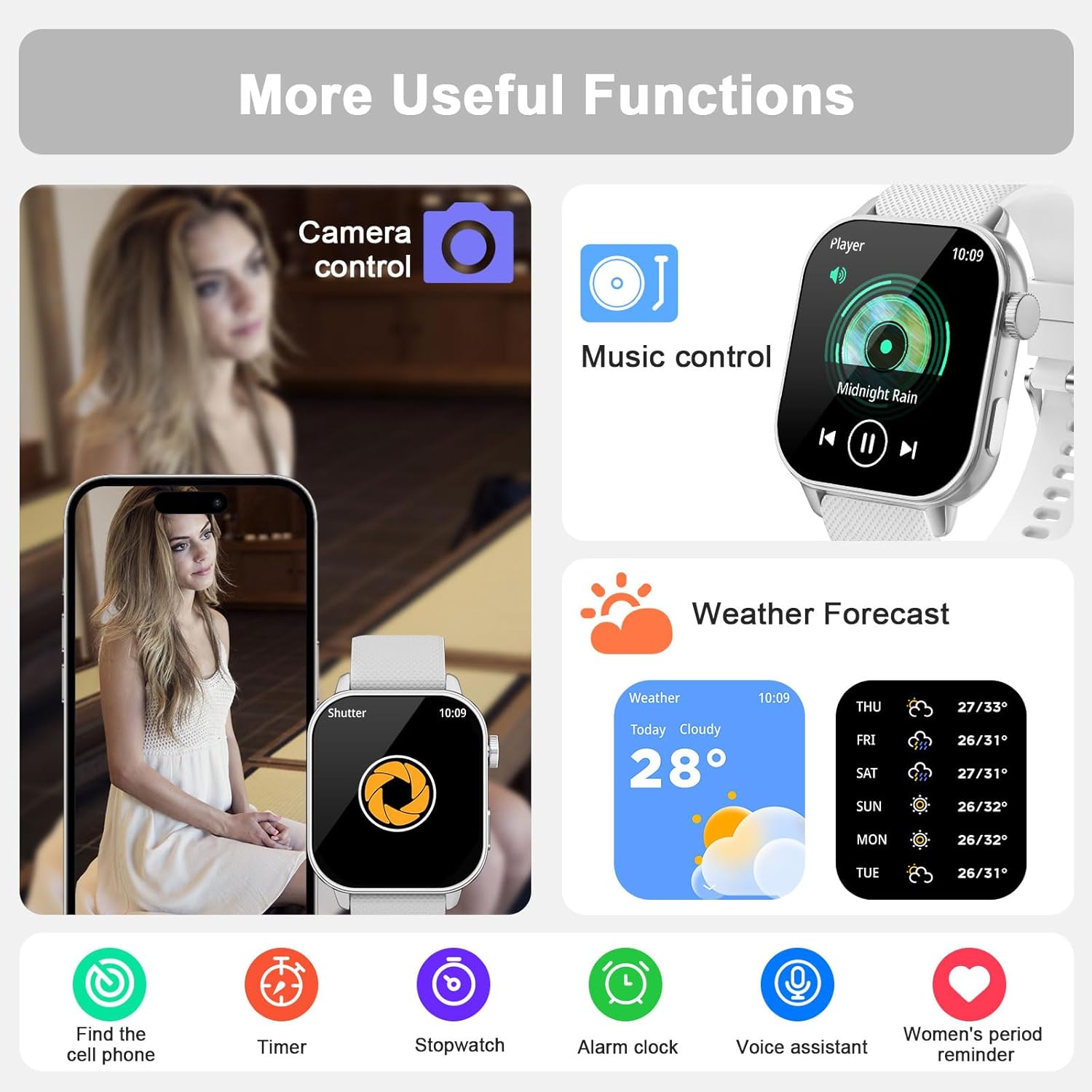
Image: Music control feature on the smartwatch.
3.6 Otras funciones útiles
The MFVLP LC210 includes over 15 daily tools:
- Asistente de voz: Interactúa con tu reloj mediante comandos de voz.
- Buscador de teléfono: Localiza tu teléfono inteligente extraviado.
- Pronóstico del tiempo: Obtenga actualizaciones meteorológicas en tiempo real.
- Calculadora: Realizar cálculos básicos.
- Control de cámara: Controla de forma remota la cámara de tu teléfono.
- Stopwatch, Timer, Alarm: Herramientas esenciales para cronometrar el tiempo.
- Reloj mundial: View tiempo en diferentes zonas globales.
- Flash: Utilice la pantalla como fuente de luz.
- Recordatorios de sedentarismo e hidratación: Incita a moverse y beber agua.
- Modo No molestar: Silenciar notificaciones durante momentos específicos.
- Modo de ahorro de energía: Extend battery life.
- Electronic Card Wallet: Store electronic cards (details via app).

Image: Voice assistant feature.

Image: Remote camera control and phone finder.

Imagen: Más alláview of additional useful functions.
3.7 Personalización de las esferas del reloj
Choose from over 190 stylish watch faces available in the "Da Fit" app. You can also customize the watch face with your own photos to personalize your device.
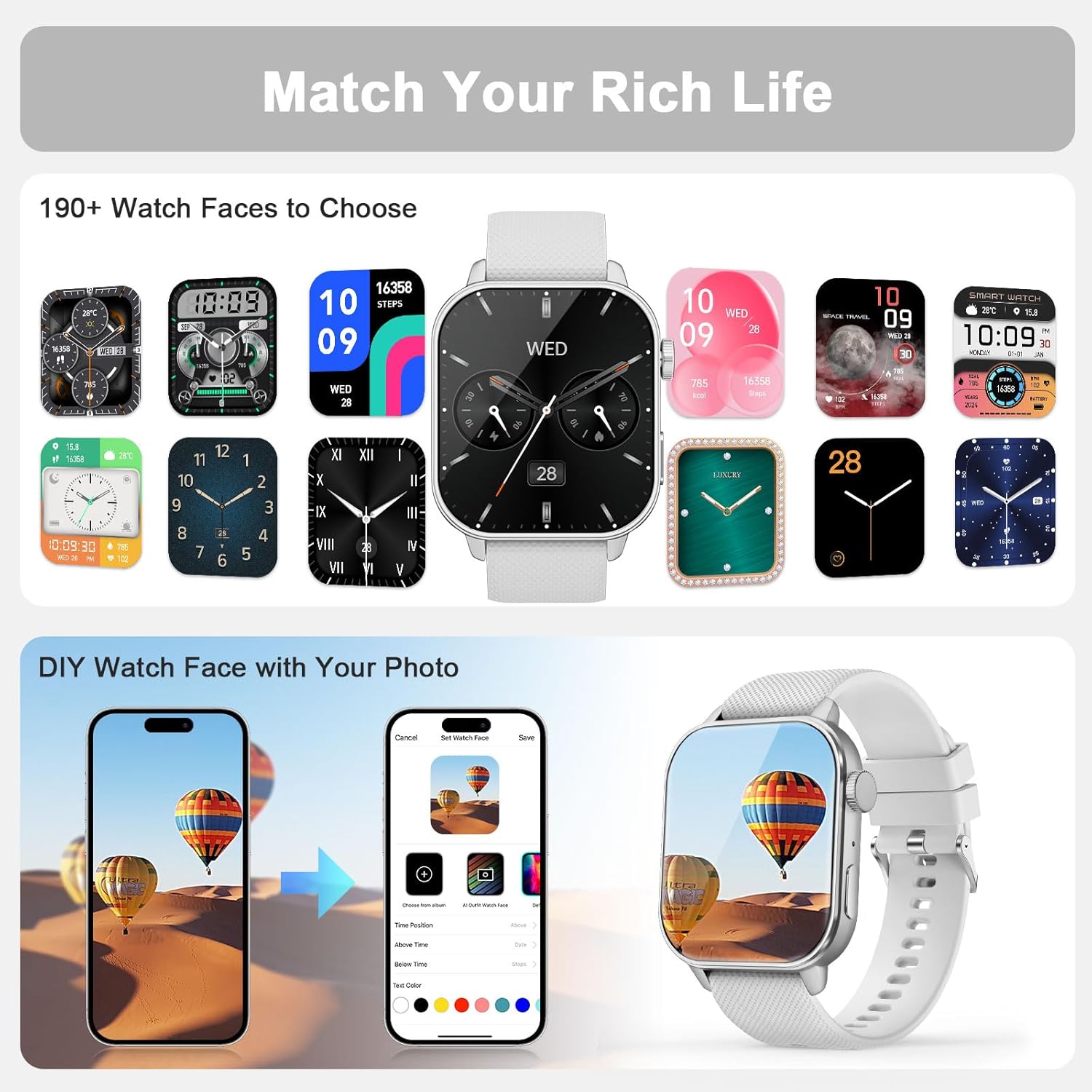
Imagen: Opciones de personalización de la esfera del reloj.

Image: More watch face options and customization.
4. Mantenimiento
4.1 Resistencia al agua
The MFVLP LC210 Smart Watch is IP68 waterproof, making it resistant to sweat, rain, hand washing, and even swimming in a pool (up to 1.5 meters depth). Avoid hot water, steam, or prolonged submersion in deep water.
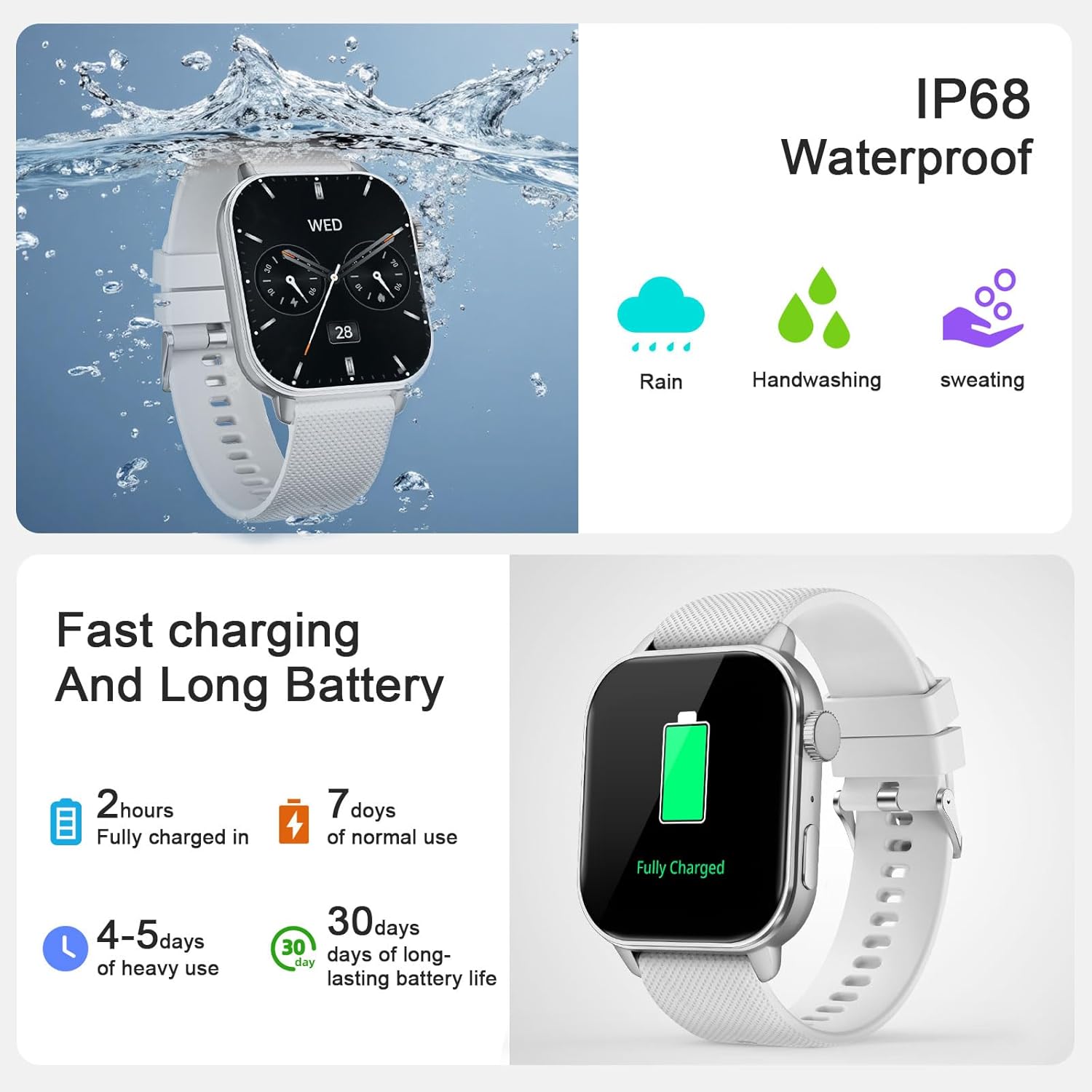
Imagen: Demostración de la función de resistencia al agua IP68.

Image: Smartwatch used during swimming, demonstrating IP68 waterproof capability.
4.2 Limpieza y cuidado
Limpie regularmente su reloj y correa con un paño suave y seco. Si es necesario, utilice un paño ligeramente seco.amp Paño y jabón suave, luego enjuague y seque bien. Evite productos químicos agresivos o materiales abrasivos.
4.3 Cuidado de la batería
To prolong battery life, avoid extreme temperatures and fully discharging the battery frequently. Charge the watch using the provided magnetic charger.
5. Solución de problemas
- El reloj no enciende: Asegúrese de que el reloj esté completamente cargado. Conéctelo al cargador magnético y espere unos minutos.
- No se puede emparejar con el teléfono: Make sure Bluetooth is enabled on your phone and the watch is within range. Restart both the watch and your phone. Ensure the "Da Fit" app is updated to the latest version.
- Las notificaciones no aparecen: Check app permissions on your phone to ensure "Da Fit" has access to notifications. Verify that notifications are enabled within the "Da Fit" app settings for specific applications.
- Datos de salud inexactos: Asegúrese de que el reloj esté bien ajustado a su muñeca, ni demasiado apretado ni demasiado suelto. Limpie el sensor de la parte trasera del reloj.
- Duración de la batería corta: Reduce screen brightness, disable unnecessary features like Always-On Display, and limit frequent heart rate monitoring if not needed.
For further assistance, refer to the "Customer Service" section within the "Da Fit" app or contact MFVLP support.
6. Especificaciones
| Característica | Detalle |
|---|---|
| Nombre del modelo | LC210 |
| Marca | MFVLP |
| Tamaño de pantalla | 1.85 pulgadas |
| Tipo de pantalla | AMOLED |
| Sistema operativo | Android 5.0 o superior, iOS 9.0 o superior |
| Tecnología de conectividad | Bluetooth |
| Capacidad de la batería | 290 miliamp Horas |
| Tiempo de carga de la batería | 2 horas |
| Duración media de la batería | 7 días (uso normal) |
| Nivel de resistencia al agua | IP68 Waterproof (up to 1.5 meters) |
| Peso del artículo | 40 gramos |
| Tipo de material de la banda | Silicona |
| Tipo de material de la caja | Polycarbonate (PC) + Acrylonitrile Butadiene Styrene (ABS) |
| Métricas medidas | Calories Burned, Distance, Step Count, Heart Rate, Sleep, Blood Oxygen, Stress |
| Características especiales | 120+ sports modes, APP fitness videos, female menstrual reminder, Bluetooth calls, screen clock, message notifications, 30-day standby, voice assistant, music player, flashlight, calculator, calendar, DND mode, power saving, flip wrist to light screen, electronic card wallet, weather forecast, sedentary/hydration reminders, heart rate upper limit warning, alarm/timer/stopwatch/game, breathing training, find phone, remote photography, world clock. |
7. Garantía
The MFVLP LC210 Smart Watch comes with a Garantía limitada. Please refer to the warranty card included in your package for specific terms and conditions. MFVLP offers a 1-year free replacement service for eligible issues.

Image: MFVLP Quality Service Support details.
8. Soporte
For technical support, product inquiries, or customer service, please refer to the "Customer Service" section within the "Da Fit" application. You can also visit the official MFVLP store on Amazon for more information and resources.
MFVLP is committed to providing rapid response within 24 hours and long-term support with satisfactory solutions.
MFVLP: Precision Engineered. Time Proven.