
Redmi Redmi Pad 2 Wi-Fi + Cellular
Redmi Pad 2 Wi-Fi + Cellular User Manual
Model: Redmi Pad 2 Wi-Fi + Cellular
1. Introducción
Welcome to the Redmi Pad 2 Wi-Fi + Cellular user manual. This guide provides essential information to help you get started with your new tablet, understand its features, and ensure optimal performance. Please read this manual thoroughly before using your device.
The Redmi Pad 2 offers a vibrant 2.5K display, powerful MediaTek Helio G100-Ultra processor, long-lasting 9000mAh battery, and supports an Active Pen for enhanced productivity and creativity. With HyperOS 2 and AI-powered features, your tablet experience is designed to be intuitive and efficient.

Imagen: Una sobreview of the Redmi Pad 2's key features, including its 2.5K display, cellular connectivity, immersive audio, 9000mAh battery, HyperOS 2, AI-Powered capabilities, and MediaTek Helio G100-Ultra processor.
2. Configuración inicial
2.1 Desempaquetado y contenido del paquete
Your Redmi Pad 2 package should contain the following items:
- Tableta Redmi Pad 2
- Adaptador de corriente
- Cable USB tipo C
- Herramienta de expulsión de SIM
2.2 Carga del dispositivo
Before first use, fully charge your Redmi Pad 2. Connect the USB Type-C cable to the tablet's charging port and the power adapter, then plug the adapter into a wall outlet. The tablet supports 18W fast charging.
2.3 Encendido / Apagado
- Para encender: Mantenga presionado el botón de encendido hasta que aparezca el logotipo de Redmi.
- Para apagar: Mantenga presionado el botón de Encendido, luego seleccione “Apagar” en las opciones en la pantalla.
2.4 Inserting a SIM Card (Cellular Models)
For cellular connectivity, insert a nano-SIM card using the provided SIM ejector tool.
- Localice la bandeja de la tarjeta SIM en el costado de la tableta.
- Inserte la herramienta de extracción de SIM en el pequeño orificio al lado de la bandeja y presione suavemente hasta que la bandeja salga.
- Coloque la tarjeta nano-SIM en la bandeja con los contactos dorados hacia abajo.
- Empuje con cuidado la bandeja dentro de la tableta hasta que encaje en su lugar.

Imagen: Lateral view of the Redmi Pad 2, illustrating the location of the SIM card tray and physical buttons.
2.5 Conexión a wifi
- Ir a Ajustes > Wifi.
- Activar Wi-Fi.
- Seleccione la red que desee de la lista.
- Ingrese la contraseña si se le solicita y toque Conectar.
2.6 Configuración de la cuenta de Google
Follow the on-screen prompts to set up your Google account. This is necessary to access the Google Play Store, synchronize data, and use various Google services.
3. Funcionamiento de su Redmi Pad 2
3.1 Navigation and User Interface (HyperOS 2)
Your Redmi Pad 2 runs on HyperOS 2, based on Android, providing a smooth and intuitive user experience. Swipe gestures and on-screen buttons allow for easy navigation between apps and settings.
3.2 Funciones de visualización
Experience crystal-clear visuals on the 11-inch 2.5K (2560x1600 pixels) display with a 90Hz refresh rate for smooth scrolling and animations. The display offers up to 600 nits of brightness for clear visibility in various lighting conditions.

Image: The Redmi Pad 2's 2.5K Crystal Clear Display, highlighting its sharp resolution and vibrant color reproduction.
3.3 Experiencia de audio
The tablet features quad speakers with Dolby Atmos support, delivering an immersive audio experience for movies, music, and games.

Image: The Redmi Pad 2 demonstrating its immersive audio capabilities with quad speakers and Dolby Atmos technology.
3.4 Active Pen Support
The Redmi Pad 2 supports an Active Pen (sold separately) for precise input. Use it for note-taking, sketching, marking up documents, and navigating the interface with ultra-low latency and 4096 pressure sensitivity levels.

Image: The Redmi Pad 2 demonstrating Active Pen support for creative tasks, instant answers, effortless note-taking, and handwriting recognition.

Image: A close-up of the Redmi Smart Pen in use, detailing its features such as seamless writing, millisecond-level latency, 4096 pressure sensitivity, 10g activation force, and 12 hours of continuous writing.
3.5 Funciones impulsadas por IA
Leverage AI capabilities like Círculo para buscar for instant information retrieval and Géminis IA for personalized assistance, enhancing productivity and entertainment.

Image: The Redmi Pad 2 demonstrating AI-powered features, specifically 'Circle to Search' for instant answers.
3.6 Uso de la cámara
The tablet is equipped with an 8MP rear camera and a 5MP front camera, suitable for video calls and casual photography. Video capture resolutions include FHD 1080p and HD 720p.
3.7 Almacenamiento y rendimiento
The Redmi Pad 2 comes with 8GB RAM and 256GB internal storage (UFS 2.2 for fast loads). Storage can be expanded up to 2TB using a microSD card (sold separately).

Image: The Redmi Pad 2 highlighting its storage and RAM capabilities, including up to 16GB RAM, 256GB UFS 2.2 storage, and 2TB expandable storage.
Powered by the MediaTek Helio G100-Ultra processor, the tablet delivers efficient performance for multitasking, gaming, and media consumption.
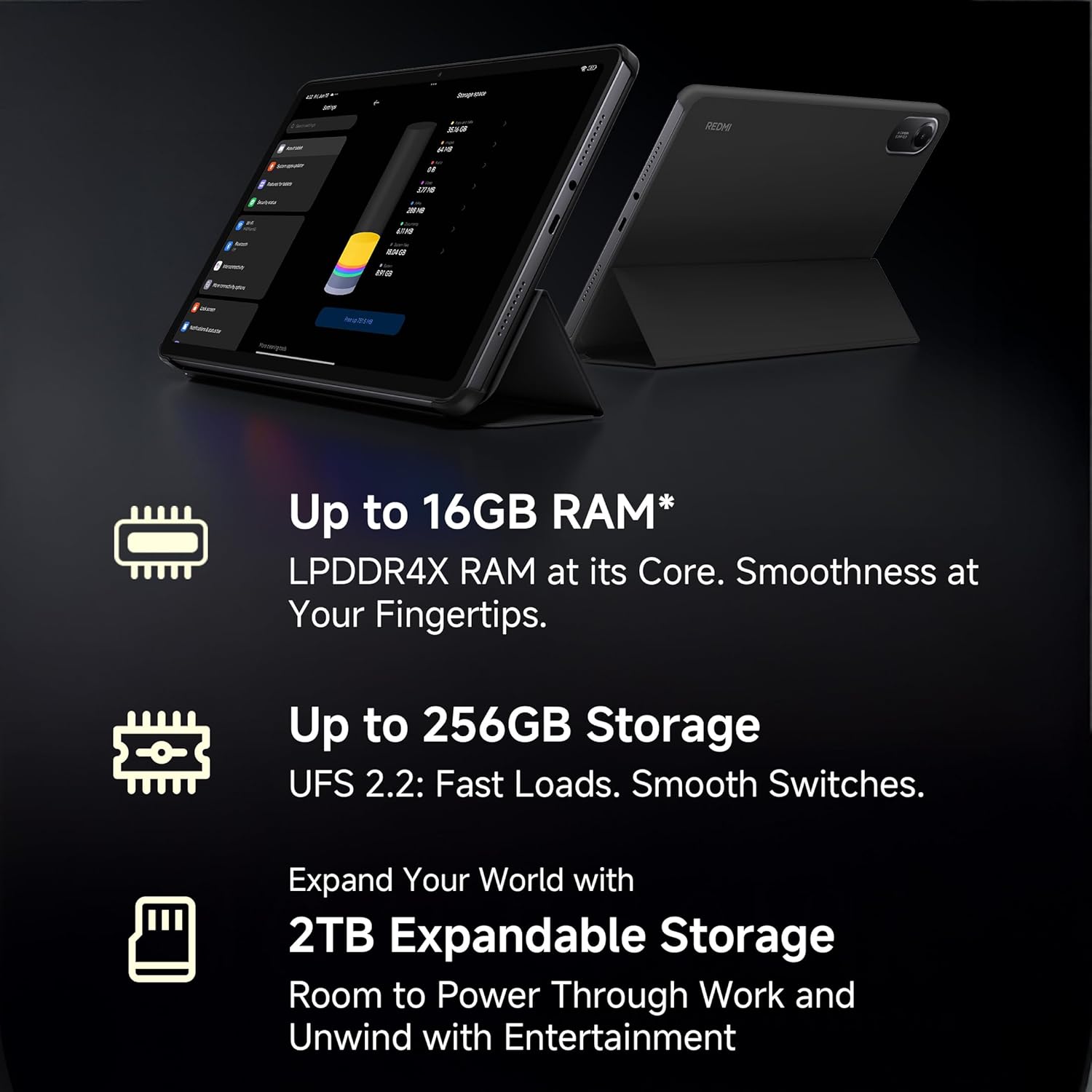
Image: A visual representation of the advanced MediaTek Helio G100-Ultra processor, emphasizing its performance capabilities.
3.8 Conectividad
Stay connected with Wi-Fi (802.11a/b/g/n/ac) and cellular connectivity. The tablet also features Bluetooth for connecting accessories and a USB 2.0 Type-C port for charging and data transfer.

Image: The Redmi Pad 2 demonstrating its cellular connectivity, allowing users to stay connected anytime, anywhere.
4. Mantenimiento y cuidado
4.1 Limpieza de su tableta
Use a soft, lint-free cloth to clean the screen and body of your Redmi Pad 2. Avoid using harsh chemicals or abrasive materials that could damage the display or finish.
4.2 Cuidado de la batería
La batería de 9000 mAh ofrece un uso prolongado. Para prolongar la vida útil de la batería:
- Evite temperaturas extremas.
- No deje que la batería se descargue por completo antes de recargarla con frecuencia.
- Utilice el cargador y cable originales para una carga óptima.

Image: The Redmi Pad 2 highlighting its XL 9000mAh battery, capable of providing up to 19 hours of binge-watching, 22 hours of discoveries, and 10 hours of gaming.
4.3 Actualizaciones de software
Verifique e instale periódicamente las actualizaciones de software para asegurarse de que su tableta tenga las últimas funciones, parches de seguridad y mejoras de rendimiento. Vaya a Ajustes > Acerca de la tableta > Actualización del sistema.
4.4 Optimización del almacenamiento
Repita periódicamenteview y eliminar lo innecesario files, apps, and media to maintain optimal performance. Utilize cloud storage or the expandable storage option for large files.
5. Solución de problemas
Esta sección aborda problemas comunes que puede encontrar con su Redmi Pad 2.
5.1 El dispositivo no se enciende
- Asegúrese de que la batería esté cargada. Conecte la tableta al cargador durante al menos 30 minutos.
- Mantenga presionado el botón de encendido durante 10 a 15 segundos para realizar un reinicio forzado.
5.2 Problemas de conectividad (Wi-Fi/Celular)
- Wifi: Comprueba si el wifi está habilitado en la configuración. Reinicia el router. Olvida la red y vuelve a conectarte.
- Celular: Ensure the SIM card is correctly inserted and activated. Check your mobile data settings. Restart the tablet.
5.3 Rendimiento lento
- Cierre las aplicaciones no utilizadas que se ejecutan en segundo plano.
- Borrar datos de caché de las aplicaciones.
- Asegúrese de que haya suficiente espacio de almacenamiento libre.
- Reinicie la tableta periódicamente.
5.4 Active Pen Not Responding
- Ensure the Active Pen is charged (if applicable).
- Check Bluetooth connection for the pen in tablet settings.
- Reinicie la tableta.
6. Especificaciones
| Característica | Detalle |
|---|---|
| Marca | Redmi |
| Nombre del modelo | Redmi Pad 2 Wi-Fi + Cellular |
| Sistema operativo | Android, HyperOS 2 |
| Procesador | MediaTek Helio G100-Ultra (2.2 GHz) |
| Coprocesador gráfico | Mali-G57 MC2 |
| RAM | 8 GB |
| Almacenamiento interno | 256 GB |
| Almacenamiento expandible | Yes (up to 2TB) |
| Tamaño de pantalla | 11 pulgadas (27.94 cm) |
| Resolución de pantalla | 2560 x 1600 píxeles (2.5K) |
| Tipo de pantalla | Pantalla LCD |
| Frecuencia de actualización | 90 Hz |
| Brillo máximo | 600 Nits |
| Cámara trasera | 8 MP |
| Cámara frontal | 5 MP |
| Capacidad de la batería | 9000 mAh |
| Duración media de la batería | 10 horas |
| Conectividad | Wi-Fi (802.11a/b/g/n/ac), Cellular |
| Interfaz humana | Pantalla táctil con soporte para lápiz |
| Conector de audio | 3.5 milímetros |
| Dimensiones (largo x ancho x profundidad) | 25.5L x 16.6W x 0.7Centímetros |
| Peso del artículo | 519 gramos |
| Color | Azul cielo |
7. Información de garantía
The Redmi Pad 2 Wi-Fi + Cellular comes with a Garantía del fabricante por 1 año. Please retain your proof of purchase for warranty claims. For detailed terms and conditions, refer to the warranty card included in your product packaging or visit the official Redmi websitio.
8. Atención al cliente
For further assistance, technical support, or service inquiries, please contact Redmi customer support. You can find contact information on the official Redmi websitio o a través de la sección de soporte dentro de la configuración de su dispositivo.
Fabricante: BYD (India) Private Limited, Xiaomi
Información de contacto del fabricante: BYD (India) Private Limited, Developed Plot No. OZ 7, Sipcot, Oragadam, Sriperambudur, Kancheepuram, Tamil Nadu 602105, India
For online support, visit the official Redmi India Support Page.
Ask a question about this manual
Ask about setup, troubleshooting, compatibility, parts, safety, or missing instructions. Manuals+ will review the question and use this page’s manual context to help answer it.