
1. Introducción
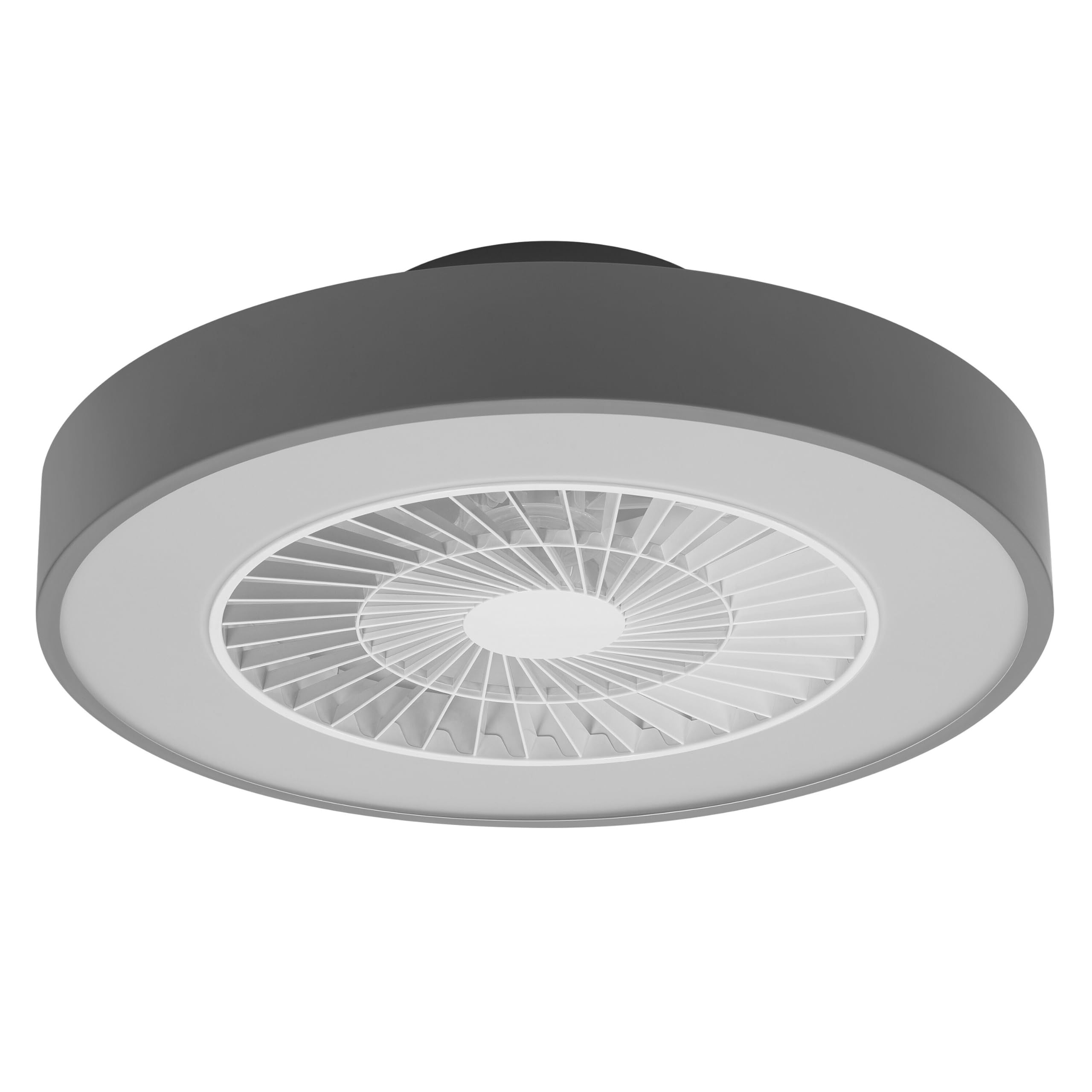
This manual provides detailed instructions for the installation, operation, and maintenance of your Osram SMART+ WiFi LED Ceiling Fan, Cylinder 550mm model. This innovative device combines an LED light fixture with an integrated fan, designed to provide both illumination and air circulation in various indoor environments.
The fan features adjustable speed settings, while the integrated LED light offers a customizable color temperature range from warm white (3000 K) to daylight white (6500 K) and is fully dimmable. Control options include a dedicated remote control, a smartphone application, and voice assistants for a seamless user experience.
2. Información de seguridad
Lea atentamente todas las instrucciones de seguridad antes de instalar y usar el producto. El incumplimiento de estas instrucciones podría provocar descargas eléctricas, incendios o lesiones personales.
- Todas las conexiones eléctricas deben ser realizadas por un electricista calificado.
- Always disconnect power at the circuit breaker before beginning any installation, maintenance, or cleaning procedures.
- Verify the suitability and structural integrity of the ceiling and wall before mounting the fan. If in doubt, consult a professional.
- Este producto está diseñado únicamente para uso en interiores.
- Ensure all components are securely fastened before restoring power.

3. Contenido del paquete
Carefully unpack the box and ensure all items are present and undamaged. If any parts are missing or damaged, contact customer support.
- 1x Osram SMART+ WiFi LED Ceiling Fan Cylinder 550mm
- 1x control remoto
- Mounting accessories (screws, dowels, bracket)
- Manual de instrucciones
4. Configuración e instalación
The Osram SMART+ WiFi LED Ceiling Fan is designed for simple assembly. Complete accessories are included for installation. The fan has dimensions of 60 x 60 cm, making it suitable for standard ceiling covers.
Pasos de instalación:
- Cortar la energía: Before starting any work, ensure the main power supply to the installation area is switched off at the circuit breaker.
- Preparar el montaje: Mark and drill holes for the mounting bracket on the ceiling. Ensure the holes are correctly spaced and sized for the provided dowels and screws.
- Arreglar el soporte: Securely attach the mounting bracket to the ceiling using the provided dowels and screws.
- Conecte los Cables: Connect the electrical cables according to the wiring diagram provided in the manual. Ensure all connections are tight and secure.
- Install the Fan: Attach the ceiling fan unit to the mounted bracket, ensuring it is securely locked in place.
- Restaurar energía: Una vez finalizada la instalación y todas las conexiones estén seguras, restablezca la energía en el disyuntor.


5. Instrucciones de funcionamiento
Your Osram SMART+ WiFi LED Ceiling Fan can be operated using the included remote control, the SMART+ app, or voice commands.
5.1. Operación de control remoto
The remote control allows for direct adjustment of fan speed, light brightness, and color temperature without needing a network connection.

- Botón de encendido: Enciende/apaga el ventilador y la luz.
- Botones de velocidad del ventilador: Adjusts the fan speed (typically 3 levels).
- Luz encendida / apagada: Controla la luz de forma independiente.
- Ajuste de brillo: Dims or brightens the light.
- Ajuste de temperatura de color: Changes the light color from warm white to daylight white.
- Modo verano/invierno: Switches between airflow directions for cooling (summer) or circulating warm air (winter).


6. Smart Features (WiFi, App, Voice Control)
The Osram SMART+ WiFi LED Ceiling Fan integrates seamlessly into your smart home ecosystem, offering advanced control options via WiFi.
6.1. SMART+ App Control
Control your fan and light settings from anywhere using the SMART+ app on your smartphone or tablet. The app allows for precise adjustments of fan speed, light brightness, and color temperature, as well as scheduling and scene creation.
- Descargar la aplicación: Buscar "SMART+ App" in the App Store (iOS 14.0 or higher) or Google Play Store (Android 8.0 or higher). You can also scan the QR code or visit l.ead.me/SmartPlusWifi.
- Emparejamiento: Follow the in-app instructions to pair your ceiling fan with the SMART+ app via your home WiFi network (2.4 GHz).
- Características: Once paired, you can control individual fan and light functions, group multiple devices, create automated routines, and manage settings remotely.


6.2. Control por voz
Integrate your Osram SMART+ Ceiling Fan with compatible voice assistants like Google Home and Amazon Alexa for hands-free control.
- Configuración: Link your SMART+ account with your preferred voice assistant app (e.g., Google Home, Amazon Alexa).
- Comandos: Use simple voice commands to turn the fan or light on/off, adjust speed, brightness, or color temperature. For example, "Alexa, turn on the ceiling fan" or "Hey Google, set fan speed to medium."

7. Mantenimiento
El mantenimiento regular garantiza un rendimiento óptimo y la longevidad de su ventilador de techo.
- Limpieza: Before cleaning, ensure the power is disconnected. Wipe the fan and light surfaces with a soft, dry, or slightly damp Paño. No utilice limpiadores abrasivos ni disolventes.
- Inspección: Revise periódicamente todos los tornillos de montaje y conexiones para asegurarse de que permanezcan apretados.
- Fuente de luz: The integrated LED light source is designed for a long lifespan (30,000 hours) and is not user-replaceable.
8. Solución de problemas
If you encounter issues with your Osram SMART+ WiFi LED Ceiling Fan, refer to the following common problems and solutions:
| Problema | Posible causa | Solución |
|---|---|---|
| Fan/Light does not turn on | No hay fuente de alimentación; cableado suelto; batería del control remoto baja. | Check circuit breaker; Verify electrical connections (consult electrician); Replace remote control batteries. |
| El control remoto no responde | Batteries depleted; Obstruction between remote and fan; Remote out of range. | Replace batteries; Ensure clear line of sight; Operate within closer range. |
| WiFi disconnection or app control issues | Weak WiFi signal; Router issues; Incorrect app pairing. | Ensure strong 2.4 GHz WiFi signal; Restart router; Re-pair device in SMART+ app. |
| El ventilador es ruidoso | Montaje suelto; Obstrucción en las aspas del ventilador; Problema con el motor. | Check mounting screws; Ensure no obstructions; If noise persists, contact support. |
If the problem persists after attempting these solutions, please contact Osram customer support.
9. Especificaciones
| Característica | Especificación |
|---|---|
| Marca | Osram |
| Nombre del modelo | SMART+ Wifi Ceiling Fan LED Cylinder 550mm + RC |
| Número de modelo | 4099854472800 |
| Color | Gris |
| Estilo | Cilindro |
| Dimensiones | 60 x 60 centímetros |
| Peso | 4000 gramos |
| Material | Acrilonitrilo butadieno estireno (ABS) |
| Fuente de poder | CA (corriente alterna) |
| Consumo de energía | 78 vatios |
| Volumentage | 6 Volts (Note: This may refer to a control circuit voltage; the main power supply is AC.) |
| Tipo de luz | CONDUJO |
| Salida de luz | 2500 lúmenes |
| Temperatura de color | 3000 K (Warm White) to 6500 K (Daylight White) |
| Regulable | Sí |
| Esperanza de vida | 30,000 horas |
| Niveles de velocidad del ventilador | 3 |
| Tipo de motor | Motor sin escobillas |
| Método de control | App, Remote Control, Voice |
| Compatibilidad con hogares inteligentes | Yes (via SMART+ App, Google Home, Amazon Alexa) |
| Protocolo de red | Wi-Fi (2.4 GHz) |
| Operación inalámbrica | No (Refers to main power supply, not control via WiFi) |
| Clase de eficiencia energética | E |
| Tipo de instalación | Autoinstalación |
| Entorno de uso | Interior |
10. Garantía y soporte
Osram products are manufactured to high-quality standards. This product comes with a standard manufacturer's warranty. Please refer to the warranty card included in your package or visit the official Osram webSitio para conocer los términos y condiciones detallados de la garantía.
For technical support, troubleshooting assistance, or warranty claims, please contact Osram customer service through their official websitio o la información de contacto proporcionada en la documentación de su producto.
Osram Official Websitio: www.osram.com