
1. Introducción
Thank you for choosing the Elitech LDM-50D Laser Distance Meter. This device is designed for precise and efficient distance measurements, offering a range of functions for various applications in home DIY, interior design, and professional construction. This manual provides essential information for safe operation, setup, and maintenance of your device. Please read it thoroughly before use.
The LDM-50D features fast and accurate measurements up to 165ft (50m) with ±2mm precision. It includes versatile functions such as single, continuous, area, volume, and Pythagorean modes. The bright backlit LCD ensures clear readability, and it can store up to 99 measurements. Built-in dual bubble levels enhance measurement accuracy.
2. Información de seguridad
Seguridad láser: This device emits a Class II laser. Do not stare directly into the laser beam or direct it at other people. Avoid pointing the laser at reflective surfaces. Always operate the device in a safe manner to prevent eye injury.
Seguridad de la batería:
- Use only AAA alkaline batteries as specified.
- No mezcle baterías viejas y nuevas, o diferentes tipos de baterías.
- Asegúrese de que las baterías estén insertadas con la polaridad correcta.
- Retire las baterías si el dispositivo no se utilizará durante un período prolongado para evitar fugas.
- Deseche las baterías usadas de acuerdo con las normas locales.
Seguridad general:
- Mantenga el dispositivo fuera del alcance de los niños.
- No intente modificar ni desmontar el dispositivo. Las reparaciones solo deben ser realizadas por personal autorizado.
- Evite exponer el dispositivo a temperaturas extremas, humedad o luz solar directa.
3. Producto terminadoview
The Elitech LDM-50D is a compact and durable laser distance meter designed for ease of use and portability. It features a clear backlit display and intuitive button layout.
3.1 Contenido del paquete
- Elitech LDM-50D Laser Distance Meter
- 2 pilas AAA
- Correa de muñeca
- Manual de usuario

Image: Elitech LDM-50D Laser Distance Meter with included batteries, wrist strap, and manual.
3.2 Componentes del dispositivo
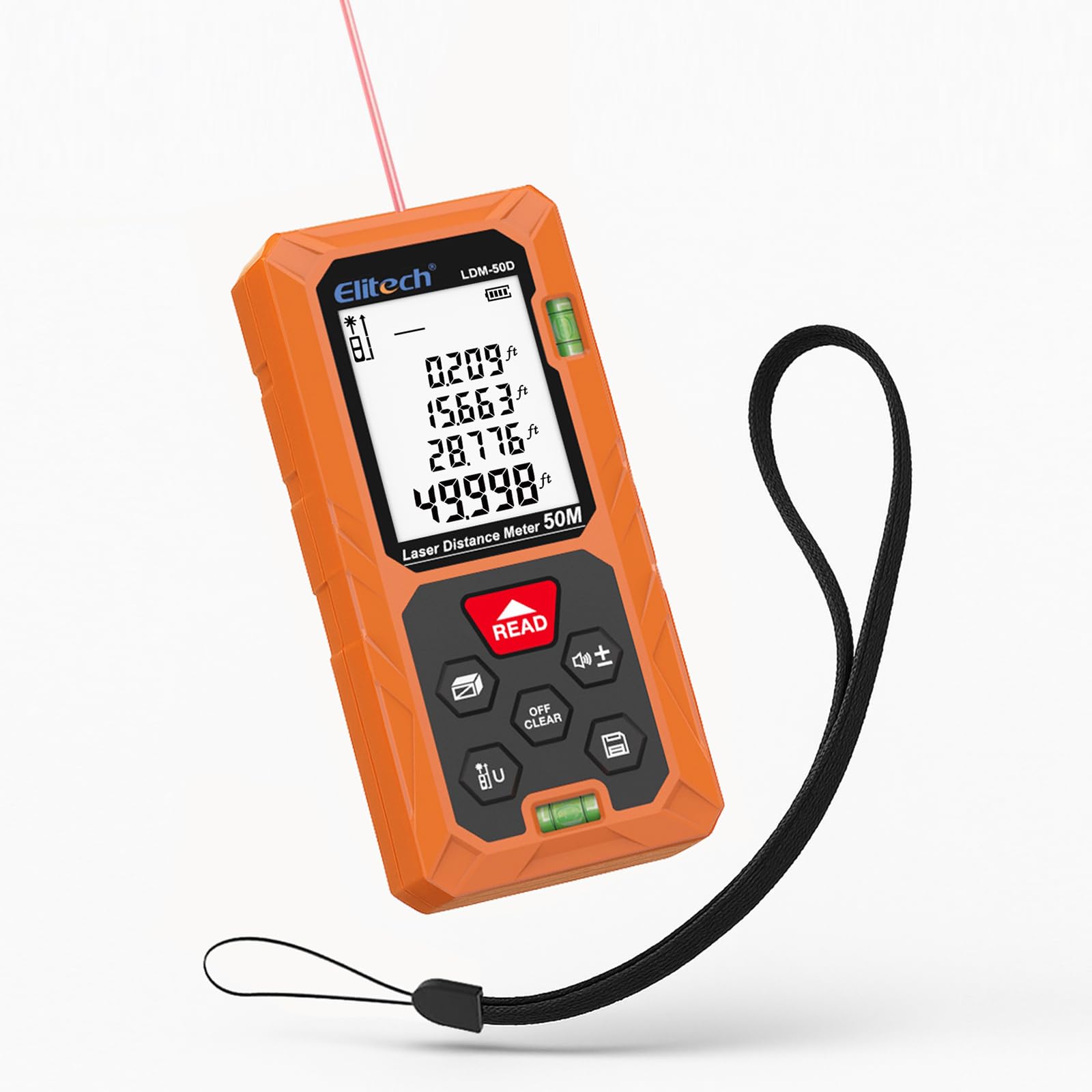
Imagen: Frente view of the Elitech LDM-50D Laser Distance Meter, showing the display, control buttons, and dual bubble levels.
The device features a large backlit LCD for clear readings, a 'READ' button for measurements, 'OFF/CLEAR' for power and clearing, and various function buttons for mode selection and unit switching. It also includes dual bubble levels for enhanced accuracy.

Imagen: Parte posterior view of the Elitech LDM-50D Laser Distance Meter, showing the battery compartment and product labels.
4. Configuración
4.1 Instalación de la batería
- Localice la tapa del compartimiento de la batería en la parte posterior del dispositivo.
- Deslice la tapa para abrirla.
- Inserte dos (2) baterías alcalinas AAA, asegurándose de la polaridad correcta (+/-).
- Cierre bien la tapa del compartimento de la batería.
5. Instrucciones de funcionamiento
5.1 Encendido y apagado
- Para encender, presione el botón LEER botón.
- Para apagar, mantenga pulsado el APAGADO/BORRAR durante unos segundos. El dispositivo también se apagará automáticamente tras un periodo de inactividad.
5.2 Medición básica de distancias
- Apunte el láser hacia la superficie objetivo.
- Presione el LEER Presione el botón una vez. La medición aparecerá en la pantalla.

Image: A user holding the Elitech LDM-50D and taking a distance measurement to a wall.
5.3 Medición continua
This mode allows for dynamic measurement as you move the device. Press the mode button until the continuous measurement icon appears. The display will update in real-time as the distance changes.
5.4 Medición de área y volumen
The LDM-50D can calculate area and volume automatically. Press the mode button to cycle through measurement modes until the desired icon (area or volume) is displayed. Follow the on-screen prompts to take the required length, width, and height measurements. The device will then calculate and display the result.

Image: The Elitech LDM-50D displaying icons for various measurement modes including distance, area, volume, and different Pythagorean calculations.
5.5 Medición pitagórica
Use the Pythagorean mode for indirect height or diagonal measurements. Press the mode button to select one of the Pythagorean modes (e.g., for single indirect height, double indirect height). Follow the on-screen instructions to take the necessary measurements (e.g., base and hypotenuse). The device will calculate the unknown side.
5.6 Cambio de unidad
The device supports multiple units: meters (m), centimeters (cm), feet (ft), inches (in), and fractions. To switch units, long-press the 'U' button until the desired unit is displayed.

Image: The Elitech LDM-50D displaying various measurement units like inches, feet, and meters, with a prompt to long-press a button to switch units.
5.7 Almacenamiento de datos
The LDM-50D can store up to 99 measurement records. To review stored data, press the memory button. Use the arrow keys to navigate through the records. The top of the screen indicates how many records are saved.

Image: The Elitech LDM-50D display showing multiple measurement records, highlighting the 99-record storage capacity.
5.8 Reference Point Switching
The device allows you to switch the measurement reference point between the front edge and the rear edge of the device. This is useful for measuring from different starting positions. Refer to the display icon to confirm the active reference point.

Image: The Elitech LDM-50D illustrating two different reference points for measurement, from the front or rear of the device.
5.9 Vídeo de demostración del producto
Video: A demonstration of the Elitech LDM-50D Laser Distance Meter, showcasing its compact size, instant measurement capabilities, area and volume calculations, Pythagorean mode for indirect measurements, and unit switching functionality. It highlights the device's efficiency and ease of use for various measuring tasks.
6. Mantenimiento
To ensure the longevity and accuracy of your Elitech LDM-50D, follow these maintenance guidelines:
- Limpieza: Utilice un paño suave y seco.amp cloth to clean the device. Do not use abrasive cleaners or solvents. Clean the laser lens gently with a soft, lint-free cloth.
- Almacenamiento: Guarde el dispositivo en un lugar fresco y seco, alejado de la luz solar directa y de temperaturas extremas. Retire las pilas si lo va a guardar durante un periodo prolongado.
- Durabilidad: The device is designed to be dustproof and drop-resistant (IP54, 1m drop resistance). However, avoid unnecessary drops or impacts to maintain accuracy.

Image: The Elitech LDM-50D highlighting its dustproof (IP54) and drop-resistant (1m/3.3ft) construction, made from ABS Engineering Plastic.
7. Solución de problemas
If you encounter issues with your LDM-50D, refer to the following common problems and solutions:
| Problema | Posible causa | Solución |
|---|---|---|
| El dispositivo no enciende | Baterías bajas o agotadas; Instalación incorrecta de la batería | Reemplace las baterías; Verifique la polaridad de las baterías |
| Medidas inexactas | Unstable surface; Obstruction in laser path; Dirty lens; Measurement taken from wrong reference point | Ensure stable measurement; Clear laser path; Clean lens; Verify reference point setting |
| El rayo láser no es visible | Bright ambient light; Device not powered on | Move to a darker area; Power on device |
| La pantalla está oscura o ilegible | Low batteries; Extreme temperature | Replace batteries; Move to a moderate temperature environment |
8. Especificaciones
| Característica | Especificación |
|---|---|
| Rango de medición | 0.05 m a 50 m (165 pies) |
| Exactitud | ±2 mm (±1/16 de pulgada) |
| Unidades de medida | m / cm / ft / in / ft+in |
| Modos de medición | Single, Continuous, Area, Volume, Pythagorean (various types) |
| Registros de datos | Hasta 99 grupos |
| Clase de láser | Clase II, <1 mW |
| Longitud de onda del láser | 630-670 nm |
| Mostrar | LCD retroiluminado |
| Fuente de alimentación | 2 pilas alcalinas AAA (incluidas) |
| Apagado automático del láser | 30 segundos |
| Automatic Device Off | 180 segundos |
| Temperatura de funcionamiento | 0 °C a 40 °C (32 °F a 104 °F) |
| Temperatura de almacenamiento | -20 °C a 60 °C (-4 °F a 140 °F) |
| Dimensiones (L x An x Al) | 11.2 x 5 x 2.5 cm (4.4 x 2.0 x 1.0 pulgadas) |
| Peso | 0.15 kg (0.33 libras) |
| Material | Plástico de ingeniería ABS |
| Clasificación IP | IP54 (Dustproof & Splash-proof) |
| Resistencia a caídas | 1 m (3.3 pies) |
9. Garantía y soporte
Elitech products are manufactured to high-quality standards. For detailed warranty information, please refer to the official Elitech website or the warranty card included with your product. If you require technical support or have questions regarding your LDM-50D Laser Distance Meter, please contact Elitech customer service through their official channels.