
1. Introducción
This manual provides instructions for the proper use and care of your Zoop Digital Watch, Model 16051PP04. This watch features a digital display, chronograph, stopwatch, and alarm functions, designed for durability and everyday use.

Figura 1: Frente view of the Zoop Digital Watch 16051PP04.
Características principales:
- Pantalla digital: Pantalla de hora clara y fácil de leer.
- Cronógrafo: Para cronometrar eventos.
- Cronógrafo: Precise time measurement.
- Función de alarma: Configuración de alarma diaria.
- Movimiento de cuarzo: Garantiza un cronometraje preciso.
- Acrylic Glass: Durable and impact-resistant watch face.
- Resistencia al agua: Up to 50 meters (suitable for splashes, not swimming).
- Construcción duradera: ABS case and PU strap with military camouflage print.
2. Configuración inicial
Before using your watch, please familiarize yourself with the buttons and their basic functions.

Figura 2: Lado view showing watch buttons.
Funciones de los botones:
- LUZ (arriba a la izquierda): Ilumina la pantalla.
- MODE / ADJ (Bottom Left): Cycles through modes (Time, Alarm, Stopwatch) and enters adjustment mode.
- ST/STOP (Top Right): Starts/stops stopwatch or chronograph.
- RESET / SET/STOP (Bottom Right): Resets stopwatch/chronograph or confirms settings in adjustment mode.
Configuración de fecha y hora:
- Desde la visualización de la hora normal, presione el botón MODE / ADJ Presione y mantenga presionado el botón repetidamente hasta que se active el modo de ajuste de hora (normalmente se indica mediante dígitos parpadeantes).
- Utilice el ST/PARAR button to adjust the flashing digit (hours, minutes, year, month, day).
- Presione el MODE / ADJ Botón para pasar al siguiente elemento de configuración.
- Una vez completados todos los ajustes, presione el botón RESET / SET/STOP para salir del modo de configuración.
3. Instrucciones de funcionamiento
Usando el cronómetro:
- Presione el MODE / ADJ botón hasta que aparezca la pantalla del cronómetro (normalmente '00:00:00').
- Prensa ST/PARAR para empezar a cronometrar.
- Prensa ST/PARAR de nuevo para detener el cronometraje.
- Prensa RESET / SET/STOP para poner el cronómetro a cero.
Configuración de la alarma:
- Presione el MODE / ADJ Botón hasta que aparezca la pantalla de configuración de la alarma.
- Utilice el ST/PARAR Botón para ajustar el dígito de la hora parpadeante.
- Presione el MODE / ADJ Botón para pasar al ajuste de minutos.
- Utilice el ST/PARAR button to adjust the flashing minute digit.
- Prensa RESET / SET/STOP to confirm the alarm time and activate/deactivate the alarm.
Usando la luz:
Presione el LUZ Botón (arriba a la izquierda) para iluminar la pantalla durante unos segundos, lo que permite visibilidad en condiciones de poca luz.
4. Mantenimiento y cuidado
Resistencia al agua:
Your watch is water resistant up to 50 meters. This means it is suitable for everyday use, splashes, rain, and brief immersion in water. It is not suitable for swimming, diving, or showering with hot water. No opere los botones mientras el reloj esté mojado o sumergido.
Limpieza:
Limpie la caja y la correa del reloj con un paño suave y seco. Para la suciedad difícil, utilice un paño ligeramente seco.amp cloth can be used, followed by drying thoroughly. Avoid using chemical cleaners or solvents, as these can damage the watch materials.
Reemplazo de batería:
The watch is powered by a long-lasting quartz battery. When the display becomes dim or the watch stops functioning, the battery may need replacement. It is recommended to have the battery replaced by a qualified watch technician to ensure proper sealing and water resistance.
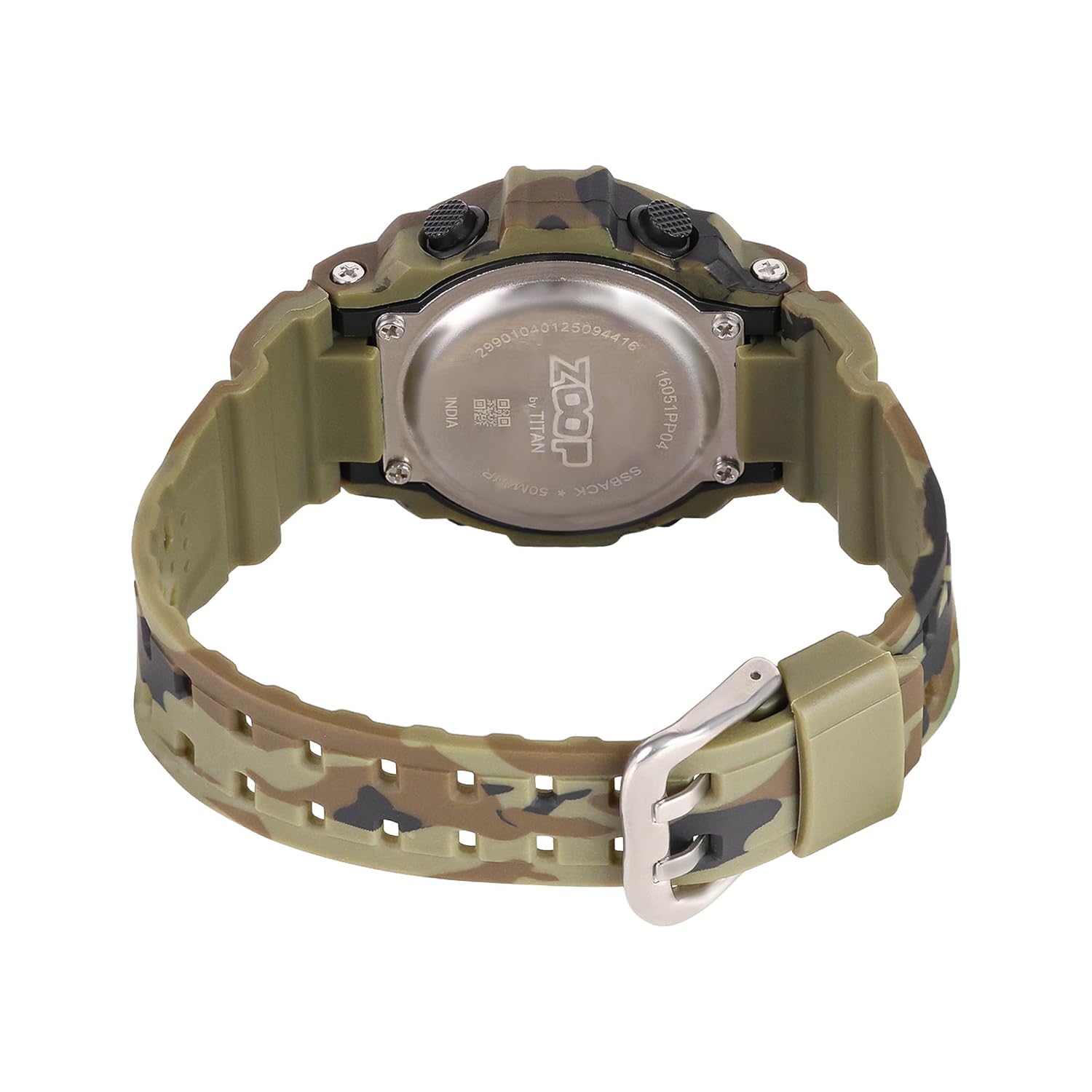
Figure 3: Watch case back, showing water resistance and model details.
5. Solución de problemas
| Problema | Posible causa | Solución |
|---|---|---|
| La pantalla está en blanco o tenue. | Batería baja. | Reemplazar la batería. |
| El tiempo es impreciso. | Configuración de hora incorrecta o batería baja. | Reset time; if problem persists, replace battery. |
| Los botones no responden. | Es posible que el reloj esté en modo bloqueado o tenga un mal funcionamiento interno. | Try pressing all buttons to reset. If unresponsive, consult service. |
| Agua dentro del reloj. | Resistencia al agua comprometida (por ejemplo, botones presionados bajo el agua, cambios extremos de temperatura). | Immediately take to a service center. Do not attempt to dry it yourself. |
6. Especificaciones

Figure 4: Watch dimensions, showing case size.
- Número de modelo: 16051PP04
- Tipo de pantalla: Digital
- Tipo de movimiento: Cuarzo
- Material de la caja: Plástico ABS
- Material de la correa: PU (poliuretano)
- Material del cristal: Acrílico
- Diámetro de la caja: 34 milímetros
- Grosor de la caja: 10.3 milímetros
- Ancho de banda: 2.1 centímetros
- Profundidad de resistencia al agua: 50 metros
- Tipo de cierre: Hebilla
- Peso del artículo: 150 gramos
- País natal: India
7. Garantía y soporte
Two Year Guarantee:
This Zoop Digital Watch comes with a two-year limited guarantee from the date of purchase, covering manufacturing defects. This warranty does not cover damage resulting from improper use, accidents, unauthorized repairs, or normal wear and tear.
Información de contacto del fabricante:
For warranty claims, service, or support, please contact:
Compañía Titan limitada
#3, SIPCOT Industrial Complex
Hosur - 635126, Tamil Nadu, India