
Termopro TP110
ThermoPro TP110 Refrigerator Thermometer User Manual
Modelo: TP110 | Marca: ThermoPro
Introducción
Gracias por la compraasing the ThermoPro TP110 Refrigerator Thermometer. This device is designed to accurately monitor temperatures in refrigerators, freezers, and other environments, ensuring optimal conditions for food storage and other applications. Please read this manual thoroughly before use to ensure proper operation and longevity of your device.
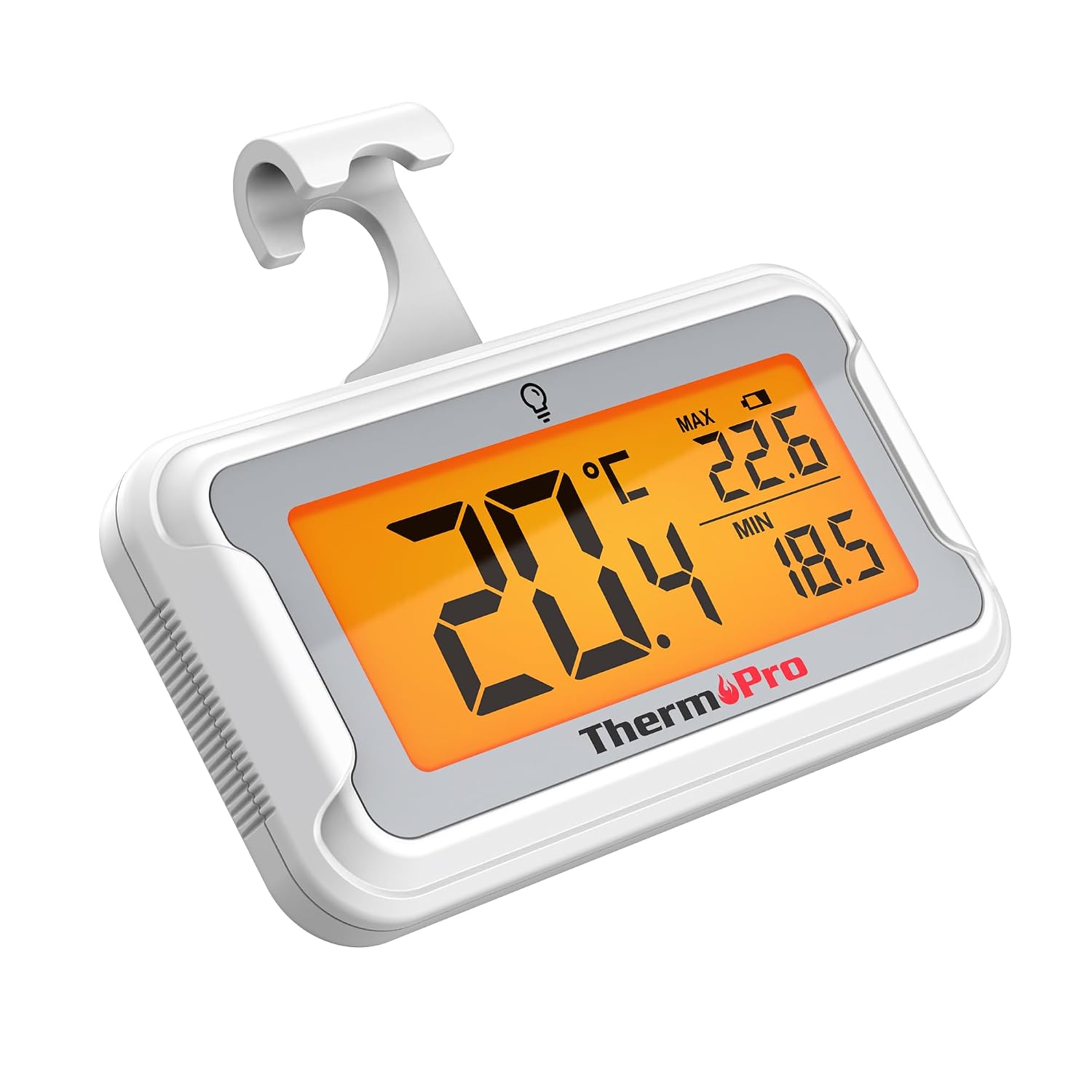
Image: The ThermoPro TP110 Refrigerator Thermometer, a compact white device with a large digital display showing temperature readings.
Características principales
- Wide Temperature Range & High Accuracy: Measures from -30°C to 50°C (-22°F to 122°F) with an accuracy of ±0.5°C (±1°F).
- Legibilidad óptima: Features an oversized LCD screen with a bright backlight for easy reading, even in low-light conditions.
- Superior Waterproofing: IPX6 rated design ensures reliable operation in humid and cold environments.
- Registro de temperatura máxima/mínima: Tracks and displays the maximum and minimum temperatures over the last 24 hours, allowing you to monitor temperature fluctuations.
- Múltiples opciones de ubicación: Equipped with a magnet, a hanging hook, and a kickstand for versatile placement.
- Reemplazo fácil de la batería: Designed with a rotating battery compartment for quick and tool-free battery changes.

Image: A comparison chart highlighting the ThermoPro TP110's features such as backlight, easy battery change, ±0.5°C precision, full screen, waterproof design, and MAX/MIN temperature tracking, contrasting it with other thermometers.
Contenido del paquete
- 1 x ThermoPro TP110 Refrigerator Thermometer
- 1 batería CR2032 (preinstalada)
- 1 x Manual de usuario
Configuración
1. Instalación de la batería
The ThermoPro TP110 comes with a CR2032 battery pre-installed. If the display is not active or shows a low battery indicator, please replace the battery:
- Ubique el compartimiento de la batería en la parte posterior del termómetro.
- Rotate the battery cover counter-clockwise to the "OPEN" position.
- Retire la batería CR2032 vieja.
- Inserte una nueva batería CR2032 con el lado positivo (+) hacia arriba.
- Rotate the battery cover clockwise to the "LOCK" position to secure it.

Image: A three-step visual guide demonstrating how to easily replace the battery by rotating the cover to open, inserting a new battery, and rotating to lock.
2. Opciones de colocación
The thermometer offers three convenient placement options:
- Parte trasera magnética: Attach the thermometer to any metallic surface, such as a refrigerator door.
- Gancho para colgar: Utilice el gancho integrado para colgar el termómetro de un estante o rejilla.
- Soporte plegable: Utilize the stand on the back to place the thermometer upright on a flat surface.

Image: Illustrations showing the thermometer used in different environments: a domestic refrigerator, a portable cooler, a car refrigerator, a refrigerated truck, and a wine cellar, demonstrating its versatility.
Instrucciones de funcionamiento
1. Encendido y apagado
The thermometer automatically powers on when the battery is installed. To turn it off, press and hold the power button (if available, otherwise it's always on). It features an automatic shutdown after 10 seconds of inactivity to conserve battery life, but will reactivate upon temperature change or button press.
2. Selección de unidad de temperatura
Press the "°C/°F" button to switch between Celsius and Fahrenheit temperature displays.
3. Activación de la retroiluminación
Touch the light bulb icon on the screen to activate the backlight for 10 seconds, improving visibility in dark conditions.
4. Max/Min Temperature Records
The thermometer automatically records the maximum and minimum temperatures over a 24-hour period. These values are displayed on the screen alongside the current temperature. The records reset every 24 hours or when the battery is replaced.

Image: The thermometer placed near raw meat in a refrigerator, showing current, maximum, and minimum temperatures. An accompanying graph illustrates the 24-hour temperature history, highlighting the highest and lowest points.
Mantenimiento
- Limpieza: Limpie el termómetro con publicidad.amp paño. No lo sumerja en agua ni utilice limpiadores abrasivos.
- Reemplazo de batería: Replace the CR2032 battery when the low battery indicator appears on the display. Refer to the "Battery Installation" section for instructions.
- Almacenamiento: If storing for an extended period, remove the battery to prevent leakage. Store in a dry place away from extreme temperatures.

Image: The ThermoPro TP110 thermometer partially submerged in water, with water droplets splashing around it, illustrating its IPX6 waterproof rating.
Solución de problemas
| Problema | Posible causa | Solución |
|---|---|---|
| No hay pantalla o la pantalla es tenue | Low or dead battery; battery inserted incorrectly. | Reemplace la batería CR2032, asegurándose de la polaridad correcta. |
| Lecturas de temperatura inexactas | Thermometer placed too close to a heat source or vent; sensor obstruction. | Relocate the thermometer to a central area of the refrigerator/freezer, away from direct airflow or heat sources. |
| La luz de fondo no funciona | Battery low; temporary malfunction. | Reemplace la batería. Si el problema persiste, contacte con atención al cliente. |
Presupuesto
| Característica | Detalle |
|---|---|
| Rango de temperatura | -30 °C a 50 °C (-22 °F a 122 °F) |
| Exactitud | ±0.5 °C (±1 °F) |
| Tipo de pantalla | LCD digital con retroiluminación |
| Clasificación de impermeabilidad | IPX6 |
| Fuente de poder | 1 batería CR2032 (incluida) |
| Material | Plástico |
| Dimensiones (aprox.) | 8 cm (largo) |
| Características especiales | Large screen, High precision, Low battery indicator, Backlit, Waterproof, Max/Min record |

Image: A visual representation of the ThermoPro TP110's large LCD screen, showing its approximate dimensions of 8cm by 6cm, and highlighting the backlight feature.
Garantía y soporte
ThermoPro ofrece una garantía para este producto contra defectos de materiales y mano de obra. Para obtener información detallada sobre la garantía, el registro del producto o asistencia técnica, visite el sitio web oficial de ThermoPro. webSitio web o contacte con su servicio de atención al cliente. Conserve su recibo de compra como comprobante.
Fabricante: ThermoPro
País natal: Porcelana
For further assistance, please refer to the contact information provided on the ThermoPro official websitio.
Ask a question about this manual
Ask about setup, troubleshooting, compatibility, parts, safety, or missing instructions. Manuals+ will review the question and use this page’s manual context to help answer it.