
NIMO Nimo N155
NIMO 15.6-inch FHD Laptop Nimo N155 User Manual
Model: Nimo N155
1. Introducción
This manual provides essential information for setting up, operating, and maintaining your NIMO 15.6-inch FHD Laptop Nimo N155. Please read this manual thoroughly before using your device to ensure proper function and longevity.

Figure 1: NIMO 15.6-inch FHD Laptop Nimo N155 Overview
The NIMO N155 laptop is equipped with an AMD Ryzen 7 6800H processor, 32GB DDR5 RAM, and a 1TB PCIe 4.0 SSD, designed for efficient performance in various computing tasks. It features a 15.6-inch Full HD IPS anti-glare display, a backlit keyboard, and an integrated fingerprint sensor for enhanced security and user experience.
2. ¿Qué hay en la caja?
Verifique que todos los artículos estén presentes en el paquete:
- 1 x Nimo N155 Laptop
- 1 x Type-C 100W PD Fast Charger
- 1 x Manual de usuario (este documento)
- Windows 11 Home Operating System (pre-installed)
3. Configuración inicial
3.1. Cargar la computadora portátil
Before first use, connect the laptop to the power adapter and charge it fully. The Type-C 100W PD Fast Charger provides rapid charging capabilities.
- Connect the Type-C charger to a power outlet.
- Plug the Type-C connector into one of the Type-C ports on your laptop.
- The charge LED indicator will illuminate, indicating that the laptop is charging.

Figure 2: Connecting the Type-C 100W PD Fast Charger
3.2. Encendido
Press the power button located on the keyboard to turn on the laptop. Follow the on-screen instructions to complete the initial Windows 11 setup, including language selection, network connection, and user account creation.
4. Componentes y puertos de la computadora portátil
Familiarize yourself with the various components and ports of your NIMO N155 laptop.

Figure 3: Laptop Ports and Connectors
4.1. Puertos del lado izquierdo
- Puerto USB 2.0: Para conectar dispositivos USB más antiguos.
- Puerto USB 3.0: Para conectar dispositivos USB de alta velocidad.
- Ranura para tarjeta micro SD: Para leer y escribir en tarjetas Micro SD.
- Toma de auriculares: Para conectar auriculares o altavoces externos.
- Ranura de bloqueo Kensington: Para asegurar su computadora portátil con un candado compatible.
4.2. Puertos del lado derecho
- LED de carga: Indica el estado de carga.
- Type-C (PD/Charging) Port: Primarily for power delivery and charging.
- Type-C (Multifunction) Port: Supports data transfer and display output.
- Puertos USB 3.0 (x2): Para conectar dispositivos USB de alta velocidad.
- Puerto HDMI: Para conectar a pantallas o proyectores externos.
4.3. Componentes internos
- Procesador: AMD Ryzen 7 6800H (8 Cores, 16 Threads, up to 4.7 GHz).
- Gráficos: Integrated AMD Radeon 680M GPU.
- RAM: 32GB DDR5 (upgradeable).
- Almacenamiento: 1TB PCIe 4.0 SSD (upgradeable).
- Mostrar: 15.6-inch FHD (1920x1080) IPS Anti-Glare Display.
- Webleva: 2.0 MP with privacy shield.
- Inalámbrico: 802.11a/b/g/n/ac (Wi-Fi 5) and Bluetooth 5.2.

Figura 4: Detalles del procesador AMD Ryzen 7 6800H

Figure 5: High-Speed RAM and PCIe SSD
5. Operación de su computadora portátil
5.1. Pantalla
The 15.6-inch Full HD IPS display offers a resolution of 1920x1080 pixels. Adjust brightness and display settings through Windows settings (Right-click on desktop > Display settings).
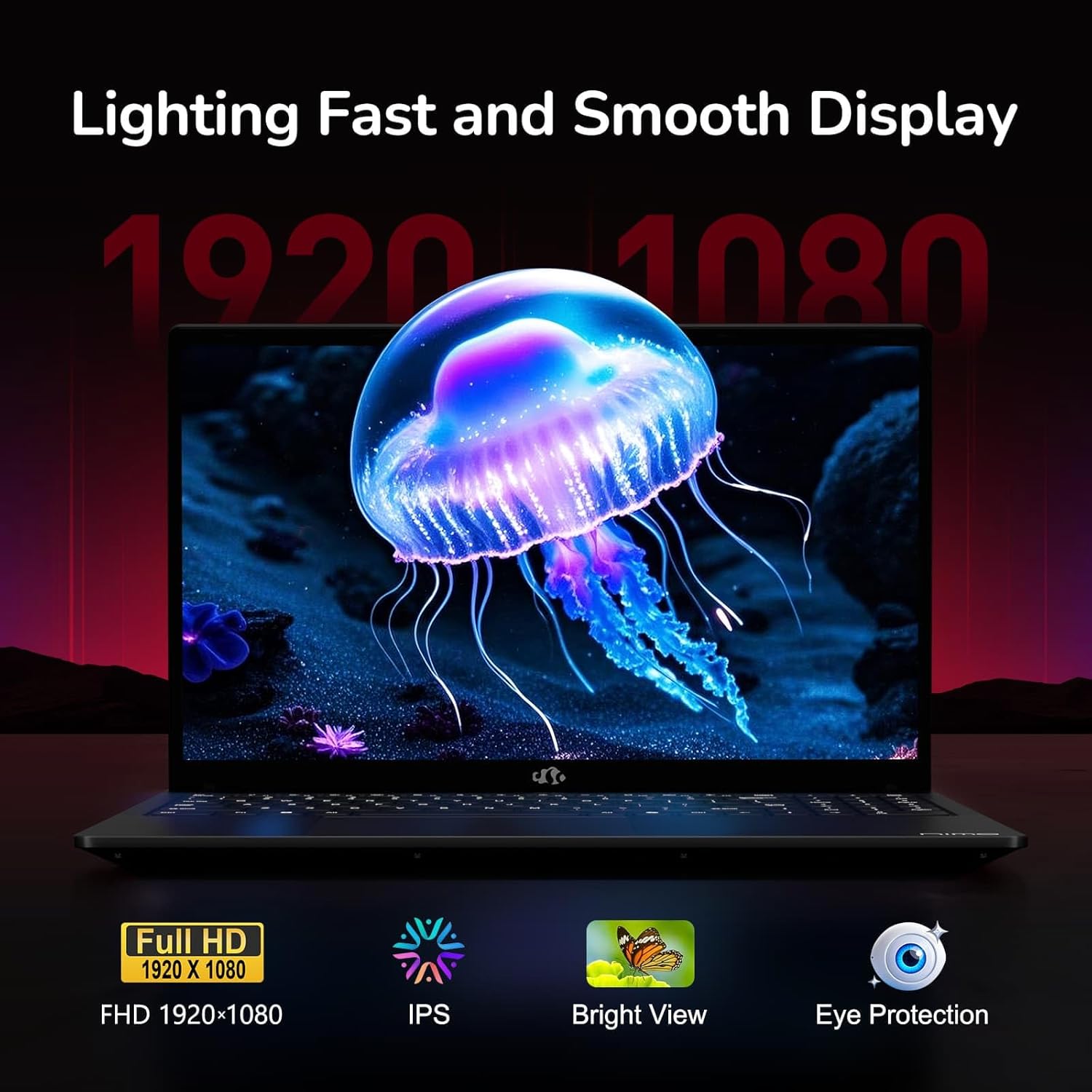
Figure 6: Laptop Display Features
5.2. Teclado y panel táctil
The laptop features a backlit keyboard and a responsive touchpad with multi-touch gesture support. The integrated fingerprint sensor is located on the touchpad for secure login.
- Teclado retroiluminado: Prensa Fn + Fx (where Fx is the backlight key, typically F3 or F4) to adjust keyboard backlight brightness.
- Sensor de huellas dactilares: Enroll your fingerprints via Windows Settings > Accounts > Sign-in options for quick and secure access.
- Webcam Privacy Shield: Slide the physical cover over the webcam for privacy when not in use.

Figure 7: Keyboard and Input Features

Figure 8: Seamless Security Integration (Fingerprint and Webcam Shield)
5.3. Administración de energía
The laptop is equipped with a 4700mAh (53.58Wh) Lithium Polymer battery. Battery life can vary based on usage. To optimize battery life, adjust power settings in Windows and close unnecessary applications.

Figura 9: Especificaciones de la batería
6. Mantenimiento y cuidado
6.1. Limpieza
- Utilice un paño suave que no suelte pelusa para limpiar la pantalla y el exterior.
- Para marcas difíciles, dampEnjuague el paño con agua o un limpiador de pantallas. Evite productos químicos agresivos.
- Asegúrese de que la computadora portátil esté apagada y desenchufada antes de limpiarla.
6.2. Almacenamiento y manejo
- Guarde la computadora portátil en un lugar fresco y seco, alejado de la luz solar directa y de temperaturas extremas.
- Evite colocar objetos pesados sobre la computadora portátil.
- No exponga la computadora portátil a líquidos.
6.3. Actualizaciones
The NIMO N155 laptop supports detachable RAM and SSD, allowing for user upgrades. Refer to the official NIMO support website or contact customer service for detailed upgrade instructions to avoid voiding your warranty.
7. Solución de problemas
This section addresses common issues you might encounter with your NIMO N155 laptop.
| Problema | Posible solución |
|---|---|
| La computadora portátil no se enciende. | Ensure the charger is properly connected and the battery has sufficient charge. Try a different power outlet. |
| La pantalla está en blanco. | Check if the laptop is powered on. Adjust screen brightness. Connect to an external monitor to check if the issue is with the laptop's display. |
| Problemas de conexión Wi-Fi. | Ensure Wi-Fi is enabled in Windows settings. Restart your router and the laptop. Update Wi-Fi drivers. |
| La retroiluminación del teclado no funciona. | Press the Fn key combined with the appropriate function key (e.g., F3 or F4) to toggle or adjust the backlight. |
| Fingerprint sensor not responding. | Ensure your finger is clean and dry. Re-enroll your fingerprints in Windows settings. Update fingerprint sensor drivers. |
If you encounter issues not listed here or require further assistance, please contact NIMO customer support.
8. Especificaciones técnicas
| Característica | Especificación |
|---|---|
| Nombre del modelo | Nimo N155 |
| Mostrar | 15.6-inch FHD (1920x1080) IPS Anti-Glare |
| Procesador | AMD Ryzen 7 6800H (8 núcleos, 16 subprocesos, hasta 4.7 GHz) |
| Gráficos | AMD Radeon 680M integrada |
| RAM | 32GB DDR5 4800 MHz (Dual-channel, upgradeable) |
| Almacenamiento | 1TB PCIe 4.0 SSD (upgradeable) |
| Sistema operativo | Inicio de Windows 11 |
| Conectividad inalámbrica | Wi-Fi 5 (802.11a/b/g/n/ac), Bluetooth 5.2 |
| Puertos | 1x USB 2.0, 3x USB 3.0, 2x Type-C (1x PD, 1x Multifunction), 1x HDMI, 1x Micro SD, 1x Headphone Jack, 1x Kensington Lock |
| Webleva | 2.0 MP (with privacy shield) |
| Batería | 4700mAh / 53.58Wh Lithium Polymer |
| Adaptador de corriente | Type-C 100W PD Fast Charger |
| Dimensiones (LxAnxAl) | 14.07 x 8.98 x 0.76 pulgadas (357.4 x 228 x 19.2 mm) |
| Peso | 3.8 libras (1.7 kg) |
| Características especiales | Backlit Keyboard, Fingerprint Reader, HD Audio, Numeric Keypad |
9. Garantía y soporte
9.1. Garantía del fabricante
Your NIMO N155 laptop comes with a Garantía del fabricante de 2 añosEsta garantía cubre defectos de materiales y mano de obra en condiciones normales de uso. Conserve su comprobante de compra para reclamaciones de garantía.
9.2. Política de devoluciones
NIMO offers a Política de devolución sin complicaciones de 90 días from the date of purchase. For details on eligibility and the return process, please refer to your purchase documentation or contact customer support.
9.3. Atención al cliente
For technical assistance, warranty claims, or any other inquiries, please visit the official NIMO support website or contact their customer service team. Contact information can typically be found on the NIMO brand store page or included documentation.
NIMO Brand Store: Visit NIMO Store on Amazon
Ask a question about this manual
Ask about setup, troubleshooting, compatibility, parts, safety, or missing instructions. Manuals+ will review the question and use this page’s manual context to help answer it.