
Bagotte A6 Pro
Bagotte A22/A6 Pro Robot Vacuum and Mop User Manual
Model: A6 Pro (A22/A21)
Introducción
Thank you for choosing the Bagotte A22/A6 Pro Robot Vacuum and Mop. This device is designed to provide efficient and convenient cleaning for your home. This manual will guide you through the setup, operation, and maintenance of your robot vacuum to ensure optimal performance and longevity.
Lea este manual detenidamente antes de utilizar el producto y consérvelo para futuras consultas.
Instrucciones de seguridad importantes
Antes de usar este producto, lea todas las instrucciones de seguridad. Si no las sigue, podría sufrir una descarga eléctrica, un incendio o lesiones graves.
- Este aparato puede ser utilizado por niños mayores de 8 años y personas con capacidades físicas, sensoriales o mentales reducidas o con falta de experiencia y conocimientos, si están bajo supervisión o reciben instrucciones sobre el uso del aparato de forma segura y comprenden los peligros que implica.
- Los niños no deben jugar con el aparato. La limpieza y el mantenimiento del mismo no deben ser realizados por niños sin supervisión.
- Utilice únicamente el adaptador de corriente original proporcionado por el fabricante.
- No utilice el producto en entornos con llamas abiertas o materiales inflamables.
- Ensure the charging station is placed on a flat surface against a wall, with no obstacles within 1 meter on either side and 2 meters in front.
- Do not immerse the robot or charging station in water.
- Limpie periódicamente los cepillos y filtros para mantener un rendimiento óptimo.
- Mantenga el cabello, la ropa suelta, los dedos y todas las partes del cuerpo lejos de las aberturas y las partes móviles.
Producto terminadoview
Contenido del paquete
Verifique que todos los componentes estén presentes en el paquete:

Image: All components included in the Bagotte A22/A6 Pro Robot Vacuum and Mop package. This includes the robot vacuum cleaner, 2-in-1 water tank, charging station, remote control, power adapter, cleaning brush, mop holder, 2 mop cloths, 2 side brushes, and Hepa filters.
- Aspiradora robot Bagotte A22 x 1
- Tanque de agua 2 en 1 x 1
- Estación de carga x 1
- Control remoto x 1
- Adaptador de corriente x 1
- Cepillo de limpieza x 1
- Soporte para trapeador x 1
- Paño de fregona x 2
- Cepillos laterales x 2
- Filtros HEPA x 1
- Manual de usuario x 1
Componentes de robots
The Bagotte A22/A6 Pro features a compact design for efficient cleaning.

Image: The Bagotte A22/A6 Pro Robot Vacuum highlighting its slim profile of 2.87 inches, allowing it to clean under furniture. It also features automatic boost and can handle angles up to 15 degrees and obstacles up to 15mm in height.
The robot is equipped with various sensors for navigation and obstacle avoidance, including anti-drop sensors to prevent falls from elevated surfaces.
Configuración
1. Instale los cepillos laterales
Presione los cepillos laterales sobre los postes en la parte inferior del robot hasta que encajen en su lugar.
2. Place the Charging Station
Place the charging station against a wall in an open, uncluttered area. Ensure there are no obstacles within 1 meter (3 feet) on either side and 2 meters (6 feet) in front of the charging station. Connect the power adapter to the charging station and plug it into a wall outlet.

Image: The Bagotte A22/A6 Pro Robot Vacuum automatically returning to its charging station when its battery is low. The image illustrates the recommended clear space around the charging station for optimal docking.
3. Carga inicial
Place the robot on the charging station to fully charge the battery before first use. The indicator light on the robot will show charging status. A full charge typically takes 4-5 hours.
4. Connect to Tuya Smart App (Optional)
For advanced features and remote control, download the Tuya Smart app from your mobile app store. Follow the in-app instructions to connect your robot vacuum to your 2.4GHz Wi-Fi network.
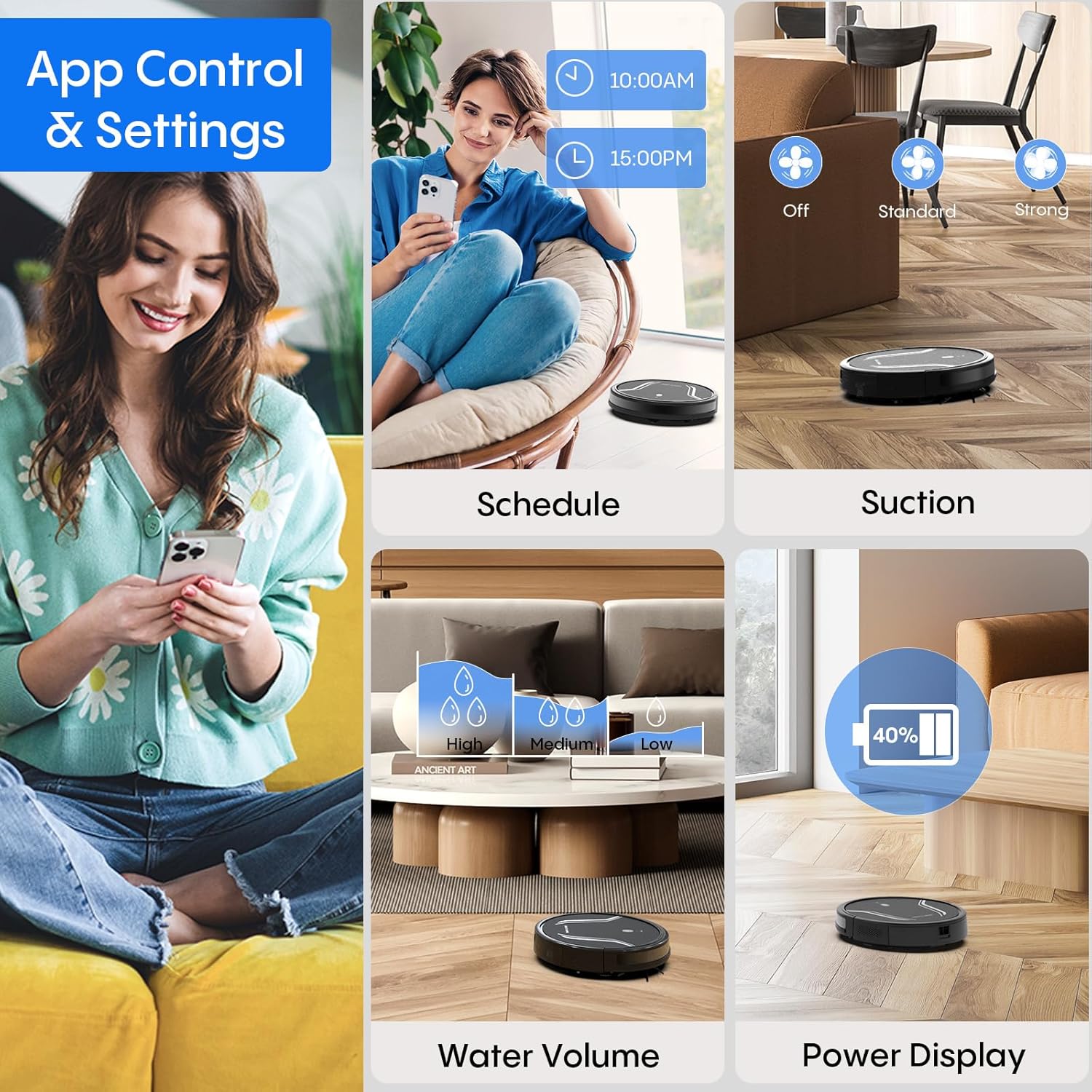
Image: A smartphone screen displaying the Bagotte A22/A6 Pro Robot Vacuum's app control interface, showing options for scheduling, suction adjustment, water volume control, and power display.
Instrucciones de funcionamiento
Iniciar un ciclo de limpieza
Press the power button on the robot or the "Clean" button on the remote control/app to start an automatic cleaning cycle.
Modos de limpieza
The Bagotte A22/A6 Pro offers four cleaning modes:
- Limpieza automática: El robot navega de forma inteligente y limpia toda la superficie del suelo.
- Limpieza de bordes: El robot limpia a lo largo de las paredes y los bordes de los muebles.
- Limpieza de manchas: El robot se centra en una zona sucia específica y limpia siguiendo un patrón en espiral.
- Limpieza manual: Controle la dirección del robot usando el control remoto o la aplicación.

Imagen: Una vista aérea view illustrating the four distinct cleaning modes of the Bagotte A22/A6 Pro Robot Vacuum: Auto Cleaning, Edge Cleaning, Spot Cleaning, and Manual Cleaning, showing their respective cleaning paths.
Función de limpieza
Para utilizar la función de trapeado:
- Fill the 2-in-1 water tank with clean water.
- Attach a clean mop cloth to the mop holder and then attach it to the water tank.
- Introduzca el depósito de agua lleno en el robot.
- Adjust the water flow level (low/medium/high) via the Tuya Smart app.

Image: The Bagotte A22/A6 Pro Robot Vacuum demonstrating its 3-in-1 functionality: vacuuming, sweeping, and mopping. The image highlights the two levels of waterflow adjustment and three levels of suction adjustment.
Ajuste de la potencia de succión
The robot features 5000Pa suction power with adjustable levels (Standard, Maximum) through the app or remote control to suit different cleaning needs.
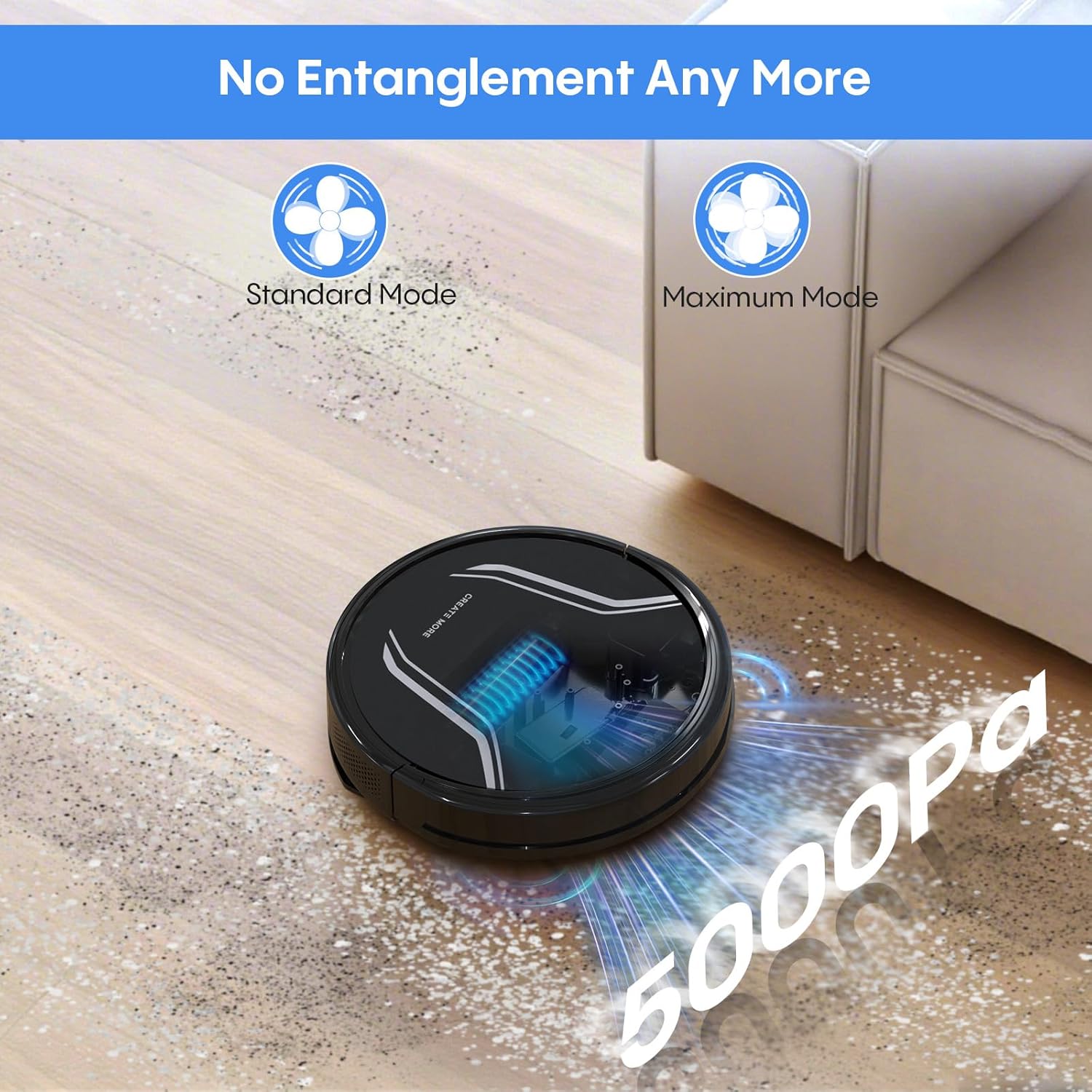
Image: The Bagotte A22/A6 Pro Robot Vacuum demonstrating its 5000Pa suction power, showing debris being collected. The image also indicates Standard Mode and Maximum Mode for suction adjustment.
Control por voz (Alexa/Asistente de Google)
Integrate your robot vacuum with Amazon Alexa or Google Assistant for convenient voice commands. Follow the instructions in the Tuya Smart app to link your device.

Image: The Bagotte A22/A6 Pro Robot Vacuum being controlled via voice commands through an Amazon Echo device, alongside a smartphone displaying the app interface. This illustrates the convenience of both voice and app control.
Mantenimiento
Regular maintenance ensures your robot vacuum operates efficiently.
Vaciar el cubo de basura
Empty the dustbin after each cleaning cycle. Press the release button to remove the dustbin, open it, and discard the collected debris.
Limpieza de filtros
Tap the HEPA filter to remove dust. Rinse the pre-filter and sponge filter with water. Allow them to air dry completely before reinstalling. Do not wash the HEPA filter with water.
Limpieza del cepillo principal
Retire la tapa del cepillo principal y sáquelo. Utilice la herramienta de limpieza para eliminar el pelo y los residuos enredados en el cepillo.
Limpieza de cepillos laterales
Periodically check side brushes for wear or damage. Remove any tangled hair or debris. Replace worn brushes as needed.
Limpieza de sensores y contactos de carga
Limpie los sensores anticaída, los sensores de obstáculos y los contactos de carga tanto del robot como de la estación de carga con un paño limpio y seco.
Limpieza del tanque de agua y el paño de fregona
After mopping, empty any remaining water from the tank. Rinse the water tank and allow it to air dry. Wash the mop cloth by hand or machine and air dry.
Solución de problemas
| Problema | Posible causa | Solución |
|---|---|---|
| El robot no enciende. | Batería baja; interruptor de encendido apagado. | Cargue el robot; asegúrese de que el interruptor de encendido esté encendido. |
| El robot no carga. | Charging contacts dirty; Charging station not powered. | Limpie los contactos de carga; asegúrese de que la estación de carga esté enchufada. |
| La potencia de succión es débil. | Cubo de basura lleno; filtro obstruido; cepillo principal enredado. | Vaciar el depósito de polvo; limpiar/reemplazar los filtros; limpiar el cepillo principal. |
| El robot se atasca con frecuencia. | Obstáculos en el suelo; Sensores sucios. | Clear floor of cables/small items; Clean sensors. |
| La función de trapeador no funciona. | Water tank empty; Mop cloth dry; Water flow setting too low. | Fill water tank; Wet mop cloth; Adjust water flow in app. |
| La conexión de la aplicación falló. | Contraseña de Wi-Fi incorrecta; Wi-Fi no de 2.4 GHz; El robot está demasiado lejos del enrutador. | Verify password; Connect to 2.4GHz network; Move robot closer to router. |
Presupuesto
| Característica | Detalle |
|---|---|
| Marca | Bagotte |
| Nombre del modelo | A21 (A6 Pro) |
| Poder de succión | 5000Pa |
| Modos de limpieza | Auto, Edge, Spot, Manual |
| Método de control | Aplicación, control remoto, voz (Alexa, Asistente de Google) |
| Duración de la batería | Hasta 120 minutos |
| Cargando | Autocargable |
| Tipo de filtro | Filtro HEPA |
| Dimensiones del producto | 15" de largo x 12.5" de ancho x 4" de alto |
| Peso del artículo | 7.13 libras |
| Recomendación de superficie | Piso duro, alfombra de pelo corto |
Garantía y soporte
Bagotte provides a 12-month service warranty for this product. For technical support, warranty claims, or any questions regarding your Bagotte A22/A6 Pro Robot Vacuum and Mop, please contact Bagotte customer service.
Please refer to the contact information provided in the original packaging or on the official Bagotte webSitio para obtener los detalles de soporte más actualizados.
Ask a question about this manual
Ask about setup, troubleshooting, compatibility, parts, safety, or missing instructions. Manuals+ will review the question and use this page’s manual context to help answer it.