1. Producto terminadoview
This Inefala car stereo is designed as an upgrade for Nissan Versa Sedan models manufactured between 2015 and 2019. It features a Qualcomm octa-core processor, 4GB RAM, 64GB ROM, and a 10.1-inch IPS touchscreen with 1280x720 resolution. Key functionalities include wireless CarPlay, Android Auto, Bluetooth 5.1, GPS navigation, FM/RDS radio, and DSP audio processing.
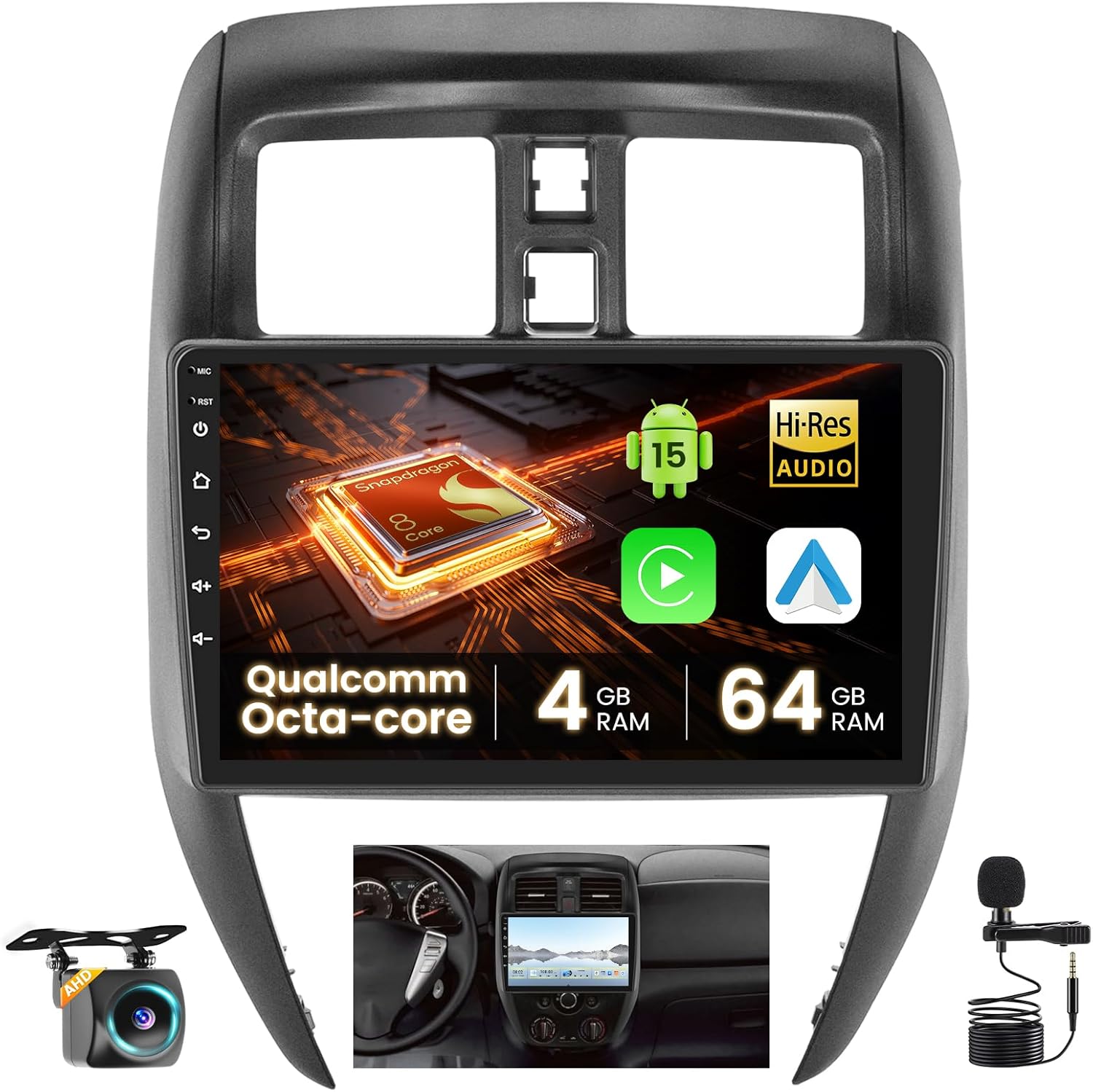
Image 1.1: The Inefala car stereo seamlessly integrated into the dashboard of a Nissan Versa Sedan.
2. ¿Qué hay en la caja?
Verifique que todos los componentes estén presentes antes de comenzar la instalación:
- 1 x Inefala Android Radio for Nissan Versa Sedan
- 1 x cable de alimentación
- 1 cable USB original
- 1 arnés RCA
- 1 x Antena GPS
- 1 cámara de respaldo AHD
- 1 x micrófono externo
- 1 x cable adaptador de radio
- 1 x cable de entrada de cámara trasera
- 2 x Cables USB
- 1 x Juego de herramientas de instalación

Imagen 2.1: Másview of the car stereo dimensions and the complete package contents.
3. Guía de instalación
3.1 Compatibilidad del vehículo
This dash kit is specifically designed for Nissan Versa Sedan models from 2015 to 2019. Before purchasing and installing, ensure the power cable port on your vehicle matches the provided cable. Contact support if the power cord does not fit.

Image 3.1: Visual guide for checking vehicle compatibility with the car stereo.
3.2 Prueba rápida antes de la instalación
To confirm the car stereo is functioning correctly before full installation:
- Connect the red and yellow wires of the car stereo to the positive pole of a 12V battery.
- Conecte el cable negro al polo negativo de la batería.
- After approximately 2 seconds, check if the car stereo screen lights up. If it does, the stereo is functioning normally.
If the device does not work after installation, recheck the installation procedure and wiring.
3.3 Cableado de la cámara de respaldo
The reversing input must be connected even if a reversing camera is not used, as it can affect WiFi and Bluetooth signals.
- Cables 1 and 5: Conecte el polo positivo del cable de la luz de marcha atrás del automóvil.
- Cabo 2: Conecte el polo negativo del cable de la luz de marcha atrás del automóvil.
- Cables 3 and 4: Connect to the reverse trigger wire of the power cable (labeled 'Reverse/Back'). If not needed, pull it out and connect it if the last step does not work.

Image 3.2: Backup camera wiring diagram.
4. Instrucciones de funcionamiento
4.1 CarPlay y Android Auto inalámbricos
The car stereo supports wireless CarPlay and Android Auto for seamless integration with your smartphone. This allows for voice-assisted controls and easy access to music, navigation, calls, and messages.
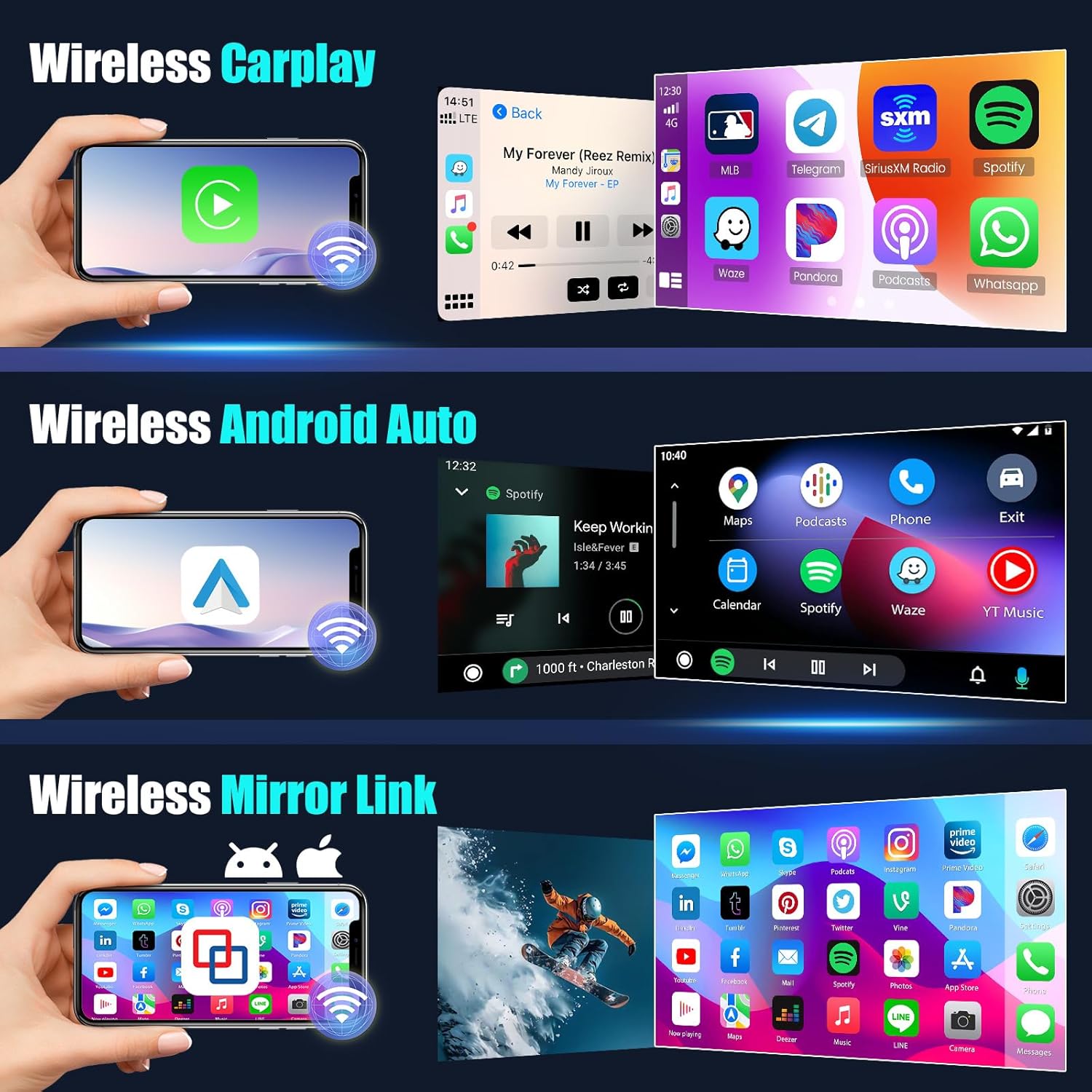
Imagen 4.1: Interfaces inalámbricas CarPlay y Android Auto.
Pasos de conexión:
- Abra la aplicación CarPlay o Android Auto en el estéreo del automóvil.
- Conecte su teléfono al estéreo del automóvil a través de Bluetooth.
- Siga las instrucciones en pantalla para completar la conexión.
Video 4.1: Official demonstration of CarPlay and Android Auto connection.
Note: For some Samsung and Huawei phones, Android Auto and Mirror Link functionality may be limited. Ensure your phone supports Google Services and has the 'Android Auto' app installed.
4.2 Enlace espejo
The Mirror Link feature allows you to mirror your smartphone's screen onto the car stereo display via a WiFi hotspot connection.

Image 4.2: Wireless Mirror Link functionality.
4.3 GPS Navigation & WiFi Functions
The unit supports online and offline navigation using GPS, Galileo, and Glonass satellite systems for wide coverage. Connect to a WiFi hotspot to download apps like YouTube and TikTok, enriching your in-car experience.

Imagen 4.3: Funciones de navegación GPS y WiFi.
4.4 bluetooth 5.1
Bluetooth 5.1 enables hands-free calling, phone book download, and music playback for a safer and more convenient driving experience.
Radio FM/RDS 4.5
La radio FM/RDS estable le permite preestablecer hasta 48 estaciones, brindando acceso a transmisiones de canales, pronósticos meteorológicos y condiciones de la carretera en tiempo real.
4.6 Control del volante
The system supports steering wheel button functions, allowing you to control the car audio system easily while driving. Activation requires key learning in settings if no CANBUS box is present.

Image 4.4: Bluetooth, FM/RDS Radio, and Steering Wheel Control interfaces.
4.7 User Interface (UI) Customization
The IPS screen supports split-screen functionality and 1080P video playback. You can switch between 4 different UIs with customizable colors.
Image 4.5: Customizable UI and screen partitioning options.
5. Mantenimiento
Para garantizar la longevidad y el rendimiento óptimo de su estéreo para automóvil Inefala, siga estas pautas de mantenimiento:
- Limpieza de pantalla: Utilice un paño suave y sin pelusa para limpiar con cuidado la pantalla táctil. Evite limpiadores abrasivos o productos químicos fuertes que puedan dañarla.
- Control de temperatura: Evite exponer la unidad a temperaturas extremas, tanto calientes como frías, durante períodos prolongados. El ventilador integrado ayuda a controlar la temperatura interna durante el funcionamiento.
- Actualizaciones de software: Periodically check for software updates to ensure you have the latest features and performance enhancements.
- Integridad de la conexión: Ensure all cables and connections remain secure to prevent signal loss or intermittent functionality.

Image 5.1: The cooling fan system helps maintain optimal operating temperature.
6. Solución de problemas
If you encounter issues with your car stereo, consider the following common troubleshooting steps:
- Sin energía: Verify all power cable connections are secure and correctly wired to the vehicle's 12V battery. Re-perform the quick test (Section 3.2) to confirm basic functionality.
- Sin sonido: Revise las conexiones de los altavoces y asegúrese de que el volumen no esté silenciado ni demasiado bajo. Verifique la configuración de salida de audio en el menú del sistema.
- Los controles del volante no funcionan: If your vehicle does not have a CANBUS box, activation of steering wheel controls requires key learning in the settings menu. Navigate to Configuración > Configuración de fábrica (Contraseña 8888) > Configuración de protocolo to match the car model. If the wiring harness is different or damaged, contact customer support.
- Problemas de conexión de CarPlay/Android Auto: Ensure Bluetooth is enabled on both the stereo and your phone. For Android Auto, confirm your phone supports Google Services and has the 'Android Auto' app installed. Check WiFi hotspot connection for Mirror Link.
- Problemas con la señal GPS: Asegúrese de que la antena GPS esté correctamente instalada y tenga una línea de visión despejada hacia el cielo.
- La pantalla no responde: Intenta reiniciar el dispositivo. Si el problema persiste, asegúrate de que la pantalla esté limpia y sin obstrucciones.
7. Especificaciones
| Característica | Descripción |
|---|---|
| Marca | Inefala |
| Modelo | 4+64G 8 núcleos |
| Tamaño de pantalla | 10.1 pulgadas |
| Resolución de pantalla | IPS 1280 x 720 |
| Sistema operativo | Androide 15 |
| Procesador | Qualcomm Octa-Core |
| RAM | 4 GB |
| memoria de sólo lectura | 64 GB |
| Conectividad | Bluetooth 5.1, USB, Wi-Fi, Inalámbrico |
| Características especiales | Wireless CarPlay & Android Auto & Mirror Link, DSP Hi-Res 36-band EQ, 4 Customizable UIs, 1080P Video Playback, Support Reverse Input, Steering Wheel Learning, GPS Navigation (GPS/Galileo/Glonss), FM/RDS Radio |
| Componentes incluidos | Android Radio, Power Cable, Original USB Cable, RCA Harness, GPS Antenna, AHD Backup Camera, External Microphone, Radio Adapter Cable, Rear Camera Input Cable, 2 USB Cables, Installation Tool |
8. Información de garantía
El estéreo para automóvil Inefala viene con un Garantía de 1 años A partir de la fecha de compra. Conserve el comprobante de compra para reclamaciones de garantía.
9. Atención al cliente
For any questions, technical assistance, or warranty inquiries, please contact Inefala Direct customer support. It is recommended to provide relevant pictures or videos to help resolve issues faster.
Correo electrónico de contacto: inefalaservices@163.com

Image 9.1: Inefala customer support contact details.