
1. Introducción
Thank you for choosing the Kisonli A1 Bluetooth Foldable Headphones. These headphones are designed to provide a high-quality audio experience with the convenience of wireless connectivity and a portable design. Featuring clear stereo sound, a long-lasting 400mAh battery for up to 20 hours of playback, and multiple connection options including Bluetooth, TF card, and AUX input, the A1 headphones are suitable for various audio needs. This manual will guide you through the setup, operation, and maintenance of your new headphones.
2. Producto terminadoview
The Kisonli A1 headphones combine functionality with a comfortable, foldable design. Familiarize yourself with the main components and features.

Imagen 2.1: Frente view of the Kisonli A1 headphones, highlighting the earcup design and Kisonli logo.
Características principales:
- Sonido estéreo de alta fidelidad: Delivers immersive audio with clear details for music and gaming.
- Mayor duración de la batería: Integrated 400mAh battery provides up to 20 hours of continuous playback on a single charge.
- Múltiples modos de reproducción: Supports Bluetooth wireless connection, TF (MicroSD) card playback, and AUX audio input.
- Diseño plegable y ajustable: The headphones can be folded for compact storage and feature an adjustable headband for a comfortable fit.
- Fast and Stable Bluetooth: Utilizes advanced Bluetooth protocols (A2DP, AVRCP, HFP) for seamless compatibility and connection stability.
- Carga rápida: Fully charges in approximately 2 hours via a standard USB port.
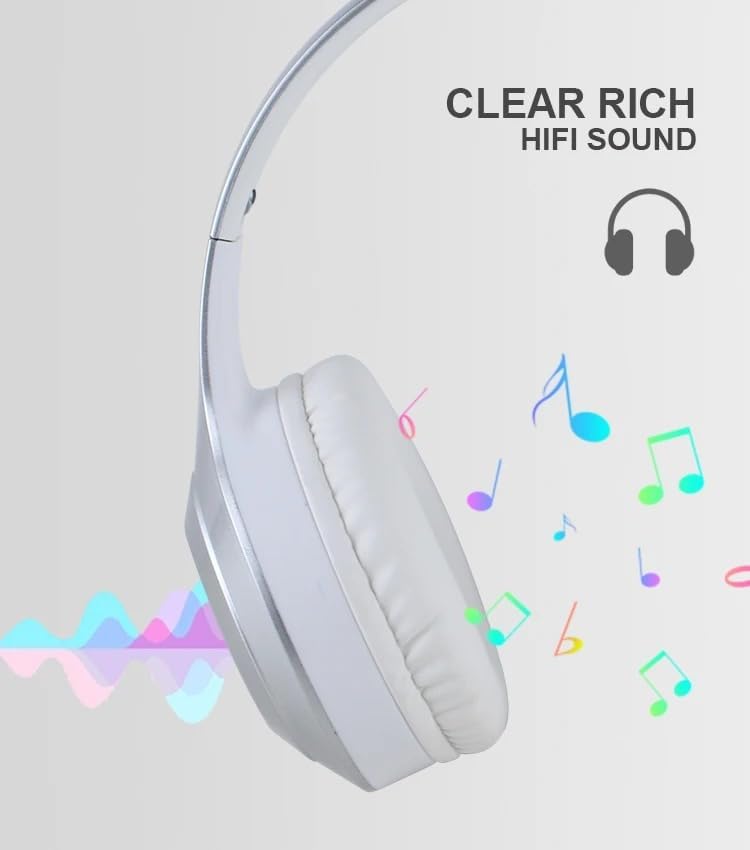
Imagen 2.2: Visual representation of the clear, rich HiFi sound quality provided by the headphones.

Imagen 2.3: Illustration of the adjustable headband and foldable earcups for easy storage and portability.
3. Configuración
3.1 Carga de los auriculares
Before initial use, fully charge the headphones. A full charge takes approximately 2 hours.
- Locate the charging port on the headphone earcup.
- Conecte el cable de carga USB provisto a los auriculares.
- Conecte el otro extremo del cable USB a una fuente de alimentación USB (por ejemplo, puerto USB de computadora, adaptador de pared USB).
- The indicator light will typically show red during charging and turn off or change color (e.g., blue) when fully charged.
3.2 Encendido / Apagado
- Para encender: Press and hold the Power button for a few seconds until the indicator light flashes (usually blue).
- Para apagar: Mantenga presionado el botón de encendido durante unos segundos hasta que la luz indicadora se apague.
3.3 Emparejamiento Bluetooth
Pair your headphones with a Bluetooth-enabled device (smartphone, tablet, computer).
- Asegúrese de que los auriculares estén apagados.
- Mantenga presionado el botón de encendido durante aproximadamente 5 a 7 segundos hasta que la luz indicadora parpadee en rojo y azul alternativamente, lo que indica el modo de emparejamiento.
- En su dispositivo, habilite Bluetooth y busque los dispositivos disponibles.
- Select "Kisonli A1" (or similar name) from the list of found devices.
- Once paired, the indicator light on the headphones will typically flash blue slowly or remain solid blue.
3.4 Conexión mediante cable AUX
Use the included AUX cable for a wired connection to devices without Bluetooth or when the battery is low.
- Conecte un extremo del cable AUX de 3.5 mm al puerto de entrada AUX de los auriculares.
- Conecte el otro extremo del cable AUX al conector de salida de audio de 3.5 mm de su dispositivo.
- Los auriculares cambiarán automáticamente al modo AUX.
3.5 Using a TF (MicroSD) Card
The headphones support direct playback from a TF (MicroSD) card.
- Insert a TF card (pre-loaded with audio files) en la ranura para tarjeta TF de los auriculares.
- The headphones will automatically detect the card and begin playing audio.
- Use the control buttons to manage playback.
4. Instrucciones de funcionamiento
4.1 Reproducción de música
- Reproducir/Pausa: Presione el botón multifunción (generalmente el botón de encendido o un botón dedicado de reproducción/pausa) una vez.
- Sube el volumen: Presione el botón Volumen +.
- Bajar volumen: Presione el botón de volumen -.
- Pista siguiente: Press and hold the Volume + button (or a dedicated Next button).
- Pista anterior: Press and hold the Volume - button (or a dedicated Previous button).
4.2 Gestión de llamadas
- Responder/Finalizar llamada: Presione el botón multifunción una vez.
- Rechazar llamada: Mantenga presionado el botón multifunción durante 2 segundos.
- Volver a marcar el último número: Presione dos veces el botón multifunción.
4.3 Cambio de modo
If your headphones support multiple modes (Bluetooth, TF, AUX), there is usually a dedicated "M" (Mode) button or the Multi-function button can be used to cycle through modes.
- Modo de cambio: Press the Mode button (if available) or short-press the Multi-function button to cycle between Bluetooth, TF card, and AUX modes.
5. Mantenimiento
Proper care and maintenance will extend the lifespan of your Kisonli A1 headphones.
- Limpieza: Utilice un paño suave y seco para limpiar los auriculares y la diadema. No utilice limpiadores abrasivos ni disolventes.
- Almacenamiento: Cuando no los use, guarde los auriculares en un lugar fresco y seco, alejados de la luz solar directa y de temperaturas extremas. Gracias a su diseño plegable, son compactos y fáciles de guardar.
- Cuidado de la batería: Para mantener la batería en buen estado, evite descargarla por completo con frecuencia. Cargue los auriculares regularmente, incluso si no los usa durante periodos prolongados.
- Evite la humedad: No exponga los auriculares al agua ni a la humedad excesiva.
6. Solución de problemas
Si tiene problemas con sus auriculares, consulte los siguientes problemas y soluciones comunes:
| Problema | Posible solución |
|---|---|
| Los auriculares no se encienden. | Asegúrese de que la batería esté cargada. Conéctela a una fuente de alimentación y vuelva a intentarlo. |
| No se puede emparejar a través de Bluetooth. |
|
| No hay sonido. |
|
| Corta duración de la batería. |
|
7. Especificaciones
Detailed technical specifications for the Kisonli A1 headphones:
| Característica | Detalle |
|---|---|
| Nombre del modelo | Kisonli A1 |
| Marca | kisonli |
| Color | Silver/White (as per product title and images) |
| Factor de forma | Sobre la oreja |
| Tecnología de conectividad | Inalámbrico (Bluetooth) |
| Capacidad de la batería | 400 mAh |
| Tiempo de reproducción | Hasta 20 horas |
| Tiempo de carga | Aproximadamente 2 horas |
| Puerto de carga | USB |
| Supported Audio Inputs | Bluetooth, tarjeta TF, AUX |
| Protocolos Bluetooth | A2DP, AVRCP, HFP (and others) |
| Peso del artículo | 10 gramos |
| Componentes incluidos | Cable |
8. Garantía y soporte
Warranty information for the Kisonli A1 headphones is typically provided by the manufacturer and may vary based on your region of purchase. The product's warranty origin is listed as China.
For specific warranty terms, technical support, or service inquiries, please refer to the documentation included with your product or contact the retailer/seller from whom you purchased the headphones. You may also visit the official Kisonli websitio para obtener más ayuda.