
Introducción
This manual provides detailed instructions for the installation, operation, and maintenance of your Naifay Android Car Radio, designed specifically for Toyota Prius models from 2004 to 2009 (Model A: Not Fit Big Screen & J.B.L Version). Please read this manual thoroughly before use to ensure proper functionality and safety.
Nota importante: If your Toyota Prius has a large screen or supports the J.B.L sound system, this unit is not compatible. Please refer to ASIN: B0FPG2RRXJ for compatible models. For any compatibility concerns, please send your car's model, year, and a dashboard picture to Naifay customer support via Amazon chat.
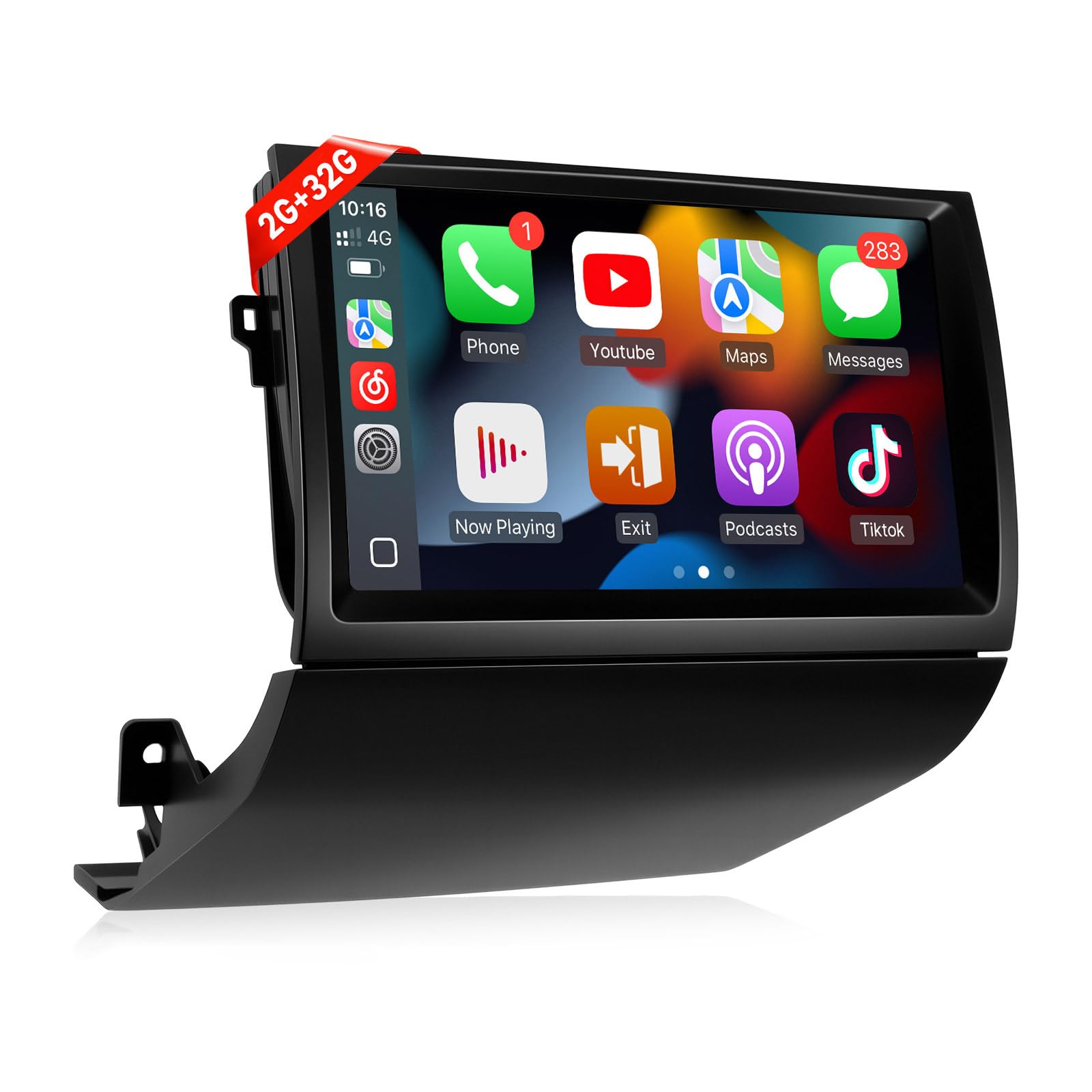
Figure 1: Naifay Android Car Radio Unit
Configuración e instalación
Proper installation is crucial for the optimal performance of your new car radio. This section guides you through the necessary steps.
1. Comprobaciones previas a la instalación
- Asegúrese de que su vehículo esté apagado y que el freno de estacionamiento esté puesto.
- Before removing the old radio, eject all CDs to prevent them from being stuck.
- Confirm compatibility with your Toyota Prius model (2004-2009, non-JBL, non-large screen).
2. Retirada de la unidad antigua
Carefully remove the existing car radio unit and surrounding trim. Use appropriate tools to avoid damage.

Figure 2: Visual comparison of the dashboard before and after installation, highlighting compatible and incompatible setups.
The video below provides a detailed walkthrough of the installation process for the Toyota Prius 2004-2009.
Video 1: Toyota Prius 2004-2009 Installation Method. This video demonstrates the step-by-step process of removing the old unit and installing the new Naifay Android Car Radio.
3. Wiring the New Screen
Connect the provided wiring harness to the new unit and the vehicle's existing connectors. Ensure all connections are secure. The black connector should be plugged into the designated port on the new unit. The CANBUS box is connected to the main wiring harness.
- Conecte el cable de antena.
- Conecte la antena GPS.
- Connect the 4G antenna (can be taped anywhere in the back panel).
- Connect the backup camera wire (brownish wire).

Figure 3: Diagram illustrating the wiring for the reversing camera, showing connections for power and video signal.
4. Initial Power On and Testing
Before fully securing the unit, perform a quick power-on test to ensure the screen powers on and audio is working. This helps identify any immediate wiring issues.
5. Programming Steering Wheel Controls
To utilize your vehicle's steering wheel controls with the new unit, you will need to program them. Navigate to Settings > General > Steering Wheel Study. Long-press the desired button on your steering wheel, then select the corresponding function on the screen. Repeat for all desired controls.
Instrucciones de funcionamiento
Your Naifay Android Car Radio offers a variety of features for an enhanced driving experience.
1. CarPlay y Android Auto inalámbricos
Connect your iPhone or Android phone wirelessly to access navigation, music, calls, and more directly on the car radio screen. This feature allows for hands-free operation via voice assistants like Siri or Google Assistant.

Figure 4: Display showing the Wireless CarPlay and Android Auto interfaces, enabling seamless smartphone integration.
Video 2: How To Connect Wireless CarPlay & Android Auto. This video demonstrates the connection process for both Apple CarPlay and Android Auto.
2. Wireless MirrorLink
Mirror your iOS or Android phone screen onto the car radio display. Connect via Bluetooth and Wi-Fi for wireless mirroring, or use a USB cable for wired mirroring.
Video 3: How To Connect Wireless Mirrorlink for iOS & Android. This video illustrates the steps to mirror your smartphone screen to the car radio.
3. Navegación GPS
The unit supports both offline and online GPS navigation. Connect to Wi-Fi or a mobile hotspot to download offline maps or use real-time online navigation. You can also download your preferred navigation apps from the app store.

Figure 5: Screenshot of the GPS navigation interface, showing online and offline map options, alongside the Wi-Fi connection status.
4 Conexión wifi
Connect to a Wi-Fi network or your phone's mobile hotspot to access online features, download apps, and stream content. Note that with 2GB RAM, it is recommended to limit the number of running applications to avoid freezing.
5. Bluetooth y radio FM
Enjoy hands-free calling, phonebook access, and audio streaming via Bluetooth. The FM radio features high-quality stereo, automatic and semi-automatic channel search, and unlimited preset stations.

Figura 6: Sobreview of various features including Bluetooth for calls and music, FM radio, AHD backup camera display, steering wheel control interface, and split-screen functionality.
6. Sound Equalizer (DSP)
Customize your audio experience using the built-in Digital Sound Processor (DSP). Access the equalizer settings to adjust bass, treble, and other audio parameters to your preference. You can select from preset modes like Rock, Soft, Popular, or create a custom profile.
7. Funcionalidad de pantalla dividida
Multitask efficiently with the split-screen feature, allowing you to run two applications simultaneously on the 9-inch IPS touch screen.
8. Cámara de respaldo AHD
The unit supports AHD backup cameras, providing a clear view of your surroundings when reversing. Ensure the camera is properly wired during installation.
Mantenimiento
To ensure the longevity and optimal performance of your Naifay Android Car Radio, follow these maintenance guidelines:
- Limpieza de pantalla: Utilice un paño suave y sin pelusa para limpiar con cuidado la pantalla táctil. Evite limpiadores abrasivos o productos químicos fuertes que puedan dañarla.
- Actualizaciones de software: Periodically check for software updates to ensure your unit has the latest features and security patches. Follow the on-screen instructions for any available updates.
- Conexiones de cable: Asegúrese de que todos los cables estén bien conectados. Las conexiones flojas pueden provocar un funcionamiento intermitente o un rendimiento deficiente.
- Condiciones ambientales: Evite exponer la unidad a temperaturas extremas, luz solar directa durante períodos prolongados o humedad excesiva.
Solución de problemas
If you encounter any issues with your Naifay Android Car Radio, refer to the following common troubleshooting steps:
- Sin energía:
- Compruebe todas las conexiones eléctricas para asegurarse de que sean seguras.
- Verifique el fusible del vehículo relacionado con la radio del automóvil.
- Sin sonido:
- Asegúrese de que el volumen no esté silenciado o demasiado bajo.
- Verifique las conexiones del cableado de los altavoces.
- Verify the sound equalizer settings (DSP) are configured correctly.
- Los controles del volante no funcionan:
- Re-program the steering wheel controls via Settings > General > Steering Wheel Study.
- Asegúrese de que la caja CANBUS esté conectada correctamente.
- Problemas con la señal GPS:
- Asegúrese de que la antena GPS esté correctamente instalada y tenga una vista clara. view del cielo.
- Check Wi-Fi or mobile hotspot connection for online maps.
- Problemas de conexión inalámbrica de CarPlay/Android Auto:
- Ensure Bluetooth and Wi-Fi are enabled on both the car radio and your smartphone.
- Olvídese y vuelva a emparejar el dispositivo en la configuración de Bluetooth.
- Refer to the "How To Connect Wireless CarPlay & Android Auto" video for detailed steps.
- Unit Freezes or Slows Down:
- Cierre las aplicaciones en segundo plano innecesarias.
- Reinicie la unidad.
- Considere realizar un restablecimiento de fábrica (nota: esto borrará todos los datos y configuraciones del usuario).
For further assistance, please contact Naifay customer support.
Presupuesto
| Característica | Detalle |
|---|---|
| Marca | Naifay |
| Número de modelo | US11-SW640A-2 |
| Tipo de servicio del vehículo | Toyota Prius 2004-2009 (Non J.B.L Version, Not Fit Big Screen) |
| Tamaño de pantalla | 9 pulgadas |
| Sistema operativo | Androide 12 |
| Procesador | 4 núcleos |
| RAM | 2 GB |
| Capacidad de almacenamiento de memoria | 32 GB |
| Tipo de pantalla | Pantalla táctil IPS 2.5D |
| Tecnología de conectividad | Wireless, Bluetooth, USB, Wi-Fi |
| Características especiales | Wireless CarPlay & Android Auto, Wireless & Wired MirrorLink, Offline/Online GPS Navigation, Bluetooth, FM, AHD Backup Camera, SWC, Split Screen, 2 USB Ports, Multiple UI Options |
| Tipo de mapa | Mundial |
| Modo de salida de audio | Estéreo |
| Peso del artículo | 1.5 kilogramos |
Garantía y soporte
Naifay is committed to providing excellent products and superior customer service. Your product comes with the following support and warranty:
- Respuesta rápida: Tiempo de respuesta de consultas en 24 horas.
- Política de devoluciones: Período de devolución sin preocupaciones de 60 días.
- Reemplazo: 12-month replacement available.
- Apoyo técnico: Asesoría y soporte técnico postventa de por vida.
If you have any questions or require assistance, please contact Naifay customer service via Amazon chat. You can find the "Sold by Naifay" link on the product page and click "Ask a question" to reach support.