
1. Introducción
The Raddy SH-907 is a versatile emergency radio designed to keep you informed and connected in various situations, from outdoor adventures to power outages. It features multi-band reception (AM/FM/SW/VHF), multiple charging options, and additional emergency functions.
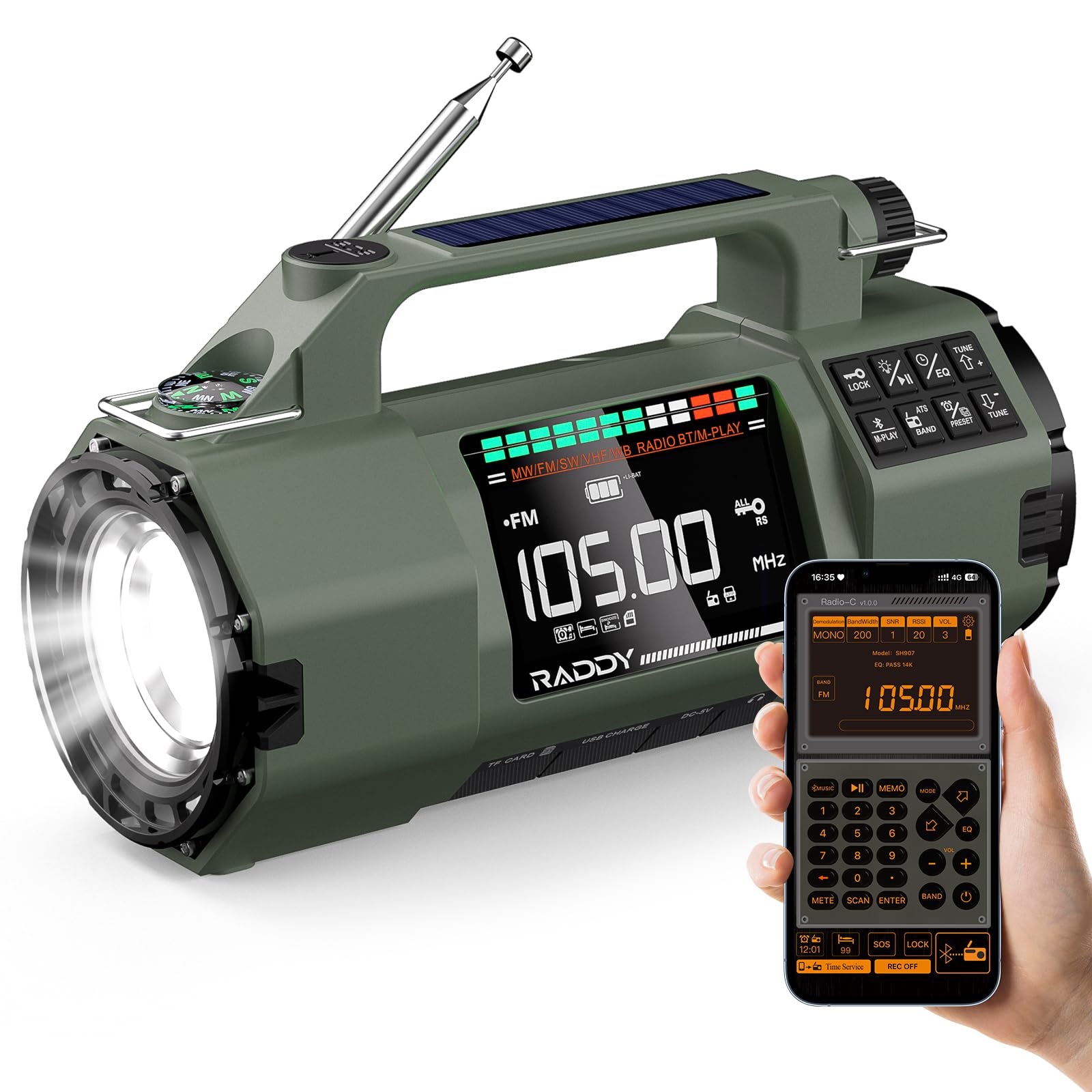
2. Configuración
2.1 Instalación de la batería
The Raddy SH-907 comes with two 18650 rechargeable batteries pre-installed. For alternative power, the flexible battery compartment also supports one 14500 battery or three AA batteries (not included). To access the battery compartment, use a small screwdriver to open the cover on the side of the unit.

2.2 Carga inicial
Antes del primer uso, cargue completamente la radio utilizando uno de los siguientes métodos:
- Carga USB-C: Connect the provided USB-C cable to the radio's USB-C port and a compatible USB power adapter (not included).
- Carga solar: Coloque la radio con el panel solar orientado hacia la luz solar directa. Este método se utiliza principalmente para mantener la carga o para una carga lenta en caso de emergencia.
- Carga de manivela: Rotate the hand crank clockwise or counter-clockwise at a steady pace to generate power. This is an emergency charging method.

2.3 Extensión de antena
For optimal radio reception, extend the telescopic antenna fully when listening to FM, SW, or VHF bands.
3. Instrucciones de funcionamiento
3.1 Encendido y apagado
Mantenga pulsado el FUERZA Botón para encender o apagar la radio.
3.2 Radio Functions (AM/FM/SW/VHF)
Presione el BANDA button to cycle through AM, FM, SW, and VHF bands. Use the tuning knob or SINTONIZACIÓN +/- buttons to manually adjust the frequency. The radio supports storing up to 400 stations. Refer to the on-screen display for current frequency and band information.

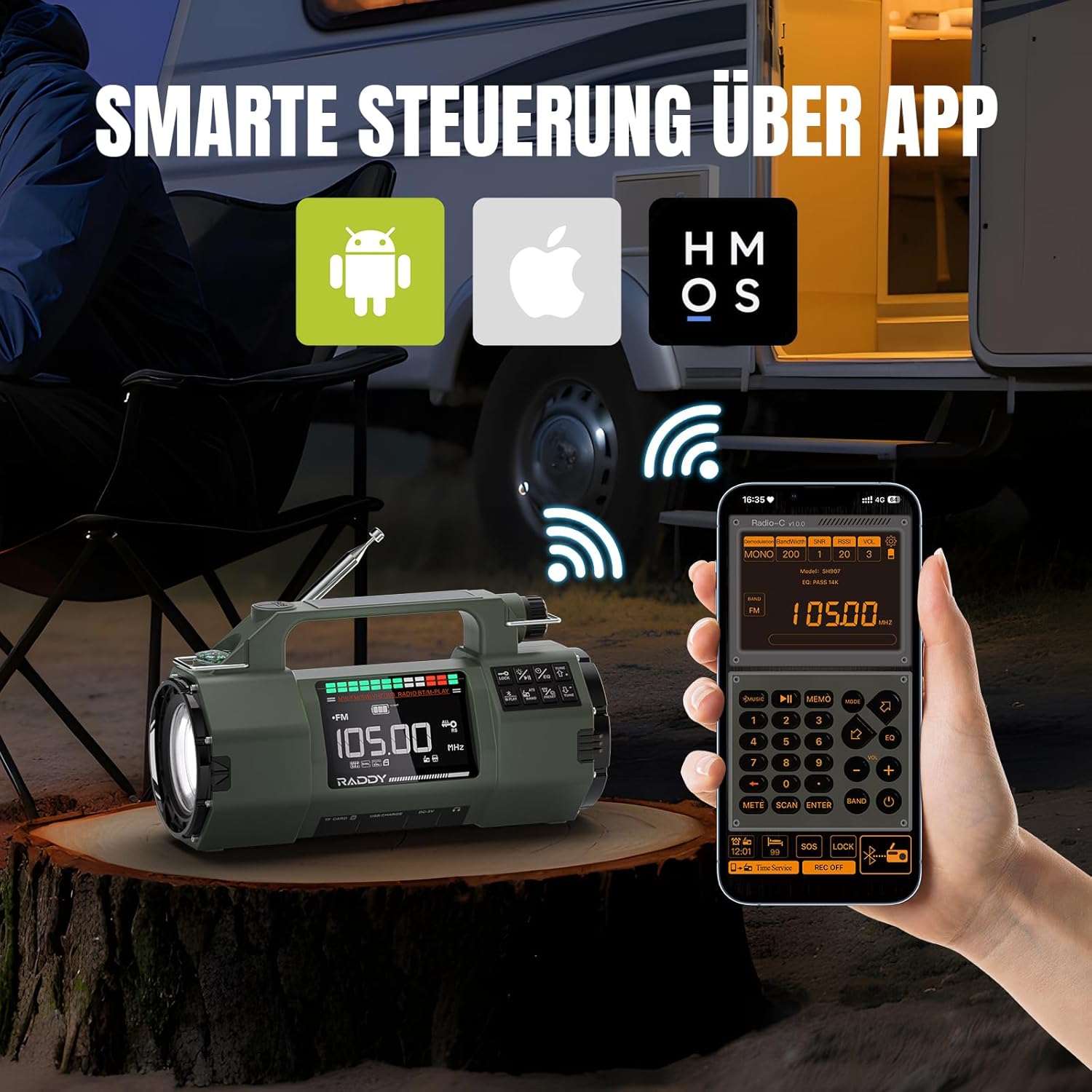
3.3 Control de aplicaciones
The Raddy SH-907 can be controlled wirelessly via a mobile application. Enable Bluetooth on your smartphone and pair it with the radio. Once connected, you can use the app to change frequencies, browse stations, and adjust various settings without directly interacting with the radio's physical controls.
3.4 Bluetooth Audio & Media Playback
Connect your smartphone or other Bluetooth-enabled device to the radio to stream music. The radio also supports playing audio files from a TF card (Micro-SD card) inserted into the designated slot. A 3.5mm headphone jack is available for private listening.

3.5 Flashlight & SOS Alarm
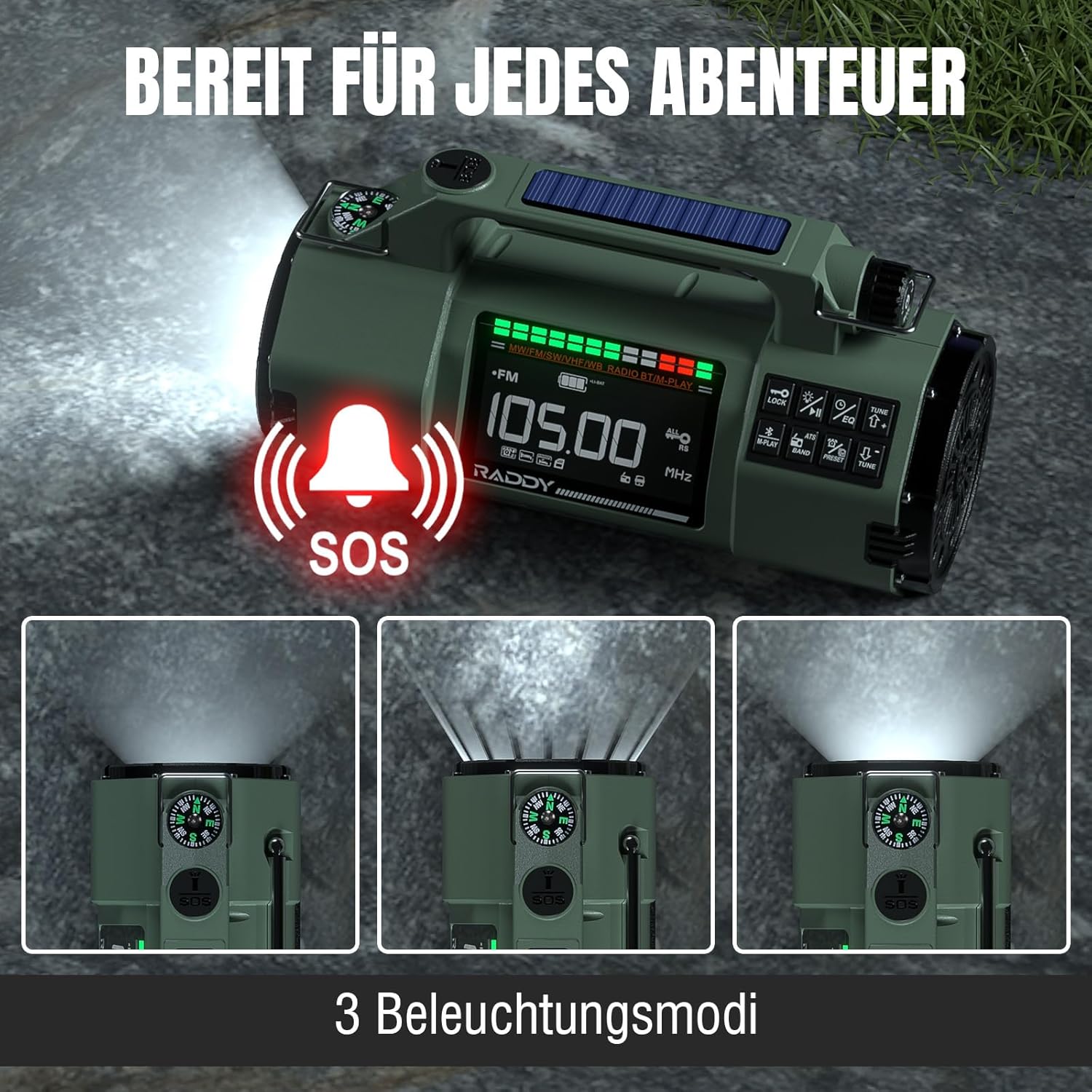
The integrated flashlight offers high and low beam modes for illumination. In emergency situations, activate the SOS alarm to emit a loud siren and flashing light signal.
3.6 Brújula
A built-in compass is provided for basic navigation. Ensure the radio is held level and away from strong magnetic fields for accurate readings.
3.7 Carga de dispositivos externos
The Raddy SH-907 can act as a power bank to charge external devices via its USB output port. This feature is supported when using the 18650 batteries.

4. Mantenimiento
4.1 Cuidado de la batería
To prolong battery life, avoid fully discharging the batteries frequently. Recharge the radio regularly, especially if stored for extended periods. If using alternative batteries (14500 or AA), ensure they are inserted with correct polarity.
4.2 Limpieza
Limpie la radio con un paño suave yamp cloth. Do not use harsh chemicals or abrasive cleaners. Ensure all ports are dry before charging or using.
4.3 Almacenamiento
Store the radio in a cool, dry place away from direct sunlight and extreme temperatures. If storing for a long time, ensure the battery is partially charged (around 50%) to prevent deep discharge.
4.4 Resistencia al agua
The Raddy SH-907 features IPX4 splash protection, meaning it is resistant to splashing water from any direction. It is not designed to be submerged in water.
5. Solución de problemas
- Sin energía: Check battery charge level. Ensure batteries are correctly installed. Try charging via USB-C.
- Mala recepción de radio: Fully extend the telescopic antenna. Try repositioning the radio. Ensure you are not in an area with heavy interference.
- Problemas de conexión Bluetooth: Ensure Bluetooth is enabled on both the radio and your device. Make sure the radio is in pairing mode. Try unpairing and re-pairing the devices.
- La linterna no funciona: Verifique el nivel de batería. Asegúrese de que la función de linterna esté activada correctamente.
- Dispositivo externo no se carga: Ensure the radio has sufficient charge. Confirm the 18650 batteries are installed for reverse charging. Check the USB cable connection.
6. Especificaciones
| Marca | Raddy |
| Número de modelo | SH907 |
| Bandas de radio | AM, FM, SW (4.75–21.85 MHz), VHF (30–199.975 MHz) |
| Conectividad | Bluetooth 5.2 |
| Capacidad de la batería | 5000 mAh (2x 18650 included) |
| Compatibilidad de la batería | 2x 18650, 1x 14500 (not included), 3x AA (not included) |
| Métodos de carga | USB-C, Solar Panel, Hand Crank |
| Características especiales | APP Control, Flashlight (high/low beam), SOS Alarm, Compass, IPX4 Splash Protection |
| Dimensiones | 9 de largo x 7 de ancho x 16 de alto cm |
| Componentes incluidos | User Manual, USB-C Cable |
7. Garantía y soporte
7.1 Garantía del fabricante
The Raddy SH-907 Emergency Radio is covered by an 18-month manufacturer's warranty from the date of purchase. This warranty covers defects in materials and workmanship under normal use. It does not cover damage caused by misuse, accidents, unauthorized modifications, or natural disasters.
7.2 Atención al cliente
For technical assistance, warranty claims, or any questions regarding your Raddy SH-907 radio, please contact Raddy customer support. Refer to the contact information provided with your product packaging or visit the official Raddy websitio para detalles de soporte.