
1. Introducción
Thank you for choosing the MONODEAL CD401 Portable HiFi Stereo CD Player. This versatile device combines classic CD playback with modern connectivity options, including Bluetooth, FM radio, USB, and AUX input. Enjoy high-fidelity audio with built-in speakers, dynamic RGB lighting, and convenient remote control. This manual provides essential information for setup, operation, and maintenance to ensure optimal performance.
2. ¿Qué hay en la caja?
- 1x MONODEAL CD401 CD Player
- 1x Manual de usuario
- 1x control remoto
- Cable de audio 1x 3.5mm
- 1x Charging Cable and Plug
3. Producto terminadoview
The MONODEAL CD401 is designed for both portability and desktop use, offering a blend of classic and contemporary audio features. Its compact design includes integrated speakers and a clear display for easy navigation.
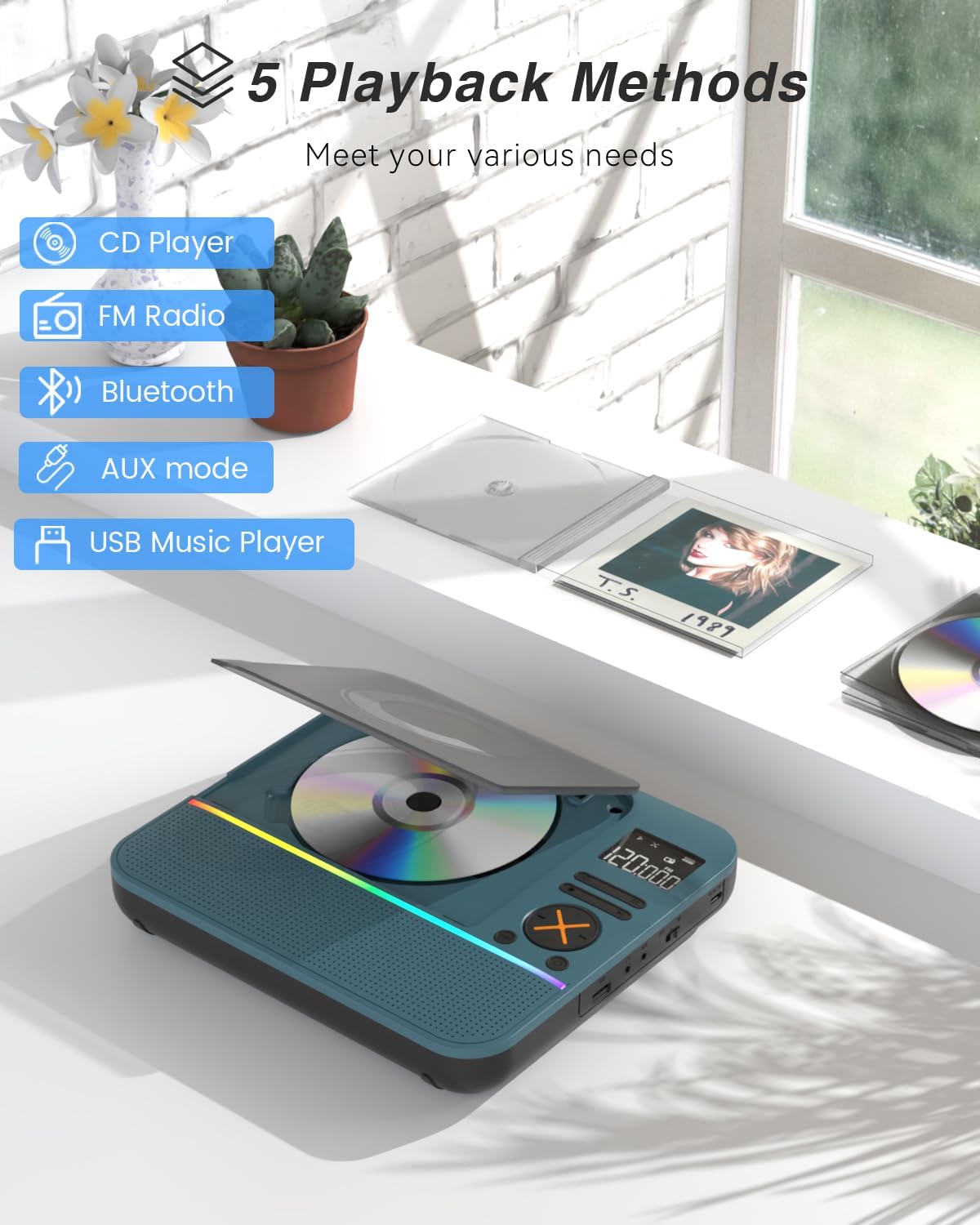
Figura 1: Frente view of the MONODEAL CD401 Portable CD Player, showcasing its compact design and central display.
Características principales:
- Multi-Color RGB Lighting: Dynamic lighting effects that change color to the beat of the music, enhancing visual and auditory experience.
- Bluetooth 5.3: Functions as both a Bluetooth transmitter (to headphones/speakers) and receiver (from phones/tablets).
- Integrated 4*HIFI Speakers: Provides surround sound for an immersive listening experience.
- Múltiples modos de reproducción: Easily switch between CD, Bluetooth, FM Radio, AUX, and USB modes via a large LCD screen.
- Amplia compatibilidad de CD: Admite formatos CD, CD-R, CD-RW, MP3 y WMA.
- Efectos sonoros: Choose from five equalizer presets: Flat, Rock, Pop, Jazz, and Classic.
- Radio FM: Access FM frequencies from 76MHz to 108MHz.
- USB & AUX Connectivity: Play music from a USB flash drive or connect external devices via the 3.5mm AUX cable.
- Batería recargable: Built-in 3000mAh battery offers up to 8 hours of continuous playback.
- Tiempo de dormir: Customizable sleep timer from 10 to 90 minutes.

Figure 2: The MONODEAL CD401 displaying its multi-color RGB lighting effects, which synchronize with the music.
Controles y Puertos:
The device features intuitive controls on its top panel and essential ports on the side for easy access.

Figure 3: Top panel of the CD player showing playback controls, mode selection, and display.

Figure 4: The side panel of the CD player, illustrating the AUX input, USB port, and charging port.
Vídeo oficial del producto:
Video 1: Official product video from MonoDeals showcasing the Desktop CD Player with Bluetooth and RGB Light features.
Video 2: Official product video from MonoDeals demonstrating the Desktop Player's Bluetooth functionality and colorful lighting effects.
4. Configuración
4.1 Carga del dispositivo
- Connect the provided USB charging cable to the charging port on the side of the CD player.
- Plug the other end of the USB cable into a compatible USB power adapter (included) or a computer's USB port.
- The battery indicator on the LCD screen will show charging status. A full charge provides up to 8 hours of playback.
4.2 Inserción de un CD
- Gently open the CD compartment cover.
- Place the CD with the label side facing up onto the spindle. Ensure it clicks into place.
- Close the CD compartment cover firmly until it latches.
4.3 Encendido / Apagado
- To power on, slide the ON/OFF switch to the 'ON' position. The LCD screen will light up.
- Para apagar, deslice el interruptor de ENCENDIDO/APAGADO a la posición 'APAGADO'.
5. Instrucciones de funcionamiento
Selección de 5.1 modos
Presione el MODO button on the device or remote control to cycle through the available modes: CD, Bluetooth, FM, AUX, and USB.

Figure 5: The CD player's display indicating the five available playback methods: CD, FM Radio, Bluetooth, AUX mode, and USB Music Player.
5.2 Reproducción de CD
- Insert a compatible CD (CD, CD-R, CD-RW, MP3, WMA).
- Select 'CD' mode. The player will automatically start reading the disc.
- Utilice el Reproducir/Pausa, Pista siguiente, y Pista anterior Botones para controlar la reproducción.
- Presione el REPETIR button to cycle through repeat options (e.g., repeat one, repeat all).
- Presione el EQ button to select desired sound effects (Flat, Rock, Pop, Jazz, Classic).
5.3 Modo Bluetooth
The CD401 supports both Bluetooth transmission (BT TX) and reception (BT RX).
- Bluetooth Receiver (BT RX): Select 'Bluetooth' mode. The device will enter pairing mode. On your phone/tablet, search for 'CD401' and connect. Audio from your device will play through the CD player's speakers.
- Bluetooth Transmitter (BT TX): Select 'Bluetooth' mode. Press and hold the BT TX button. The CD player will search for nearby Bluetooth headphones or speakers. Once connected, CD audio will transmit to the external Bluetooth device.

Figure 6: Illustration of the CD player's dual Bluetooth functionality, allowing it to receive audio from a phone (RX) or transmit to headphones (TX).
5.4 Radio FM
- Seleccione el modo “FM”.
- Utilice el Pista siguiente y Pista anterior Botones para buscar estaciones de radio.
- The FM frequency range is 76MHz to 108MHz.
5.5 entrada auxiliar
- Seleccione el modo 'AUX'.
- Connect an external audio device (e.g., smartphone, computer) to the AUX IN port using the provided 3.5mm audio cable.
- The CD player will now act as a wired speaker for the connected device.
- Note: Bluetooth connectivity is not supported in cars; use the 3.5mm AUX cable for car audio.
Reproducción USB 5.6
- Seleccione el modo 'USB'.
- Inserte una unidad flash USB que contenga audio MP3 o WMA files en el puerto USB.
- The player will automatically detect and begin playing the audio files.
5.7 Control de volumen
Adjust the volume using the dedicated volume buttons on the device or the remote control.
5.8 Temporizador de sueño
- Presione el DORMIR Botón en el control remoto.
- Cycle through the available sleep timer durations (10, 20, 30, 40, 50, 60, 70, 80, 90 minutes).
- El dispositivo se apagará automáticamente después del tiempo seleccionado.

Figure 7: The CD player featuring its sleep timer function, allowing users to set automatic shutdown after a specified duration.
6. Mantenimiento
6.1 Limpieza
- Limpie el dispositivo con un paño suave y seco. No utilice limpiadores líquidos ni productos abrasivos.
- Mantenga el compartimento del CD limpio y libre de polvo.
6.2 Almacenamiento
- Store the CD player in a cool, dry place away from direct sunlight and extreme temperatures.
- Remove any CDs or USB drives before storing for extended periods.
7. Solución de problemas
| Problema | Posible causa | Solución |
|---|---|---|
| El dispositivo no enciende | Batería baja o interruptor de encendido está apagado. | Cargue el dispositivo por completo. Asegúrese de que el interruptor de encendido/apagado esté en la posición "ON". |
| No hay sonido de los altavoces | Volume is too low or incorrect mode selected. | Increase volume. Verify correct playback mode (CD, Bluetooth, FM, AUX, USB). |
| El CD no se reproduce | El CD está sucio, rayado o insertado incorrectamente. | Clean the CD. Check for scratches. Reinsert the CD correctly with the label side up. |
| El emparejamiento de Bluetooth falló | Device is not in pairing mode or too far from the source. | Ensure the CD player is in Bluetooth pairing mode. Move devices closer. Disconnect from other Bluetooth devices. |
8. Especificaciones
| Característica | Detalle |
|---|---|
| Número de modelo | CD401 |
| Marca | MONODEAL |
| Tecnología de conectividad | Bluetooth 5.3 |
| Tipo de altavoz | 4*HIFI Stereo |
| Capacidad de la batería | 3000 mAh (integrada) |
| Tiempo de reproducción | Hasta 8 horas (con carga completa) |
| Formatos de disco admitidos | CD, CD-R, CD-RW |
| Formatos de audio compatibles | MP3, WMA |
| Rango de frecuencia FM | De 76 MHz a 108 MHz |
| Dimensiones del paquete | 10.83 x 9.13 x 1.93 pulgadas |
| Peso del artículo | 2.48 libras |
9. Garantía y soporte
For warranty information, technical support, or customer service inquiries, please refer to the contact details provided in your product packaging or visit the official MONODEAL websitio. Guarde su recibo de compra para reclamos de garantía.