
Introducción
The Rapoo VT7 Wireless Gaming Mouse is engineered for high-performance gaming and efficient daily use. Featuring a true 8K wireless polling rate, an ultra-lightweight design, and an extended battery life, the VT7 provides precision and comfort. This manual provides essential information for setting up, operating, maintaining, and troubleshooting your device.
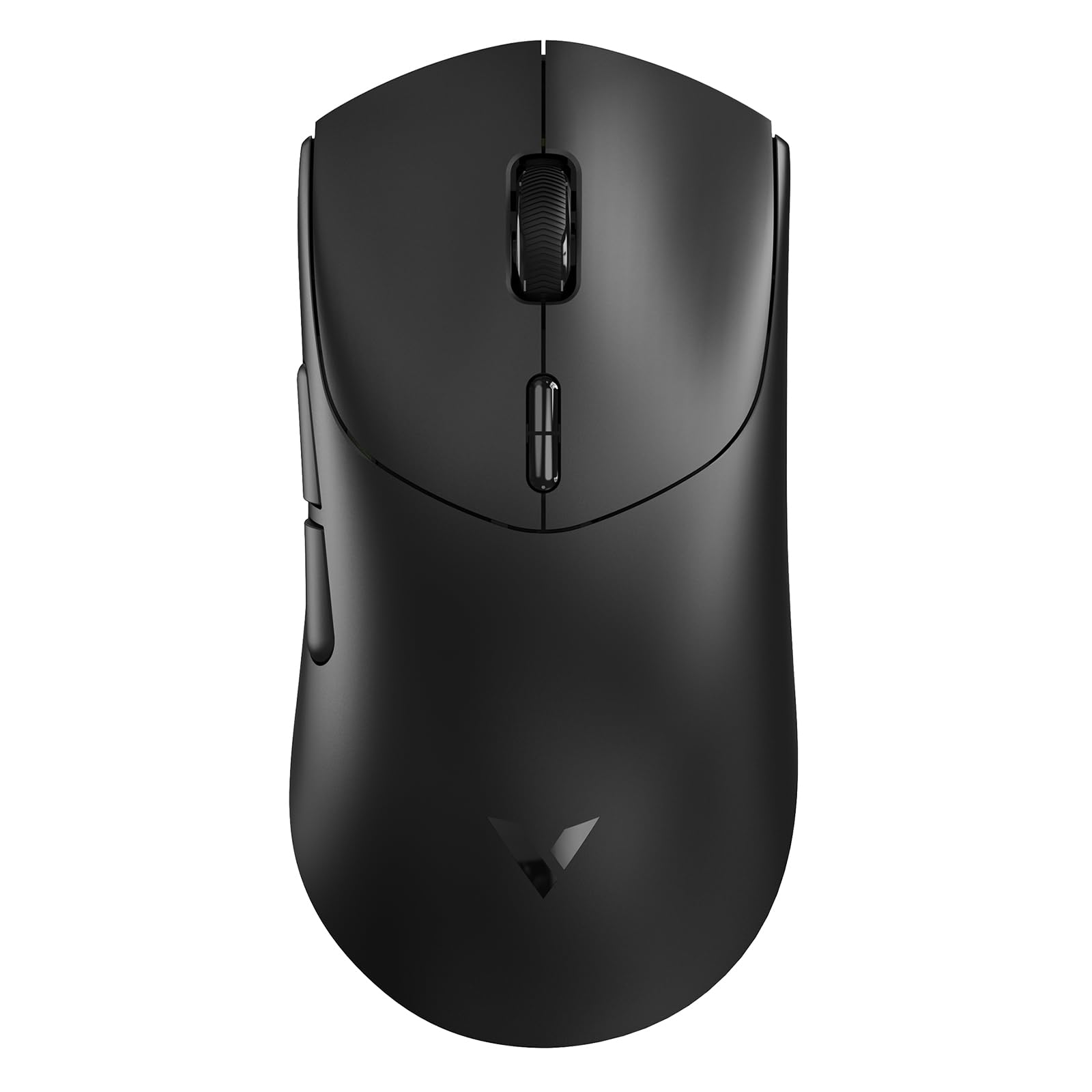
Figure 1: Rapoo VT7 Wireless Gaming Mouse (Black)
¿Qué hay en la caja?
Your Rapoo VT7 Wireless Gaming Mouse package includes the following items:
- 1 ratón inalámbrico para juegos
- 1 x cable tipo C
- 1 x adaptador USB
- 1 x Anti-Slip Sticker Set
- 1 x Replacement PTFE Mouse Feet Set

Figure 2: Package Contents of the Rapoo VT7 Wireless Gaming Mouse
Configuración
Conectando el Mouse
The Rapoo VT7 offers flexible connectivity options:
- Conexión inalámbrica (2.4 GHz): Insert the provided USB adapter into an available USB port on your computer. The mouse will automatically connect.
- Conexión por cable: Connect the Type-C cable to the mouse and the other end to a USB port on your computer. The mouse can be used while charging.
Software Installation (A HUB)
To fully utilize advanced features such as programmable buttons and macros, download and install the Rapoo A HUB driver for Windows or Mac OS. This software allows for customization and stores settings with onboard memory for consistent performance across devices.

Figure 3: Rapoo A HUB Software Interface
Instrucciones de funcionamiento
Características principales y uso
- True 8K Wireless Polling Rate: Experience native 8000Hz wireless performance for precise and responsive tracking without relying on software algorithms or extra dongles.
- 53g Ultra Lightweight Design: The optimized hand grip and easy-to-access side buttons enhance comfort and accuracy, reducing strain during extended use.
- Hasta 750 horas de duración de la batería: Equipped with a Nordic nRF54L15 MCU, the mouse offers an impressive 750 hours of battery life at 1000Hz, minimizing the need for frequent charging.
- 100-Million Mechanical Switch: Enjoy crisp mechanical click feedback and enhanced durability with switches rated for 100 million clicks.
- 26K Independent X/Y DPI: Achieve responsive, pixel-precise tracking with 99.6% resolution accuracy and up to 26,000 DPI. Adjust X/Y-axis DPI independently and switch levels on-the-fly using the DPI +/- buttons.
- 10 botones programables: Customize the 10 programmable buttons for various functions and macros using the A HUB software.
- Ambidextrous Ergo Form: The mouse is designed for a perfectly balanced feel, optimized for claw and fingertip grip styles, suitable for both right and left-handed users.
Customization Options (via A HUB Software)
- Configuración de DPI: Fine-tune your mouse sensitivity with independent X/Y DPI adjustments.
- Grabación de macros: Create and assign custom macros to programmable buttons.
- Adjust Mouse Rotation: Optimize sensor angle for personalized tracking.
- Memoria incorporada: Save your custom settings directly to the mouse for use across different devices without re-configuration.

Independent X/Y DPI Settings

Macro Recording Enabled

Adjust Mouse Rotation

Memoria integrada
Mantenimiento
Limpieza
Para mantener un rendimiento óptimo, limpie el ratón regularmente con un paño suave y seco. Evite el uso de productos químicos agresivos o materiales abrasivos.
Replacing Mouse Feet and Applying Anti-Slip Stickers
If the PTFE mouse feet become worn, replace them with the provided spare set for smooth gliding. For enhanced grip, apply the included anti-slip stickers to the designated areas on the mouse body.
Cargar el ratón
Connect the supplied Type-C cable to the mouse and a USB power source to charge. The mouse also supports wireless charging (P5 Wireless Charging Dock sold separately).

Figure 4: Wireless Charging Compatible
Solución de problemas
- El ratón no responde: Ensure the USB adapter is securely plugged in or the Type-C cable is connected. Check the mouse's power switch.
- Lag or connectivity issues: Ensure the mouse is within range of the USB adapter. Avoid interference from other wireless devices. Update mouse drivers via A HUB software.
- Los botones no funcionan como se esperaba: Verify button assignments in the A HUB software.
- Poor gliding: Inspect PTFE feet for wear and replace if necessary. Ensure the mousepad surface is clean.
Presupuesto
| Característica | Detalle |
|---|---|
| Marca | Rapó |
| Nombre del modelo | VT7 |
| Color | Negro |
| Tecnología de conectividad | Radiofrecuencia, USB |
| Características especiales | 750 Hr Battery, 8K Polling Rate, Lightweight, Programmable Buttons, Wireless |
| Tecnología de detección de movimiento | Óptico |
| Cantidad de botones | 8 (10 programables) |
| Orientación de la mano | Right (Ambidextrous design) |
| Dispositivos compatibles | Ordenador personal |
| Sistema operativo | Windows XP and above, Mac OS |
| Duración media de la batería | 750 Hours (at 1000Hz) |
| Peso del artículo | 53 gramos |
| Dimensiones del artículo L x W | 5.01" de largo x 2.53" de ancho (127.4 mm x 64.3 mm) |
| Mouse Maximum Sensitivity | 26000 Dots per Inch (DPI) |
| Mechanical Switch Lifespan | 100 millones de clics |
Vídeos oficiales de productos
Video: Rapoo VT7 Wireless Gaming Mouse Overview by What's On Sale Today. This video provides a general overview of the Rapoo VT7 Wireless Gaming Mouse, highlighting its features and design.
Video: Responsiveness Test of the Rapoo VT7 Wireless Mouse by Hassle Free Reviews. This video demonstrates the responsiveness of the Rapoo VT7 wireless mouse during use.
Video: Lightweight Wireless Mouse Easy Setup by Min2Be Designs. This video illustrates the simple setup process and lightweight nature of the Rapoo VT7 mouse.
Video: High Quality Bluetooth Wireless Gaming Work Mouse by Augustina Home. This video showcases the high quality and versatility of the Rapoo VT7 for both gaming and work.
Garantía
The Rapoo VT7 Wireless Gaming Mouse comes with a 1 año de garantía from the manufacturer, Shenzhen Rapoo Technology Co., Ltd. Please retain your proof of purchase for warranty claims.
Apoyo
For technical assistance, driver downloads, or further inquiries, please visit the official Rapoo webSitio web o contacte con el servicio de atención al cliente. Consulte el embalaje del producto para obtener información de contacto específica.