
1. Introducción
Thank you for choosing the MFVLP D16 Smart Watch. This device is designed to enhance your daily life with features such as Bluetooth calling, comprehensive health monitoring, and various sports modes. This manual provides detailed instructions to help you set up, operate, and maintain your smart watch effectively.
2. Contenido del paquete
Por favor verifique que todos los artículos estén presentes en su paquete:
- MFVLP D16 Smart Watch (1 unit)
- Correa de reloj (1 unidad)
- Cable de carga magnético (1 unidad)
- Manual de usuario (1 unidad)
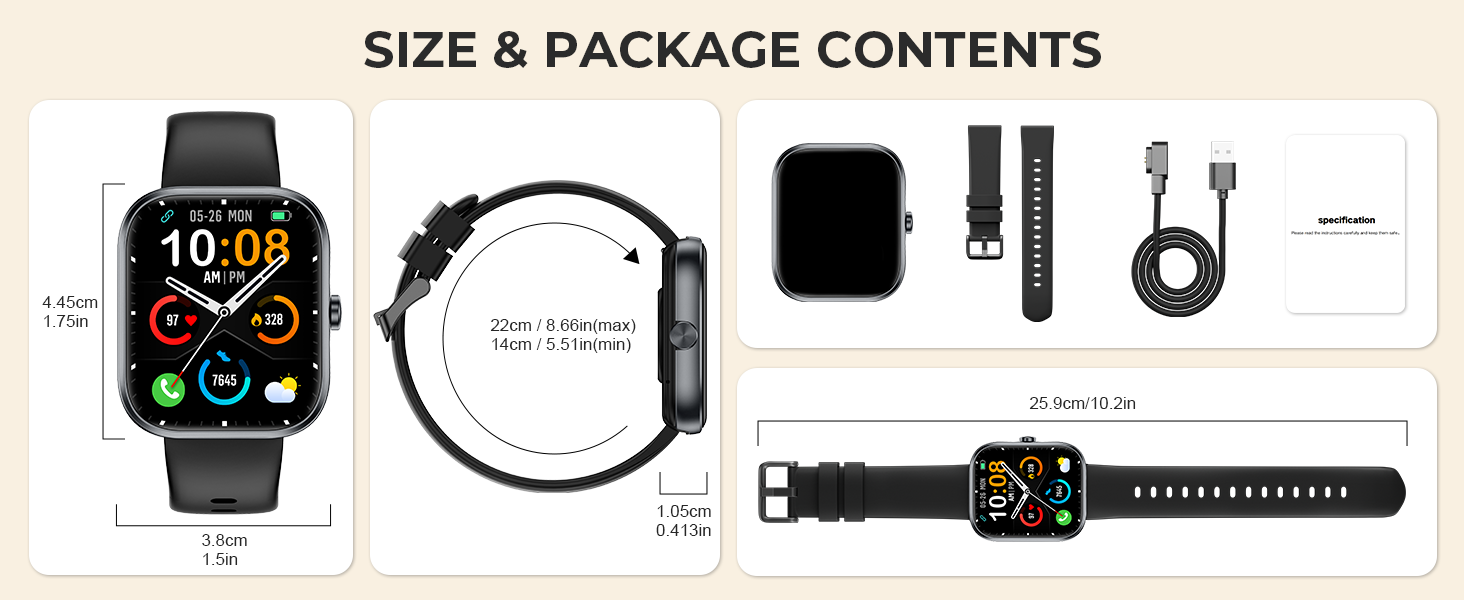
Image: The MFVLP D16 Smart Watch, its magnetic charging cable, watch band, and a diagram illustrating the watch's dimensions and package contents.
3. Producto terminadoview
The MFVLP D16 Smart Watch features a 1.83-inch HD full touch screen and a durable design. It includes a side button for navigation and a sensor array on the back for health monitoring. The watch is designed for comfortable wear throughout the day.
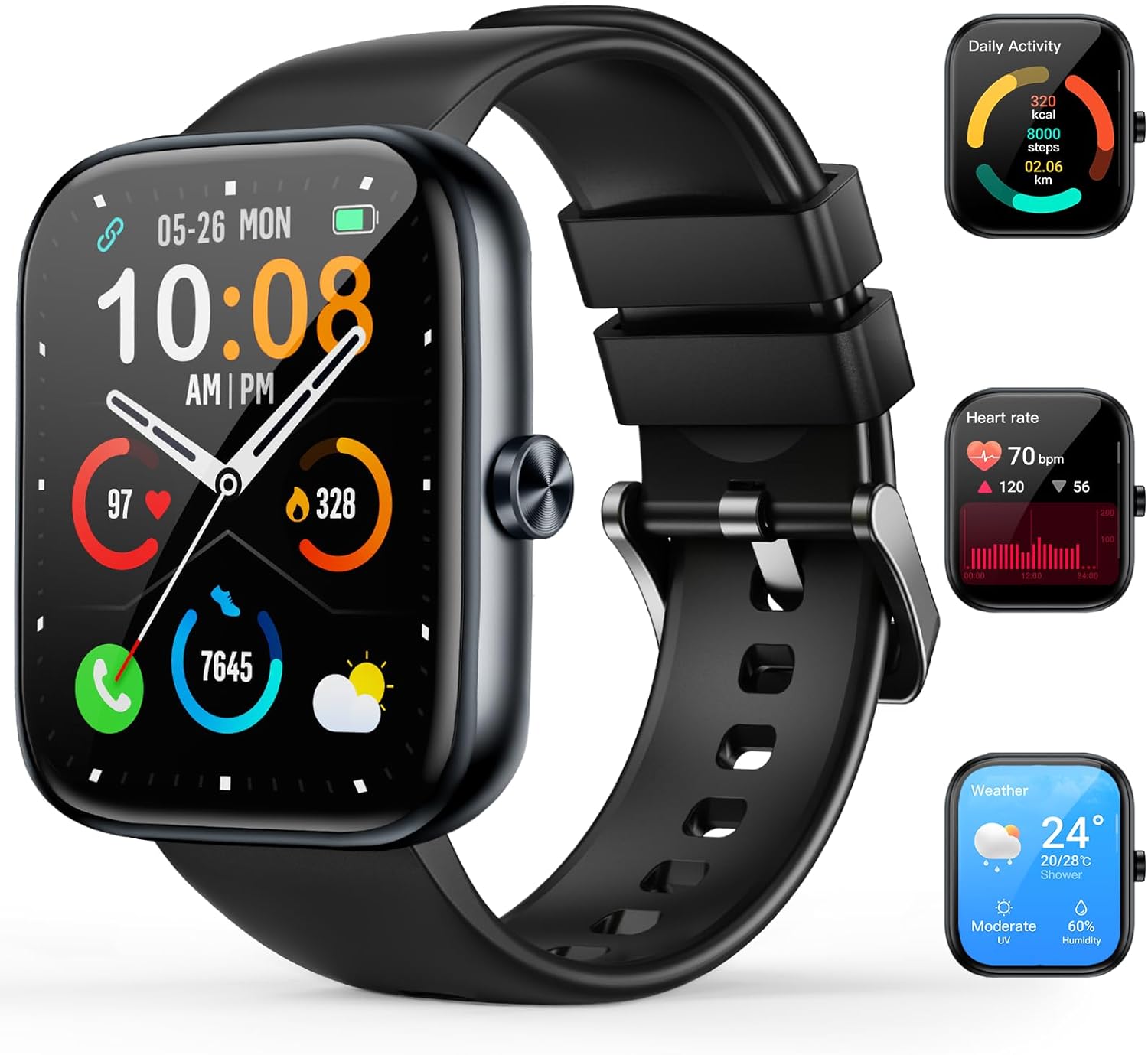
Image: A black MFVLP D16 Smart Watch displaying the time and various health metrics, alongside smaller images showing daily activity, heart rate, and weather screens.
4. Guía de configuración
4.1. Carga del dispositivo
Before initial use, fully charge your smart watch. Connect the magnetic charging cable to the charging contacts on the back of the watch and plug the USB end into a power adapter (not included) or a computer's USB port. A full charge typically takes approximately 2 hours.
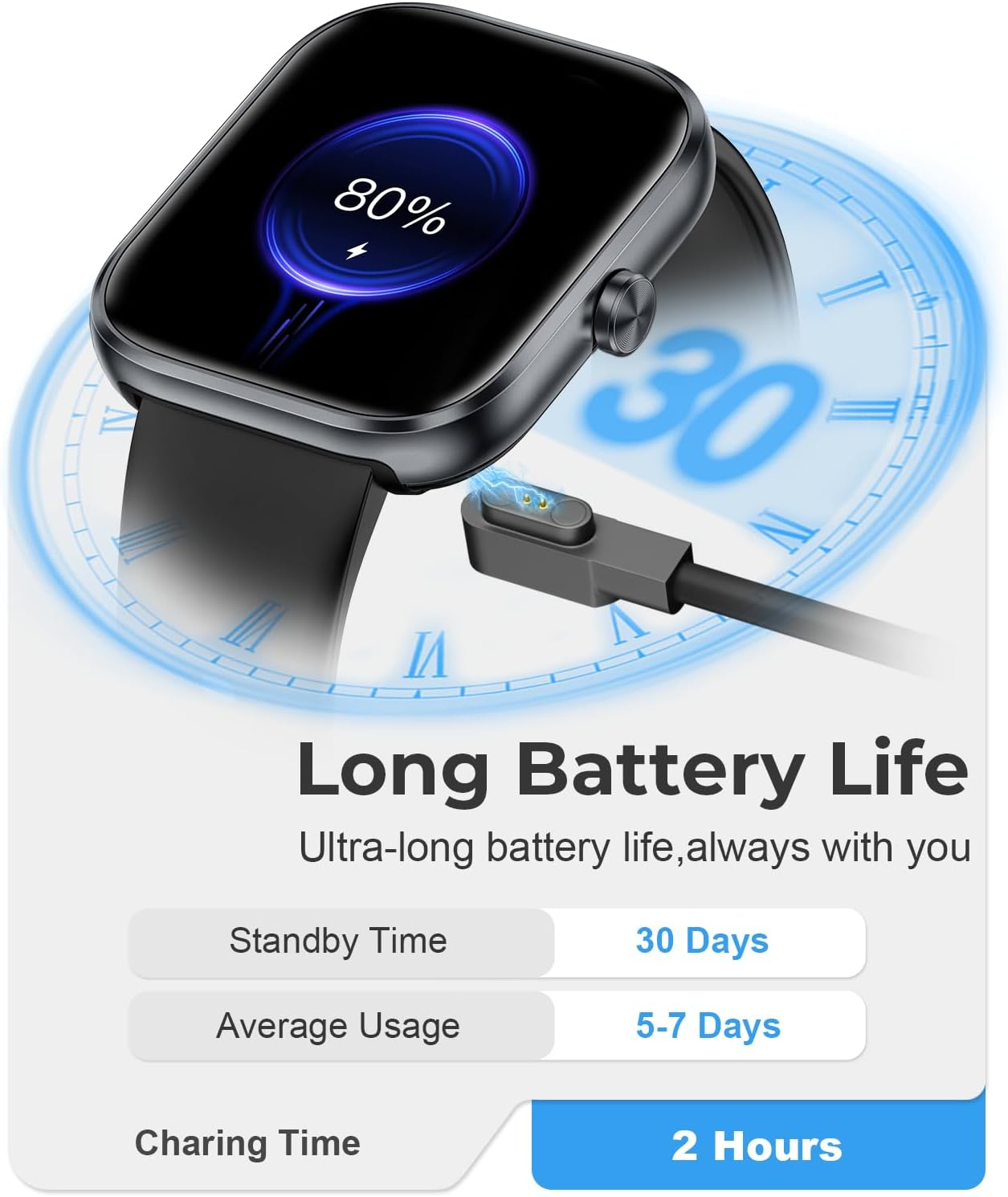
Image: The MFVLP D16 Smart Watch connected to its magnetic charging cable, illustrating the charging process.
4.2. Instalación de la aplicación
Para acceder a todas las funciones y sincronizar datos, descargue e instale el GloriaFit aplicación en su teléfono inteligente.
- Buscar "GloryFit" in the Apple App Store (for iOS devices) or Google Play Store (for Android devices).
- Alternatively, scan the QR code provided in the watch's packaging or on the watch screen (if available) to directly download the app.
- Install the application and create an account or log in if you already have one.
4.3. Emparejamiento de dispositivos
After installing the GloryFit app, pair your smart watch with your smartphone:
- Asegúrese de que Bluetooth esté habilitado en su teléfono inteligente.
- Open the GloryFit app and navigate to the device section (usually labeled "Device" or "My Devices").
- Tap "Add Device" or "Bind Device" and allow the app to search for your smart watch.
- Select "D16" or the device name that appears in the search results.
- Confirme la solicitud de emparejamiento tanto en su reloj como en su teléfono inteligente.
- Once paired, the app will display a "Connected" status, and the watch will synchronize time and data.
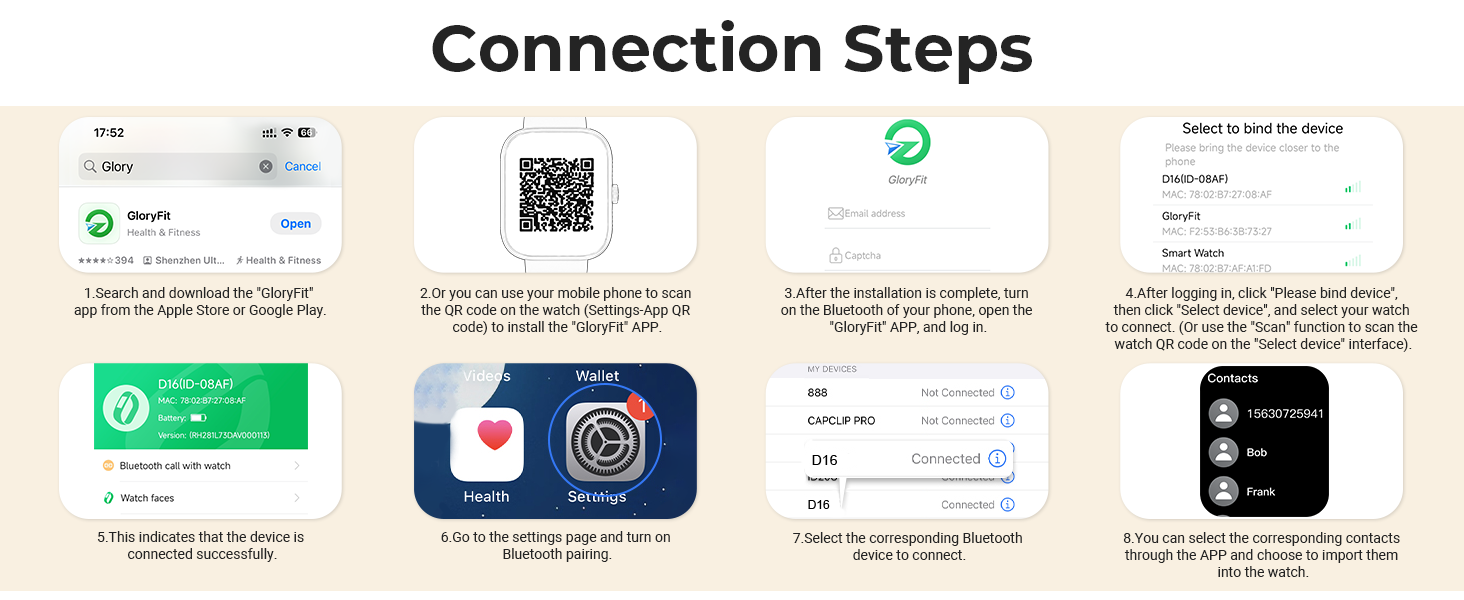
Image: A visual guide demonstrating the connection steps for the MFVLP D16 Smart Watch, including app download, QR code scanning, device binding, and contact synchronization.
5. Instrucciones de funcionamiento
5.1. Navegación básica
- Pantalla táctil: Desliza el dedo hacia la izquierda, derecha, arriba o abajo para navegar por los menús y las funciones. Toca para seleccionar una opción.
- Botón lateral: Press to return to the previous screen or the watch face. A long press may activate specific functions (configurable in settings).
- Levantar para despertar: La pantalla se iluminará automáticamente cuando levantes la muñeca (se puede habilitar/deshabilitar en la configuración de la aplicación).
5.2. Llamadas Bluetooth
The D16 Smart Watch supports Bluetooth calls, allowing you to make and receive calls directly from your wrist when connected to your smartphone.
- Haciendo llamadas: Access the call function on the watch, dial a number, or select a contact from your synchronized phonebook.
- Recibir llamadas: Al recibir una llamada, el reloj mostrará el identificador de llamada. Puedes responder o rechazar la llamada directamente desde la pantalla del reloj.
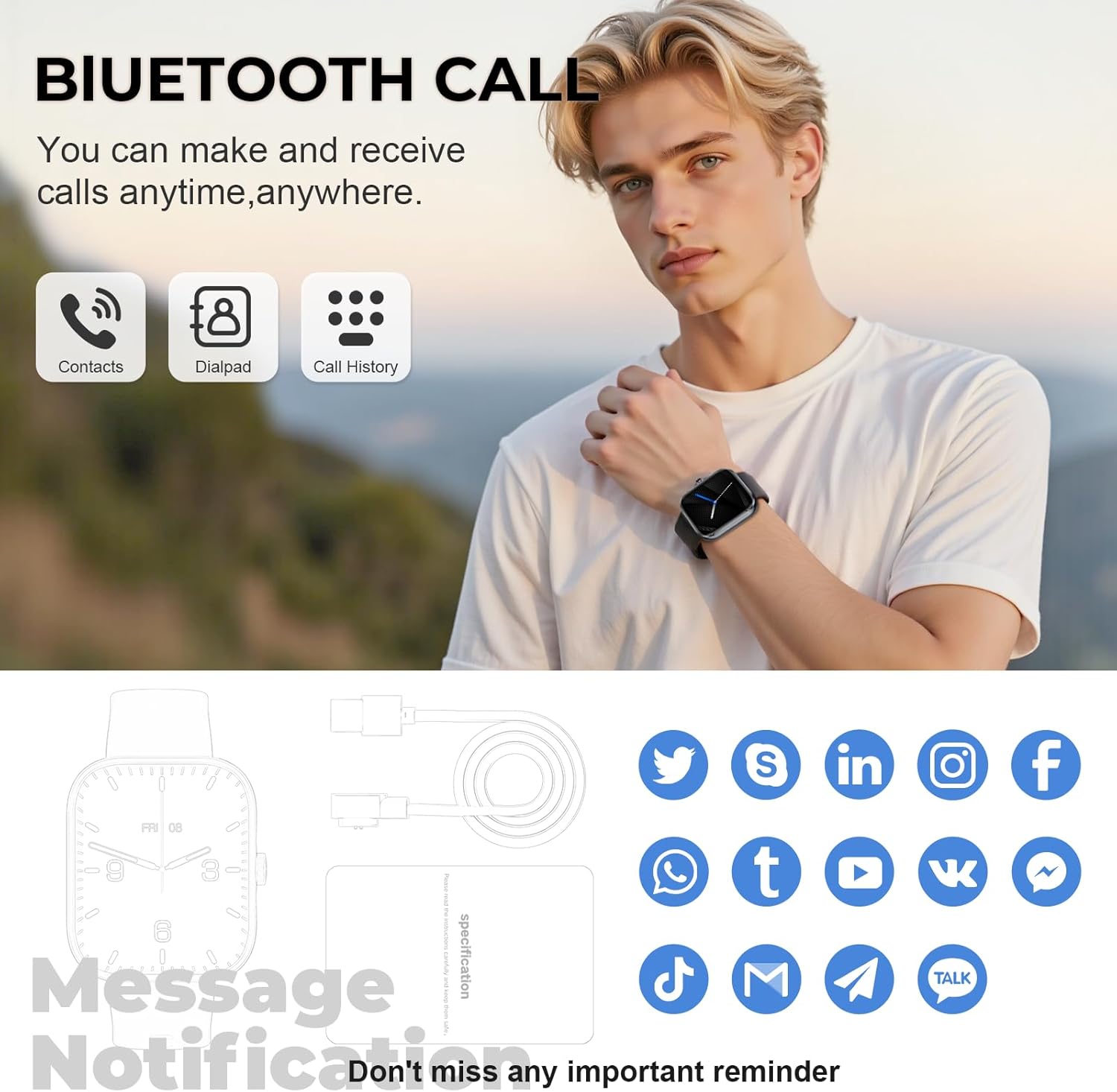
Image: A man wearing the MFVLP D16 Smart Watch, demonstrating its Bluetooth call feature with icons for contacts, dialpad, and call history.
5.3. Notificaciones inteligentes
Receive real-time notifications from various social platforms and apps directly on your watch. Ensure notification permissions are granted in the GloryFit app and your phone's settings.

Image: A woman's hand wearing the MFVLP D16 Smart Watch, displaying various app notification icons floating around it, such as WhatsApp, Facebook, InstagRAM y Twitter.
5.4. Modos deportivos
The D16 Smart Watch supports over 110 sports modes. Select your desired activity from the watch's sports menu to track real-time data such as calories burned, steps, distance, and heart rate during your workout.
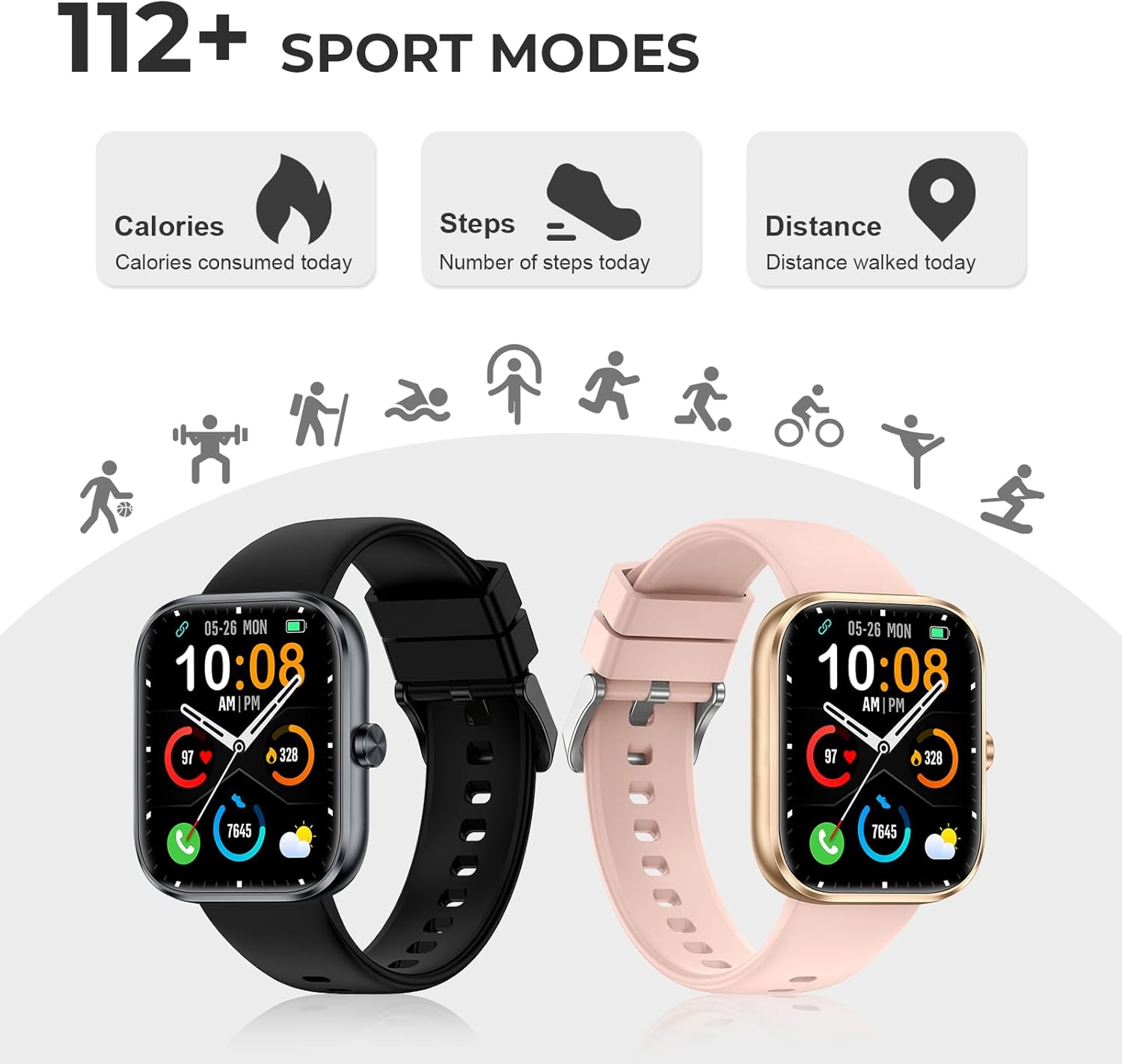
Image: Two MFVLP D16 Smart Watches (black and rose gold) with icons representing various sports activities like running, cycling, and swimming, highlighting the 110+ sports modes feature.
5.5. Monitoreo de la salud
El reloj ofrece funciones de monitorización continua de la salud:
- Monitor de frecuencia cardíaca: Realiza un seguimiento continuo de tu frecuencia cardíaca. View datos en tiempo real en el reloj o gráficos detallados en la aplicación GloryFit.
- Monitor de oxígeno en sangre (SpO2): Measures your blood oxygen saturation. Access this function on the watch to get a reading.
- Monitor de sueño: Automatically tracks your sleep patterns, including deep sleep, light sleep, and wake times. Provides a comprehensive analysis in the app.
- Seguimiento del ciclo menstrual femenino: For female users, the watch can track menstrual cycles and provide timely reminders. Enable and configure this feature in the GloryFit app.
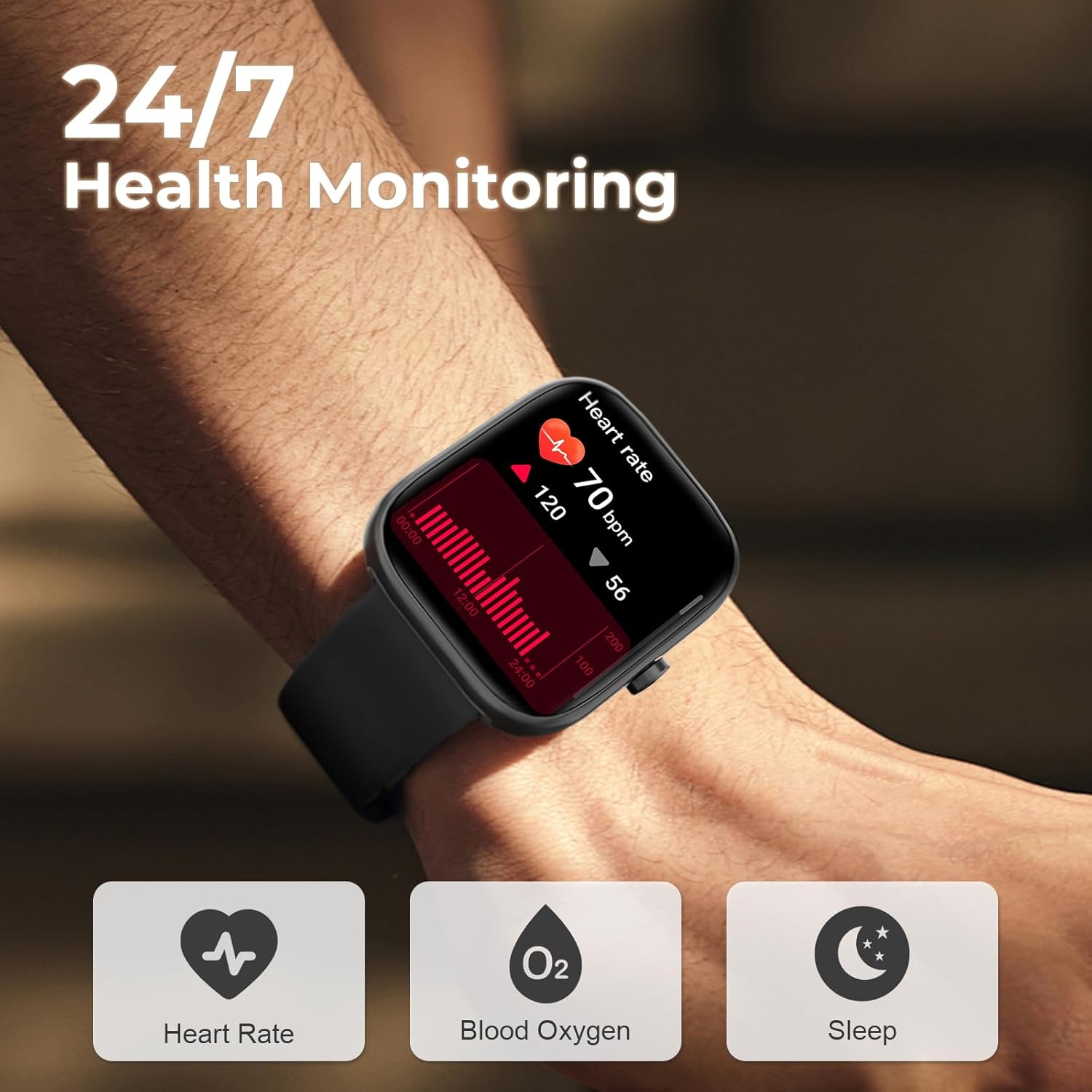
Image: A close-up of the MFVLP D16 Smart Watch on a wrist, showing a heart rate graph and icons for Heart Rate, Blood Oxygen, and Sleep monitoring.
5.6. Personalización de la esfera del reloj
Personalize your watch with over 100 online dials available through the GloryFit application. You can also upload your favorite photos to use as custom wallpapers.
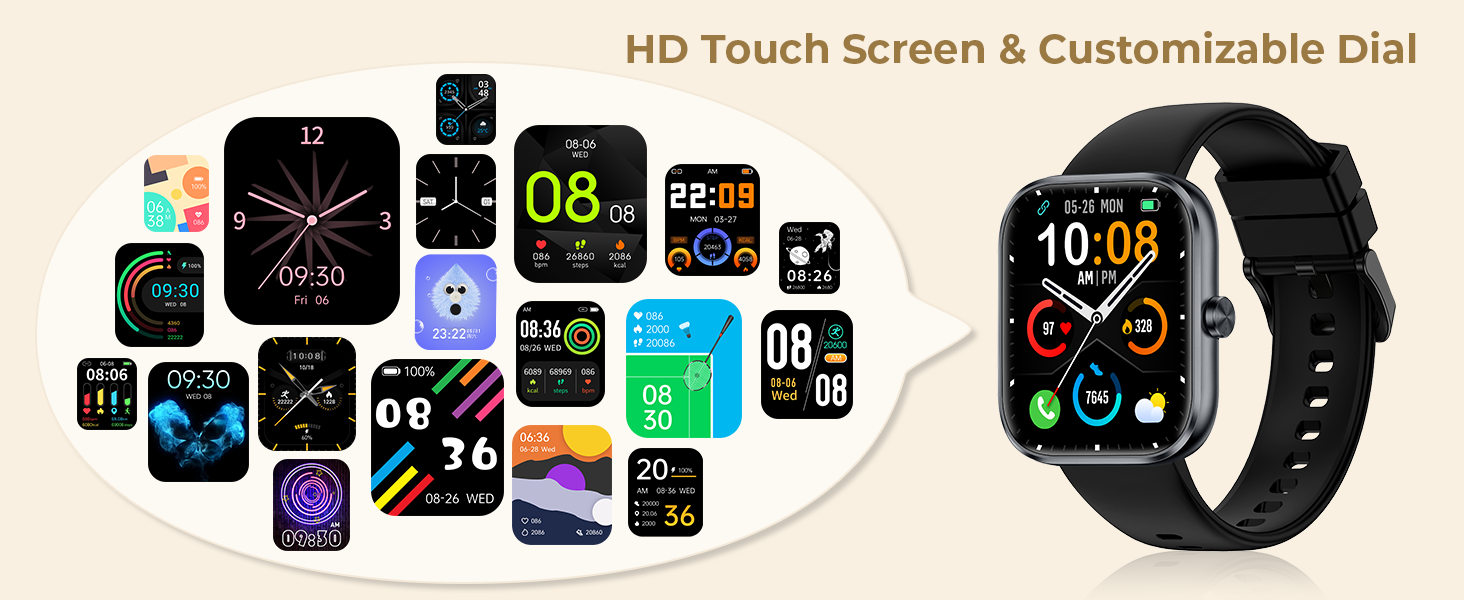
Image: The MFVLP D16 Smart Watch displaying a digital watch face, surrounded by numerous examples of customizable watch face designs.
5.7. Funciones adicionales
The D16 Smart Watch includes a variety of practical functions:
- Control de música
- Control remoto de la cámara
- Recordatorio de sedentarismo
- Despertador
- Calculadora
- Flash
- Asistente de voz
- Cronógrafo
- Calendario
- Encuentra Teléfono
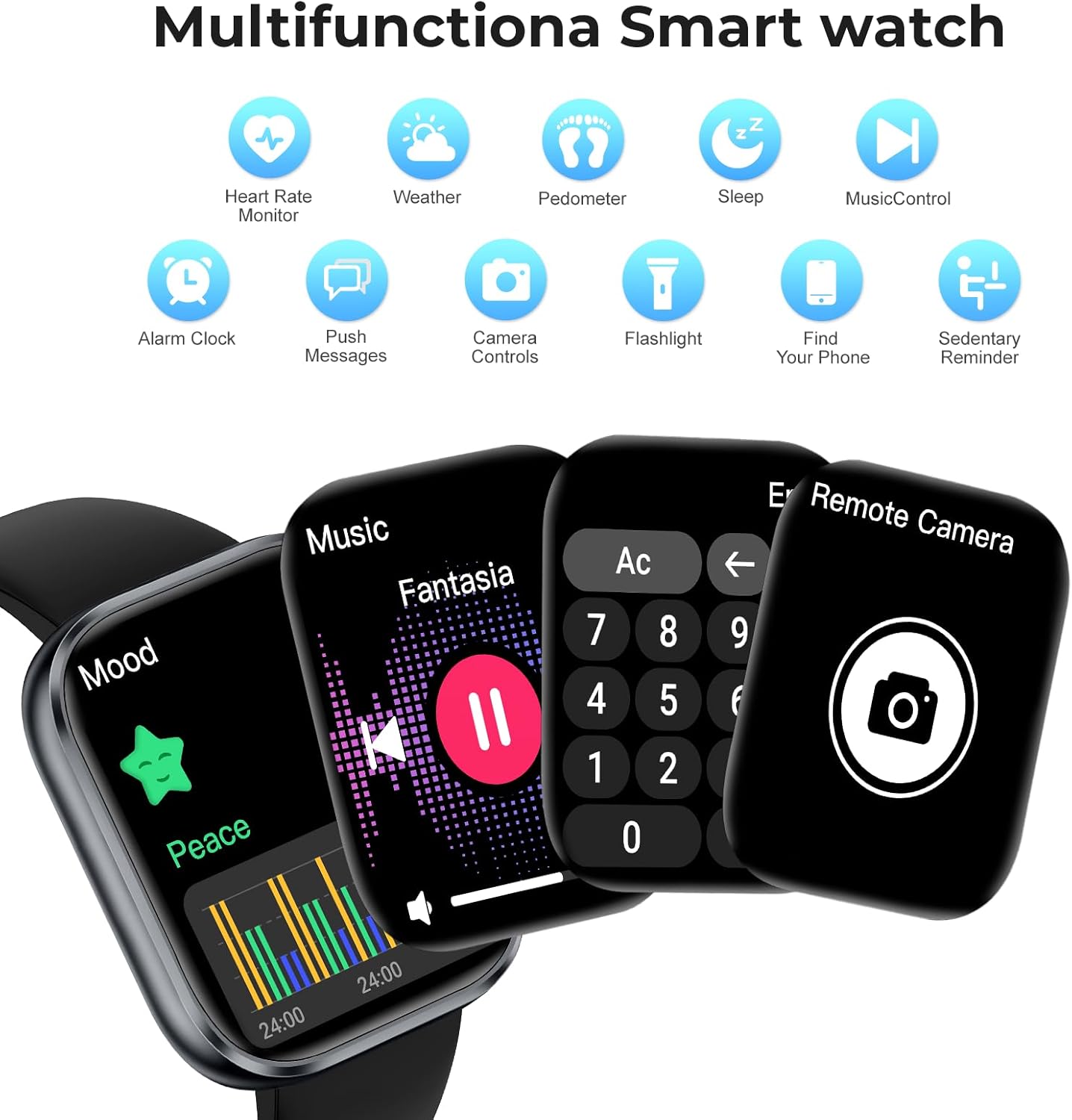
Image: The MFVLP D16 Smart Watch showcasing multiple functions like music control, calculator, and remote camera control, with icons for other features such as heart rate monitor, weather, pedometer, sleep, and alarm clock.
6. Mantenimiento
6.1. Resistencia al agua
The MFVLP D16 Smart Watch has an IP68 waterproof rating, making it suitable for daily activities such as washing hands, exposure to rain, and sweating during exercise. It is not recommended for use in hot water, saunas, or seawater, as these conditions may compromise the seal.
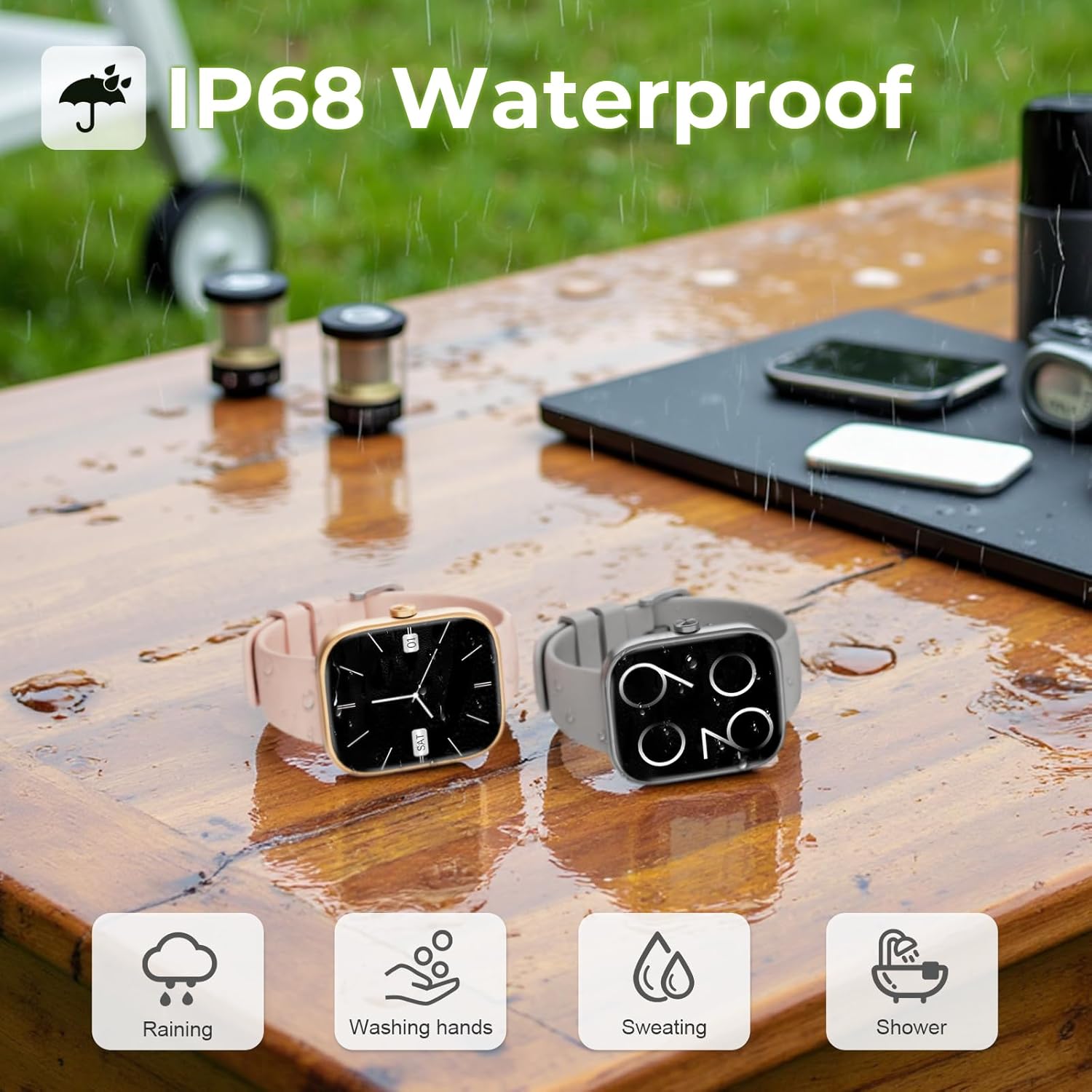
Image: Two MFVLP D16 Smart Watches on a wet wooden table, with water droplets, illustrating the IP68 waterproof feature for activities like raining, washing hands, sweating, and showering.
6.2. Limpieza
Regularly clean your watch and watch band to prevent skin irritation and maintain device functionality. Use a soft, damp cloth to wipe the screen and body. For the band, follow the manufacturer's cleaning recommendations for the specific material.
6.3. Cuidado de la batería
To prolong battery life, avoid extreme temperatures and fully discharging the battery frequently. Charge the watch using the provided magnetic charging cable.
7. Solución de problemas
- El reloj no enciende: Asegúrese de que el reloj esté completamente cargado. Conéctelo al cargador durante al menos 10 minutos antes de intentar encenderlo.
- No se puede emparejar con el teléfono:
- Asegúrese de que Bluetooth esté habilitado en su teléfono.
- Asegúrese de que el reloj esté dentro del alcance Bluetooth de su teléfono.
- Reinicie tanto el teléfono como el reloj.
- Borre la memoria caché de Bluetooth de su teléfono (si corresponde) y vuelva a intentarlo.
- Notificaciones no recibidas:
- Check if notifications are enabled in the GloryFit app for specific applications.
- Asegúrese de que los permisos de notificación estén otorgados a la aplicación GloryFit en la configuración de su teléfono.
- Verifique que el reloj esté conectado correctamente mediante Bluetooth.
- Datos de salud inexactos: Ensure the watch is worn snugly on your wrist, not too tight or too loose. Clean the sensor area regularly. Note that the watch is not a medical device and data is for reference only.
- Duración de la batería corta: Reduce screen brightness, disable unnecessary notifications, and limit continuous heart rate monitoring if not needed. Ensure background app refresh for GloryFit is enabled on your phone.
8. Especificaciones
| Número de modelo | D16 |
| Marca | MFVLP |
| Tamaño de pantalla | 1.83 pulgadas |
| Tipo de pantalla | TFT-LCD HD Full Touch Screen |
| Resolución | 240*284 |
| Conectividad | Bluetooth 5.3 |
| Capacidad de la batería | Polímero de litio de 300 mAh |
| Tiempo de carga | Aproximadamente 2 horas |
| Tiempo de uso típico | 5-7 días |
| Tiempo de espera | Hasta 30 días |
| Clasificación de impermeabilidad | IP68 |
| Vigilancia de la salud | Heart Rate, Blood Oxygen (SpO2), Sleep Tracking, Menstrual Cycle Tracking |
| Modos deportivos | 110+ |
| Compatibilidad | Android, iOS |
| Peso del artículo | 40 gramos (1.41 onzas) |
| Capacidad de almacenamiento de memoria | 128 MB |
| Tamaño de la memoria RAM instalada | 640 KB |
9. Garantía y soporte
Specific warranty information for the MFVLP D16 Smart Watch is typically provided with your purchase documentation or can be found on the official MFVLP website. For technical support, troubleshooting assistance, or warranty claims, please refer to the contact information provided by your retailer or the MFVLP customer service channels.
Conserve su comprobante de compra para cualquier consulta relacionada con la garantía.