
1. Introducción
Thank you for choosing the xinwld H9 Wireless Earbuds. These earbuds are designed to provide a high-quality audio experience with advanced features for active lifestyles. This manual provides detailed instructions for setup, operation, maintenance, and troubleshooting to ensure optimal performance and longevity of your device.
2. ¿Qué hay en la caja?
- xinwld H9 Wireless Earbuds (Left and Right)
- Estuche de carga
- Cable de carga USB-C
- Puntas de silicona para los oídos (tallas S/M/L)
- Manual de usuario
3. Producto terminadoview
The xinwld H9 Wireless Earbuds feature Bluetooth 5.4 technology for stable connectivity and low latency. They are equipped with Environmental Noise Cancelling (ENC) microphones for clear calls and a 14.2mm dynamic driver for immersive sound. The ergonomic design with earhooks ensures a secure fit, and IP7 waterproofing provides protection against sweat and rain.
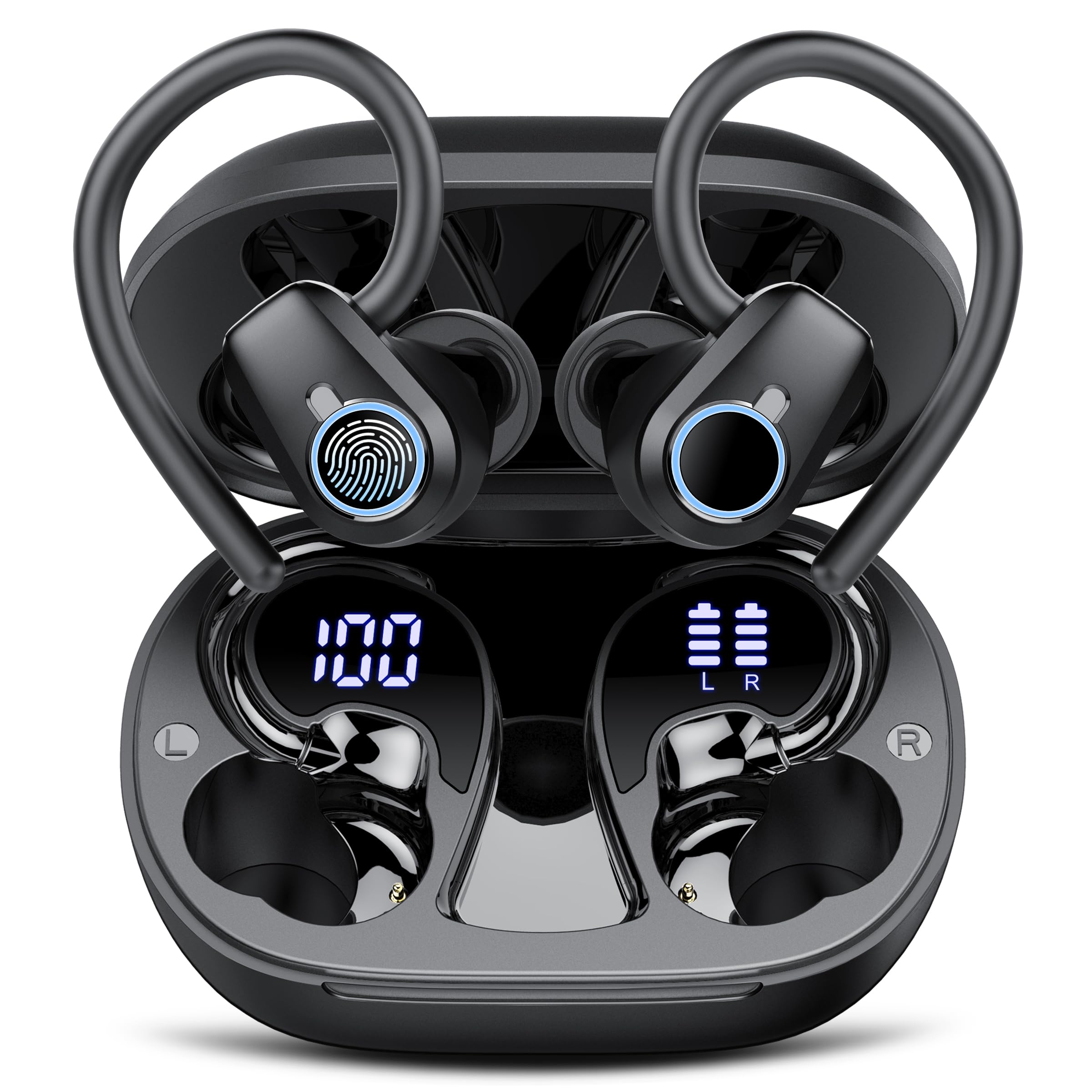
Image: xinwld H9 Wireless Earbuds and their charging case, showcasing el elegante diseño negro.
4. Configuración
4.1 Carga inicial
Before first use, fully charge the earbuds and the charging case. Connect the provided USB-C cable to the charging port on the case and to a compatible USB power source. The dual LED display on the charging case will indicate the battery levels of both the case and the individual earbuds.

Imagen: El estuche de carga con auriculares en su interior, mostrando el porcentaje de batería.tages for the case and each earbud on its LED screen.
4.2 Selección y ajuste de la punta del oído
Select the ear tips (S/M/L) that provide the most comfortable and secure fit for your ears. The ergonomic design with 45° TPU elastic ear hooks ensures stability, especially during physical activity. Gently place the earbud into your ear canal and adjust the ear hook over your ear until it feels secure.

Image: Diagram illustrating the ergonomic design of the earbuds with earhooks and showing the three included sizes (S, M, L) of silicone ear tips.
5. Instrucciones de funcionamiento
5.1 Encendido y apagado
Los auriculares se encienden automáticamente cuando se retiran del estuche de carga y se apagan cuando se vuelven a colocar en el estuche y se cierra la tapa.
5.2 Emparejamiento Bluetooth
The earbuds feature one-step pairing. Open the charging case, and the earbuds will automatically enter pairing mode. On your device (smartphone, tablet, laptop), enable Bluetooth and select "xinwld H9" from the list of available devices. Once connected, the earbuds will automatically reconnect to the last paired device when removed from the case.

Image: A visual representation of the one-step pairing process, showing the open charging case with earbuds and a smartphone displaying Bluetooth connection options.
5.3 Controles táctiles inteligentes
The earbuds are equipped with highly sensitive smart touch controls:
- Reproducir/Pausar música: Un solo toque en cualquiera de los auriculares.
- Ajustar el volumen: Tap and hold the right earbud to increase volume, tap and hold the left earbud to decrease volume.
- Responder/Finalizar llamada: Un solo toque en cualquiera de los auriculares.
- Rechazar llamada: Toque dos veces en cualquiera de los auriculares.
- Pista siguiente: Toque dos veces el auricular derecho.
- Pista anterior: Toque dos veces el auricular izquierdo.
- Activar asistente de voz: Toque tres veces cualquiera de los auriculares.
5.4 Cancelación de ruido ambiental (ENC)
The 4-microphone array with advanced ENC technology effectively filters out background noise during calls, providing clear voice transmission comparable to face-to-face conversations.
5.5 Clasificación de impermeabilidad IP7
The earbuds are IP7 waterproof, protecting them from sweat and rain splashes. This makes them suitable for sports and outdoor activities. Avoid submerging the earbuds in water for extended periods.

Image: The xinwld H9 earbuds shown with water droplets, illustrating their IP7 waterproof capability against rain and sweat.
6. Mantenimiento
- Limpieza: Limpie regularmente los auriculares y el estuche de carga con un paño suave, seco y sin pelusa. No utilice productos químicos agresivos ni materiales abrasivos.
- Consejos para los oídos: Retire y limpie periódicamente las almohadillas de silicona con agua y jabón suave. Asegúrese de que estén completamente secas antes de volver a colocarlas.
- Almacenamiento: Guarda los auriculares en su estuche de carga cuando no los uses para protegerlos y mantenerlos cargados. Evita temperaturas extremas.
- Puerto de carga: Mantenga el puerto de carga USB-C libre de polvo y residuos.
7. Solución de problemas
| Asunto | Posible solución |
|---|---|
| Los auriculares no se emparejan | Ensure earbuds are charged. Place them back in the case, close the lid, then open to re-enter pairing mode. Forget the device on your phone's Bluetooth settings and try pairing again. |
| Sin sonido de un auricular | Check battery level of both earbuds. Try resetting the earbuds (refer to specific reset instructions if available, otherwise re-pair). |
| El estuche de carga no carga | Verifique que el cable USB-C esté bien conectado tanto al estuche como a la fuente de alimentación. Pruebe con otro cable o adaptador de corriente. |
| Mala calidad de sonido | Ensure ear tips provide a good seal. Clean earbuds to remove any debris blocking the speaker. Move closer to your paired device to avoid interference. |
| Los auriculares se caen fácilmente | Try different sizes of silicone ear tips. Adjust the ear hooks for a more secure fit. |
8. Especificaciones
- Marca: xinwld
- Número de modelo: H9
- Tecnología de conectividad: Inalámbrico (Bluetooth 5.4)
- Alcance de Bluetooth: 15 metros
- Colocación de la oreja: En la oreja con ganchos para la oreja
- Control de ruido: Cancelación de ruido ambiental (ENC)
- Tipo de controlador de audio: Controlador dinámico (14.2 mm)
- Rango de frecuencia: 18 Hz-25 kHz
- Duración de la batería (auriculares): Hasta 8 horas (reproducción continua)
- Tiempo total de reproducción (con estuche de carga): Hasta 50 horas
- Tiempo de carga de la batería: 2 hours (for case and earbuds)
- Nivel de resistencia al agua: IP7 resistente al agua
- Dispositivos compatibles: Smartphones, Tablets, Laptops, Gaming Consoles, Desktops (Android 4.4+, iOS 8.0+, Bluetooth 4.0+)
- Material: Silicona (puntas para los oídos)

Image: Diagram illustrating Bluetooth technology, highlighting stable signal transmission and a 15-meter range.

Imagen: Explotada view diagram of the earbud's internal components, emphasizing the 14.2mm dynamic driver for Hi-Fi stereo sound and bass performance.
9. Garantía y soporte
The product comes with a manufacturer's warranty. For specific warranty details, please refer to the documentation included with your purchase or contact xinwld customer support. For technical assistance or further inquiries, please visit the official xinwld websitio o comuníquese con su equipo de servicio al cliente.
Soporte en línea: Visita la tienda xinwld en Amazon