
1. Introducción
Thank you for choosing the XINYIELE Smart Sprinkler Timer. This device is designed to automate your garden watering, ensuring your plants receive optimal hydration with minimal effort. Please read this manual carefully before installation and operation to ensure proper use and longevity of your product.
2. Información de seguridad
- Do not immerse the timer in water. It is water-resistant, not submersible.
- Use only alkaline batteries of the specified type. Do not mix old and new batteries or different battery types.
- Asegúrese de que todas las conexiones estén bien ajustadas para evitar fugas.
- Do not expose the timer to extreme temperatures or direct sunlight for prolonged periods, as this may affect its performance and lifespan.
- Mantener fuera del alcance de los niños.
3. Contenido del paquete
Por favor revise el paquete para ver los siguientes artículos:
- XINYIELE Smart Sprinkler Timer (1 unit)
- Manual de usuario (este documento)
- Additional hose connectors/washers (if applicable)
4. Producto terminadoview
Familiarize yourself with the components of your smart sprinkler timer:
- Pantalla LCD: Shows current time, program settings, and battery status.
- Marcar: Used to select different programming modes (Set Clock, Start Time, How Often, How Long, ON, OFF, Rain Delay).
- OK/+/– Buttons: For confirming selections and adjusting values.
- Entrada de agua: Connects to the faucet (3/4" GHT thread). Features a 360° swivel inlet and built-in metal filter.
- Salida de agua: Connects to the garden hose.
- Compartimento de la batería: Located at the back, houses the batteries.

Imagen: Más alláview of the XINYIELE Smart Sprinkler Timer, showing its 360° swivel inlet, 2.5" LCD Display, IP65 waterproof rating, low power protection, anti-UV material, and 3/4" GHT thread for garden hoses.
5. Configuración
5.1 Instalación de la batería
- Localice el compartimento de la batería en la parte posterior del temporizador.
- Deslice la tapa de la batería hacia afuera.
- Insert two new AA alkaline batteries (not included), ensuring correct polarity (+/-).
- Vuelva a colocar la tapa de la batería de forma segura.

Image: The XINYIELE Smart Sprinkler Timer highlighting its durable structural design, built-in metal filter, high-definition display screen, and waterproof battery box design, which prevents water from entering the interior.
5.2 Instalación del temporizador
- Asegúrese de que el grifo esté cerrado.
- Thread the timer's inlet onto your outdoor faucet. Hand-tighten only. Do not overtighten.
- Connect your garden hose to the timer's outlet. Hand-tighten.
- Turn on the faucet. The timer is designed to withstand standard household water pressure (up to 116 PSI).
6. Instrucciones de funcionamiento
6.1 Puesta en hora del reloj
- Gire el dial hasta “AJUSTAR RELOJ”.
- Use the "+" and "–" buttons to adjust the current time.
- Press "OK" to confirm and move to the next setting (e.g., AM/PM).
- Once the time is set, turn the dial to "ON" to save.
6.2 Programación del riego automático
The timer offers two automatic cycle modes:

Image: The XINYIELE Smart Sprinkler Timer displaying its two automatic cycle modes: Mode 1 for watering every 1 to 12 hours, and Mode 2 for watering every 1 to 7 days. This allows users to choose an appropriate watering frequency for different plants.
- Establecer hora de inicio:
- Gire el dial a “HORA DE INICIO”.
- Use "+" and "–" to set the desired watering start time.
- Pulse “OK” para confirmar.
- Set How Long (Watering Duration):
- Gire el dial hasta "CUÁNTO TIEMPO".
- Use "+" and "–" to set the watering duration (e.g., 1 minute to 8 hours).
- Pulse “OK” para confirmar.
- Set How Often (Watering Frequency):
- Gire el dial hasta la posición "¿CON QUÉ FRECUENCIA?".
- Use "+" and "–" to select the frequency:
- Every 1-12 hours (Mode 1)
- Every 1-7 days (Mode 2)
- Pulse “OK” para confirmar.
- After setting all parameters, turn the dial to "ON" to activate the program. The timer will now water automatically according to your settings.
6.3 Riego manual
You can manually water without interrupting your programmed schedule.

Image: The XINYIELE Smart Sprinkler Timer demonstrating its manual watering feature, which allows for watering durations from 1 minute to 8 hours without altering the existing automatic watering schedule.
- Gire el dial a la posición "ON".
- Press the "OK" button. The display will show "MANUAL".
- Use "+" and "–" to set the desired manual watering duration.
- Pulse “OK” para iniciar el riego manual.
- To stop manual watering, press "OK" again or turn the dial to "OFF" and then back to "ON".
6.4 Función de retraso por lluvia
To conserve water during rainy periods, you can temporarily pause your watering schedule.
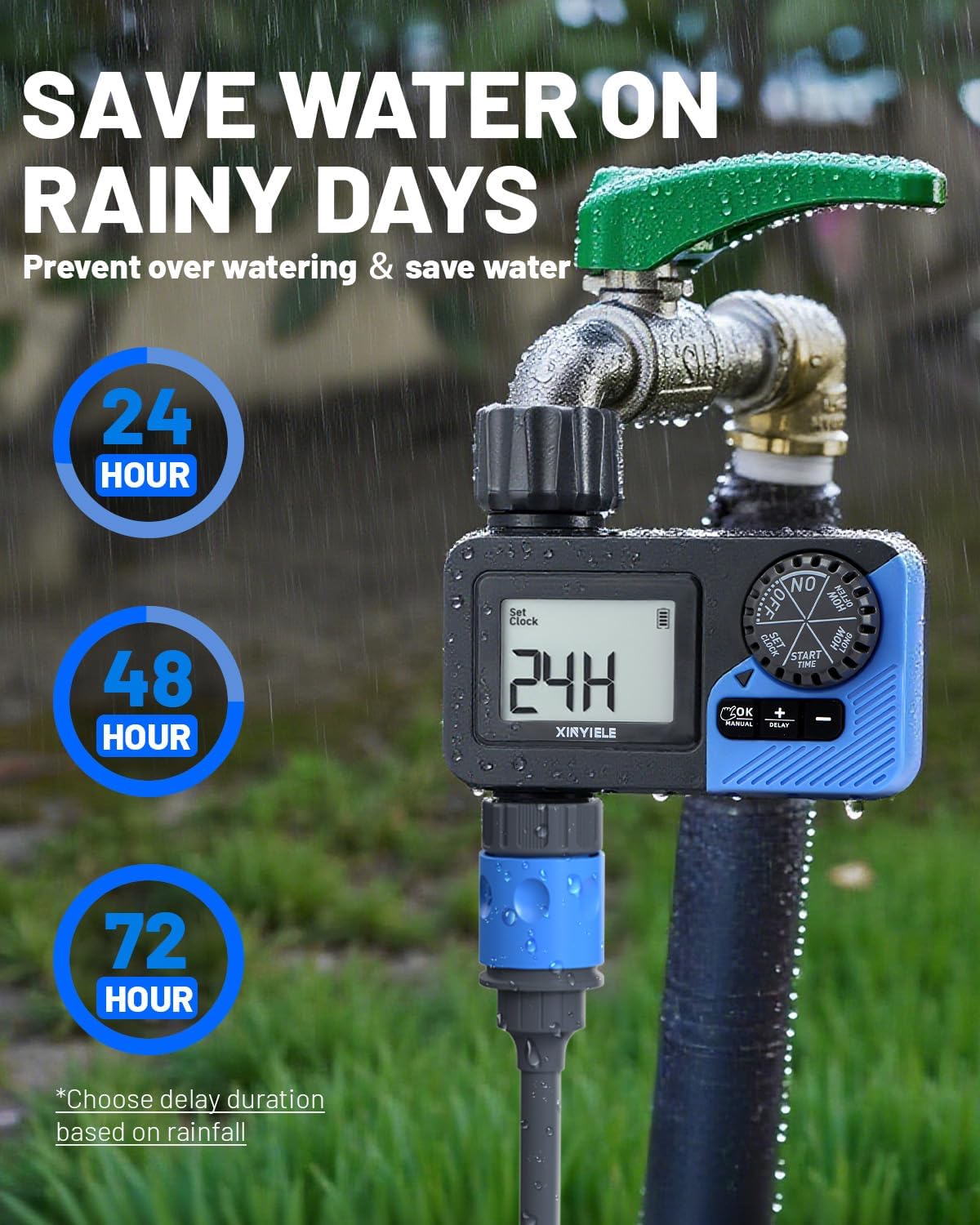
Image: The XINYIELE Smart Sprinkler Timer illustrating its rain delay function, which allows users to pause watering for 24, 48, or 72 hours to prevent overwatering and save water on rainy days.
- Turn the dial to "RAIN DELAY".
- Use "+" and "–" to select the delay duration (24, 48, or 72 hours).
- Press "OK" to activate the rain delay. The timer will resume its schedule automatically after the delay period.
- To cancel the rain delay, turn the dial to "ON".
6.5 Turning Off the Timer
To stop all watering, turn the dial to "OFF".
6.6 Low Battery Protection
The timer is equipped with a low battery protection function. When the battery level is critically low, the valve will automatically close to prevent continuous watering and water wastage. Replace batteries promptly when the low battery indicator appears on the display.
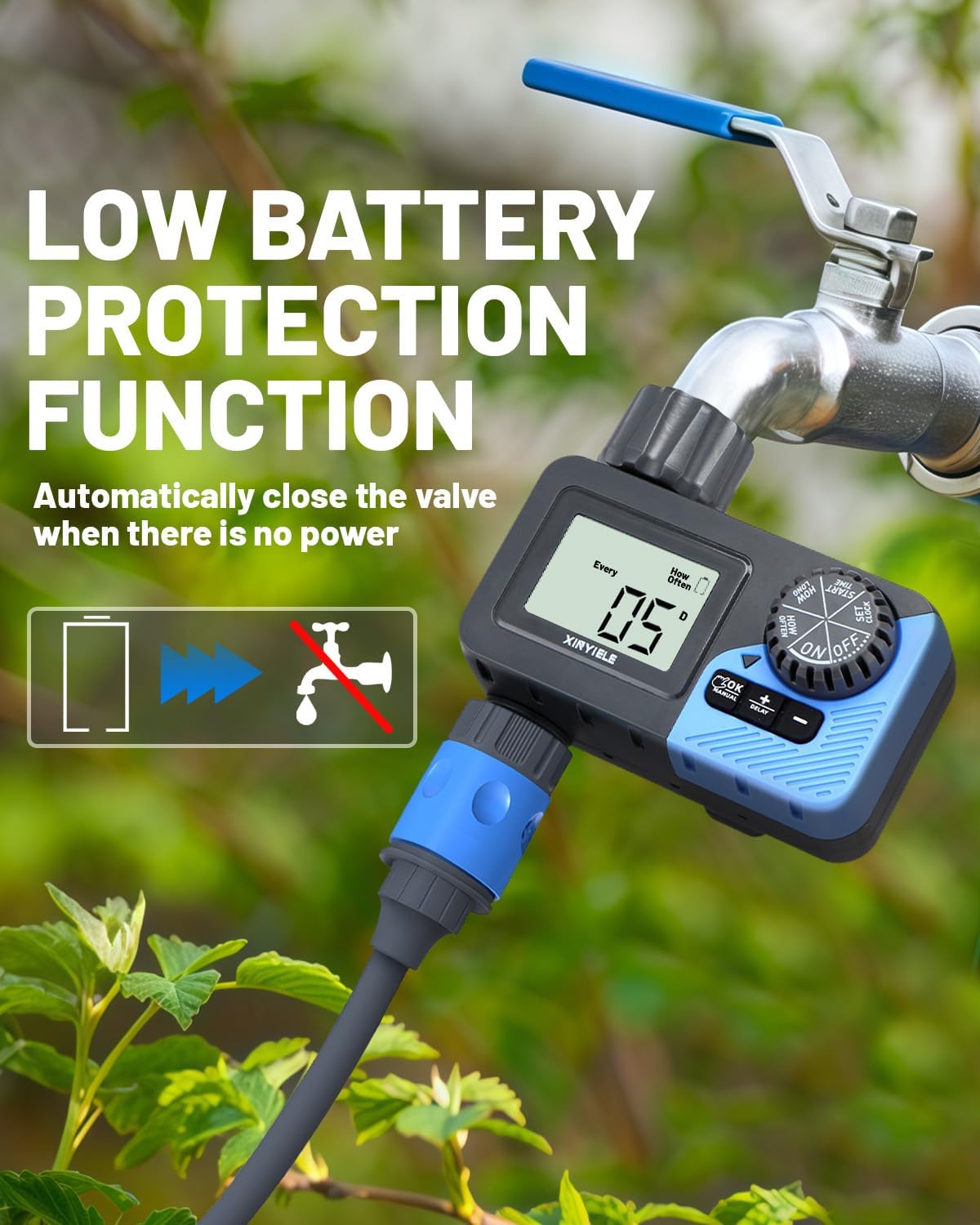
Image: The XINYIELE Smart Sprinkler Timer illustrating its low battery protection feature, which automatically closes the valve when there is insufficient power to prevent water waste.
7. Mantenimiento
7.1 Limpieza
- Periodically check and clean the built-in metal filter at the water inlet to prevent clogging.
- Limpie el exterior del temporizador con publicidad.amp Paño. No utilice limpiadores abrasivos.
7.2 Preparación para el invierno
- Before the first frost, disconnect the timer from the faucet and hose.
- Retire las pilas.
- Guarde el temporizador en un lugar interior seco y libre de heladas.
8. Solución de problemas
| Problema | Posible causa | Solución |
|---|---|---|
| El temporizador no se enciende. | Baterías muertas o instaladas incorrectamente. | Reemplace las baterías con baterías alcalinas AA nuevas, asegurándose de la polaridad correcta. |
| No hay flujo de agua. | Faucet is off; filter is clogged; low battery; program not set correctly. | Ensure faucet is fully open. Clean the inlet filter. Replace batteries. Verify program settings. |
| Fugas de agua en las conexiones. | Loose connections; worn washer. | Tighten connections. Check and replace rubber washers if damaged. |
| El temporizador no riega a la hora programada. | Incorrect clock setting; program not activated; rain delay active. | Verify current time. Ensure dial is on "ON". Check if rain delay is active and cancel if needed. |
9. Especificaciones
- Marca: XINYIELE
- Número de modelo: SPTI-1out
- Material: Plástico
- Color: Gris
- Dimensiones del producto: 12.7D x 12.7W x 12.7H centímetros
- Peso del artículo: 0.3 kilogramos
- Rango de presión del agua: Up to 116 PSI (Maximum)
- Fuente de energía: 2 pilas alcalinas AA (no incluidas)
- Duración del riego: 1 minuto a 8 horas
- Frecuencia de riego: Cada 1-12 horas o Cada 1-7 días
- Resistencia al agua: IP65
- Mostrar: Pantalla LCD de 2.5"
10. Garantía y soporte
XINYIELE products are designed for reliability and performance. For warranty information or technical support, please refer to the contact details provided at the point of purchase or visit the official XINYIELE webSitio web. Conserve su comprobante de compra para reclamaciones de garantía.
For further assistance, you may contact customer support via support@xinyiele.com o visitar www.xinyiele.com/support.