
1. Introducción
Thank you for choosing the COTOE G7 Bluetooth Headset. This manual provides detailed instructions for setting up, operating, and maintaining your headset. Please read this manual carefully before use to ensure optimal performance and longevity of your device.
The COTOE G7 is a wireless Bluetooth headset designed for clear communication and audio playback. It features an LED digital display for battery status, extended standby time, and Active Noise Cancellation (ANC) for an enhanced audio experience.
2. Contenido del paquete
Por favor revise el paquete para ver los siguientes artículos:
- COTOE G7 Bluetooth Headset (Gray)
- Estuche de carga
- Cable de carga USB
- Puntas para los oídos (varios tamaños)
- Manual de usuario
3. Producto terminadoview
Familiarize yourself with the components of your COTOE G7 Bluetooth Headset.
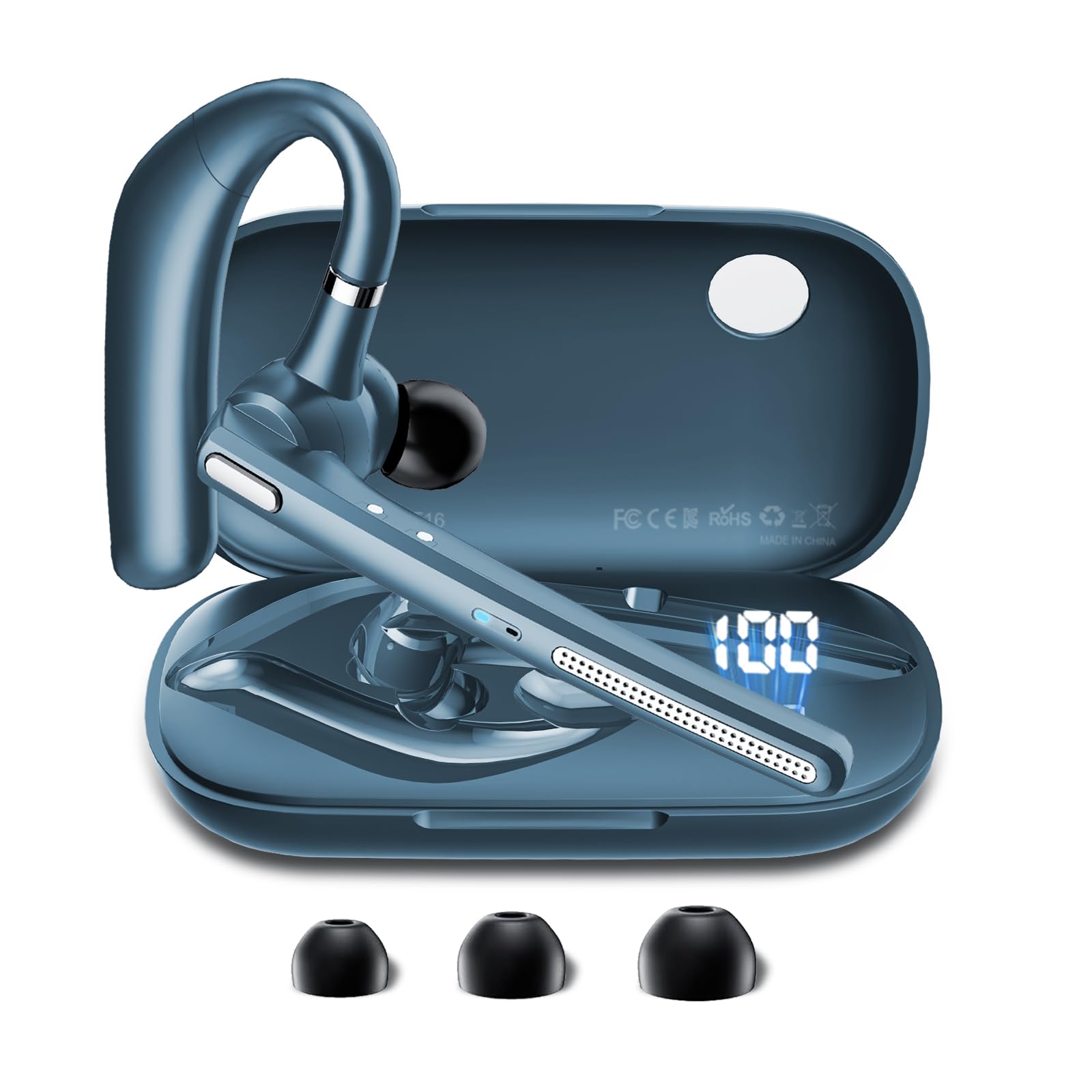
Image: The COTOE G7 Bluetooth Headset (gray) shown with its charging case. The headset features an ergonomic in-ear design, and the charging case is compact.
Componentes clave:
- Auricular: The main unit worn in the ear, containing the speaker, microphone, and control buttons.
- Estuche de carga: Used to store and charge the headset. Features an LED digital display.
- Pantalla digital LED: Located on the charging case, indicates the charging status of the headset and the power level of the case.
4. Configuración
4.1 Carga de los auriculares y el estuche
- Conecte el cable de carga USB al puerto de carga del estuche y a una fuente de alimentación (por ejemplo, un adaptador de pared USB o un puerto USB de una computadora).
- The LED digital display on the charging case will show the current battery level and charging status.
- Place the headset into the charging case. Ensure proper alignment for charging. The headset's indicator light will show charging status.
- A full charge typically takes approximately 1-2 hours for the headset and 2-3 hours for the charging case.
Nota: The headset offers up to 12 hours of music playback and the charging case provides 120 hours of standby time.
4.2 Emparejamiento con un dispositivo Bluetooth
- Asegúrese de que los auriculares estén cargados.
- Take the headset out of the charging case. It will automatically enter pairing mode, indicated by a flashing LED light (usually blue and red).
- En su teléfono móvil u otro dispositivo con Bluetooth habilitado, vaya a la configuración de Bluetooth.
- Buscar available devices. You should see "COTOE G7" in the list.
- Select "COTOE G7" to connect. Once connected, the headset's LED light will stop flashing and may turn solid blue or turn off.
- Si se le solicita una contraseña, ingrese "0000" (cuatro ceros).
- The headset will automatically reconnect to the last paired device when powered on and within range.
5. Instrucciones de funcionamiento
5.1 Encendido y apagado
- Encendido: Take the headset out of the charging case, or press and hold the Multi-function Button for approximately 3 seconds.
- Apagado: Place the headset back into the charging case, or press and hold the Multi-function Button for approximately 5 seconds.
5.2 Gestión de llamadas
- Responder llamada: Presione el botón multifunción una vez.
- Finalizar llamada: Presione el botón multifunción una vez durante una llamada.
- Rechazar llamada: Mantenga presionado el botón multifunción durante aproximadamente 2 segundos.
- Volver a marcar el último número: Presione dos veces el botón multifunción.
5.3 Reproducción de música
- Reproducir/Pausa: Presione el botón multifunción una vez.
- Pista siguiente: Mantenga presionado el botón para subir el volumen.
- Pista anterior: Mantenga presionado el botón para bajar el volumen.
5.4 Control de volumen
- Aumenta el volumen: Presione el botón para subir el volumen.
- Disminuir volumen: Presione el botón para bajar el volumen.
5.5 Cancelación activa de ruido (ANC)
The COTOE G7 features Active Noise Cancellation to reduce ambient noise. To activate or deactivate ANC, locate the dedicated ANC button (if present) or refer to the specific button combination in your quick start guide. Typically, a long press on a designated button toggles ANC.
6. Mantenimiento
- Limpieza: Use a soft, dry, lint-free cloth to clean the headset and charging case. Do not use harsh chemicals or abrasive materials.
- Almacenamiento: Guarde los auriculares en su estuche de carga cuando no los use para protegerlos del polvo y otros daños. Evite las temperaturas extremas.
- Cuidado de la batería: To prolong battery life, avoid fully discharging the headset frequently. Charge it regularly, even if not used for extended periods.
- Resistencia al agua: The headset is not waterproof. Avoid exposure to liquids and moisture.
7. Solución de problemas
| Problema | Solución |
|---|---|
| El auricular no se enciende. | Ensure the headset is charged. Place it in the charging case to confirm charging. |
| No se puede emparejar con el dispositivo. | Make sure Bluetooth is enabled on your device. Ensure the headset is in pairing mode. Try restarting both the headset and your device. Clear previous Bluetooth connections on your device. |
| No hay sonido o volumen bajo. | Check the volume levels on both the headset and your connected device. Ensure the headset is properly connected. Try playing different audio sources. |
| Conexión intermitente. | Ensure the headset is within the effective range of your Bluetooth device (typically 10 meters/33 feet). Avoid obstacles between the headset and device. |
8. Especificaciones
- Marca: COTOE
- Modelo: G7
- Color: Gris
- Colocación de la oreja: En el oído
- Factor de forma: En el oído
- Control de ruido: Cancelación activa de ruido
- Tiempo en espera: Hasta 120 horas (con estuche de carga)
- Tiempo de reproducción de música: Hasta 12 horas (con estuche de carga)
9. Garantía y soporte
The COTOE G7 Bluetooth Headset comes with a standard manufacturer's warranty. Please refer to the warranty card included in your package for specific terms and conditions.
For technical support, troubleshooting assistance, or warranty claims, please contact COTOE customer service through the retailer where you purchased the product or visit the official COTOE websitio para información de contacto.