
1. Producto terminadoview
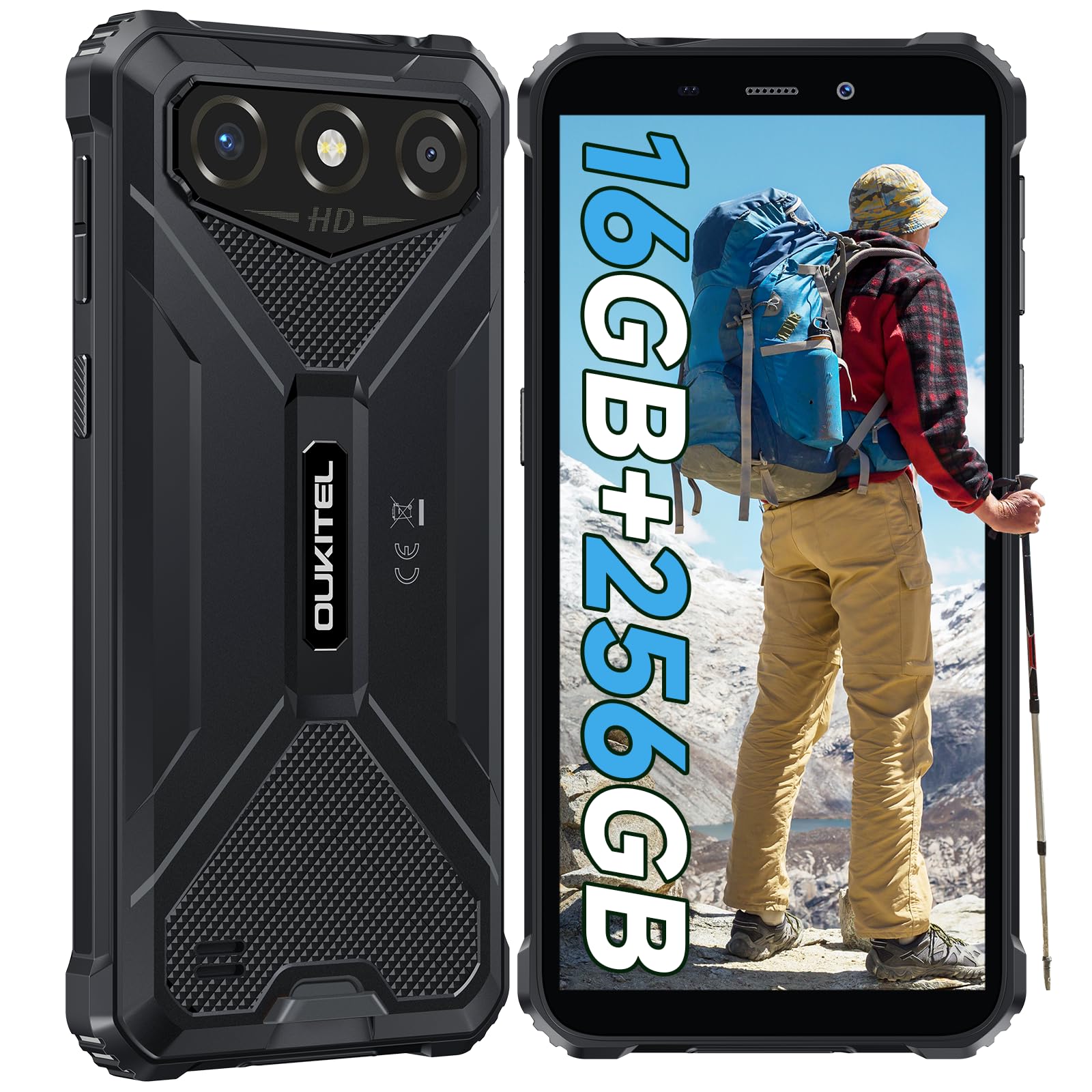
The OUKITEL G3 is a rugged smartphone designed for durability and performance in challenging environments. It features a 6.0-inch HD display, a 6300mAh battery, 16GB RAM (expandable), 256GB ROM (expandable to 1TB), and a 13MP main camera. The device is certified with IP68, IP69K, and MIL-STD-810H ratings, ensuring resistance to water, dust, and drops. It operates on Android 14 and supports 4G Dual SIM, GPS, Face ID, and OTG functionality.
2. Contenido del paquete
Verifique que todos los artículos estén presentes en su paquete:
- 1x teléfono inteligente OUKITEL G3
- 1x Cargador
- 1x cable tipo C
- 1x Pin de expulsión de tarjeta SIM
- 1x Manual de usuario

3. Configuración inicial
3.1. Inserción de tarjetas SIM y tarjeta TF
- Localice la bandeja de la tarjeta SIM en el costado del dispositivo.
- Use the provided SIM ejector pin to open the tray.
- Carefully place your Nano SIM cards (up to two) and/or a TF card (for memory expansion up to 1TB) into the designated slots.
- Asegúrese de que las tarjetas estén orientadas correctamente como se indica en la bandeja.
- Empuje suavemente la bandeja hacia el teléfono hasta que encaje en su lugar.

3.2. Carga de la batería
Before first use, fully charge the device. Connect the Type-C cable to the phone's charging port and the other end to the provided charger. Plug the charger into a power outlet. The battery indicator on the screen will show charging status. The OUKITEL G3 features a 6300mAh battery for extended use.
3.3. Encendido / apagado
- To power on: Press and hold the Power button until the OUKITEL logo appears.
- Para apagar: Mantenga presionado el botón de Encendido, luego seleccione “Apagar” en las opciones en la pantalla.
- Para reiniciar: Mantenga pulsado el botón de encendido y, a continuación, seleccione "Reiniciar" entre las opciones.
4. Instrucciones de funcionamiento
4.1. Visualización y navegación
The OUKITEL G3 features a 6.0-inch HD display with 450 nits brightness and Corning Glass 5 protection. Navigate the Android 14 interface using touch gestures: tap, swipe, pinch-to-zoom. Access quick settings by swiping down from the top of the screen.

4.2. Funciones de la cámara
The device is equipped with a 13MP rear camera and a 5MP front camera. Open the Camera app to capture photos and videos. Features include:
- Standard Photo Mode: For everyday photography.
- AI Beauty Mode: Mejora los rasgos faciales en los retratos.
- Modo de cámara subacuática: Allows capturing photos and videos while submerged up to 1.5m for 30 minutes. Ensure all ports are securely sealed before underwater use.
- Modo panorámico: For wide-angle landscape shots.

4.3. Battery Management and OTG
The 6300mAh battery provides extended usage. To optimize battery life, manage screen brightness, close unused applications, and enable power-saving modes when needed. The device supports OTG (On-The-Go) reverse charging, allowing you to use your OUKITEL G3 to charge other compatible devices via a Type-C OTG cable (sold separately).

4.4. Custom Key and Security Features
- Clave personalizada: A programmable button on the side of the device for quick access to specific applications or functions. Configure its actions (single click, double click, long press) in the phone settings.
- Identificación facial: Use facial recognition for secure unlocking of your device. Set up Face ID in the Security settings.
- Navegacion GPS: The OUKITEL G3 supports GPS, GLONASS, Beidou, and Galileo navigation systems for accurate positioning.

5. Mantenimiento y durabilidad
The OUKITEL G3 is built to withstand harsh conditions, certified with IP68, IP69K, and MIL-STD-810H standards.
- Resistencia al agua IP68: Protected against continuous immersion in water up to 1.5 meters for 30 minutes. Ensure all port covers are tightly sealed before exposure to water.
- Resistencia al polvo IP69K: Totalmente protegido contra la entrada de polvo y chorros de agua a alta presión y alta temperatura.
- Resistencia a caídas MIL-STD-810H: Designed to withstand drops from up to 1.5 meters. The aluminum frame and rubberized corners provide enhanced shock absorption.
Para limpiar el dispositivo, use un paño suave, damp cloth. Avoid harsh chemicals or abrasive materials. Regularly check port covers for proper sealing to maintain water and dust resistance.

6. Solución de problemas
If you encounter issues with your OUKITEL G3, refer to the following common solutions:
| Problema | Posible solución |
|---|---|
| El dispositivo no enciende | Asegúrese de que la batería esté cargada. Conecte el cargador y espere unos minutos antes de intentar encenderla de nuevo. |
| Mala señal de red | Check if SIM cards are correctly inserted. Move to an area with better network coverage. Contact your service provider if the issue persists. |
| Las aplicaciones se bloquean o se congelan | Close background applications. Clear the cache of the problematic app. Restart the device. Ensure sufficient storage space is available. |
| La batería se agota rápidamente | Reduce screen brightness. Disable unused features like Wi-Fi, Bluetooth, GPS. Close power-intensive apps. Check battery usage in settings to identify culprits. |
| La pantalla táctil no responde | Reinicia el dispositivo. Si el problema persiste, restablece la configuración de fábrica (haz una copia de seguridad de los datos primero). |
7. Especificaciones técnicas
| Característica | Detalle |
|---|---|
| Marca | Oukitel |
| Modelo | G3 |
| Sistema operativo | Androide 14 |
| RAM | 4 GB (ampliable a 16 GB de RAM virtual) |
| Almacenamiento interno (ROM) | 256 GB |
| Almacenamiento expandible | Hasta 1 TB (tarjeta TF) |
| Tamaño de la pantalla | 6.0 pulgadas |
| Resolución de pantalla | HD (450 nits brightness, Corning Glass 5) |
| Frecuencia de actualización | 60 Hz |
| Cámara trasera | 13 megapíxeles |
| Cámara frontal | 5 megapíxeles |
| Capacidad de la batería | 6300 mAh |
| Puerto de carga | USB tipo C |
| Calificaciones de durabilidad | IP68, IP69K, MIL-STD-810H |
| Soporte de tarjeta SIM | Dual 4G Nano SIM |
| Navegación | GPS, GLONASS, Beidou, Galileo |
| Seguridad biométrica | Identificación facial |
| Conector de audio | 3.5 mm |
Para obtener información detallada sobre eficiencia energética, consulte la base de datos EPREL de la UE: https://eprel.ec.europa.eu/qr/2400970

8. Garantía y soporte
OUKITEL provides the following support for the G3 smartphone:
- Política de devoluciones: 30-day no-reason return.
- Garantía: TWO-YEAR warranty.
- Apoyo técnico: Asistencia técnica a largo plazo.
- Servicio al cliente: Servicio de atención al cliente online las 24 horas.
For any inquiries or support, please contact OUKITEL official customer service.