
1. Introducción
The Cherry KW 550 MX LP is a 96% mechanical low-profile keyboard designed for multi-device wireless connectivity. It features durable PBT keycaps and Cherry MX LP 2.0 Ivory switches, offering a smooth and direct typing experience. This manual provides essential information for setting up, operating, maintaining, and troubleshooting your keyboard.
Video: Cherry KW 550 MX LP Mechanical Keyboard OverviewEste vídeo ofrece una visión generalview of the Cherry KW 550 MX LP mechanical keyboard, demonstrating its slim design, low-profile MX 2.0 Ivory switches, PBT keycaps, and multi-device wireless capabilities. It shows the keyboard in use, highlighting its ergonomic features and backlighting.
2. Configuración
2.1 Contenido del paquete
- Cherry KW 550 MX LP Keyboard
- Cable de carga USB-A a USB-C
2.2 Carga inicial
Before first use, connect the keyboard to a USB power source using the provided USB-A to USB-C cable. The RGB LED under the CHERRY key indicates the battery status during charging. The keyboard can be used while charging.

Imagen: Rechargeable Lithium Battery. This image focuses on the keyboard's rechargeable lithium battery, which allows for continued operation while charging. It also shows the sturdy, fold-out feet for height adjustment and the included USB-A to USB-C charging cable.
2.3 Conexión a dispositivos
The Cherry KW 550 MX LP supports wireless multi-device connectivity for up to 4 devices via Bluetooth or a wired USB-C connection.
- Conexión Bluetooth: The keyboard has 3 Bluetooth channels. To pair, select a channel (F1, F2, or F3) by pressing the FN key simultaneously with the desired F-key. The corresponding LED will blink, indicating pairing mode. Buscar the keyboard on your device's Bluetooth settings and connect.
- Conexión por cable: Connect the keyboard directly to your computer using the supplied USB-A to USB-C cable. The keyboard will automatically switch to wired mode.

Imagen: Mechanical Multi-Device Keyboard in 96% Layout. This image illustrates the compact 96% layout of the Cherry KW 550 MX LP keyboard, highlighting its dimensions (14.80 inches length, 4.92 inches width, 0.98 inches height) and weight (1.58 lbs). It also shows icons for Bluetooth and wired USB connectivity, indicating its multi-device capability for up to 4 devices.
2.4 Ajuste de la altura del teclado
The keyboard features sturdy, fold-out feet on the underside to adjust the typing angle for improved ergonomics.
3. Operación
3.1 Typing Experience with MX LP 2.0 Ivory Switches
The keyboard is equipped with Cherry MX Low Profile 2.0 Ivory switches. These switches provide a smooth and direct typing feel with linear switching characteristics, meaning there is no tactile bump or audible click. They are designed for durability with over 100 million actuations per key.

Imagen: Original Cherry MX Low Profile 2.0 Switches. This image provides a close-up view del Cherry MX Low Profile 2.0 Ivory switches, emphasizing their linear switching characteristics without a click. It highlights the smooth typing feel and optimized acoustics, along with the "Made in Germany" origin.
3.2 Backlighting and Status LEDs
El teclado cuenta con 10 teclastage dimmable white illumination. Use the designated function keys (often combined with the FN key) to adjust the brightness. Additionally, red status LEDs are present for CAPS LOCK, NUM LOCK, WIN key, and F1 to F4 keys, providing visual feedback on their activation status.

Imagen: Elegant White Lighting. This image showcases the keyboard's 10-stage dimmable white backlighting, allowing for a customized setup. It also points out the additional red status LEDs for CAPS LOCK, NUM LOCK, WIN, and F1 to F4 keys, which indicate activated functions.
3.3 PBT Keycaps and Advanced Features
The keyboard is fitted with high-end PBT keycaps, known for their durability and abrasion resistance. It also incorporates N-Key rollover, ensuring all key presses are registered simultaneously, and anti-ghosting technology to prevent unintended inputs during fast typing.
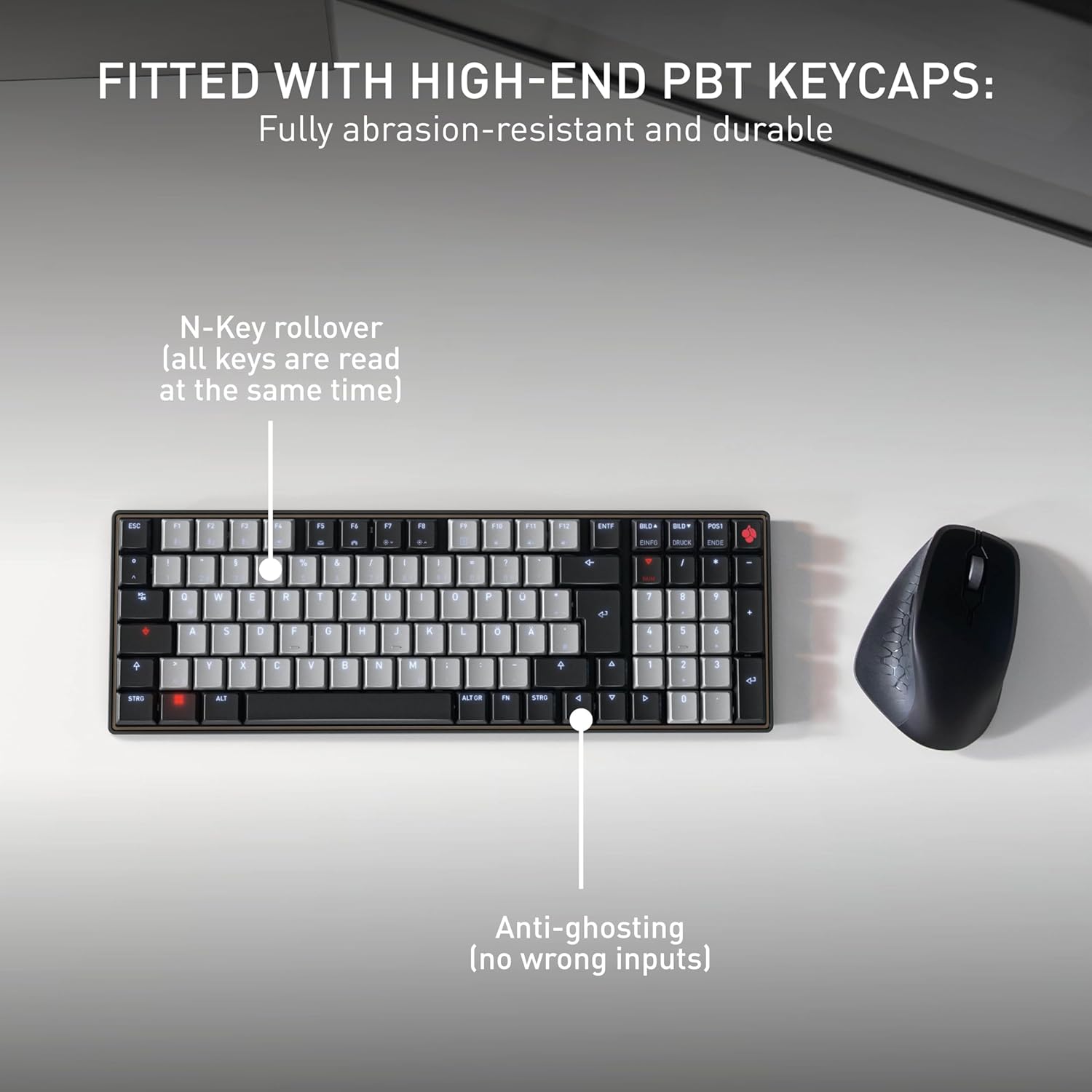
Imagen: Fitted with High-End PBT Keycaps. This image displays the keyboard's durable, abrasion-resistant PBT keycaps. It also illustrates key features like N-Key rollover, ensuring all keys are registered simultaneously, and anti-ghosting technology to prevent incorrect inputs during rapid typing.
4. Mantenimiento
4.1 Limpieza del teclado
- Desconecte el teclado de todos los dispositivos antes de limpiarlo.
- Utilice un paño suave y sin pelusa ligeramente seco.ampLimpie con agua o una solución de limpieza suave las teclas y la superficie.
- Evite utilizar productos químicos agresivos, limpiadores abrasivos o rociar líquidos directamente sobre el teclado.
- Para eliminar residuos entre las teclas, utilice aire comprimido.
4.2 Cuidado de la batería
- To maximize battery life, avoid fully discharging the keyboard frequently.
- Recargue la batería cuando aparezca el indicador de batería baja.
- Guarde el teclado en un lugar fresco y seco si no lo utiliza durante períodos prolongados.
5. Solución de problemas
5.1 El teclado no responde
- Comprobar la batería: Ensure the keyboard is charged. Connect it via USB-C cable to see if it powers on.
- Conexión por cable: If using wirelessly, try connecting directly with the USB-C cable to rule out Bluetooth issues.
- Re-emparejamiento de Bluetooth: If using Bluetooth, delete the keyboard from your device's Bluetooth list and attempt to re-pair it. Ensure the correct Bluetooth channel (F1, F2, or F3) is selected on the keyboard.
- Reiniciar el dispositivo: Restart the connected computer or device.
5.2 Problemas de retroiluminación
- Ajuste de brillo: Ensure the backlighting is not set to the lowest brightness level. Adjust using the designated function keys.
- Ahorro de energía: The backlighting may turn off after a period of inactivity to conserve battery. Press any key to reactivate.
5.3 Teclas que no se registran o se escriben dos veces
- Teclas limpias: Check for any debris under the affected keycaps.
- Actualización de firmware: Check the official Cherry webSitio para obtener actualizaciones de firmware disponibles para su modelo de teclado.
6. Especificaciones
| Característica | Detalle |
|---|---|
| Marca | Cereza |
| Nombre del modelo | Cherry MX KW 550 LP |
| Número de modelo | G8A-25510HOAUS-2 |
| Tecnología de conectividad | Bluetooth |
| Descripción del teclado | Compact Mechanical |
| Tipo de interruptor | Linear (Cherry MX Low Profile 2.0 Ivory) |
| Número de llaves | 99 |
| Disposición del teclado | QWERTY |
| Características especiales | Multi-Connection, PBT Keycaps, Slim Mechanical |
| Material | Metal |
| Fuente de poder | Funciona con pilas |
| Componentes incluidos | Cable USB |
| Código Postal | 840183609207 |
7. Garantía y soporte
7.1 Información de garantía
The Cherry KW 550 MX LP keyboard comes with a Garantía de 2 años A partir de la fecha de compra. Esta garantía cubre defectos de fabricación y mal funcionamiento en condiciones normales de uso. Conserve su comprobante de compra para reclamaciones de garantía.
7.2 Atención al cliente
For technical assistance, troubleshooting, or warranty inquiries, please visit the official Cherry website or contact their customer support. You can find contact details and further resources at www.cherry.de/en/support.