
Introducción
Thank you for choosing the YFK Smart Fingerprint Door Lock. This manual provides detailed instructions for the installation, operation, and maintenance of your new smart lock. Please read this manual thoroughly before installation and use to ensure proper function and security.
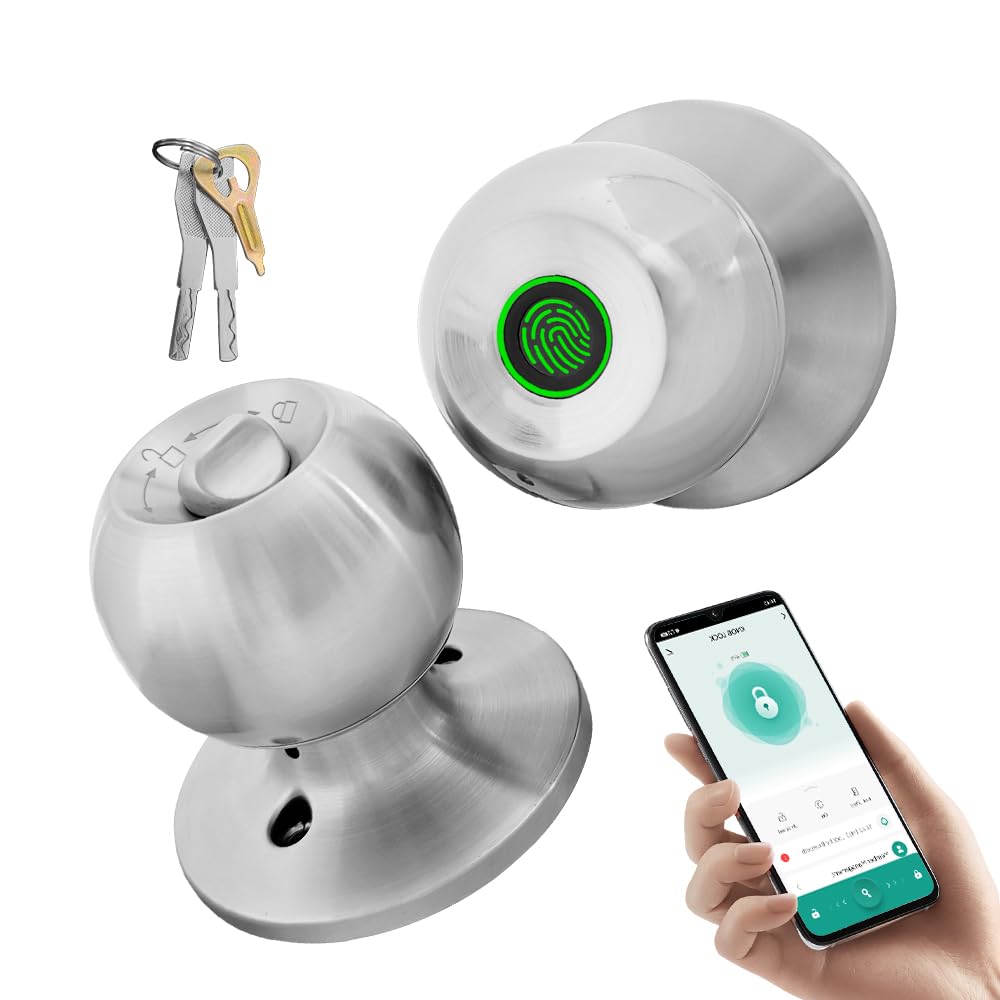
Image: The YFK Smart Fingerprint Door Lock in silver, showcasing su elegante diseño.
Características principales:
- Acceso mediante huella dactilar: Unlock your door in approximately 1.5 seconds with advanced biometric technology. Stores up to 20 unique fingerprints.
- Múltiples modos de desbloqueo: Choose from fingerprint, mechanical key, or app access.
- Control de aplicación inteligente: Manage your lock remotely via the Tuya Smart App, including Bluetooth unlocking, user management, and access history.
- Construcción duradera: Made from premium aluminum alloy and stainless steel for long-lasting performance.
- Batería recargable: Built-in Li-On rechargeable battery with an estimated life of 8-12 months, charged via a Type-C port.
- Compatibilidad universal: Compatible with wooden, steel, copper, and composite doors (35–55mm thick) and features an adjustable 60–70mm latch.
- Alarma de batería baja: Provides warning when battery power is low.
Contenido del paquete
Antes de comenzar la instalación, verifique que todos los componentes estén presentes y sin daños.
- YFK Smart Fingerprint Door Lock Unit
- Hardware de instalación
- 2 llaves mecánicas
- Manual de usuario
Configuración e instalación
This section guides you through the physical installation of the YFK Smart Fingerprint Door Lock.
Compatibilidad de puertas:
- Espesor de la puerta: 35mm to 55mm (1.38 inches to 2.17 inches)
- Pestillo: Adjustable 60mm to 70mm (2.36 inches to 2.76 inches)
- Tipos de puertas: Wooden, steel, copper, and composite doors.
Pasos generales de instalación:
- Prepara la puerta: Ensure your door meets the compatibility requirements. If replacing an existing lock, remove it.
- Instale el pestillo: Insert the latch into the door edge and secure it with screws. Adjust the backset if necessary.
- Instalar el conjunto exterior: Place the exterior lock assembly (with fingerprint sensor) onto the door, aligning it with the latch.
- Instale el conjunto interior: Connect the interior lock assembly to the exterior assembly, ensuring the spindle and wires are correctly routed. Secure with mounting screws.
- Operación de prueba: After installation, test the mechanical key and ensure the knob turns smoothly.
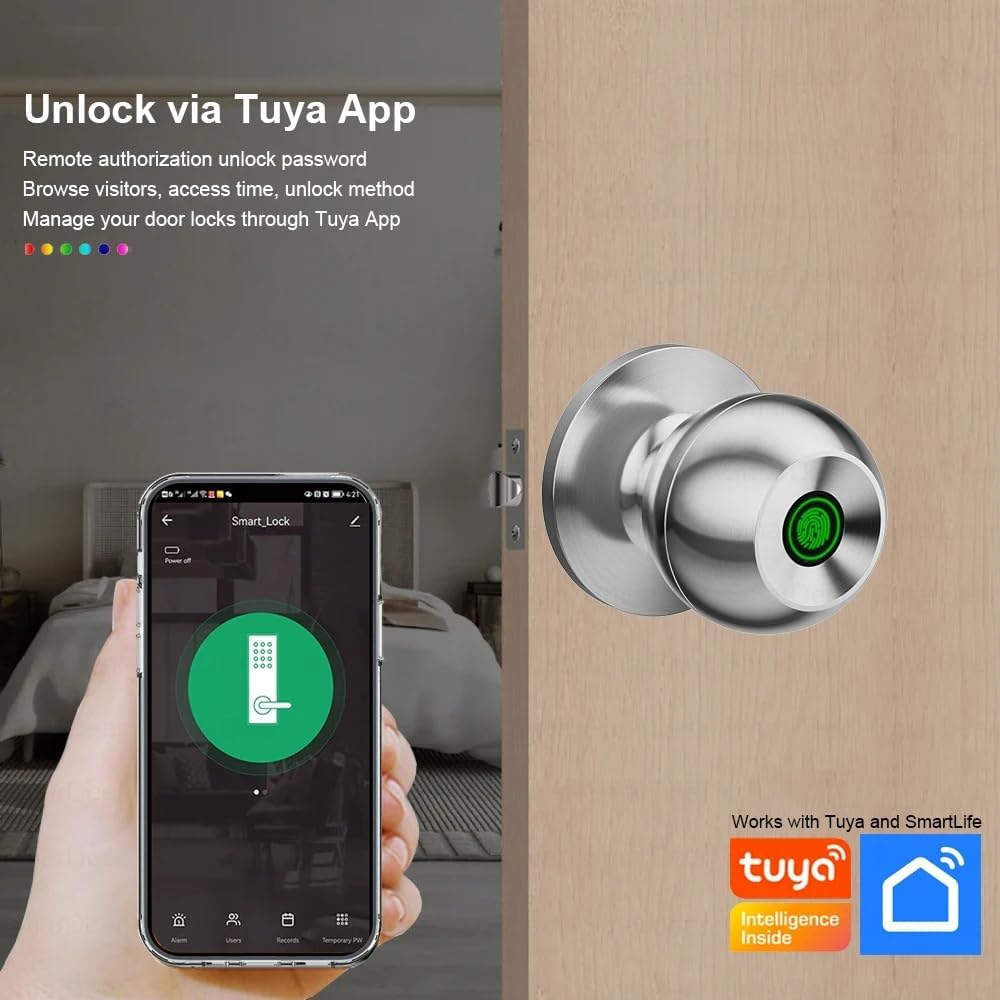
Image: The YFK Smart Fingerprint Door Lock shown installed on a wooden door, demonstrating its appearance after setup.
Instrucciones de funcionamiento
Learn how to use the various unlocking methods and smart features of your YFK Smart Fingerprint Door Lock.
1. Acceso mediante huellas dactilares:
- Inscribir huellas dactilares:
- Download and install the Tuya Smart App (see 'Smart App Control' section).
- Follow the in-app instructions to add new fingerprints. You can store up to 20 unique fingerprints.
- Ensure your finger covers the entire sensor for accurate registration.
- Unlock with Fingerprint:
- Coloque su dedo registrado firmemente sobre el sensor de huellas dactilares.
- The lock will unlock in approximately 1.5 seconds if the fingerprint is recognized.
2. Mechanical Key Access:
- In case of emergency or battery depletion, use one of the two provided mechanical keys.
- Insert the key into the keyhole located on the exterior assembly and turn to unlock.

Imagen: Un detalle view of the YFK Smart Door Lock's exterior, highlighting the mechanical keyhole and the Type-C charging port.
3. Smart App Control (Tuya Smart App):
The Tuya Smart App allows for remote management and enhanced control over your lock.
- Descargar e instalar: Buscar "Tuya Smart" in your mobile app store (iOS or Android) and install the application.
- Emparejar la cerradura:
- Habilite Bluetooth en su teléfono inteligente.
- Open the Tuya Smart App and follow the on-screen instructions to add a new device.
- Ensure your phone is within Bluetooth range of the lock during pairing.
- Funciones de la aplicación:
- Desbloqueo de Bluetooth: Desbloquee la puerta directamente desde la aplicación cuando esté dentro del alcance de Bluetooth.
- Gestión de huellas dactilares del usuario: Add, edit, or delete registered fingerprints.
- Unlock Record Log: View un historial de todos los eventos de bloqueo y desbloqueo.
- Acceso temporal: Grant temporary access to guests or service providers.
- Advertencia de batería baja: Receive notifications when the lock's battery is low.

Image: A smartphone screen showing the Tuya Smart App interface, demonstrating remote control capabilities for the smart lock.

Image: An infographic illustrating the various functions available through the Tuya App, such as APP Unlock, User Fingerprint Management, and Lock Unlocking Record Log.
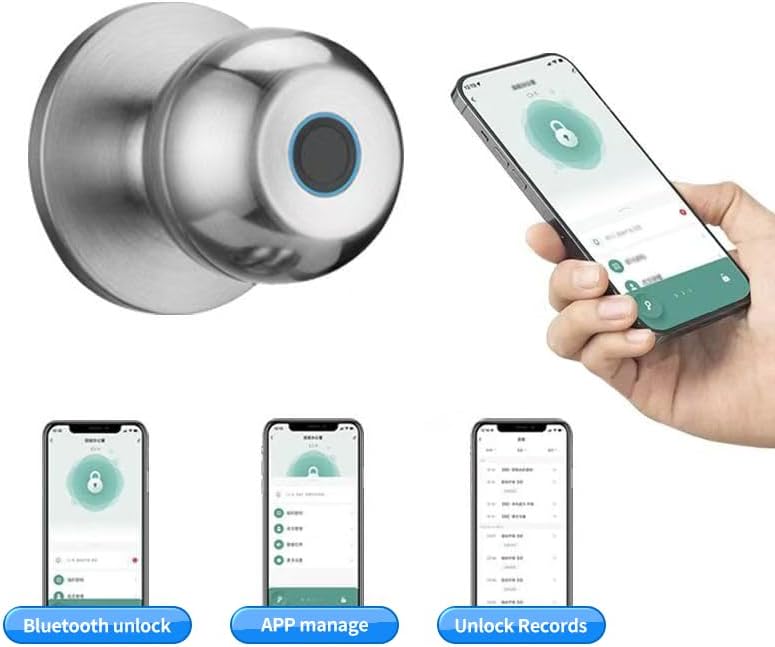
Image: Multiple smartphone screenshots demonstrating the Tuya App's features, including Bluetooth unlocking, app-based management, and viewDesbloquear registros.
4. Multiple Unlocking Modes:
The lock supports various operational modes to suit different needs:
- Modo estándar: Requires fingerprint, key, or app unlock for each entry.
- Modo normalmente abierto: Keeps the door unlocked for continuous access (e.g., during parties or business hours). This mode can typically be activated via the app or a specific sequence on the lock.
- Reverse Lock Mode: (If applicable, specific details not provided, but generally implies a mode for enhanced security or specific access control). Refer to the Tuya App for advanced settings.
Mantenimiento
Gestión de la batería:
- The YFK Smart Fingerprint Door Lock is equipped with a built-in Li-On rechargeable battery.
- Expected battery life is 8-12 months, depending on usage frequency.
- Cargando: Use a standard Type-C USB cable to charge the lock. The charging port is located on the exterior assembly.
- Advertencia de batería baja: The lock will provide an audible or visual alert when the battery level is low. Charge the lock promptly to avoid being locked out.

Image: An illustration highlighting the Li-On rechargeable battery and the Type-C charging port of the YFK Smart Door Lock.
Cuidado general:
- Limpie el exterior de la cerradura con un paño suave y seco. Evite limpiadores abrasivos o disolventes.
- Mantenga el sensor de huellas dactilares limpio y libre de suciedad o humedad para un rendimiento óptimo.
- Do not expose the lock to extreme temperatures or direct water spray.
Solución de problemas
This section addresses common issues you might encounter with your YFK Smart Fingerprint Door Lock.
- Huella dactilar no reconocida:
- Asegúrese de que su dedo esté limpio y seco.
- Coloque el dedo firme y completamente sobre el sensor.
- Try re-registering your fingerprint through the Tuya Smart App.
- Asegúrese de que el sensor esté limpio.
- La cerradura no responde:
- Check the battery level. Recharge the lock if the battery is low.
- Use the mechanical key for emergency access.
- Problemas de conectividad de aplicaciones:
- Asegúrese de que Bluetooth esté habilitado en su teléfono inteligente.
- Make sure your phone is within close proximity to the lock.
- Restart the Tuya Smart App or your phone.
- Try re-pairing the lock with the app.
- Mecanismo de bloqueo atascado:
- Ensure the installation screws are not overtightened.
- Verifique si hay obstrucciones en el marco de la puerta o en la placa de cierre.
If you continue to experience issues, please refer to the manufacturer's support resources.
Presupuesto
| Marca | YFK |
| Número de modelo | B0FL7M8WDC |
| Material | Aluminum, Stainless Steel (Metal) |
| Color | Plata |
| Dimensiones del producto | 3.35" de largo x 2.64" de ancho |
| Compatibilidad del espesor de la puerta | 35 mm - 55 mm |
| Pestillo ajustable | 60 mm - 70 mm |
| Tipo de bloqueo | Combination Lock (Fingerprint, Key, App) |
| Características especiales | Auto-Lock, Fingerprint, Lightweight, Lockable, Rustproof |
| Tipo de batería | Built-in Li-On Rechargeable Battery |
| Puerto de carga | Tipo C |
| Uso en interiores y exteriores | Interior |
| Orientación de la mano | Ambidextro |
Garantía y soporte
For warranty information, technical support, or further assistance, please refer to the official YFK webSitio web o contacte directamente con el servicio de atención al cliente. Los detalles suelen encontrarse en la documentación de compra o en el embalaje del producto.
Fabricante: door knob (as per product specifications, please refer to YFK for official support)