
Introducción
Thank you for choosing the VENTION Wireless HDMI Extender. This device allows you to wirelessly transmit HDMI video and audio signals up to 656 feet (200 meters) with minimal latency. Featuring 2.4G and 5G dual-band support, 4K decoding, and a plug-and-play design, it is ideal for various applications including home entertainment, business presentations, and gaming. This manual provides detailed instructions for setup, operation, and troubleshooting to ensure optimal performance and longevity of your device.
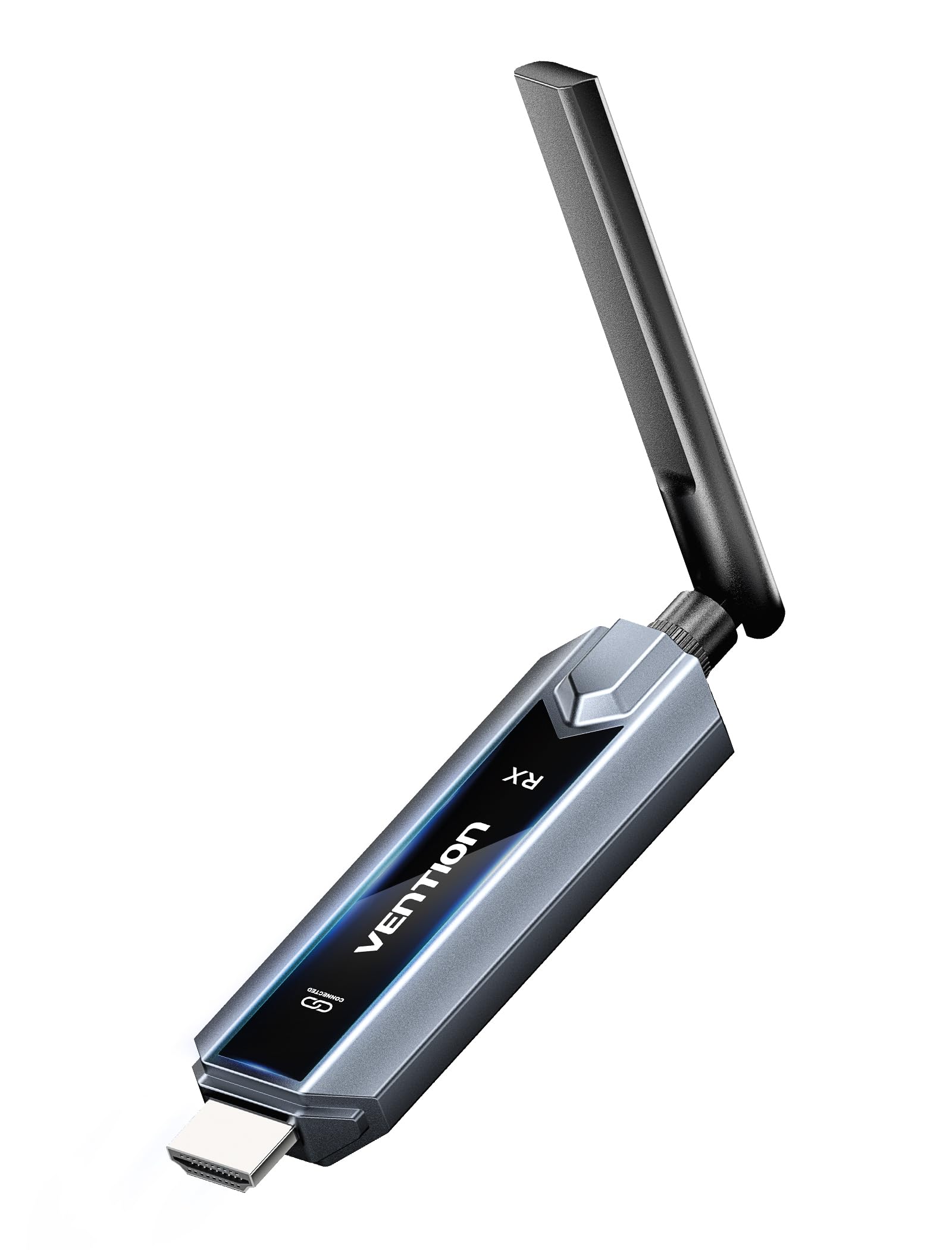
Image: The VENTION Wireless HDMI Transmitter and Receiver units, showcasing their compact design and antennas.
Contenido del paquete
Por favor verifique que todos los artículos estén presentes en su paquete:
- Wireless HDMI Transmitter (TX unit)
- Wireless HDMI Receiver (RX unit)
- Adaptador USB-C a HDMI
- Mini HDMI Adapter
- Adaptador micro-HDMI
- USB-C Power Cord (for power supply)
- Cable de extensión HDMI
- Manual de usuario (este documento)
Características del producto
The VENTION Wireless HDMI Extender offers a range of features designed for convenience and high performance:
- Operación Plug & Play: No drivers or software installation required. Simply connect and use.
- Rango extendido: Transmit signals up to 656 feet (200 meters) in an open environment.
- Descodificación 4K y salida 1080P a 60 Hz: Supports 4K Ultra HD decoding for high-quality video, with output at 1080P resolution at 60Hz for smooth playback.
- Conexión inalámbrica de doble banda: Utilizes both 2.4G and 5G frequencies for stable and fast transmission.
- Sincronización multipantalla: One transmitter can connect to up to four receivers (additional receivers sold separately) to synchronize content across multiple displays.
- Mirror/Extend Mode: Supports both mirroring your display and extending it for multi-tasking (ensure your computer supports extended mode).
- Amplia compatibilidad: Compatible with various HDMI source devices (laptops, PCs, gaming consoles, TV boxes, cameras) and display devices (TVs, monitors, projectors).
- Engineered Antenna: Designed for enhanced signal stability and faster transmission speeds.
- 5GHz Powerful Chipset: Ensures stable performance in diverse environments.

Image: Diagram illustrating one transmitter (TX) connecting wirelessly to four receivers (RXs) for multi-screen synchronization, highlighting no Wi-Fi, Bluetooth, app, or settings required.

Image: Illustration of the engineered antenna design, emphasizing a transmission distance of 656 feet (200 meters) for faster speeds and greater stability.
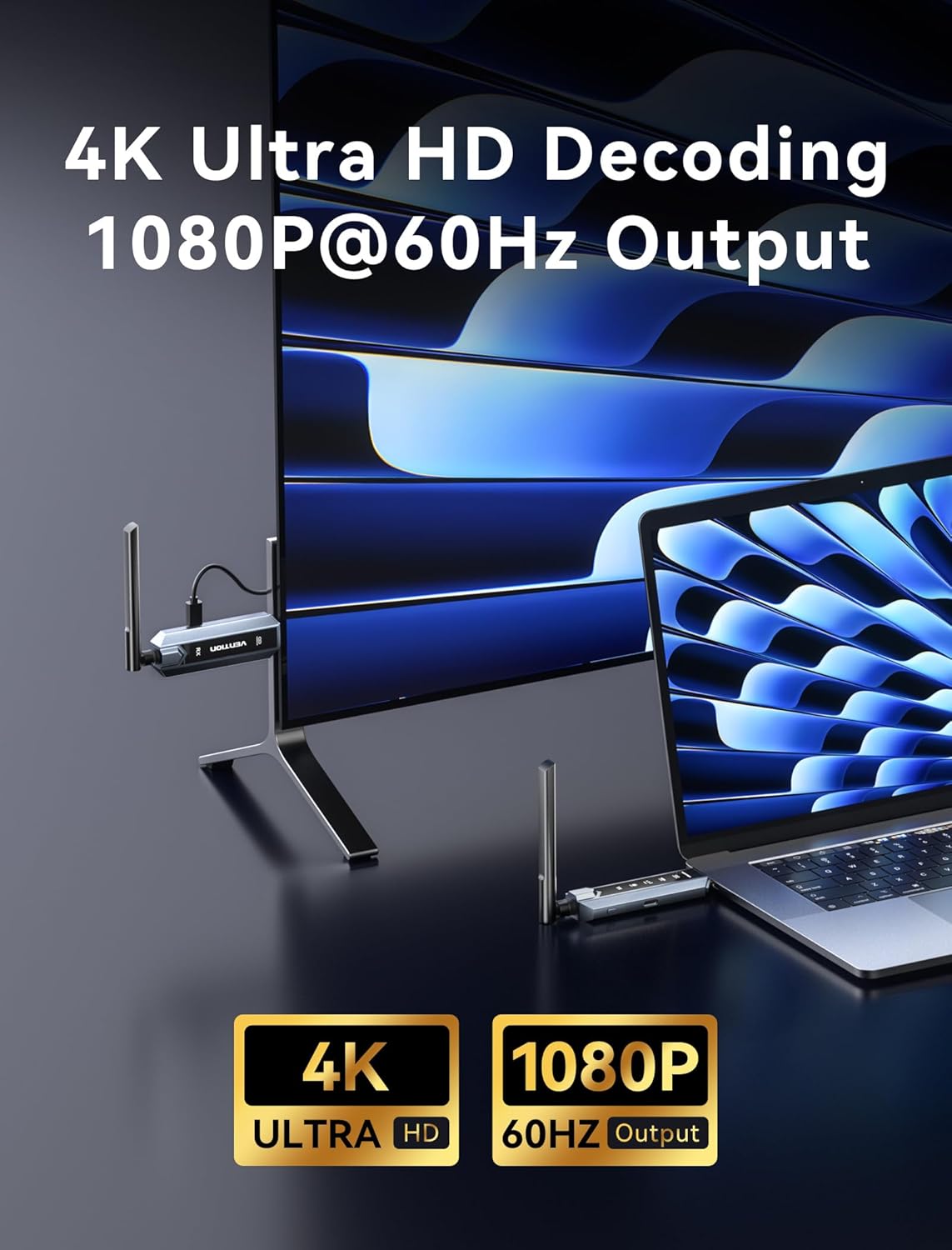
Image: Visual representation of 4K Ultra HD decoding capability with 1080P at 60Hz output, showing a laptop connected to a display.

Image: Close-up of a chipset labeled '5G', indicating a powerful 5GHz chipset for stable performance.

Image: Comparison of 'Mirror mode' (displaying the same picture on laptop and external monitor) and 'Extend mode' (displaying different pictures), with a note about computer support for extended mode.
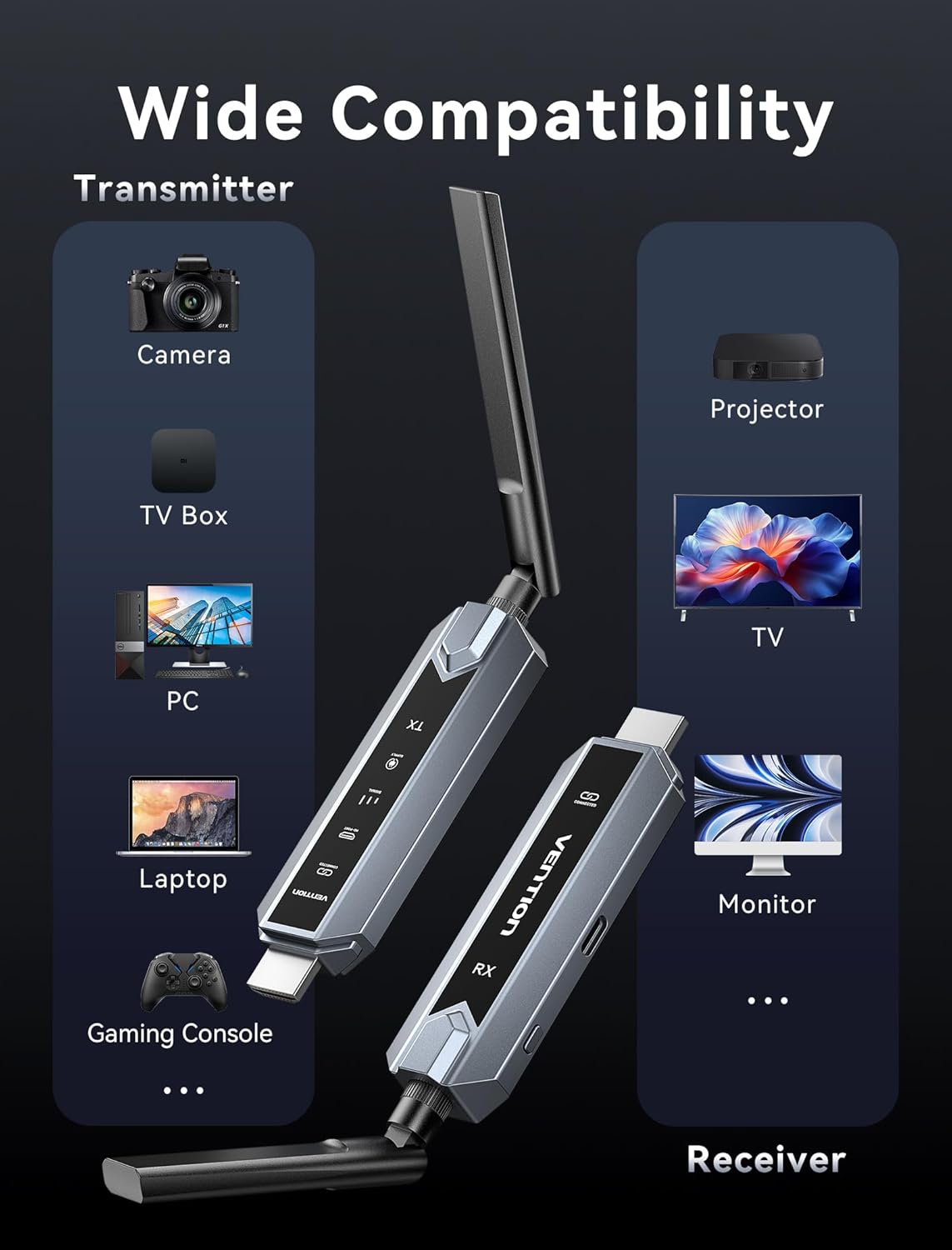
Image: Infographic showing wide compatibility for the transmitter (Camera, TV Box, PC, Laptop, Gaming Console) and receiver (Projector, TV, Monitor).

Image: Four panels depicting various usage scenarios: Business Meetings, Home Entertainment, Teaching Presentation, and Gaming Entertainment.
Instrucciones de instalación
Follow these steps to set up your VENTION Wireless HDMI Extender:
- Conecte el transmisor (TX):
- Connect the TX unit to the HDMI output port of your source device (e.g., laptop, PC, gaming console).
- If your source device has a Mini HDMI or Micro HDMI port, use the provided Mini HDMI Adapter or Micro HDMI Adapter.
- If your source device has a USB-C port that supports video output, use the provided USB-C to HDMI Adapter.
- For devices that require additional power, connect the USB-C Power Cord to the TX unit and a USB power source (e.g., a wall adapter, computer USB port).
- Conectar el receptor (RX):
- Conecte la unidad RX al puerto de entrada HDMI de su dispositivo de visualización (por ejemplo, TV, monitor, proyector).
- Connect the USB-C Power Cord to the RX unit and a USB power source. The RX unit requires external power to function.
- Dispositivos de encendido:
- Asegúrese de que tanto el dispositivo de origen como el dispositivo de visualización estén encendidos.
- The TX and RX units will automatically attempt to establish a connection. The digital display screen on the units will indicate connection status.
- Seleccionar entrada en pantalla:
- En su dispositivo de visualización, seleccione la fuente de entrada HDMI correcta a la que está conectada la unidad RX.
The system is designed for plug-and-play operation, and the video and audio should appear on your display automatically once connected and powered.
Instrucciones de funcionamiento
Once the setup is complete, operating the VENTION Wireless HDMI Extender is straightforward:
- Conexión automática: The TX and RX units are pre-paired and will automatically connect when powered on and within range.
- Transmisión de señal: The extender will transmit the HDMI signal from your source device to your display. The digital display on the units may show signal strength or connection status.
- Mirror/Extend Mode: If your source device (e.g., laptop) supports it, you can configure your display settings to either mirror your primary screen or extend it. This setting is managed through your computer's operating system display preferences, not directly on the extender units.
- Configuración de varios receptores: If you are using multiple RX units, ensure each RX unit is powered and connected to its respective display. The TX unit will broadcast to all paired RX units simultaneously.
Solución de problemas
Si encuentra problemas, consulte los siguientes pasos de solución de problemas:
- No hay señal en la pantalla:
- Ensure both TX and RX units are properly powered via the USB-C power cords.
- Verifique que los cables HDMI estén conectados de forma segura tanto a los dispositivos de fuente como a los de visualización.
- Compruebe que su pantalla esté configurada en la fuente de entrada HDMI correcta.
- Ensure the TX and RX units are within the effective transmission range (656ft/200m line of sight) and that there are no significant obstructions.
- Intente reiniciar tanto el dispositivo de origen como el dispositivo de visualización.
- Poor Video/Audio Quality or Intermittent Signal:
- Reducir la distancia entre las unidades TX y RX.
- Minimize obstructions (walls, furniture, other electronic devices) between the units.
- Ensure there are no strong sources of wireless interference (e.g., Wi-Fi routers, microwave ovens) nearby.
- Check if the source device's resolution is compatible with the extender's output (1080P@60Hz).
- Unidades que no se emparejan:
- Power cycle both the TX and RX units by unplugging and re-plugging their power cords.
- Ensure both units are from the same VENTION Wireless HDMI Extender kit.
- No Video, but Audio is Present (or vice versa):
- Verify the HDMI cable connections are secure.
- Pruebe con un cable HDMI diferente si es posible.
- Ensure your source device's audio/video output settings are correct.
Presupuesto
| Característica | Especificación |
|---|---|
| Marca | VENCIÓN |
| Modelo | Wireless HDMI Extender 1RX |
| Tecnología de conectividad | HDMI, HEVC, LDS, SBC |
| Tecnología inalámbrica | HEVC, LDS, SBC (2.4G + 5G Dual Band) |
| Distancia de transmisión | Hasta 656 pies (200 metros) |
| Codificación de vídeo | HEVC Principal 10 |
| Descodificación de vídeo | 4K Ultra HD |
| Resolución de salida | 1080P @ 60Hz |
| Dispositivos compatibles | Personal Computer, Television, Projector, Gaming Consoles, Cameras, TV Boxes |
| Tipo de conector | HDMI, USB tipo C |
| Método de control | Touch (for certain features, if applicable) |
| Características especiales | Digital Display Screen, Heat-Control, Multi-Screen Streaming Extender |
| Color | Gris |
| Dimensiones del producto (Pr. x An. x Al.) | 6.53" x 5.12" x 1.18" |
| Entrada de potencia | USB-C (se recomienda 5 V/2 A) |
Mantenimiento
To ensure the longevity and optimal performance of your VENTION Wireless HDMI Extender, follow these maintenance guidelines:
- Limpieza: Use a soft, dry cloth to clean the units. Do not use liquid cleaners or aerosols, as they may damage the device.
- Almacenamiento: Cuando no se utilicen durante períodos prolongados, guarde las unidades en un lugar fresco y seco, alejado de la luz solar directa y de temperaturas extremas.
- Manejo: Manipule las unidades con cuidado. Evite dejarlas caer o someterlas a impactos fuertes.
- Ventilación: Ensure the units have adequate ventilation to prevent overheating, especially during prolonged use. Do not cover the ventilation holes.
- Fuente de alimentación: Always use the provided USB-C power cord or a compatible 5V/2A power adapter to prevent damage.
Garantía y soporte
VENTION products are designed for reliability and performance. For warranty information, technical support, or service inquiries, please refer to the warranty card included in your package or visit the official VENTION webSitio web. Conserve su comprobante de compra para reclamaciones de garantía.
For further assistance, you may contact VENTION customer support through the contact information provided on their official websitio o a través del minorista donde compró el producto.