
1. Introducción
This manual provides detailed instructions for the Inateck BCST-72 2D Wireless Barcode Scanner. Please read this guide thoroughly before using the device to ensure proper operation and to maximize its performance. The Inateck BCST-72 is designed for efficient and accurate scanning of various 1D and 2D barcodes, offering versatile connectivity and a long-lasting battery.
2. Contenido del paquete
Verifique que todos los artículos estén presentes en su paquete:
- Inateck BCST-72 2D Wireless Barcode Scanner
- USB Charging Cable (USB-A to USB-B)
- Dongle USB inalámbrico de 2.4 G
- Guía del usuario (este documento)
Descripción del vídeo: An unboxing video showing the Inateck BCST-72 barcode scanner, user guide, USB cable, and 2.4G USB dongle being removed from their packaging. This video provides a visual confirmation of the package contents.
3. Producto terminadoview
3.1 Características físicas
The Inateck BCST-72 is built for durability and comfort, featuring a robust design suitable for various work environments.
- Diseño duradero: The scanner incorporates thickened TPU soft rubber for 360° drop protection, capable of withstanding repeated drops from 1.8 meters.
- Agarre ergonómico: Engineered for comfort during extended use, its balanced weight and slip-resistant backstrap ensure effortless handling.
- Botón duradero: The trigger button features a metal and plastic combined design, supporting millions of clicks for long-term reliability.
Descripción de la imagen: Un detallado view of the Inateck BCST-72 barcode scanner, illustrating its robust construction with enhanced TPU for 360-degree protection against drops from up to 1.8 meters.

Descripción de la imagen: A hand holding the Inateck BCST-72 barcode scanner, emphasizing its ergonomic design for comfortable and effortless control during use.

Descripción de la imagen: A close-up shot of the Inateck BCST-72 barcode scanner's yellow trigger button, highlighting its durable construction designed for millions of clicks.
4. Configuración
4.1 Carga del escáner
Before initial use, fully charge the scanner. Connect the provided USB charging cable to the scanner's charging port and a USB power source. The scanner is equipped with a 2600mAh battery, offering up to 180 days of standby time or 180,000 scans on a single charge.

Descripción de la imagen: The Inateck BCST-72 barcode scanner with an overlay indicating its 180-day standby battery life, 144 hours of non-stop scanning, and 2600mAh battery capacity.
4.2 Opciones de conectividad
The BCST-72 offers three connectivity modes: 2.4G Wireless, Bluetooth, and Wired USB. It is compatible with Windows, Mac, iOS, Android, iPadOS, and Linux operating systems.
4.2.1 Conexión Bluetooth
Para conectarse a través de Bluetooth:
- Encienda el escáner.
- Download the "Inateck Scanner" app from the App Store or Google Play.
- Open the app and follow the on-screen instructions to pair the scanner via Bluetooth. The app will guide you through the setup process.
- Once paired, the scanner can be used with your device.
4.2.2 Conexión inalámbrica 2.4G
For 2.4G wireless connection:
- Inserte el adaptador USB 2.4G en un puerto USB disponible en su computadora o dispositivo host.
- Encienda el escáner. Debería conectarse automáticamente al dispositivo.
- El escáner funcionará como un dispositivo de entrada de teclado.
4.2.3 Conexión USB con cable
To connect via wired USB:
- Conecte el escáner a su computadora usando el cable USB provisto.
- The scanner will be recognized as a USB HID keyboard device and is ready for use.

Descripción de la imagen: The Inateck BCST-72 barcode scanner shown connecting via Bluetooth to devices running Windows, macOS, Linux, Raspberry Pi, iOS, and Android, illustrating its broad compatibility.

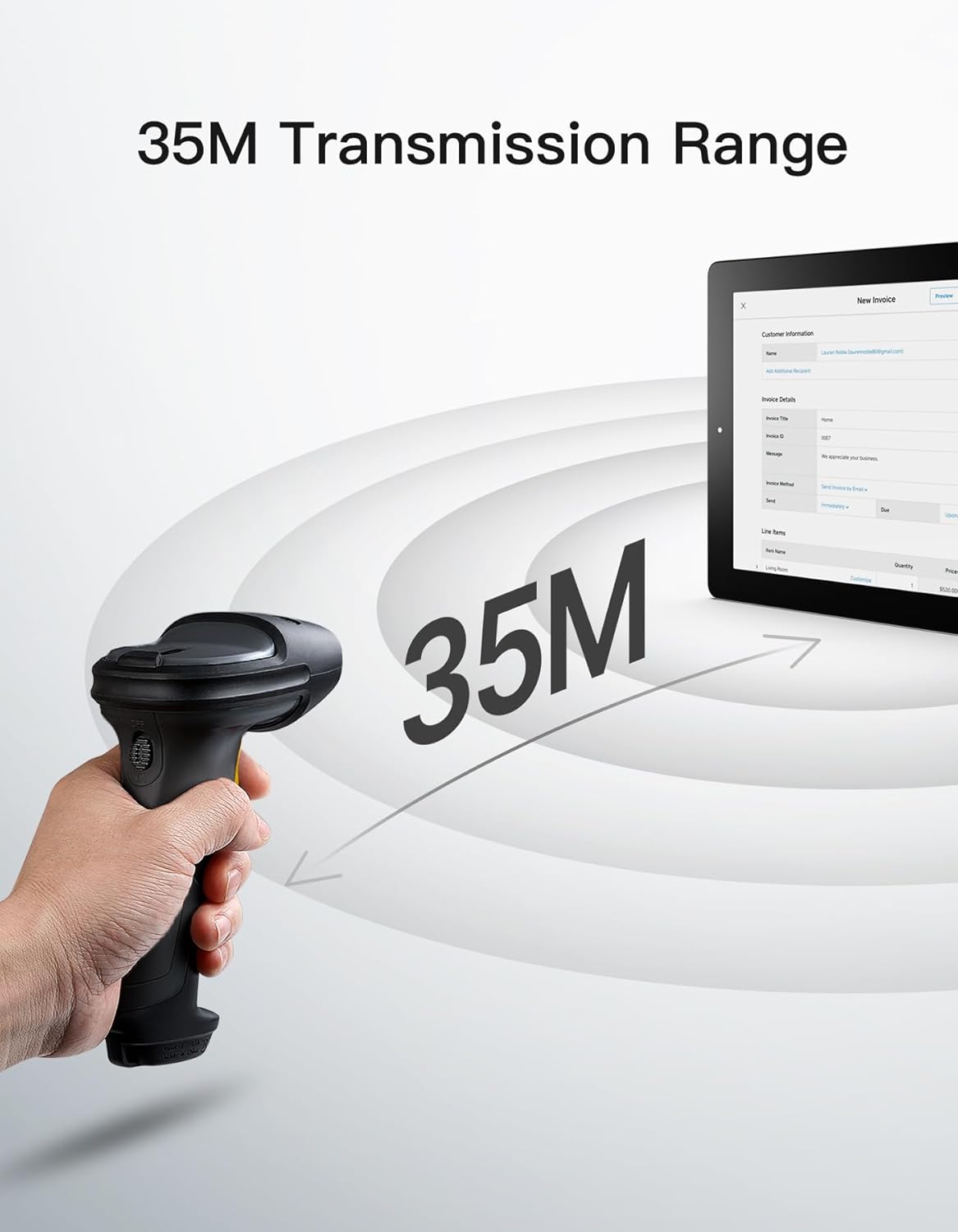
Descripción de la imagen: The Inateck BCST-72 barcode scanner illustrating its 35-meter wireless transmission range, connecting to a tablet displaying an invoice.
5. Instrucciones de funcionamiento
5.1 Escaneo de códigos de barras
The Inateck BCST-72 accurately reads almost all 1D and 2D barcodes within a 4–35 cm scanning range. It supports mainstream barcode types including Code 128, EAN-13, UPC-A, QR Code, PDF-417, Data Matrix, Aztec Code, and more. Equipped with a red laser aiming frame and white fill light, it reliably scans damaged, small, or blurred barcodes in both bright and low-light conditions.

Descripción de la imagen: The Inateck BCST-72 barcode scanner head shown with various 1D and 2D barcodes, indicating its "Super Decoding Ability" to read different types of codes.

Descripción de la imagen: The Inateck BCST-72 barcode scanner highlighting its capability to read both 1D and 2D barcodes, listing various supported formats like Code 128, EAN-13, UPC-A, QR, and Data Matrix.
5.2 Modos de escaneo
The scanner offers multiple scanning modes to suit different applications:
- Modo manual: Presione el botón disparador para escanear cada código de barras individualmente.
- Modo continuo: El escáner emite continuamente un haz de escaneo y lee los códigos de barras a medida que pasan por el campo de view sin necesidad de apretar el gatillo.
- Modo de detección automática: The scanner automatically detects barcodes placed within its scanning range and activates the scan beam.
- Modo de inventario: Allows for offline data collection, storing up to 270,000 barcodes internally before uploading them to a host device.

Descripción de la imagen: The Inateck BCST-72 barcode scanner in a stand, demonstrating its automatic detection mode for hands-free scanning.

Descripción de la imagen: The Inateck BCST-72 barcode scanner continuously scanning multiple items on a conveyor belt, illustrating its continuous scanning mode.

Descripción de la imagen: The Inateck BCST-72 barcode scanner used in inventory mode, showing scanned data being uploaded to a spreadsheet, highlighting its offline data collection capability.
5.3 Inateck Scanner App & SDK
The Inateck Scanner app (available on App Store and Google Play) and SDK provide advanced configuration options and seamless integration with ERP systems. The app allows for fast configuration of Bluetooth pairing, barcode settings, and data processing. You can customize settings such as volume, barcode types, suffixes, and prefixes. The SDK enables developers to integrate the scanner directly into custom software solutions.
Descripción del vídeo: An official product video demonstrating the Inateck BCST-72 barcode scanner's features, including its decoding ability, battery life, durable design, and the functionality of the Inateck Scanner app for configuration and data processing. It also highlights the SDK for seamless integration.
6. Mantenimiento
To ensure the longevity and optimal performance of your Inateck BCST-72 barcode scanner, follow these maintenance guidelines:
- Limpieza: Utilice un paño suave y seco para limpiar el exterior del escáner. Para la ventana de escaneo, utilice un paño sin pelusa ligeramente seco.ampLimpie con un limpiador suave y no abrasivo. Evite productos químicos agresivos o materiales abrasivos que puedan rayar la lente.
- Cuidado de la batería: Avoid fully discharging the battery frequently. For long-term storage, charge the battery to about 50% and store the device in a cool, dry place. Recharge periodically if stored for extended periods.
- Almacenamiento: Guarde el escáner en un entorno limpio y seco, alejado de temperaturas extremas, luz solar directa y materiales corrosivos.
7. Solución de problemas
If you encounter issues with your Inateck BCST-72 scanner, refer to the following common solutions:
- El escáner no se enciende: Asegúrese de que la batería esté cargada. Conecte el escáner a una fuente de alimentación mediante el cable USB y déjelo cargar durante al menos 30 minutos antes de volver a encenderlo.
- Unable to Connect via Bluetooth/2.4G:
- Asegúrese de que el escáner esté en el modo de emparejamiento correcto.
- Verifique que Bluetooth esté habilitado en su dispositivo host.
- Para 2.4G, asegúrese de que el dispositivo USB esté conectado de forma segura y sea reconocido por su dispositivo.
- Intente reiniciar tanto el escáner como el dispositivo host.
- El escáner no lee códigos de barras:
- Ensure the barcode is clean, undamaged, and within the scanner's optimal reading range (4-35 cm).
- Check if the barcode type is supported by the scanner. You can configure supported barcode types via the Inateck Scanner app.
- Adjust the distance and angle of the scanner relative to the barcode.
- Ensure sufficient lighting for the barcode. The scanner has a white fill light for low-light conditions.
- Sin transmisión de datos:
- Confirm successful connection (Bluetooth, 2.4G, or wired).
- Asegúrese de que el cursor esté en un campo de texto activo en su dispositivo host donde se puedan ingresar datos.
- Check the scanner's settings via the Inateck Scanner app for any data processing rules that might be affecting output.
For further assistance, refer to the electronic manual within the Inateck Scanner app or contact Inateck customer support.
8. Especificaciones
| Característica | Detalle |
|---|---|
| Marca | Inateck |
| Modelo | BCST-72 |
| Capacidad de escaneo | 1D and 2D Barcodes (Code 128, EAN-13, UPC-A, QR Code, PDF-417, Data Matrix, Aztec Code, etc.) |
| Rango de escaneo | 4–35 centímetros |
| Conectividad | 2.4G inalámbrico, Bluetooth, USB con cable |
| Compatibilidad | Windows, Mac, iOS, Android, iPadOS, Linux |
| Batería | 1 batería de iones de litio (incluida), 2600 mAh |
| Duración de la batería | Up to 180 days standby or 180,000 scans |
| Protección contra caídas | Withstands 1.8-meter drops |
9. Garantía y soporte
Inateck products come with a standard warranty. For specific warranty terms and conditions, please refer to the documentation included with your purchase or visit the official Inateck website. If you require technical support, have questions about product operation, or need assistance with troubleshooting, please contact Inateck customer support. You can find contact information on the Inateck website or within the Inateck Scanner app.
Visita el Inateck Store Para más información y productos.