
1. Introducción
This manual provides essential information for setting up, operating, and maintaining your Beelink SEi13 Pro Mini PC. Please read it thoroughly before use to ensure optimal performance and longevity of your device.
Contenido del paquete
- 1 x Beelink SEi13 Pro Mini PC
- 1 cable HDMI
- 1 x adaptador de corriente
- 1 x Manual de usuario (este documento)
Asegúrese de que todos los artículos estén presentes y en buenas condiciones al desembalarlos.
2. Producto terminadoview y características
The Beelink SEi13 Pro is a compact desktop computer designed for various tasks, from office work to 4K video playback and content creation. It features a powerful Intel Core i7-13620H processor and extensive connectivity options.
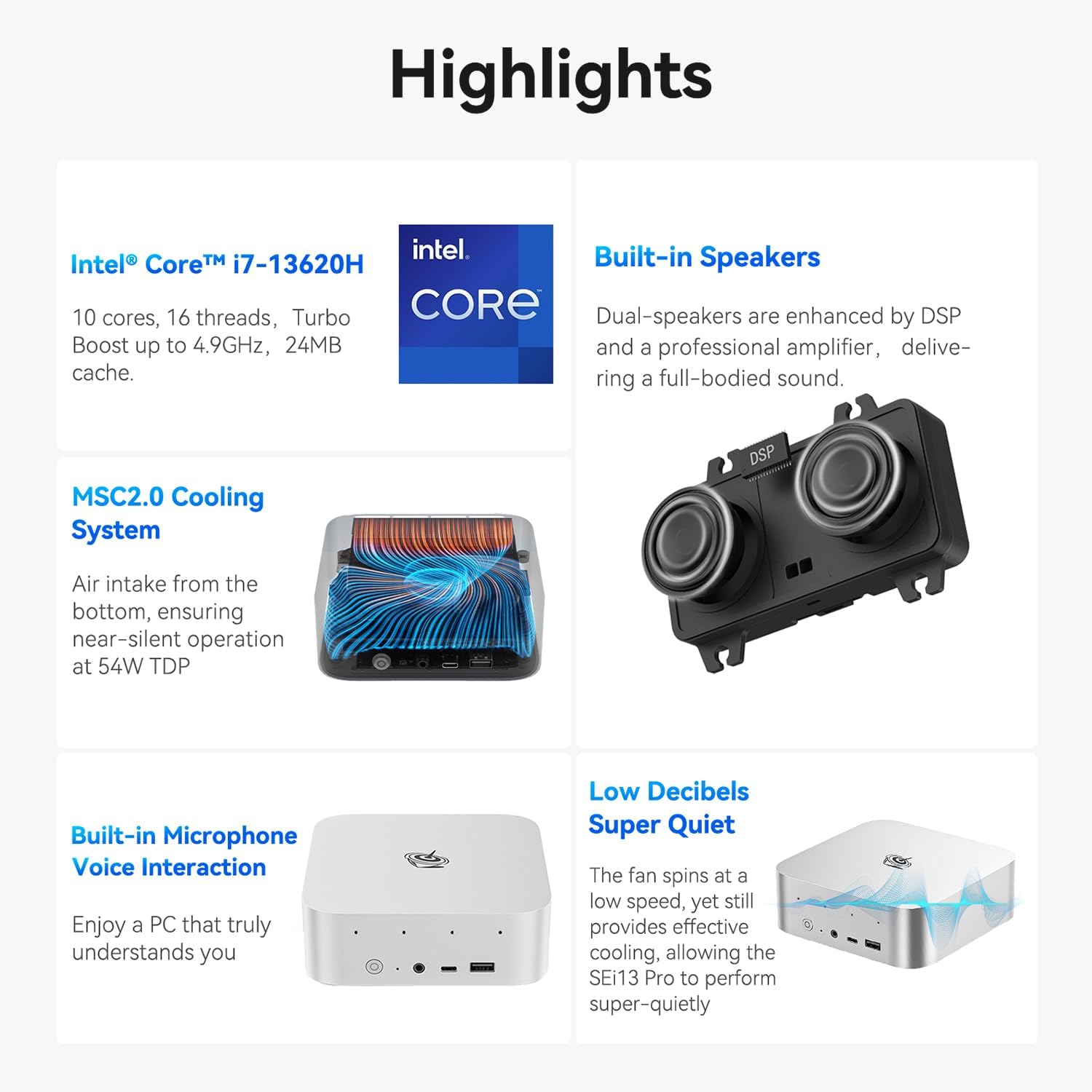
Imagen: Más alláview of Beelink SEi13 Pro Mini PC key features including processor, cooling, speakers, microphone, and quiet operation.
Procesador
Equipped with an Intel Core i7-13620H processor, featuring 10 cores and 16 threads, with a maximum turbo frequency of 4.9GHz. This hybrid CPU architecture provides efficient performance for multitasking and demanding applications.

Imagen: Detallada view of the Intel Core i7-13620H processor specifications, highlighting 4.9 GHz max turbo frequency, 10 cores, 16 threads, and 1.50 GHz maximum dynamic GPU frequency.
Memoria (RAM)
The system includes 32GB of LPDDR5 RAM, configured for dual-channel operation. This ensures smooth system performance, faster software loading, and enhanced multitasking capabilities.
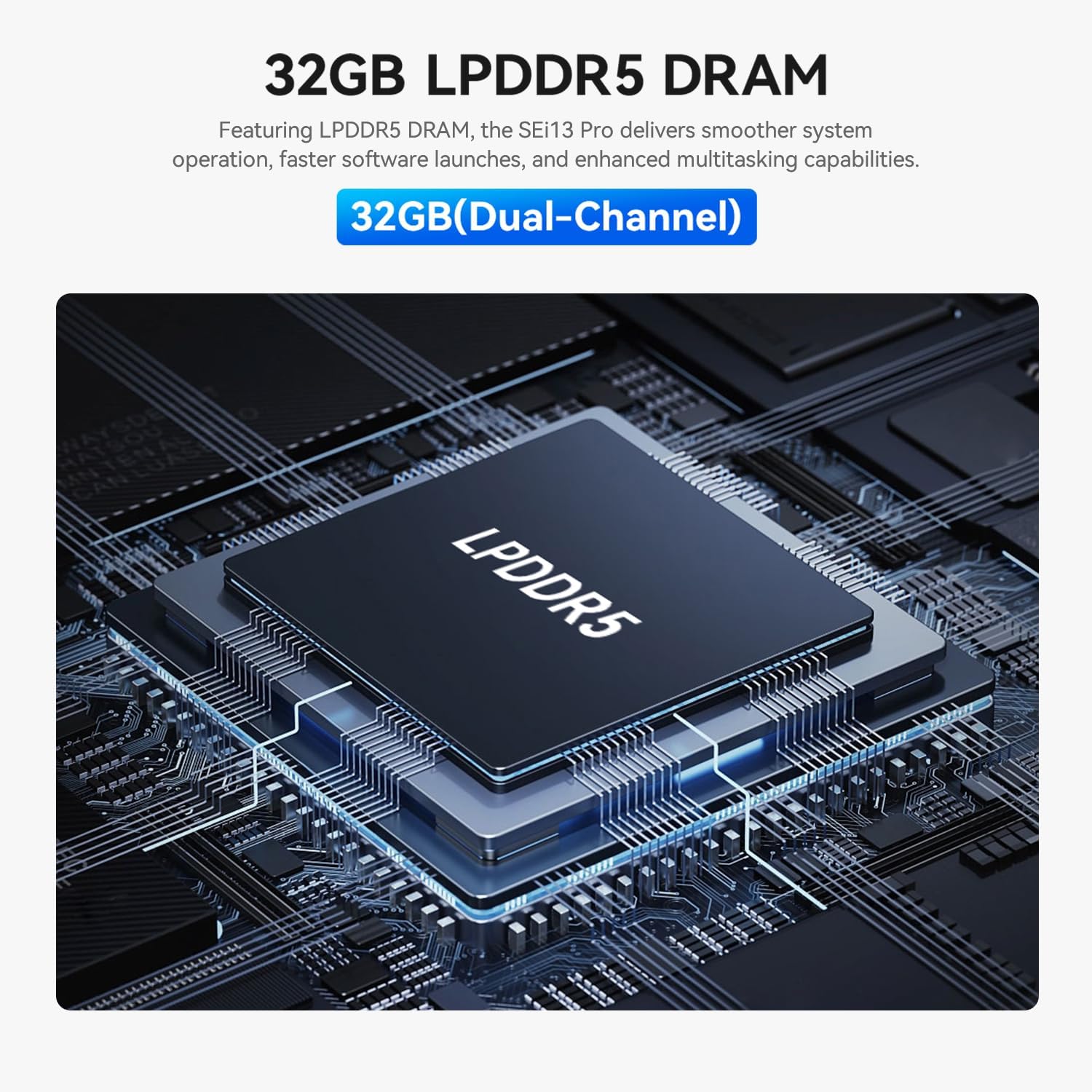
Image: A close-up of an LPDDR5 DRAM module, indicating 32GB (Dual-Channel) memory for the Beelink SEi13 Pro.
Almacenamiento
The Beelink SEi13 Pro comes with a 1TB M.2 PCIe NVMe 2280 SSD for high-speed data access. It also features dual M.2 2280 PCIe 4.0 x 4 expansion slots, supporting up to 4TB for each slot, allowing for flexible storage upgrades.

Image: Illustration of dual M.2 SSD PCIe 4.0 modules, emphasizing high-speed storage and the retail unit's 1TB SSD.
Graphics and Display Output
The integrated Intel UHD graphics support triple display output at 4K@60Hz via HDMI, DP1.4, and a rear USB-C port. This configuration is suitable for multitasking across multiple screens.

Image: A Beelink Mini PC connected to three monitors, demonstrating its triple-display output capability via HDMI, DP1.4, and USB-C ports for 4K displays.
Conectividad
- Inalámbrico: WiFi 6 (Intel AX200) for speeds up to 2.4 Gbps and Bluetooth 5.2 for stable connections with wireless accessories.
- Wired: Two 2.5G LAN ports for high-speed wired network connections.

Image: Details on WiFi 6, Bluetooth 5.2, dustproof design, and dual audio jacks of the Beelink SEi13 Pro Mini PC.
Puertos e interfaces
The Mini PC offers a comprehensive set of ports for various peripherals and displays:

Imagen: delantera y trasera views of the Beelink SEi13 Pro Mini PC, labeling all available ports including DC IN, USB-C (Data & Video), HDMI, 3.5mm Audio Jack, USB2.0, DP1.4, LAN 2.5G, USB3.2, Power Button, CLR CMOS, and Microphone Array.
- Frente: Power Button, CLR CMOS, 3.5mm Audio Jack, USB-C 10Gbps (Data), USB3.2 10Gbps
- Trasero: DC IN, USB-C 10Gbps (Data & Video), HDMI 4K 60Hz, 3.5mm Audio Jack, USB2.0 480Mbps, DP1.4 4K 144Hz, LAN 2.5G (x2), USB3.2 10Gbps (x2)
Sistema de enfriamiento
Features an MSC2.0 Cooling System designed for near-silent operation at 54W TDP, ensuring efficient heat dissipation.
Audio
Includes built-in dual speakers enhanced by DSP and a professional amplifier for full-bodied sound. Dual audio jacks are available, with the front jack taking priority when both are connected.
Sistema operativo
Pre-installed with Windows 11 Pro, providing a modern and secure computing environment.
3. Guía de configuración
Follow these steps to set up your Beelink SEi13 Pro Mini PC.
Conexión inicial
- Conectar a la pantalla: Use the provided HDMI cable to connect the Mini PC to your monitor or TV. You can also use a DisplayPort (DP) cable or a USB-C to DisplayPort/HDMI cable for additional displays.
- Conectar periféricos: Conecte el teclado y el mouse USB a los puertos USB disponibles.
- Conectarse a la red: For wired internet, connect an Ethernet cable to one of the 2.5G LAN ports. For wireless internet, ensure your Wi-Fi network is available during initial setup.
- Conecte la electricidad: Conecte el adaptador de corriente al puerto DC IN de la mini PC y luego conecte el adaptador a una toma de corriente.
- Encendido: Presione el botón de encendido en la parte frontal de la mini PC. El sistema se iniciará.
Configuración de Windows 11
Upon first boot, follow the on-screen instructions to complete the Windows 11 Pro setup, including language selection, network connection, account creation, and privacy settings.
4. Instrucciones de funcionamiento
Operación básica
- Encendido/apagado: Press the power button to turn the PC on. To turn off, use the Windows Shut Down option or press and hold the power button for 5 seconds.
- Reanudar: Utilice la opción Reiniciar Windows.
- Dormir: Use the Windows Sleep option.
Configuración de pantalla triple
To utilize the triple display output, connect up to three monitors using the HDMI, DP1.4, and rear USB-C (Data & Video) ports. Once connected, Windows will automatically detect the displays. You can configure display settings (e.g., extend, duplicate) via Windows Display Settings.
Acceso a la BIOS
To enter the BIOS settings, press the Borrar key repeatedly immediately after powering on the device. To access the boot options menu, press the F7 key repeatedly immediately after powering on.
Uso del software
The Beelink SEi13 Pro is suitable for a variety of applications:

Imagen: Examples of software applications the Beelink SEi13 Pro can handle, including graphic design (AI, PS, DW), light office work (Word, PowerPoint, OneNote, Excel), and video editing/streaming (CapCut, Premiere, After Effects, Audition).
- Graphic Design/Web Development/Programming: Supports applications like Adobe Illustrator, Photoshop, Dreamweaver.
- Light Office Work: Compatible with Microsoft Office suite (Word, PowerPoint, OneNote, Excel).
- Video Editing/Live Streaming/Content Creation: Capable of running software such as CapCut, Adobe Premiere, After Effects, and Audition.
5. Mantenimiento
Prevención del polvo
The Mini PC features a dustproof design with a mesh filter at the bottom to prevent dust accumulation. Regularly inspect and clean the exterior of the device to maintain optimal airflow and prevent dust-related issues.
Expansión de almacenamiento
The device supports storage expansion via its dual M.2 2280 PCIe 4.0 x 4 expansion slots. Refer to the detailed instructions for opening the chassis and installing additional M.2 SSDs if needed. Ensure the device is powered off and unplugged before performing any internal maintenance or upgrades.
6. Solución de problemas
- Sin pantalla: Ensure all display cables are securely connected and the monitor is powered on and set to the correct input source. Try a different cable or port.
- Sin energía: Verifique que el adaptador de corriente esté conectado correctamente tanto a la mini PC como a una toma de corriente que funcione.
- Ralentización del sistema: Compruebe si hay aplicaciones en segundo plano que consuman recursos. Asegúrese de tener suficiente espacio de almacenamiento libre. Considere actualizar los controladores o realizar un análisis del sistema en busca de malware.
- Problemas de red: For Wi-Fi, ensure the correct password is entered and the router is functioning. For wired, check the Ethernet cable connection and router status.
- Acceso al BIOS: If you encounter issues entering BIOS, ensure you are pressing the Borrar key immediately and repeatedly after pressing the power button.
Para problemas persistentes, consulte la sección Garantía y soporte para obtener información de contacto.
7. Especificaciones
| Característica | Detalle |
|---|---|
| Marca | Enlace de abeja |
| Modelo | SEi/13620H/32G/1TB |
| Procesador | Intel Core i7-13620H (10 núcleos, 16 subprocesos, hasta 4.9 GHz) |
| Gráficos | Gráficos Intel UHD (integrados) |
| RAM | 32 GB LPDDR5 |
| Almacenamiento | 1TB NVMe M.2 PCIe 4.0 SSD (Expandable via dual M.2 slots) |
| Sistema operativo | Windows 11 Pro |
| Salida de vídeo | HDMI, DP1.4, USB-C (rear) - Supports Triple 4K@60Hz Display |
| Conectividad inalámbrica | Wi-Fi 6 (Intel AX200), Bluetooth 5.2 |
| Conectividad por cable | 2 x 2.5G LAN ports |
| Puertos USB | 1 x USB2.0, 3 x USB3.2 10Gbps, 1 x USB-C 10Gbps (Data), 1 x USB-C 10Gbps (Data & Video) |
| Puertos de audio | 2 x 3.5mm Audio Jacks |
| Método de enfriamiento | MSC2.0 Air Cooling System |
| Tipo de enchufe de alimentación | Tipo A - 2 pines (Norteamérica) |
8. Garantía y soporte
Información de garantía
The Beelink SEi13 Pro Mini PC comes with a 3-year manufacturer's warranty, ensuring coverage against defects in materials and workmanship under normal use.
Apoyo técnico
Beelink offers lifetime technical support and 24-hour customer service. If you have any questions or encounter issues with your Mini PC, please do not hesitate to contact us. Our support team is available to assist you.
For support, please visit the official Beelink websitio o contacte con atención al cliente a través de su plataforma de compra.