
1. Producto terminadoview
The OtterBox Commuter Series Case is engineered to provide robust protection for your Google Pixel 10 or Pixel 10 Pro. This case features a dual-layer design, combining a soft inner slipcover with a rigid outer shell to guard against drops, bumps, and daily wear. Its slim profile ensures pocket-friendliness while maintaining comprehensive device security.
Características principales:
- Protección de doble capa: Soft inner slipcover and hard outer shell work together to absorb impact and resist scratches.
- Cubiertas de puerto: Integrated covers block dust, dirt, and lint from entering ports.
- Agarre seguro: Textured sides enhance grip, reducing the chance of accidental drops.
- Compatible con carga inalámbrica: Designed to allow seamless wireless charging without removing the case.
- Diseño ecoconsciente: Crafted from over 35% recycled plastic.
Compatibilidad:
Este estuche está diseñado específicamente para el Google Pixel 10 y Google Pixel 10 Pro. Es no compatible with the Google Pixel 10 Pro XL or any other device models.
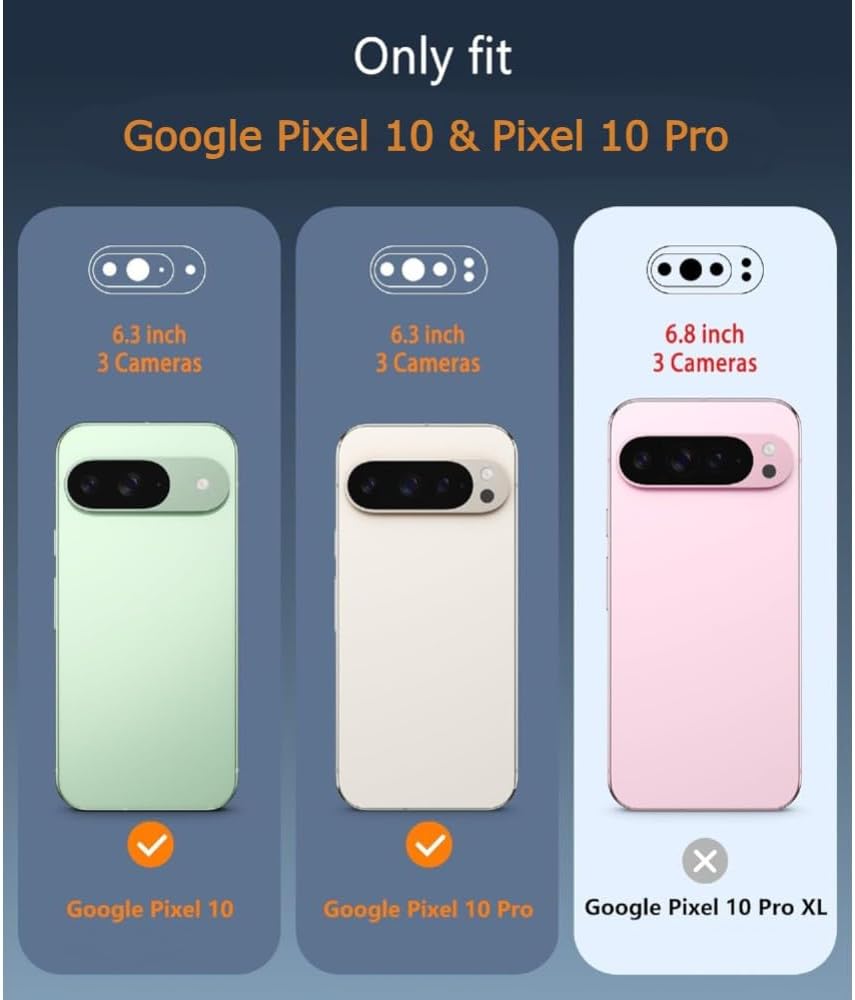
Figure 1: Compatibility chart for Google Pixel 10 series.
2. Configuración e instalación
Follow these steps to properly install your OtterBox Commuter Series Case on your Google Pixel 10 or Pixel 10 Pro.
- Separar los componentes del caso: The Commuter Series case consists of two main parts: a soft inner rubber slipcover and a rigid outer polycarbonate shell. Gently separate these two components.
- Install the Inner Slipcover: Carefully place your Google Pixel 10 or Pixel 10 Pro into the soft inner rubber slipcover. Ensure all edges of the phone are securely seated within the slipcover and that the buttons align correctly with the slipcover's button covers.
- Attach the Outer Shell: Once the phone is fully encased in the slipcover, slide the assembly into the rigid outer polycarbonate shell. Press firmly around the edges until you hear or feel a click, indicating that the outer shell has securely snapped into place around the slipcover.
- Verificar instalación: Check that all buttons are functional, the camera opening is clear, and the port covers operate smoothly. Ensure there are no gaps between the slipcover and the outer shell.

Figure 2: Disassembled OtterBox Commuter Series case.
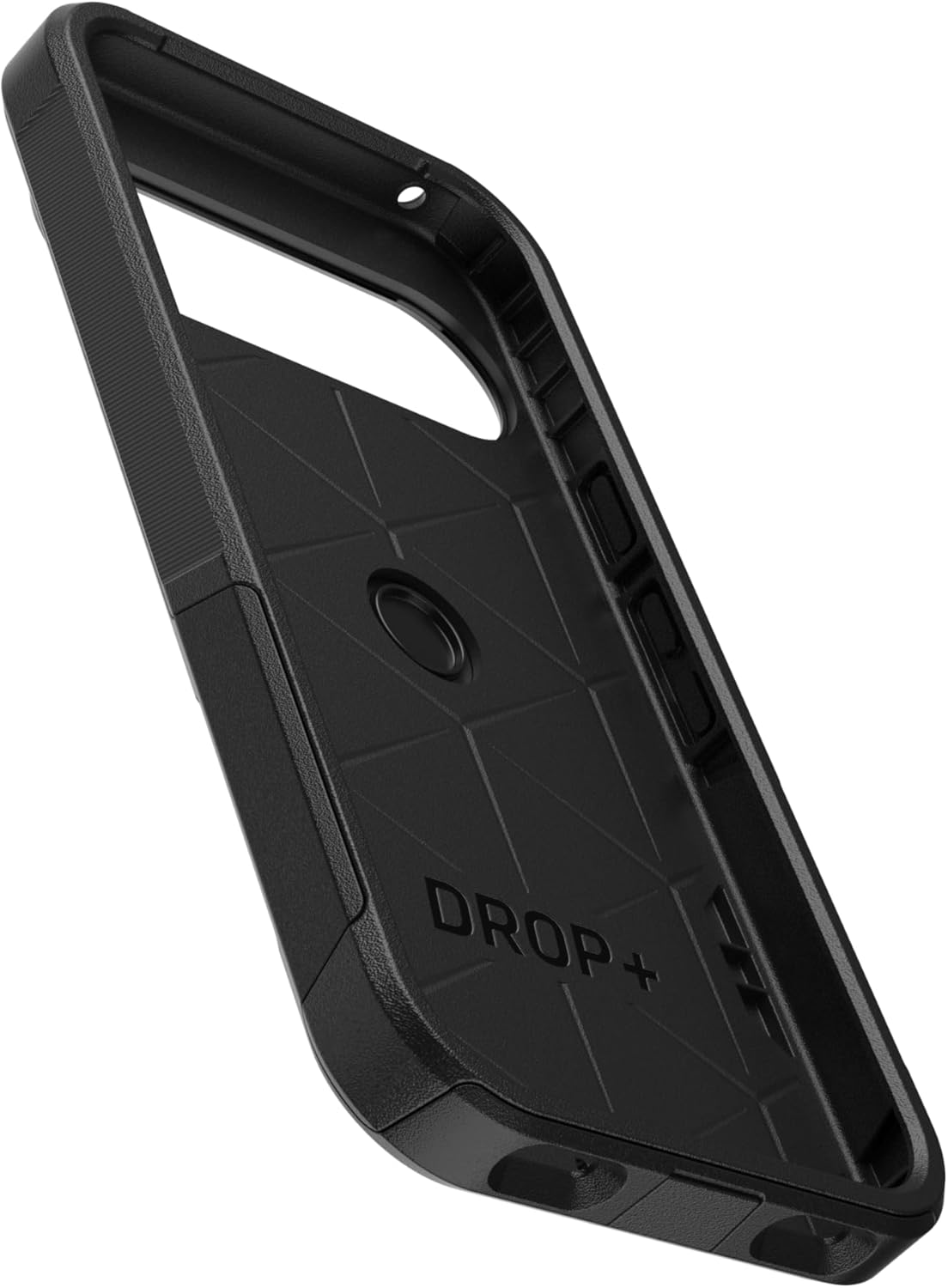
Figura 3: Interior view of the case, showing impact-absorbing design.

Figure 4: Assembled OtterBox Commuter Series case.
Video de instalación:
Video 1: Demonstrates the installation process for an OtterBox Commuter Series case. While the video title mentions Pixel 9, the installation steps are generally applicable to the Commuter Series design.
3. Instrucciones de funcionamiento
The OtterBox Commuter Series Case is designed for everyday use, providing protection without hindering functionality.
- Acceso al puerto: The integrated port covers protect against dust and debris. To access the charging port or headphone jack (if applicable), gently lift the corresponding cover. Ensure to press the cover back into place after use to maintain protection.
- Funcionalidad del botón: The case features integrated button covers that maintain the tactile feel and responsiveness of your phone's buttons.
- Carga inalámbrica: The case is compatible with most Qi wireless chargers. Simply place your phone with the case on a compatible wireless charging pad. If you experience issues, ensure the phone is centered on the charger and there are no foreign objects between the phone and the charger.
- Protección de pantalla: The case features a raised bezel around the screen to help protect the display when placed face down. For comprehensive screen protection, consider using an OtterBox screen protector (sold separately).
4. Mantenimiento y cuidado
To ensure the longevity and effectiveness of your OtterBox Commuter Series Case, follow these simple maintenance guidelines:
- Limpieza: Limpie regularmente su funda con un paño suave y húmedo.amp cloth. For stubborn dirt, a mild soap solution can be used. Avoid harsh chemicals, abrasive cleaners, or solvents, as these can damage the case material.
- Inspección: Periodically inspect the case for any signs of wear or damage, especially around the edges, ports, and buttons. If the case is significantly damaged, consider replacing it to ensure optimal protection for your device.
- Almacenamiento: Cuando no esté en uso, guarde el estuche en un lugar limpio y seco, alejado de la luz solar directa y de temperaturas extremas.
5. Solución de problemas
If you encounter any issues with your OtterBox Commuter Series Case, refer to the following common solutions:
- Difficulty Installing/Removing Case: Ensure you are separating the inner slipcover from the outer shell before attempting to install or remove. Apply gentle, even pressure. Do not force the components.
- Port Cover Not Sealing: Check for any debris or lint obstructing the port cover. Clean the area if necessary. Ensure the cover is fully pressed into its seated position.
- Problemas de carga inalámbrica: Verify that your phone is correctly aligned on the wireless charger. Remove any metal objects or thick accessories that might interfere with the charging signal. Ensure your wireless charger is compatible with your Google Pixel 10/10 Pro.
- Buttons Not Responsive: Re-check the case installation to ensure the phone is perfectly seated within the slipcover and outer shell, and that the button covers align correctly with the phone's buttons.
- Camera Bezel Protection: The Commuter Series case is designed with a raised edge around the camera module to provide protection. If you feel the camera is not adequately protected, ensure the case is fully seated on the phone.
6. Especificaciones
| Característica | Detalle |
|---|---|
| Dimensiones del producto | 0.58 x 3.11 x 6.28 pulgadas |
| Peso del artículo | 2.11 onzas |
| Número de modelo | aos201 |
| Material | Thermoplastic Elastomer slipcover, Polycarbonate Layer |
| Modelos de teléfonos compatibles | Google Pixel 10 & Pixel 10 Pro |
| Color | Negro |
7. Garantía y soporte
OtterBox products are known for their quality and durability. For detailed information regarding product warranty, returns, or technical support, please visit the official OtterBox websitio o comuníquese directamente con su servicio de atención al cliente.
Keep your purchase receipt or order confirmation for warranty claims.


