
1. Introducción
Welcome to your new Baseus BC1 Open Ear Earbuds. This manual provides detailed instructions for setup, operation, and maintenance to ensure you get the best experience from your device. The Baseus BC1 earbuds feature a comfortable open-ear design, secure tri-curve clip, rich sound with powerful bass, clear calls with 4-mic AI noise reduction, IP55 water resistance, and precise button control.
2. Contenido del paquete
Verifique el contenido del paquete para asegurarse de que todos los artículos estén presentes:
- Baseus BC1 Open Ear Earbuds (Left & Right)
- Estuche de carga
- Manual de usuario
- Cable de carga tipo C

3. Producto terminadoview
The Baseus BC1 Open Ear Earbuds are designed for comfort and high-quality audio, allowing you to stay aware of your surroundings. The compact charging case provides extended battery life and convenient storage.

4. Configuración
4.1. Carga
Antes del primer uso, cargue completamente los auriculares y el estuche de carga.
- Conecte el cable de carga tipo C provisto al puerto de carga del estuche y a una fuente de alimentación.
- La carga completa del estuche demora aproximadamente 1.5 horas.
- The earbuds offer up to 7.5 hours of listening on a single charge, and up to 38 hours total with the fully charged case.

4.2. Encendido y apagado
- Encendido: Abra el estuche de carga y los auriculares se encenderán automáticamente.
- Apagado: Place the earbuds back into the charging case and close the lid; they will power off automatically.
4.3. Emparejamiento Bluetooth
- Abra el estuche de carga. Los auriculares entrarán automáticamente en modo de emparejamiento, lo cual se indicará mediante una luz LED parpadeante.
- En su dispositivo (teléfono inteligente, tableta, etc.), vaya a la configuración de Bluetooth y habilite Bluetooth.
- Buscar "Baseus BC1" in the list of available devices and select it to connect.
- Once connected, you will hear a confirmation tone, and the LED indicator on the earbuds will turn off.
4.4. Cómo usar los auriculares
Para una comodidad y calidad de sonido óptimas, siga estos pasos para usar sus auriculares:
- Gently clip each earbud onto your ear, ensuring the main body rests comfortably behind your earlobe.
- Adjust the earbud to find the most comfortable and secure position. The tri-curve ergonomic clip is designed to adapt to various ear shapes.
- Ensure the sound outlet is aligned with your ear canal to experience the best sound quality.


5. Instrucciones de funcionamiento
5.1. Controles de botones
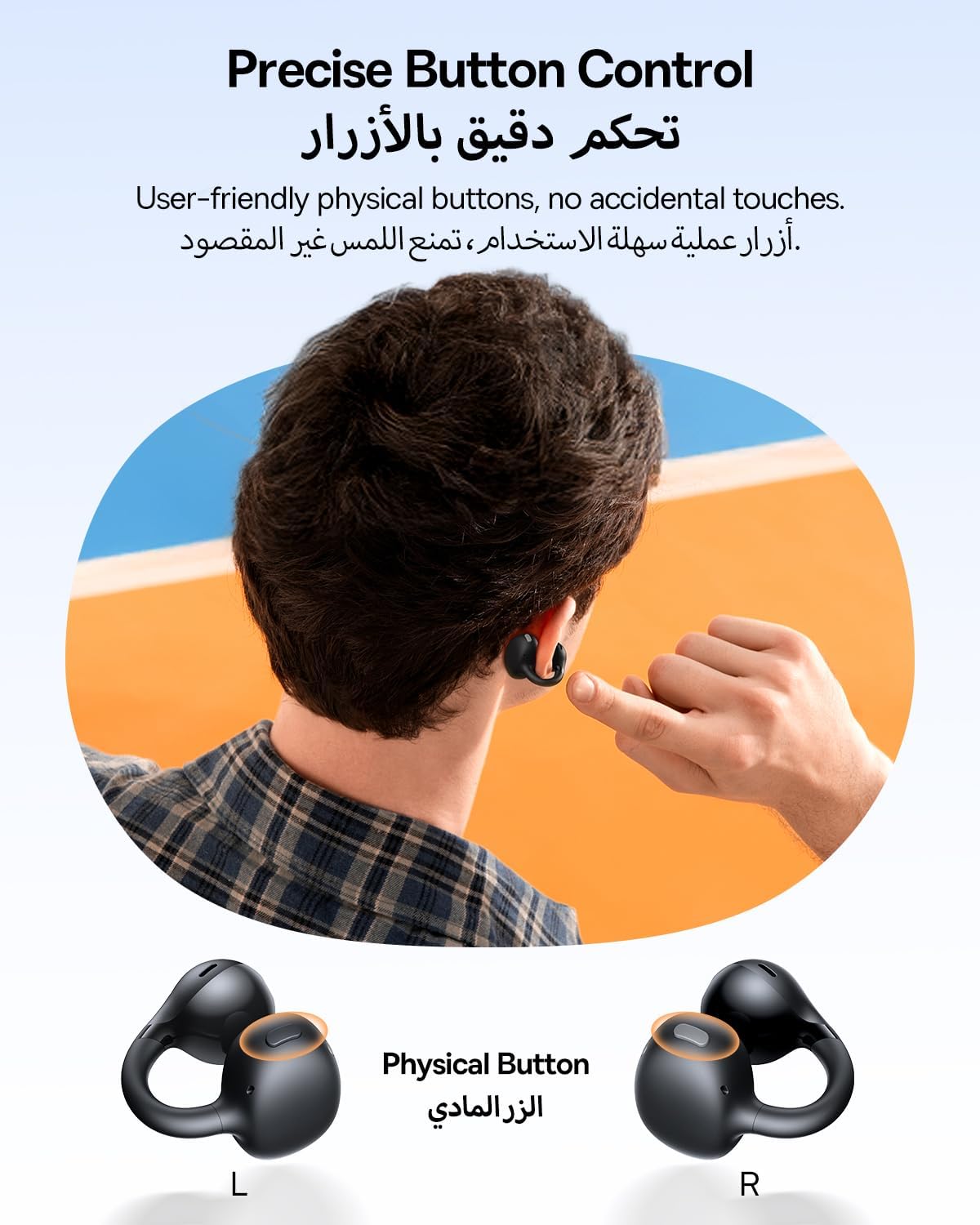
The Baseus BC1 earbuds feature physical buttons for precise control, minimizing accidental touches. The functions are as follows:
- Reproducir/Pausa: Presione una vez el botón en cualquiera de los auriculares.
- Sube el volumen: Single press the button on the right earbud.
- Bajar volumen: Single press the button on the left earbud.
- Pista siguiente: Long press the button on the right earbud for 1.5 seconds.
- Pista anterior: Long press the button on the left earbud for 1.5 seconds.
- Responder/Finalizar llamada: Double press the button on either earbud.
- Rechazar llamada: Long press the button on either earbud for 1.5 seconds during an incoming call.
- Asistente de voz: Presione tres veces el botón en el auricular derecho.
- Cycle Modes (Game/Movie/Normal): Presione tres veces el botón en el auricular izquierdo.
5.2. Personalización de la aplicación
Download the official Baseus app from your device's app store to unlock advanced features and personalize your listening experience:
- Ecualizador personalizable: Adjust the equalizer settings to fine-tune the audio to your preference.
- Sonido Profiles: Elija entre varios programas de sonido preestablecidosfiles for different music genres or listening scenarios.
- Touch Control Personalization: Reassign touch control functions to suit your needs.

5.3. Conexión multipunto
The Baseus BC1 earbuds support simultaneous connection to two devices, allowing seamless switching between them:
- Pair the earbuds with your first device (e.g., smartphone).
- Desconecta los auriculares de la configuración de Bluetooth del primer dispositivo. Los auriculares volverán al modo de emparejamiento.
- Pair the earbuds with your second device (e.g., tablet or laptop).
- Manually reconnect the earbuds to the first device from its Bluetooth settings.
- The earbuds will now be connected to both devices simultaneously, allowing you to switch audio sources without re-pairing.

6. Mantenimiento
6.1. Limpieza
Para garantizar un rendimiento óptimo y la longevidad de sus auriculares:
- Regularly clean the earbuds and the charging contacts inside the case using a clean, dry cotton swab.
- Si es necesario, d ligeramenteampen the cotton swab with alcohol for disinfection.
- Avoid issues such as the earbuds being unable to charge or power on due to prolonged lack of cleaning.
6.2. Almacenamiento
- Cuando no estén en uso, guarde siempre los auriculares en su estuche de carga para protegerlos del polvo y de daños.
- If the earbuds will not be used for an extended period, charge the case at least once every three months to maintain battery health.
7. Solución de problemas
If you encounter any issues with your Baseus BC1 earbuds, please refer to the following common problems and solutions:
- Los auriculares no se emparejan: Ensure Bluetooth is enabled on your device and the earbuds are in pairing mode. Try forgetting previous pairings on your device and re-pairing.
- Solo funciona un auricular: Place both earbuds back in the charging case, close the lid for 10 seconds, then open it again. If the issue persists, perform a factory reset.
- Mala calidad de sonido: Ensure the earbuds are worn correctly and the sound outlet is aligned with your ear canal. Check the EQ settings in the Baseus app.
- Los auriculares no se cargan: Clean the charging contacts on both the earbuds and the case. Ensure the charging cable is properly connected to a working power source.
7.1. Restablecimiento de fábrica
If the earbuds are not functioning correctly, a factory reset may resolve the issue:
- Remove the pairing information of the earbuds from your device's Bluetooth settings (e.g., "Forget This Device").
- Place both earbuds into the charging case, ensuring they are securely in place.
- Close the charging case for 3 seconds, then reopen it.
- With the charging case open, long press the button on the charging case for 10 seconds until the indicator light flashes white twice. This indicates that the reset is complete.
- After the factory reset, use the initial Bluetooth pairing method (Section 4.3) to reconnect and resume normal use.
8. Especificaciones
| Característica | Detalle |
|---|---|
| Nombre del modelo | BC1 |
| Número de modelo del artículo | PM153 |
| Marca | Baseus |
| Color | Negro |
| Colocación de orejas | Oído abierto |
| Factor de forma de los auriculares | Oído abierto |
| Tecnología de conectividad | Inalámbrico |
| Tecnología de comunicación inalámbrica | Bluetooth |
| Impedancia | 16 ohmios |
| Control de ruido | Ninguno |
| Toma de auriculares | Sin Jack |
| Método de control | Botón pulsador |
| Nivel de resistencia al agua | Resistente al agua (IP55) |
| Tiempo de carga | 1.5 horas |
| Peso del artículo | 111 gramos |
| Dimensiones del paquete | 13.4 x 8.5 x 4.2 cm |
| Componentes incluidos | Manual de usuario |
| Material | Plástico |
| Dispositivos compatibles | Phones, tablets, desktop computers, laptops, mobile phones, smart speakers, TVs, digital video game players |
9. Información de seguridad
- Avoid prolonged listening at high volume levels to prevent potential hearing damage.
- No utilice los auriculares en situaciones en las que la incapacidad de escuchar sonidos ambientales pueda resultar peligrosa (por ejemplo, al conducir, andar en bicicleta o caminar en el tráfico).
- Mantenga los auriculares y el estuche de carga lejos de temperaturas extremas, luz solar directa y humedad.
- Do not attempt to disassemble, repair, or modify the product. This may void the warranty and cause damage.
- Mantener fuera del alcance de los niños y las mascotas para evitar la ingestión accidental o el mal uso.
- Deseche el producto y su batería de forma responsable de acuerdo con las regulaciones locales.
10. Garantía y soporte
Para obtener información sobre la garantía, soporte técnico o cualquier consulta relacionada con el producto, consulte el sitio web oficial de Baseus. websitio o póngase en contacto con su distribuidor local.
You can also visit the official Baseus Store for more information: Tienda Baseus