
BEISHI Style 2
BEISHI Small Mobile TV Stand Instruction Manual
Model: Style 2
Introducción
Thank you for choosing the BEISHI Small Mobile TV Stand. This manual provides essential information for the safe and efficient assembly, operation, and maintenance of your new TV stand. Please read these instructions carefully before beginning assembly and retain them for future reference.
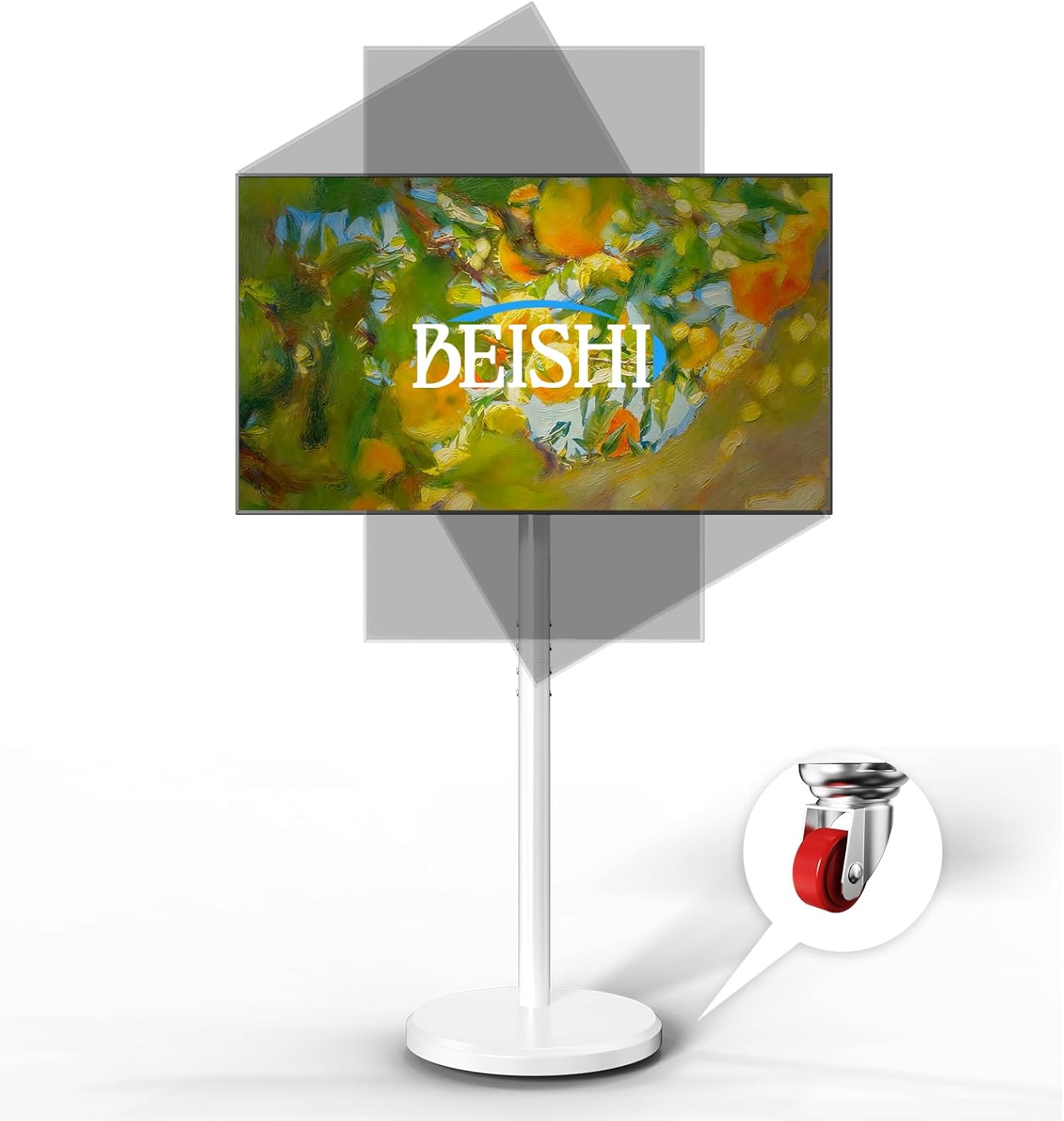
Image: The BEISHI Small Mobile TV Stand in white, featuring a television mounted on it, demonstrating its ability to tilt and swivel for optimal viewángulos de ing.
Compatibilidad
This mobile TV stand is designed for most televisions ranging from 10 to 48 inches and supporting a maximum weight of 88 lbs (40 kg). It is compatible with VESA mounting patterns including 75x75mm, 100x100mm, 100x200mm, 200x100mm, and 200x200mm.
Important: Before assembly, please verify your TV's size, weight, and VESA mounting pattern to ensure compatibility.
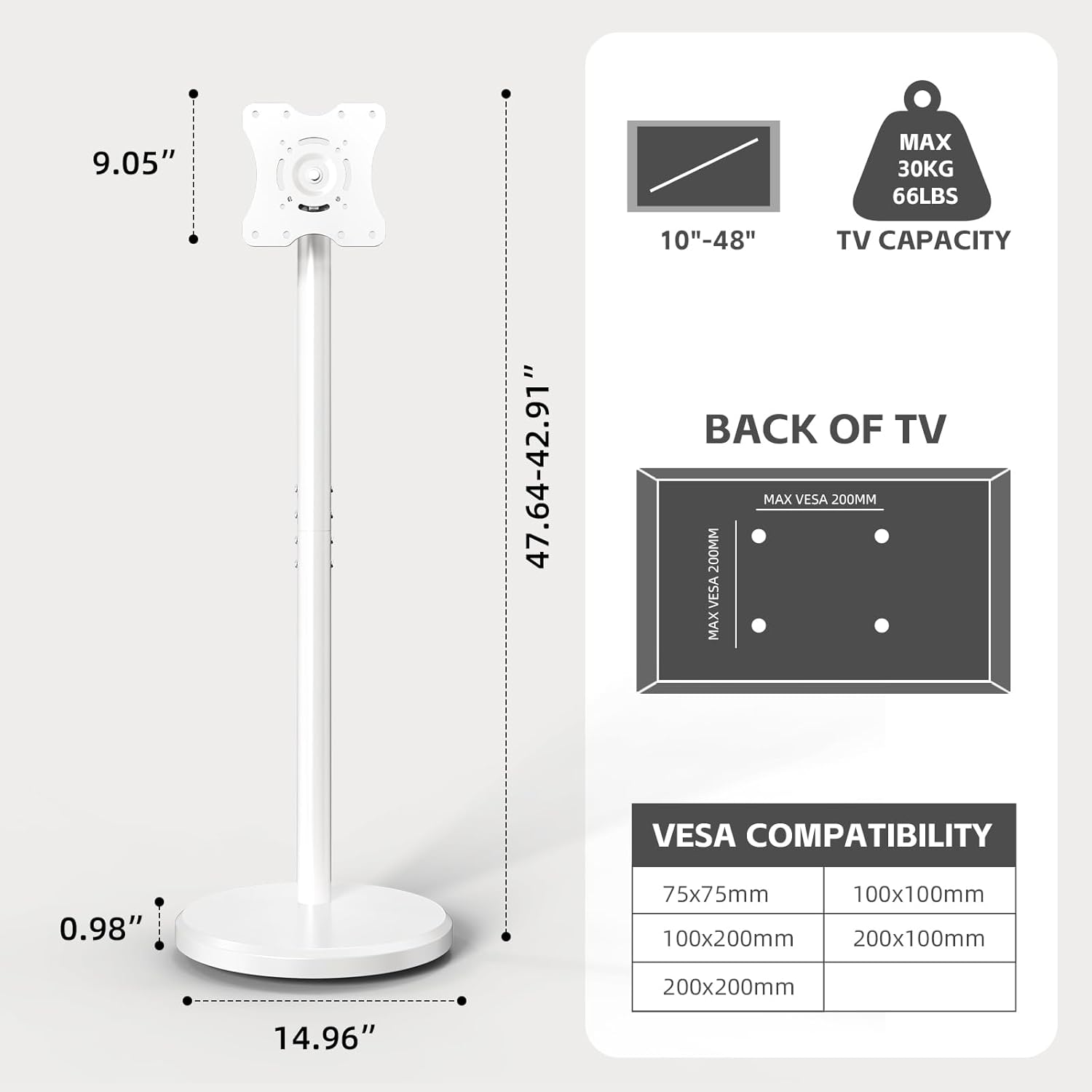
Image: A detailed diagram illustrating the dimensions of the BEISHI TV stand and a chart outlining compatible VESA mounting patterns and maximum TV weight capacity.
Configuración y montaje
Follow these steps for proper assembly of your BEISHI Mobile TV Stand. All necessary tools and hardware are included.
- Desempaquetar componentes: Carefully remove all parts from the packaging and lay them out on a soft, clean surface to prevent scratches. Verify all components are present against the parts list in your package.
- Montar la base: Attach the vertical support column to the base plate using the provided screws. Ensure all connections are secure.
- Instalar soportes de TV: Secure the TV mounting brackets to the back of your television using the appropriate screws and washers for your TV's VESA pattern. Ensure the brackets are centered and firmly attached.
- Monte el televisor en el soporte: Carefully lift your television and hook the attached brackets onto the vertical support column's mounting plate. Secure the TV in place using the strengthening screws or locking mechanisms provided.
- Sistema de organización de cables: Utilize the integrated cable management clips or channels on the stand's column to organize and conceal power and AV cables for a neat appearance.
Video: A demonstration of the assembly process for the Small Mobile TV Stand, showing how to connect components and mount a television.
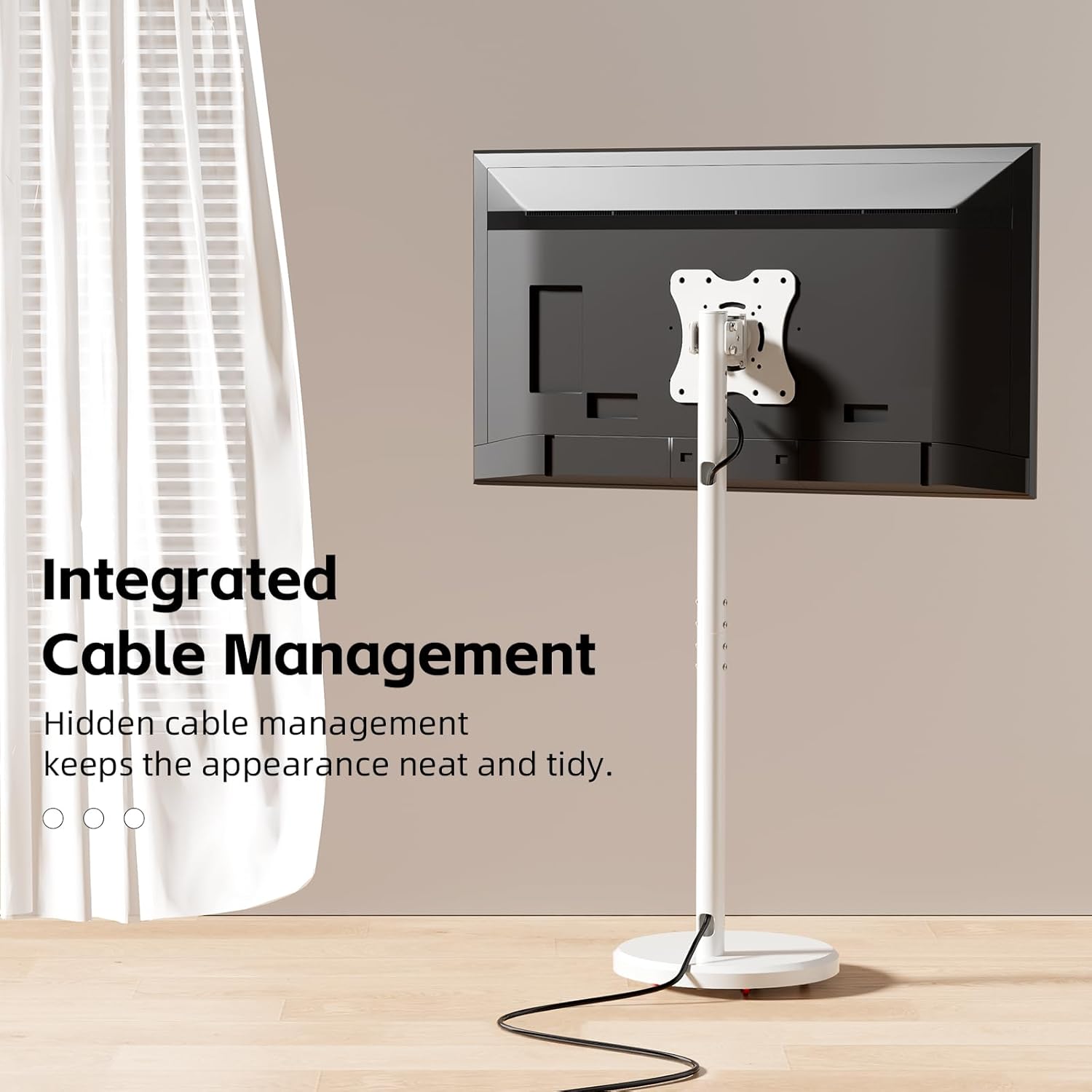
Imagen: Un primer plano view of the BEISHI TV stand's central column, highlighting the integrated cable management system designed to keep wires organized and out of sight.
Instrucciones de funcionamiento
- Ajuste de altura: The TV stand offers 6 levels of height adjustment. To adjust, loosen the securing screws on the vertical column, slide the TV to the desired height, and re-tighten the screws firmly.
- Tilt and Swivel: The mounted TV can be tilted +7°/-10° to reduce glare and swiveled ±30° for optimal viewing angles without the need for tools. Gently adjust the screen to your preferred position.
- 360° Rotation (Landscape to Portrait): For specific content like live streaming or video calls, the TV can be rotated 90° from landscape to portrait orientation. Ensure the TV is securely mounted before rotating.
- Movilidad: The stand is equipped with hidden, smooth, and silent wheels for effortless movement. To move the stand, ensure the wheels are unlocked. To secure the stand in place, engage the wheel locks.
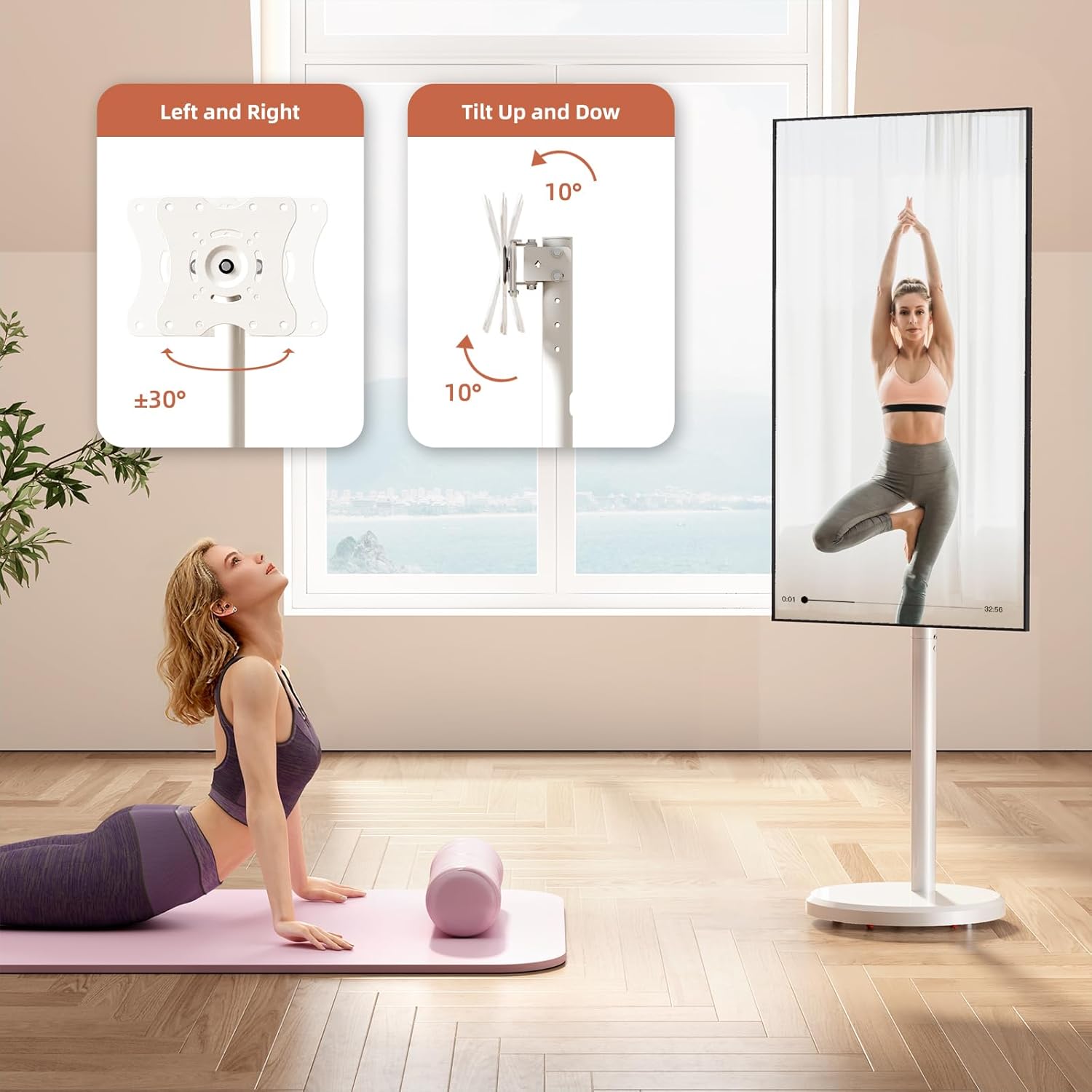
Image: A visual guide demonstrating the adjustable tilt (up to 10 degrees) and swivel (up to 30 degrees left or right) features of the BEISHI TV stand.

Image: The BEISHI TV stand showcasing its 360-degree rotation feature, allowing the television to switch seamlessly between landscape and portrait modes.

Image: A graphic detailing the height adjustment range of the BEISHI TV stand (from 42.9" to 47.64") and illustrating its universal, hidden swivel wheels for easy movement.
Video: A short video demonstrating the mobility of the Mobile TV Cart Rolling Floor Stand, showing it being moved across different rooms.
Mantenimiento
Para garantizar la longevidad y el rendimiento óptimo de su soporte de TV, siga estas pautas de mantenimiento:
- Limpieza: Limpie el soporte con un paño suave y seco. Para manchas difíciles, utilice un paño ligeramente seco.amp Se puede usar un paño con jabón suave y secarlo bien. Evite limpiadores abrasivos o disolventes.
- Comprobación del hardware: Revise periódicamente todos los tornillos y conexiones para asegurarse de que estén bien apretados y seguros. Vuelva a apretarlos si es necesario.
- Cuidado de las ruedas: Keep the wheels free of dust and debris to ensure smooth movement. If wheels become stiff, clean them and apply a small amount of silicone lubricant.
Solución de problemas
- TV no nivelada: Ensure the mounting brackets are installed evenly on the TV and the stand's vertical column is properly aligned. Use the leveling adjustment feature if available.
- Difficulty Moving Stand: Check if the wheel locks are engaged. Ensure the wheels are clean and free of obstructions.
- Hardware Does Not Fit TV: The stand includes various screw sizes for different TV models. If the provided hardware does not fit, consult your TV's manual for specific screw requirements or contact customer support.
- El soporte se siente inestable: Double-check all assembly connections and ensure screws are tightened. Verify your TV's weight and size are within the stand's specified limits.
Presupuesto
| Característica | Detalle |
|---|---|
| Marca | BEISHI |
| Modelo | Estilo 2 |
| Tamaños de televisores compatibles | 10-48 pulgadas |
| Peso máximo de televisor | 88 libras (40 kg) |
| Compatibilidad VESA | 75x75mm, 100x100mm, 100x200mm, 200x100mm, 200x200mm |
| Ajuste de altura | 6 niveles (42.9" - 47.64") |
| Ángulo de inclinación | +7°/-10° |
| Ángulo de giro | ±30° |
| Rotación | 360° (horizontal a vertical) |
| Material | Acero carbono |
| Color | Blanco |
| Peso del artículo | 12.38 libras |
| Dimensiones del paquete | 23 x 20.5 x 2.5 pulgadas |
Garantía y soporte
For warranty information or technical support, please refer to the documentation included with your product or contact BEISHI customer service directly. Keep your purchase receipt as proof of purchase.
Información del contacto: Please visit the official BEISHI websitio o la página de soporte de su minorista para obtener los detalles de contacto más actualizados.
Ask a question about this manual
Ask about setup, troubleshooting, compatibility, parts, safety, or missing instructions. Manuals+ will review the question and use this page’s manual context to help answer it.