
1. Introducción
Thank you for choosing the GOBOULT Fluid X Pro Bluetooth Headphones. This manual provides essential information for setting up, operating, and maintaining your headphones to ensure optimal performance and longevity. Please read this manual thoroughly before use.
2. Contenido del paquete
Asegúrese de que todos los elementos enumerados a continuación estén presentes en su paquete:
- GOBOULT Fluid X Pro Headphones
- Cable de carga tipo C
- Manual de usuario
- Almohadillas para los oídos (preinstaladas o de repuesto)
- Tarjeta de garantía
3. Producto terminadoview

Figure 3.1: Tactile Button Controls
Controles y Puertos:
- Botón de encendido: Mantenga pulsado para encender o apagar. Pulse brevemente para reproducir o pausar.
- Subir volumen (+): Pulsación corta para subir el volumen. Pulsación larga para pasar a la siguiente pista.
- Bajar volumen (-): Pulsación corta para bajar el volumen. Pulsación larga para saltar a la pista anterior.
- Botón ANC: Press to cycle through Active Noise Cancellation modes (ANC On/Off/Transparency).
- Botón de modo EQ: Press to cycle through the 4 available EQ modes.
- Puerto Tipo-C: Para cargar los auriculares.
- Puerto AUX: Para conexión de audio por cable.
- Micrófono: Integrated Zen ENC Mic for calls.
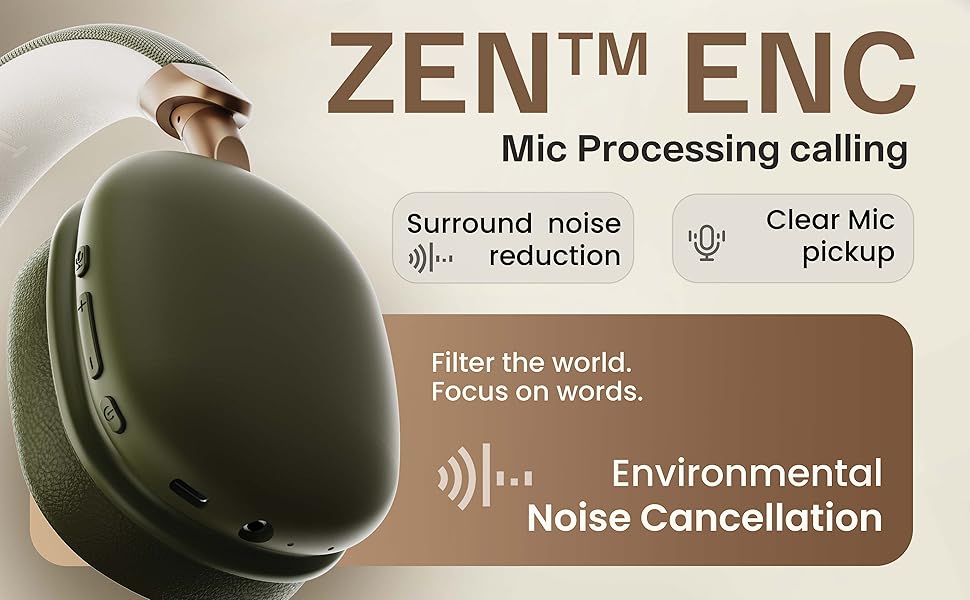
Figura 3.2: Características claveview
4. Configuración
4.1. Carga inicial
Before first use, fully charge your headphones. Connect the provided Type-C charging cable to the headphone's Type-C port and the other end to a USB power adapter (not included) or a computer's USB port. The LED indicator will show charging status and turn off when fully charged.
4.2. Encendido / apagado
- Para encender: Mantenga presionado el botón de encendido durante aproximadamente 3 segundos hasta que el indicador LED parpadee.
- Para apagar: Mantenga presionado el botón de encendido durante aproximadamente 5 segundos hasta que el indicador LED se apague.
4.3. Emparejamiento Bluetooth

Figura 4.1: Conectividad Bluetooth 5.4
- Asegúrese de que los auriculares estén apagados.
- Mantenga presionado el botón de encendido durante aproximadamente 5 a 7 segundos hasta que el indicador LED parpadee en rojo y azul alternativamente, lo que indica el modo de emparejamiento.
- En su dispositivo (teléfono inteligente, tableta, computadora portátil), habilite Bluetooth y busque los dispositivos disponibles.
- Select "GOBOULT Fluid X Pro" from the list of found devices.
- Una vez conectado, el indicador LED parpadeará en azul lentamente.
The headphones support Bluetooth 5.4 for stable and fast connections up to 10 meters.
5. Instrucciones de funcionamiento
5.1. Reproducción de audio
- Reproducir/Pausa: Presione brevemente el botón de encendido.
- Pista siguiente: Mantenga presionado el botón Subir volumen (+).
- Pista anterior: Mantenga presionado el botón para bajar el volumen (-).
- Ajuste de volumen: Presione brevemente los botones Subir volumen (+) o Bajar volumen (-).
5.2. Gestión de llamadas
- Responder/Finalizar llamada: Presione brevemente el botón de encendido.
- Rechazar llamada: Mantenga presionado el botón de encendido.
- Volver a marcar el último número: Presione dos veces el botón de encendido.
5.3. Cancelación activa de ruido (ANC)
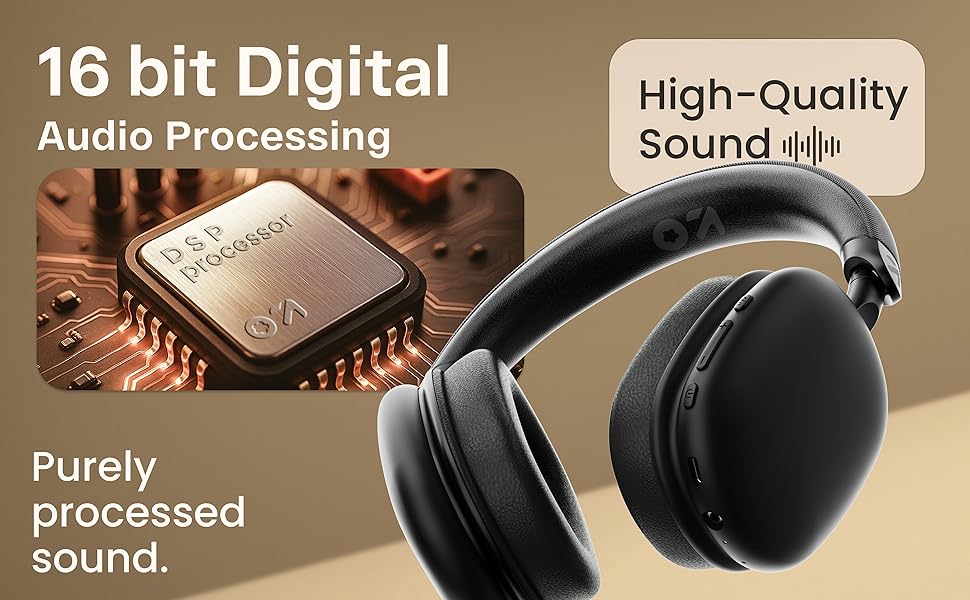
Figura 5.1: Cancelación activa de ruido en acción
Press the dedicated ANC button to activate or deactivate Active Noise Cancellation. This feature helps reduce ambient noise for a more immersive listening experience. Cycle through ANC On, ANC Off, and Transparency modes as needed.
5.4. Modos de ecualización
The headphones feature 4 Equalizer (EQ) modes to customize your audio experience. Press the EQ Mode button to cycle through the available presets (e.g., Bass Boost, Vocal, Balanced, Gaming). The specific modes may vary.
5.5. Modo de juego
Figure 5.2: Gaming Mode for Low Latency Audio
Activate Gaming Mode for ultra-low latency audio (approximately 50ms), providing a more synchronized audio-visual experience during gaming. Refer to the specific button control for activating this mode (often a long press on the EQ button or a dedicated button).
5.6. Dual Listening Modes (Wireless & Wired)

Figura 5.3: Opciones de conectividad inalámbrica y por cable
- Modo inalámbrico: Connect via Bluetooth for cordless audio.
- Modo con cable: Connect an AUX cable (not included) to the headphone's AUX port and your audio source. In wired mode, the microphone is typically inactive.
5.7. Asistente de voz

Figura 5.4: Integración del asistente de voz
Activate your device's voice assistant (Siri, Google Assistant) by a specific button press (refer to product diagram or quick start guide for exact control). This allows for hands-free control of your device.
6. Carga
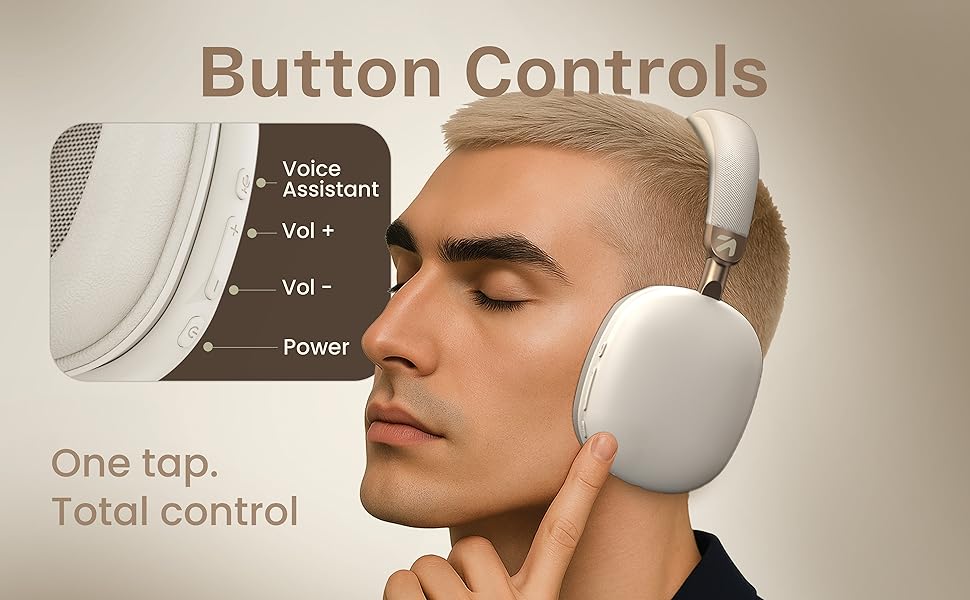
Figura 6.1: Duración de la batería y carga rápida
To charge the headphones, connect the provided Type-C cable to the charging port on the headphones and a compatible USB power source. The LED indicator will show charging status. A full charge provides up to 70 hours of playback without ANC, or 35 hours with ANC activated. A quick 10-minute charge can provide approximately 5 hours of playtime.
7. Mantenimiento
7.1. Limpieza
- Limpie los auriculares con un paño suave y seco.
- No utilice limpiadores abrasivos, alcohol ni disolventes químicos.
- Las almohadillas para los oídos se pueden limpiar suavemente con un paño.amp Paño si es necesario y luego dejar secar al aire por completo.
7.2. Almacenamiento
Guarde los auriculares en un lugar fresco y seco, alejados de la luz solar directa y temperaturas extremas. Su diseño plegable permite un almacenamiento compacto.
7.3. Resistencia al agua
The headphones are IPX5 water resistant, meaning they are protected against low-pressure water jets from any direction. This makes them splash-proof, rain-proof, and sweat-proof. Do not submerge the headphones in water.
8. Solución de problemas
| Problema | Posible causa | Solución |
|---|---|---|
| Los auriculares no se encienden | Batería baja | Cargue completamente los auriculares. |
| No se puede emparejar a través de Bluetooth | Los auriculares no están en modo de emparejamiento; el Bluetooth del dispositivo está desactivado; están demasiado lejos del dispositivo | Ensure headphones are in pairing mode (flashing red/blue). Turn on Bluetooth on your device. Move headphones closer to your device (within 10m). |
| Sin sonido | Volume too low; Not connected; Wired mode issue | Increase volume on headphones and device. Re-pair Bluetooth. Check AUX cable connection if in wired mode. |
| Mala calidad de llamada | Weak signal; Environmental noise | Move closer to your device. Ensure Zen ENC Mic is not obstructed. Try enabling/disabling ANC. |
| El Congreso Nacional Africano no funciona eficazmente | ANC desactivado; ajuste inadecuado | Presiona el botón ANC para activarlo. Ajusta los auriculares para que se ajusten perfectamente a tus orejas. |
9. Especificaciones
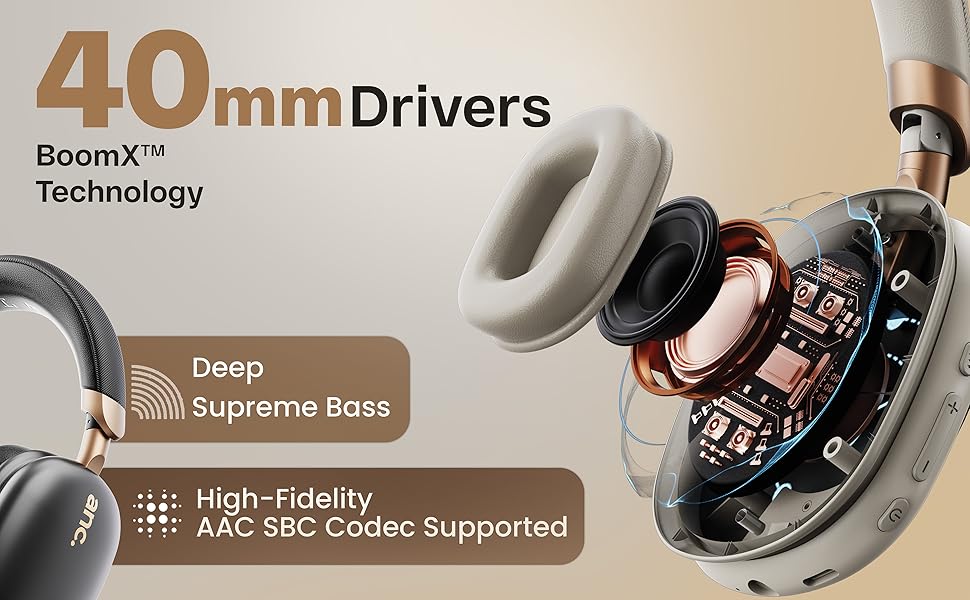
Figure 9.1: 16-bit Digital Audio Processing
| Característica | Detalle |
|---|---|
| Nombre del modelo | ProBass |
| Conectividad | Bluetooth 5.4, Wired (AUX) |
| Alcance de Bluetooth | Hasta 10 metros |
| Tamaño del controlador de audio | Controladores dinámicos de 40 mm |
| Control de ruido | Active Noise Cancellation (ANC), Passive Noise Cancellation |
| Micrófono | Micrófono Zen ENC |
| Duración de la batería | Hasta 70 horas (sin ANC), 35 horas (con ANC) |
| Puerto de carga | Carga rápida tipo C |
| Resistencia al agua | IPX5 (a prueba de salpicaduras, lluvia y sudor) |
| Latencia de audio | 50ms (Gaming Mode) / 60ms (General) |
| Peso del artículo | 205 gramos |
| Dimensiones del producto | 22 x 20 x 83 cm |
| Impedancia | 32 ohmios |
| Componentes incluidos | Headphone, Type C Charging Cable, User Manual, Warranty Card, Ear Cushions |
10. Garantía y soporte
10.1. Información de garantía
The GOBOULT Fluid X Pro Bluetooth Headphones come with a Garantía del fabricante por 1 año from the date of purchase. This warranty covers manufacturing defects and ensures reliable after-sales support. Please retain your purchase receipt and warranty card for any claims.
10.2. Atención al cliente
For any questions, technical assistance, or warranty claims, please contact GOBOULT customer support through the details provided on your warranty card or visit the official GOBOULT websitio.