
1. Introducción
This manual provides comprehensive instructions for the ZIUTY T21 Wireless Earbuds. These earbuds feature Active Noise Cancellation (ANC) and Environmental Noise Cancellation (ENC) for clear audio, a multi-functional touchscreen charging case, Bluetooth 5.3 connectivity, and an IPX7 waterproof rating. Please read this manual carefully to ensure proper use and optimal performance of your device.
2. ¿Qué hay en la caja?
Verifique que todos los artículos enumerados a continuación estén incluidos en su paquete:
- Auriculares inalámbricos T21
- Estuche de carga con pantalla táctil
- Cable de carga USB-C
- Puntas para los oídos (tallas S/M/L)
- Manual de usuario

Image: Package contents of the ZIUTY T21 Wireless Earbuds.
3. Producto terminadoview
3.1 Componentes
The ZIUTY T21 system consists of two wireless earbuds and a portable charging case with an integrated touchscreen.
3.2 Controles
The earbuds and charging case offer various control options:
Earbud Touch Controls:
- Reproducir/Pausa: Un solo toque en cualquiera de los auriculares.
- Pista siguiente: Toque dos veces el auricular derecho.
- Pista anterior: Toque dos veces el auricular izquierdo.
- Responder/Finalizar llamada: Un solo toque en cualquiera de los auriculares.
- Rechazar llamada: Mantenga presionado cualquiera de los auriculares.
- Activar asistente de voz: Toque tres veces cualquiera de los auriculares.
- Cambiar modo ANC/Transparencia: Mantenga presionado durante 2 segundos cualquiera de los auriculares.
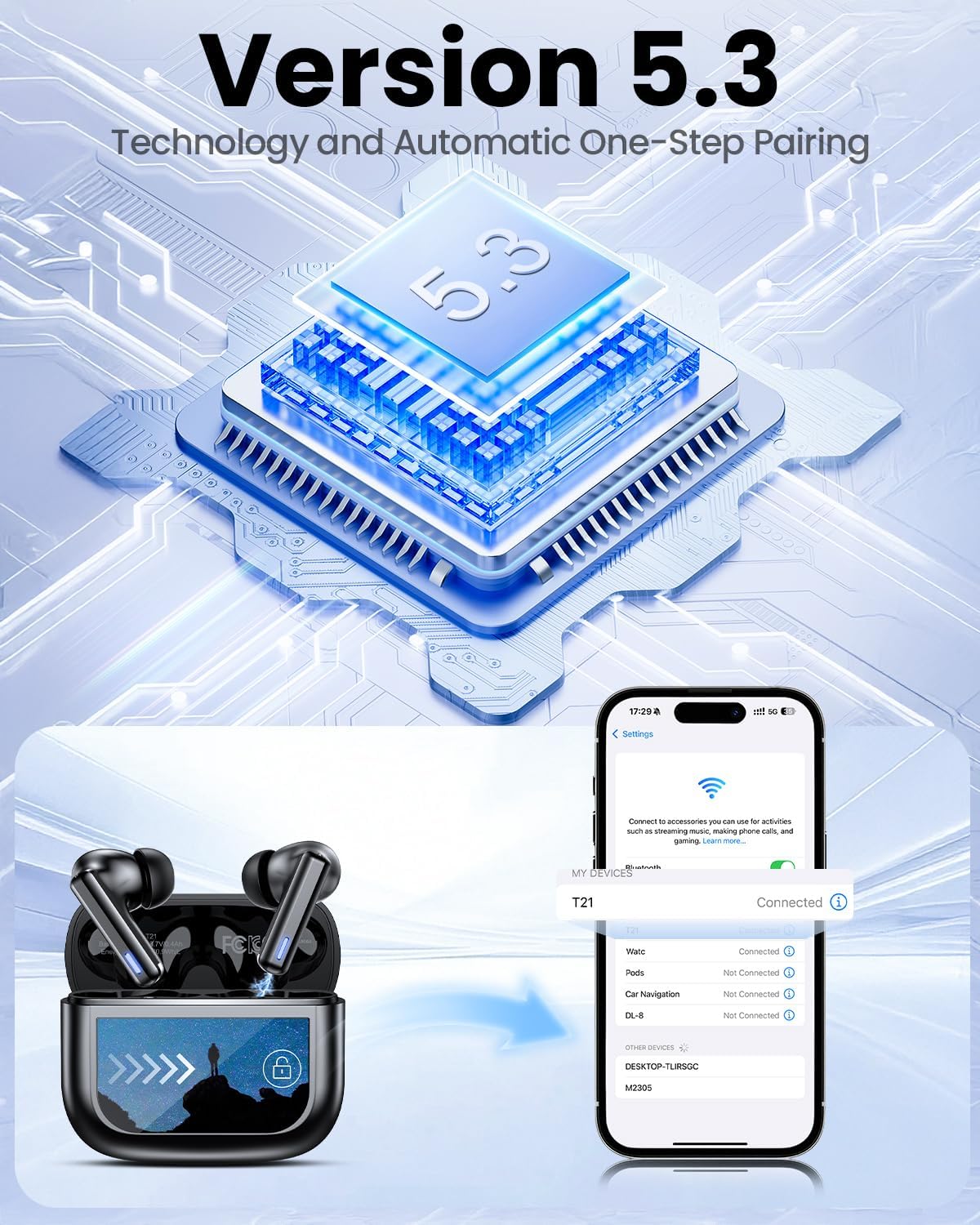
Image: Smart touch controls available on the earbuds.
Charging Case Touch Screen Functions:
- Reproducción de música: Control play, pause, and track navigation.
- Control de volumen: Ajustar el nivel de salida de audio.
- Reducción de ruido: Toggle between ANC, Transparency, and Normal modes.
- Ecualizador (EQ): Select from 5 preset sound profiles.
- Nivel de luz: Ajuste el brillo de la pantalla.
- Cambio de idioma: Cambiar el idioma de la pantalla.
- Encuentra mis auriculares: Localice los auriculares extraviados.
- Control de cámara: Dispara de forma remota la cámara de tu teléfono.

Image: Multi-functional LCD touch screen interface on the charging case.
4. Configuración
4.1 Carga inicial
- Before first use, remove the protective film from the charging contacts on both earbuds.
- Coloque los auriculares en el estuche de carga.
- Connect the USB-C charging cable to the case and a power source. The case's touchscreen will display the charging status.
- Fully charge the earbuds and case before initial use. A full charge takes approximately 1.5 hours.
4.2 Emparejamiento Bluetooth
- Abre el estuche de carga. Los auriculares entrarán automáticamente en modo de emparejamiento.
- En su dispositivo (teléfono inteligente, tableta, computadora portátil), habilite Bluetooth.
- Buscar dispositivos Bluetooth disponibles y seleccione "T21" de la lista.
- Once connected, the earbuds will indicate successful pairing, and the device will show "Connected".

Image: Bluetooth 5.3 technology and one-step pairing process.
5. Instrucciones de funcionamiento
5.1 Cancelación activa de ruido (ANC) y modo de transparencia
The earbuds feature Hybrid Active Noise Cancellation (ANC) to reduce ambient noise by up to 40dB, and a Transparency Mode to allow you to hear your surroundings.
- Modos de conmutación: Press and hold either earbud for 2 seconds to cycle between ANC, Transparency, and Normal modes. You can also switch modes via the charging case touchscreen.

Image: Active Noise-Cancelling in use.
5.2 Sound Quality and EQ Modes
Equipped with 14.2mm dynamic drivers, the earbuds deliver balanced audio. You can customize your listening experience with 5 Equalizer (EQ) presets:
- Normal
- Roca
- Clásico
- Estallido
- Jazz
Select your preferred EQ mode directly from the charging case touchscreen.

Image: Available 5 EQ Modes for audio customization.
5.3 Realizar y recibir llamadas
The dual-ENC microphones are designed to reduce 98% of background noise, ensuring clear calls even in noisy environments.
- Responder/Finalizar llamada: Un solo toque en cualquiera de los auriculares.
- Rechazar llamada: Mantenga presionado cualquiera de los auriculares.

Image: Earbud design for superior call clarity with built-in microphones.
5.4 Find My Earbuds Feature
The charging case touchscreen includes a "Find My Earphone" function to help locate misplaced earbuds.
- Access the "Find My Earphone" option on the case's touchscreen. The earbuds will emit a sound to assist in locating them.

Image: Using the 'Find My Earbuds' feature on the charging case.
5.5 Gestión de la batería
The earbuds provide up to 8 hours of playtime on a single charge, extended to a total of 40 hours with the charging case. A 10-minute quick charge can provide 2 hours of music playback.
- The charging case touchscreen displays the battery percentage tanto para el estuche como para los auriculares individuales.

Image: Battery life indication for ZIUTY T21 earbuds and charging case.
6. Mantenimiento
6.1 Limpieza
Regular cleaning helps maintain optimal performance and charging efficiency.
- Use an alcohol pad or a soft, dry cloth to clean the charging contacts on both the earbuds and inside the charging case.
- Gently clean the ear tip mesh to remove any dust or earwax that may affect sound quality or volume.

Image: Cleaning instructions for earbuds and charging case contacts.
6.2 Resistencia al agua
The ZIUTY T21 earbuds have an IPX7 waterproof rating, meaning they can withstand immersion in water up to 1 meter for 30 minutes. This makes them suitable for workouts and light rain exposure.
- No sumerja el estuche de carga en agua.
- Asegúrese de que los auriculares estén secos antes de volver a colocarlos en el estuche de carga para evitar daños.

Imagen: Característica de resistencia al agua IPX7 de los auriculares.
6.3 Eartip Selection and Comfort
The package includes S, M, and L size eartips to ensure a comfortable and secure fit for various ear canal sizes. A proper fit is crucial for optimal sound quality and noise cancellation.
- Experiment with different eartip sizes to find the best seal and comfort for your ears.
- To replace eartips, gently pull off the current tip and push on the new one, ensuring it is securely attached.

Image: Eartip sizes for comfortable and stable fit.
7. Solución de problemas
If you encounter issues with your ZIUTY T21 Wireless Earbuds, refer to the following common problems and solutions:
- Los auriculares no se emparejan:
Ensure earbuds are charged and removed from the case. Turn off and on your device's Bluetooth. Forget "T21" from your device's Bluetooth list and re-pair. - No hay sonido en un auricular:
Check if both earbuds are charged. Try placing both earbuds back in the case, closing it, and then reopening to reset the connection. Clean the charging contacts. - Problemas de carga:
Ensure the USB-C cable is securely connected to both the case and the power source. Clean the charging contacts on the earbuds and inside the case. Try a different charging cable or power adapter. - Mala calidad de sonido o volumen bajo:
Ensure eartips provide a good seal. Clean the ear tip mesh to remove any obstructions. Adjust volume on both the earbuds (via touch controls) and your connected device. - Los controles táctiles no responden:
Asegúrate de tener los dedos limpios y secos. Intenta reiniciar los auriculares colocándolos en el estuche y cerrándolo unos segundos.
8. Especificaciones
| Característica | Especificación |
|---|---|
| Nombre del modelo | T21 |
| Tecnología de conectividad | Inalámbrico (Bluetooth 5.3) |
| Alcance de Bluetooth | 15 metros |
| Control de ruido | Cancelación activa de ruido (ANC) |
| Micrófonos | Dual-ENC Microphones |
| Tamaño del controlador de audio | 14.2 milímetros |
| Respuesta de frecuencia | 20 kHz |
| Sensibilidad | 107 dB |
| Impedancia | 32 ohmios |
| Duración de la batería (auriculares) | Hasta 8 horas |
| Duración de la batería (con estuche) | Hasta 40 horas |
| Tiempo de carga | Aproximadamente 1.5 horas |
| Nivel de resistencia al agua | IPX7 |
| Tipo de control | Control táctil (auriculares), pantalla táctil (estuche) |
| Características especiales | 5 EQ Presets, Find My Earbuds, Camera Control |
| Material | Acrilonitrilo butadieno estireno (ABS) |
| Peso del artículo | 3.17 onzas (90 gramos) |
| Dimensiones del producto | 2.23 x 1.01 x 1.94 pulgadas |
9. Garantía y soporte
For warranty information or technical support, please refer to the contact details provided with your purchase or visit the official ZIUTY webSitio. Conserve su comprobante de compra para cualquier reclamación de garantía.