
1. Introducción
The Gawfolk 27-inch 4K 160Hz IPS Gaming Monitor (Model GF270J) is designed to provide an exceptional visual experience for gaming, professional work, and multimedia consumption. Featuring a stunning 4K UHD resolution, a high refresh rate, and an IPS panel, this monitor delivers vibrant colors and smooth performance. This manual provides essential information for setting up, operating, and maintaining your monitor.
2. Contenido del paquete
Revise cuidadosamente el contenido del paquete. Si falta algún artículo o está dañado, contacte con atención al cliente.
- Monitor Gawfolk de 27 pulgadas
- Monitor Stand (Base and Support)
- Cable DP
- Power Adapter and Screws
- Manual de usuario
3. Instrucciones de configuración
3.1. Montaje del soporte
- Retire con cuidado los componentes del monitor y del soporte del embalaje.
- Attach the stand support to the monitor panel using the provided screws.
- Connect the stand base to the support, securing it with the designated screw.
3.2. Cables de conexión
Conecte los cables necesarios al monitor y a su computadora u otros dispositivos.
- Cable de energía: Conecte el adaptador de corriente al puerto de entrada de CC del monitor y luego enchufe el adaptador a una toma de corriente.
- Cable DisplayPort (DP): For optimal performance (up to 4K @ 160Hz), connect the included DP cable from your computer's graphics card to one of the monitor's DP 1.4 ports.
- Cable HDMI: Alternatively, connect an HDMI cable from your device to one of the monitor's HDMI 2.1 ports (supports up to 4K @ 160Hz).
- Salida de audio: Conecte altavoces externos o auriculares al puerto de salida de audio si lo desea.

Esta imagen proporciona una visión claraview of the monitor's physical dimensions and its comprehensive set of input/output ports. It shows the location of the DC power input, two HDMI 2.1 ports, two DisplayPort 1.4 ports, and an Audio Out jack, facilitating various connectivity options.
3.3. Montaje en pared VESA
The monitor supports VESA 75mm x 75mm mounting for alternative installation options, such as wall mounts or monitor arms. Ensure the VESA mount is compatible and can support the monitor's weight.

This image demonstrates the monitor's ergonomic flexibility, featuring tilt adjustment from -7° to 17° for optimal viewing comfort. It also highlights VESA wall-mount compatibility (75x75mm) for space-saving setups and includes a built-in cable organizer for a tidy workspace.
4. Instrucciones de funcionamiento
4.1. Encendido y apagado
Presione el botón de encendido, generalmente ubicado en la parte posterior o inferior del monitor, para encenderlo o apagarlo.
4.2. Selección de fuente de entrada
Use the monitor's On-Screen Display (OSD) menu or dedicated input button to select the desired input source (e.g., HDMI 1, HDMI 2, DP 1, DP 2).
4.3. Navegación por el menú OSD
The OSD menu allows you to adjust various display settings. Navigate the menu using the buttons on the monitor. Common settings include brightness, contrast, color temperature, and gaming modes.
4.4. Ajuste de inclinación
El soporte del monitor permite ajustar la inclinación de -7° a 17°. Ajuste suavemente el panel del monitor a su gusto. viewángulo de ing.
5. Características principales
5.1. 4K UHD Resolution
Experience stunning clarity with a 3840 x 2160 pixel resolution on a 27-inch display, offering four times the detail of Full HD.

This image illustrates the difference between Full HD (1920x1080) and 4K Ultra HD (3840x2160) resolutions. The 4K display on the right shows a much sharper and more detailed image of a racing game scene compared to the Full HD display on the left.
5.2. 160Hz Refresh Rate & 1ms Response Time
Enjoy fluid motion and reduced input lag with a high 160Hz refresh rate and a rapid 1ms response time, crucial for fast-paced gaming.

This image shows the monitor displaying a dynamic motorcycle racing game, highlighting its 160Hz refresh rate. This high refresh rate ensures smooth motion and reduced input lag for an immersive gaming experience.
5.3. IPS Panel & Color Performance
The IPS (In-Plane Switching) panel ensures consistent color accuracy and sharp image quality across wide 178° viewing angles. With 85% NTSC color gamut, 1.07 billion colors (8-bit + Hi-FRC), 300 nits brightness, and a 1000:1 contrast ratio, visuals are vibrant and lifelike.
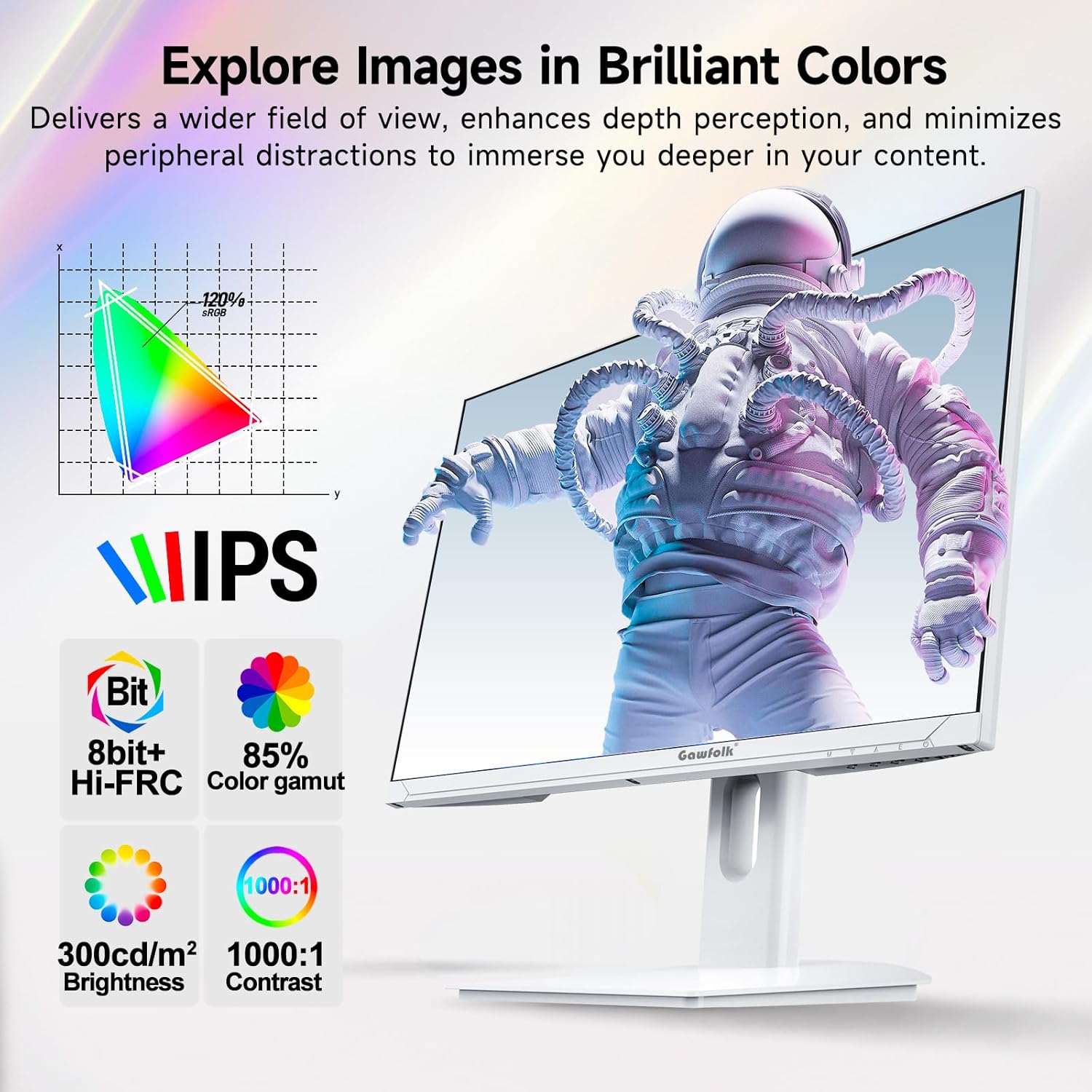
This image showcases the monitor's IPS panel technology, which provides consistent and accurate colors across wide viewing angles. Accompanying icons detail its color capabilities (8-bit + Hi-FRC, 85% NTSC color gamut), brightness (300 cd/m²), and contrast ratio (1000:1), all contributing to vivid and clear visuals.
5.4. Adaptive Sync (FreeSync)
Supported FreeSync technology helps eliminate screen tearing and stuttering, providing a smoother gaming experience.
5.5. Características para el cuidado de los ojos
The monitor incorporates flicker-free technology to reduce eye strain during extended use.
5.6. Gaming Enhancements
Integrated customizable reticle overlays assist with precise aiming in games.
6. Mantenimiento
6.1. Limpieza de la pantalla
Limpie suavemente la pantalla con un paño suave que no deje pelusa. Para manchas difíciles, limpie ligeramenteampEnjuague el paño con agua o un limpiador de pantallas especializado. Evite usar productos químicos agresivos, alcohol o materiales abrasivos.
6.2. Limpieza del Casing
Utilice un paño suave y seco para limpiar el monitor.asing. No rocíe líquidos de limpieza directamente sobre el monitor.
7. Solución de problemas
If you encounter issues with your monitor, refer to the following troubleshooting tips:
- Sin energía: Asegúrese de que el adaptador de corriente esté conectado de forma segura tanto al monitor como a una toma de corriente que funcione.
- Sin señal: Verify that the display cable (DP or HDMI) is firmly connected to both the monitor and your computer. Select the correct input source via the OSD menu.
- Resolución/frecuencia de actualización incorrecta: Ensure your graphics card drivers are up to date. Check your computer's display settings to set the resolution to 3840x2160 and the refresh rate to 160Hz.
- Optimal Performance Requirements: To achieve 4K @ 160Hz, your PC must be equipped with a dedicated GPU. It is recommended to use a GPU equivalent to or above an NVIDIA GTX 1650. Ensure you are using HDMI 2.1 or DisplayPort 1.4 cables.
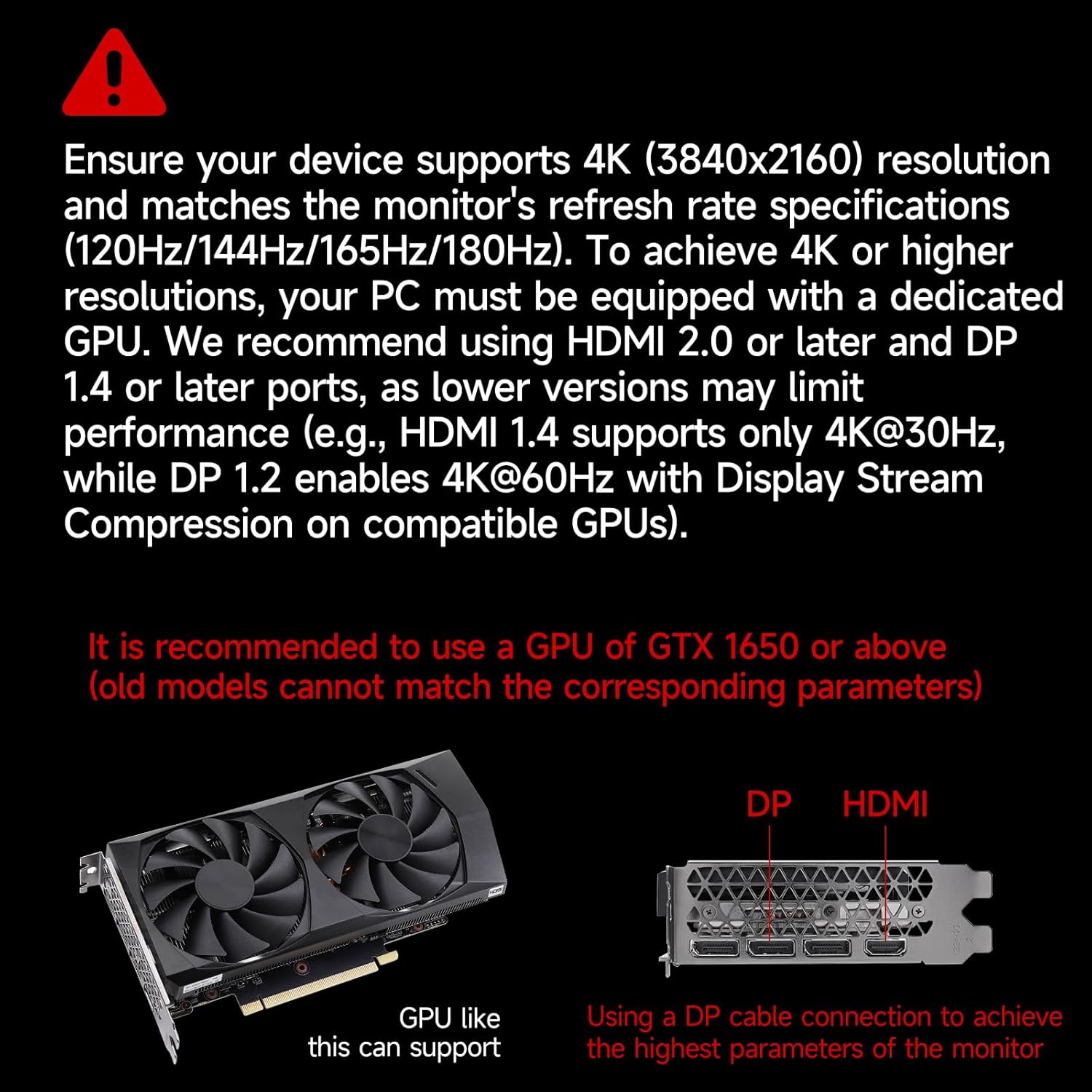
This image provides crucial information regarding system requirements, recommending a graphics processing unit (GPU) equivalent to or better than an NVIDIA GTX 1650 to fully utilize the monitor's 4K resolution and high refresh rate capabilities. It also highlights the importance of using DP or HDMI ports for optimal performance.
8. Especificaciones
| Característica | Especificación |
|---|---|
| Marca | Gente de la calle |
| Número de modelo | GF270J |
| Tamaño de pantalla | 27 pulgadas |
| Resolución | 3840 x 2160 píxeles (4K UHD) |
| Frecuencia de actualización | 160 Hz |
| Tiempo de respuesta | 1 milisegundo (MPRT) |
| Tecnología de visualización | IPS |
| Tipo de pantalla | CONDUJO |
| Relación de aspecto | 16:9 |
| Screen Finish | Mate |
| Brillo | 300 cd/m² |
| Relación de contraste | 1000:1 |
| Viewángulo de ing | 178 grados |
| Color Gamut Value | 85 % NTSC |
| Tecnología de conectividad | Puerto de pantalla, HDMI |
| hardware de conectividad | 2x HDMI 2.1, 2x DisplayPort 1.4, 1x Salida de audio |
| Sincronización adaptativa | Sincronización libre |
| Características especiales | Tilt Adjustment, Frameless, Flicker-Free, Eye Care, Adaptive Sync |
| Tipo de montaje VESA | 75 x 75 mm (Wall Mount) |
| Dispositivos compatibles | Gaming Console, Computer, Laptop |
| Dimensiones del artículo (Pr. x An. x Al.) | 20 x 61.4 x 46.3 centímetros |
| Peso del artículo | 5.1 kilogramos |
| Color | Blanco |
9. Garantía y soporte
9.1. Información de garantía
Gawfolk provides a 12-month worry-free warranty for this monitor. This warranty covers manufacturing defects and malfunctions under normal use.
9.2. Atención al cliente
If you encounter any issues such as damage, malfunction, or missing accessories, please contact Gawfolk customer service for assistance. Refer to the contact information provided with your purchase or on the official Gawfolk websitio.