
1. Introducción
This manual provides essential information for setting up, operating, maintaining, and troubleshooting your NIMO N158 15.6-inch laptop. Please read this manual thoroughly before using your device to ensure optimal performance and longevity.
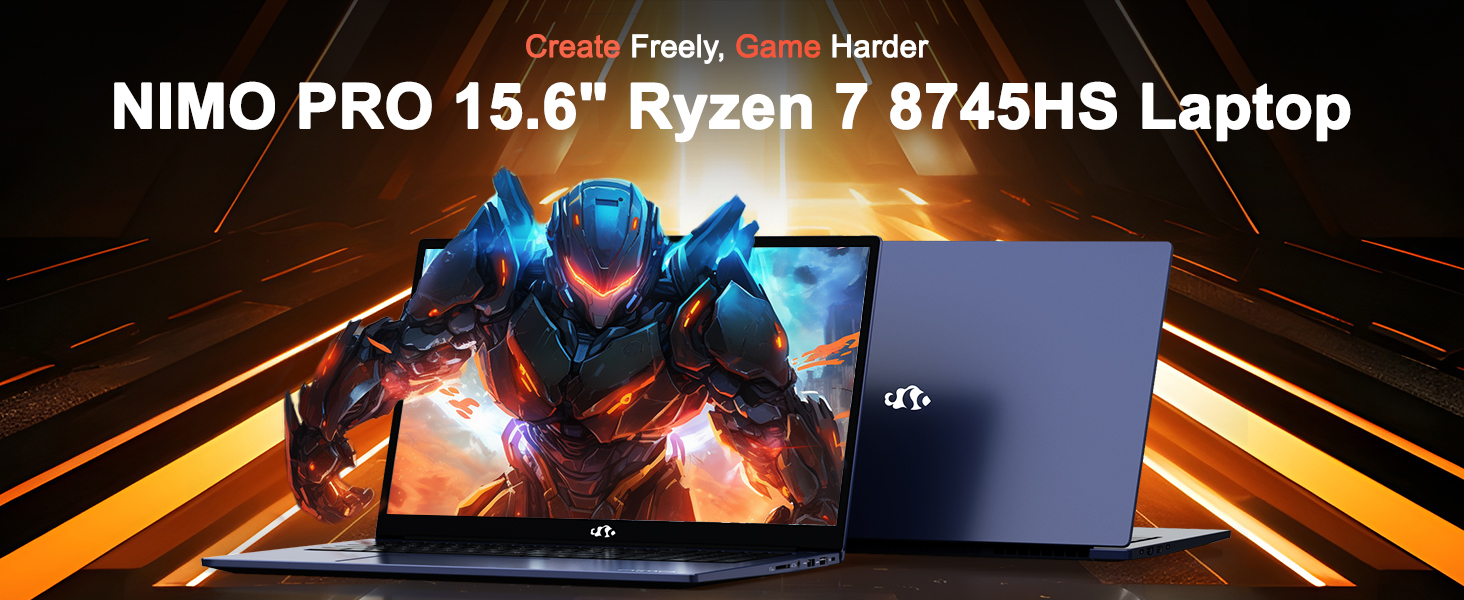
Image: The NIMO N158 15.6-inch laptop, showcasing su diseño y características principales.
2. Producto terminadoview
The NIMO N158 is a high-performance laptop designed for productivity and entertainment. It features an AMD Ryzen 7 8745HS processor, 64GB DDR5 RAM, and a 1TB PCIe 4.0 SSD.
2.1 componentes clave
- Procesador: AMD Ryzen 7 8745HS (8 Cores, 16 Threads, up to 4.9GHz)
- Gráficos: AMD Radeon 780M Integrated Graphics
- Memoria: 64 GB de RAM DDR5 (4800 MHz)
- Almacenamiento: SSD PCIe 4.0 de 1 TB
- Mostrar: 15.6-inch Full HD (1920x1080) IPS Anti-Glare
- Sistema operativo: Inicio de Windows 11
- Batería: Polímero de litio de 75 Wh
2.2 Puertos e interfaces
The NIMO N158 laptop offers a variety of ports for connectivity:

Image: Diagram illustrating the various ports and interfaces on the NIMO N158 laptop.
- 1 puerto USB 2.0
- 3 puertos USB 3.0
- 1 x USB 4.0 Type-C Port (with 100W PD fast charging support)
- Puerto 1 x HDMI
- 1 x Toma de auriculares
- 1 x lector de tarjetas SD
- 1 x ranura de bloqueo Kensington
3. Configuración
3.1 Encendido y carga inicial
- Unpack the laptop and the included 100W Type-C PD Fast Charger.
- Connect the charger to the USB Type-C port on the laptop and to a power outlet. The Charger LED will illuminate.
- Deje que la computadora portátil se cargue durante al menos 30 minutos antes del uso inicial, o hasta que el indicador de batería muestre carga suficiente.
- Presione el botón de encendido para encender la computadora portátil.

Image: The NIMO N158 laptop connected to its 100W Type-C fast charger, illustrating the charging process.
3.2 Configuración del sistema operativo
Upon first boot, you will be guided through the Windows 11 Home setup process. Follow the on-screen instructions to configure your language, region, network connection, and user account.
3.3 Configuración del lector de huellas dactilares
For enhanced security, set up the integrated fingerprint reader during the Windows 11 setup or later via Windows Settings > Accounts > Sign-in options. This allows for quick and secure login.
4. Instrucciones de funcionamiento
4.1 Teclado y panel táctil
- Teclado retroiluminado: The keyboard features backlighting for comfortable typing in low-light conditions. Use the designated function key (Fn + F key combination, typically) to adjust brightness or toggle the backlight.
- Teclado numérico: Se incluye un teclado numérico dedicado para una entrada de datos eficiente.
- Precision Gesture Touchpad: El panel táctil admite gestos multitáctiles para la navegación. Consulte la configuración de Windows para personalizar los gestos del panel táctil.

Image: A user interacting with the NIMO N158 laptop, highlighting the backlit keyboard and fingerprint reader on the touchpad.
4.2 Pantalla
The 15.6-inch Full HD IPS anti-glare display provides clear and vibrant visuals. Adjust display settings (resolution, brightness, color) through Windows Display Settings.

Image: The NIMO N158 laptop displaying a vibrant image on its 15.6-inch Full HD IPS screen, emphasizing visual quality.
4.3 Webleva
The laptop includes a 2MP webcam. For privacy, a physical webcam shield or switch is integrated. Ensure the webcam is open when in use and closed when not needed.

Image: A visual representation of the NIMO N158 laptop's privacy-focused camera, showing the open and closed states of the webinterruptor de leva.
4.4 Rendimiento y multitarea
The AMD Ryzen 7 8745HS processor and 64GB DDR5 RAM provide robust performance for demanding tasks, content creation, and gaming. The 1TB PCIe 4.0 SSD ensures fast boot times and application loading.

Image: A close-up of the AMD Ryzen 7 8745HS processor chip, highlighting its core specifications.
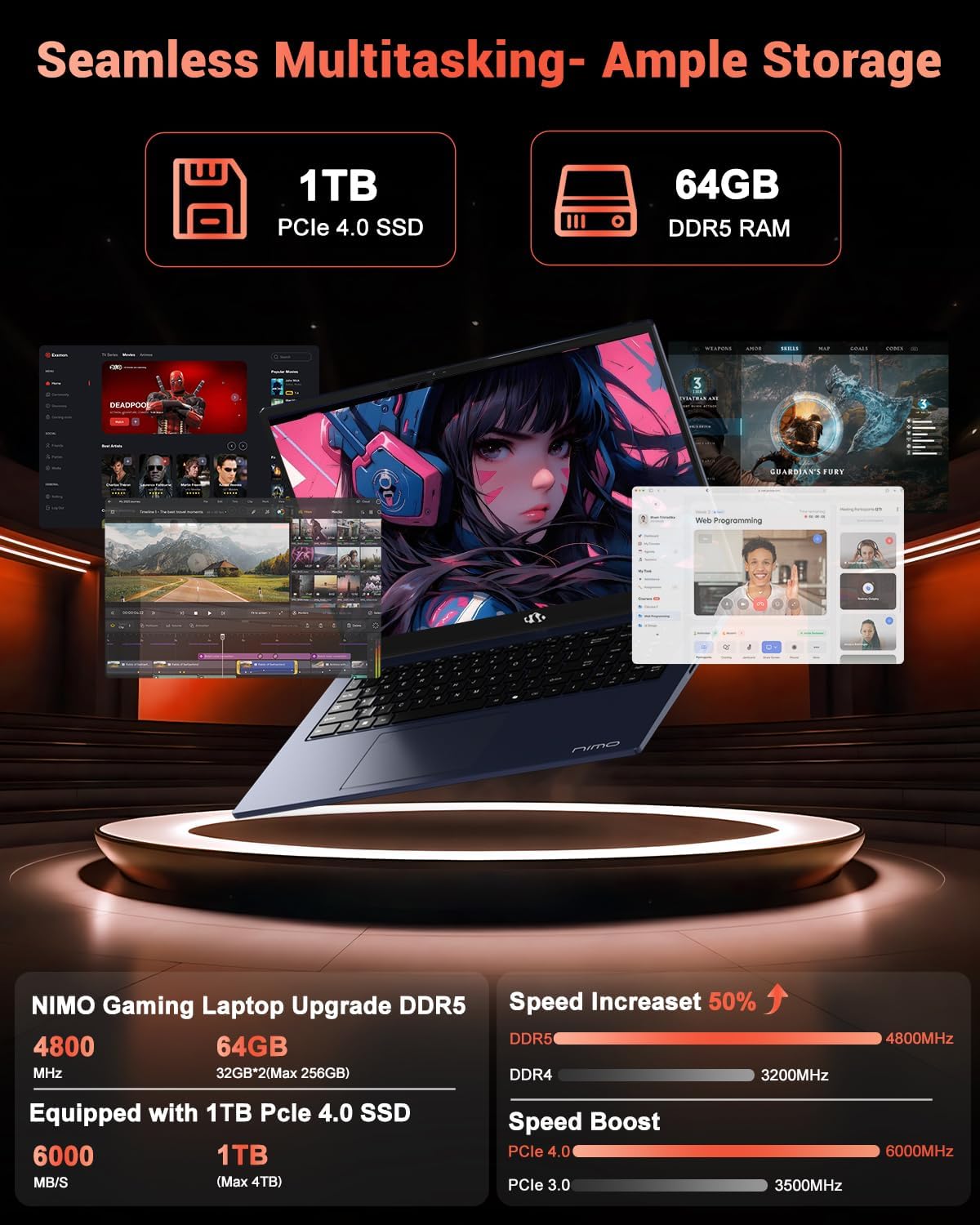
Image: The NIMO N158 laptop displaying multiple applications open, demonstrating its multitasking capabilities with 64GB RAM and 1TB SSD.
5. Mantenimiento
5.1 Cuidados generales
- Mantenga la computadora portátil limpia limpiando las superficies con un paño suave y seco.
- Evite exponer la computadora portátil a temperaturas extremas, luz solar directa o humedad.
- No coloque objetos pesados sobre la computadora portátil.
- Asegure una ventilación adecuada no bloqueando las salidas de aire.
5.2 Capacidad de actualización
The NIMO N158 features an upgradable design, allowing for expansion of memory (RAM) and storage (SSD). Consult a qualified technician or refer to official NIMO support resources before attempting any internal upgrades to avoid voiding your warranty.
6. Solución de problemas
If you encounter issues with your NIMO N158 laptop, consider the following basic troubleshooting steps:
- Sin energía: Asegúrese de que el cargador esté bien conectado y que la toma de corriente funcione. Pruebe con otra toma.
- Problemas de visualización: Check external display connections if using one. Adjust screen brightness. Restart the laptop.
- Rendimiento lento: Cierre las aplicaciones innecesarias. Compruebe si hay actualizaciones en segundo plano. Asegúrese de tener suficiente espacio de almacenamiento libre.
- Problemas de conectividad: Restart your Wi-Fi router. Reconnect to the Wi-Fi network. Update network drivers.
- El sistema se congela: Mantenga presionado el botón de encendido durante 10 a 15 segundos para forzar el apagado y luego reinicie.
For persistent issues, refer to the NIMO support websitio o póngase en contacto con el servicio de atención al cliente.
7. Especificaciones
| Característica | Especificación |
|---|---|
| Marca | NIMO |
| Nombre del modelo | NIMO N158B |
| Tamaño de pantalla | 15.6 pulgadas |
| Resolución de pantalla | 1920 x 1080 píxeles (FHD IPS) |
| Procesador | AMD Ryzen 7 8745HS (hasta 4.9 GHz) |
| RAM | 64 GB DDR5 (4800 MHz) |
| Disco duro | 1024 GB SSD (PCIe 4.0) |
| Coprocesador gráfico | Tarjeta gráfica AMD Radeon 780M |
| Sistema operativo | Inicio de Windows 11 |
| Tipo inalámbrico | 802.11a/b/g/n/ac (Wi-Fi 6E) |
| Puertos USB 2.0 | 1 |
| Puertos USB 3.0 | 3 |
| Puertos USB 4.0 tipo C | 1 |
| Duración media de la batería | 15.5 horas |
| Peso del artículo | 3.8 libras |
| Dimensiones del producto | 14.07 x 8.98 x 0.76 pulgadas |
| Características especiales | Backlit Keyboard, Fingerprint Reader, HD Audio, Numeric Keypad |
8. Garantía y soporte
NIMO is committed to providing excellent customer service and product support.
8.1 Información de garantía
Your NIMO N158 laptop comes with a 2 año de garantía from the date of purchase. This warranty covers manufacturing defects and hardware malfunctions under normal use. Please retain your proof of purchase for warranty claims.

Image: A technician performing maintenance on a laptop, representing the 2-year support provided by NIMO.
Política de devolución de 8.2
NIMO offers a Política de devolución sin complicaciones de 90 días. If you are not satisfied with your purchase, you may return the product within 90 days from the date of purchase. Please refer to the official NIMO return policy for detailed terms and conditions.

Image: A delivery person handing a package to a customer, illustrating the 90-day return policy.
8.3 Atención al cliente
Our dedicated support team is available to assist you with any questions or issues. You can reach us via:
- Correo electrónico: servicio@nimopc.com
- En línea: Visit the official NIMO webSitio para preguntas frecuentes y recursos de soporte.
We strive to provide quick solutions and a worry-free experience.

Image: Customer service representatives wearing headsets, representing professional customer assistance.