Introducción
This manual provides essential information for the safe and effective operation of your Generic 8K 88MP Digital Camera. Please read this manual thoroughly before using the camera and retain it for future reference. This camera is designed for photography and video recording, featuring an 8K video resolution, 88MP photo capability, a 3-inch flip screen, 18X digital zoom, autofocus, and WiFi connectivity.
Información de seguridad
- No exponga la cámara al agua o la humedad.
- Evite dejar caer la cámara o someterla a impactos fuertes.
- Mantenga la cámara alejada de campos magnéticos fuertes.
- No intente desmontar ni reparar la cámara usted mismo. Contacte con personal de servicio técnico cualificado.
- Use only the specified battery type (Li-Ion Battery NP40) and charger.
- Mantener fuera del alcance de los niños.
Contenido del paquete
Verifique que todos los artículos enumerados a continuación estén incluidos en su paquete:
- 1 x Cámara digital
- 1 x tapa de lente
- 1 x Battery (Li-Ion NP40, 1500mAh)
- 1 x Manual de instrucciones
- 1 x bolsa de almacenamiento
- 1 x cable USB (tipo C)
- 1 x paño de limpieza
- 1 x Correa de muñeca

Image: The digital camera shown with its complete set of accessories, including the lens cap, battery, instruction manual, storage bag, USB cable, cleaning cloth, and wrist strap.
Producto terminadoview
Familiarícese con los componentes de la cámara:
- Lente: F=2.4mm, F=5.04mm AF Lens with 18X Digital Zoom.
- Sensor de imagen: CMOS 48MP Sensor, interpolated up to 88MP.
- Mostrar: 3.0-inch Ultra HD (16:9) 180° flip screen.
- Puertos: USB 2.0 (Type C) for data transfer and charging, External MIC Recording Interface.
- Controles: Shutter button (two-segment for focus and capture), power button, mode dial, navigation buttons.
- Luz de relleno LED: Integrated for low-light conditions.

Imagen: El frente view of the digital camera, highlighting its external lens capability for a wider field of view, suitable for capturing expansive scenes.
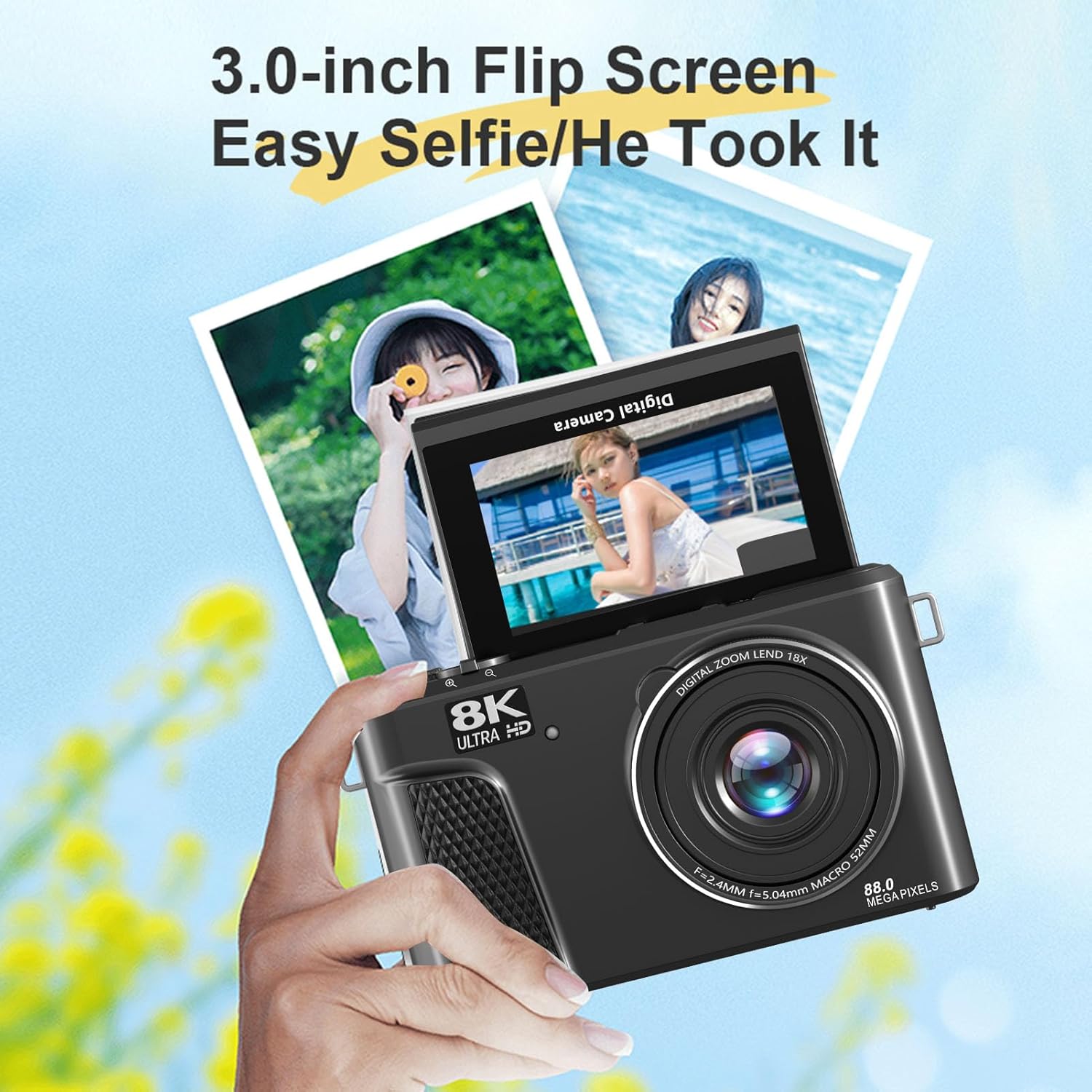
Image: The digital camera featuring its 3.0-inch flip screen, demonstrated in an upward-facing position, ideal for taking selfies or vlogging.
Configuración
1. Instalación de la batería
- Abra la tapa del compartimiento de la batería ubicada en la parte inferior de la cámara.
- Insert the provided Li-Ion NP40 battery, ensuring the correct orientation according to the polarity indicators.
- Cierre bien la tapa del compartimento de la batería.
2. Inserción de la tarjeta de memoria
This camera supports Small Memory Cards (MicroSD) up to 256GB. A Class 10 or higher card speed is required for optimal performance.
- Localice la ranura de la tarjeta de memoria, generalmente en el costado o en la parte inferior de la cámara.
- Inserte la tarjeta de memoria con los contactos orientados en la dirección correcta hasta que encaje en su lugar.
- Para quitarla, empuje suavemente la tarjeta hasta que salga.
3. Carga de la batería
Connect the camera to a power source using the supplied USB Type-C cable. The charging indicator will illuminate. Charging can also occur while recording.
4. Encendido inicial
Mantenga presionado el botón de encendido hasta que se ilumine la pantalla. Siga las instrucciones en pantalla para la configuración inicial, como la fecha y la hora.
Operante
1. Fotografía básica y grabación de vídeo
- Encendido: Presione el botón de encendido.
- Selección de modo: Use the mode dial or menu to select between photo and video modes.
- Enfoque: Press the shutter button halfway down to activate autofocus. The camera will focus on the subject within the AF range (10cm / 3.9in to infinity).
- Captura: Press the shutter button fully to take a photo or start/stop video recording.
- Resolución: The camera supports 8K video (7168x4032 at 15FPS) and 88MP photos.

Image: The digital camera's screen showing an 8K Ultra HD recording interface, emphasizing its 88MP image sensor capability for high-resolution capture.
2. Sistema de enfoque automático
The camera features a built-in AF autofocus system for fast and accurate focusing. For subjects beyond 3.9 inches, press the shutter button halfway to focus, then fully to capture.

Image: A visual comparison demonstrating the camera's autofocus function, showing a blurred image before focusing and a sharp image after the autofocus system has locked onto the subject.
3. 3.0-inch Flip Screen
The 180° flip screen allows for easy self-portraits and low-angle photography. Simply rotate the screen to your desired angle.
4. WiFi Wireless Control and Social Sharing
Connect your camera to a smartphone or tablet via the dedicated app (check manual for app name/QR code). This enables remote control for taking photos, previewing, adjusting settings, and playing back footage in real-time. You can also quickly share photos and videos to social media platforms.

Image: The digital camera wirelessly transmitting data via WiFi to a smartphone, illustrating the ease of sharing photos and videos.
5. Creative Filters and Beautify Mode
Enhance your photos and videos with 18 creative filters (e.g., black and white, vintage, Japanese style) and a beautify mode. Access these options through the camera's menu settings.
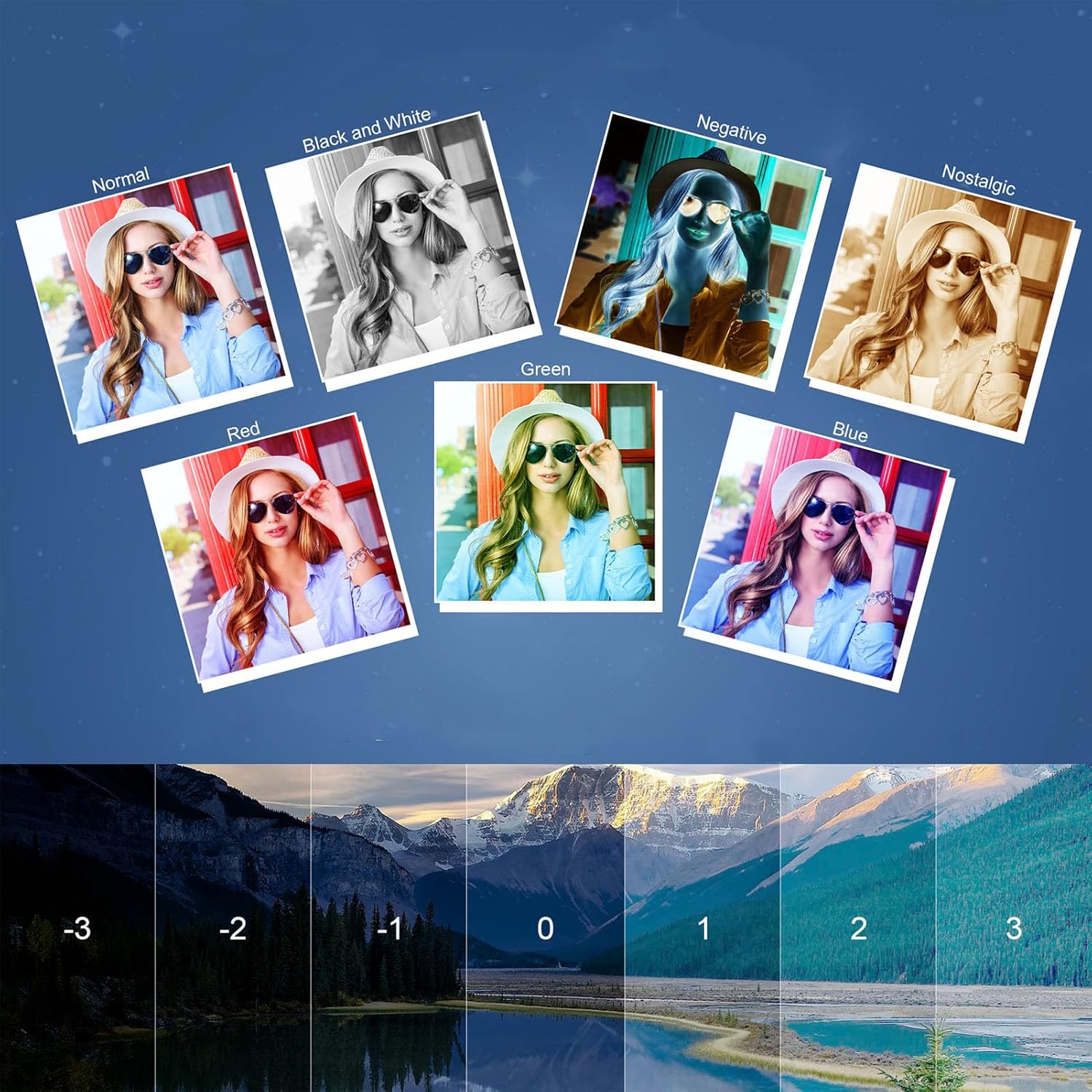
Image: A collage demonstrating various creative filters (Normal, Black and White, Negative, Nostalgic, Red, Green, Blue) and different exposure compensation levels (-3 to +3) available on the camera.
6. Live Streaming Compatibility
The camera supports USB webcam mode, compatible with Windows 7 and above, and OS X systems. Connect the camera to your computer via USB-C to use it for live streaming or video calls.
7. Luz de relleno LED
The integrated LED fill light can be set to Off, Auto, or Always On for photos, and Off or Always On for videos, providing additional illumination in dim environments.
8. Otras características
- Balance de blancos: Auto, Sunny, Cloudy, Incandescent, Fluorescent.
- Compensación de exposición: –3.0EV to +3.0EV.
- Modo de medición: Average Metering, Center Weighted Metering, Spot Metering.
- Tiempo Stamp: Opción de encendido/apagado.
- Luz de asistencia de enfoque: Opción de encendido/apagado.
- Apagado automatico: Off, 3 Minutes, 5 Minutes, 10 Minutes.
- Grabación en bucle: Video length options: 1, 2, 3, 5, 10 minutes.
- Grabación de lapso de tiempo: Interval options: 1, 2, 5, 10, 30, 60 seconds.
- Cámara lenta: 1080P 4X, 1080P 2X, 720P 8X, 720P 4X.
Mantenimiento
- Limpieza de la lente: Use the provided cleaning cloth or a soft, lint-free cloth specifically designed for camera lenses. Do not use abrasive materials or harsh chemicals.
- Limpieza del cuerpo: Limpie el cuerpo de la cámara con un paño suave y seco. Para la suciedad difícil, limpie ligeramenteampen el paño con agua.
- Almacenamiento: When not in use, store the camera in the provided storage bag in a cool, dry place, away from direct sunlight and extreme temperatures. Remove the battery if storing for extended periods.
Solución de problemas
- La cámara no se enciende: Asegúrese de que la batería esté completamente cargada y correctamente insertada.
- No se pueden tomar fotografías ni vídeos: Check if a memory card is inserted and has sufficient free space. Ensure the card is Class 10 or higher.
- Las imágenes están borrosas: Ensure autofocus is engaged by pressing the shutter button halfway. Check lens for smudges and clean if necessary.
- Problemas de conexión WiFi: Ensure the camera's WiFi is enabled and the app on your device is up to date. Try restarting both devices.
- La batería se agota rápidamente: Reduce screen brightness, turn off WiFi when not in use, and ensure the battery is fully charged before use.
Presupuesto
| Marca | Genérico |
| Nombre del modelo | Genericv3kd6g5w9f-11 |
| Sensor de imagen | CMOS 48MP Sensor (Interpolated Up To 88MP) |
| Rango de enfoque automático (AF) | 10cm / 3.9in To Infinity |
| Lente | Objetivo AF F=2.4 mm, F=5.04 mm |
| Zoom | Zoom digital 18X (máximo) |
| Formato de imagen | JPG (8MP to 88MP) |
| Formato de vídeo | MP4 (codificación H.264) |
| Resolución de vídeo | 8K 7168x4032 (15FPS), 6K 5760x3240 (30FPS), 4K 3840x2160 (60FPS, 30FPS), etc. |
| Pantalla LCD | 3.0 Inch Ultra HD Display (16:9), 180° Flip Screen |
| Conectividad | WiFi (APP Control), USB 2.0 (Type C), External MIC Interface |
| Batería | Li-Ion Battery NP40, 1500mAh (Built-In) |
| Almacenamiento | Small Memory Card (MicroSD), Class 10 or higher, up to 256GB (Excluded) |
| Estabilización de imagen | Antivibración |
| Supported OS for Webleva | Windows 7 and above, OS X systems |
Garantía y soporte
Para obtener información sobre la garantía y asistencia técnica, consulte la documentación proporcionada al momento de la compra o póngase en contacto con su distribuidor. Conserve el comprobante de compra para reclamaciones de garantía.


