
Introducción
This manual provides detailed instructions for the ZIUTY T21 Wireless Earbuds. Please read this guide thoroughly before using your earbuds to ensure proper operation and to maximize your listening experience. Keep this manual for future reference.
¿Qué hay en la caja?
Verifique que todos los artículos que se enumeran a continuación estén presentes en su paquete:
- ZIUTY T21 Wireless Earbuds (Left and Right)
- Estuche de carga con pantalla táctil
- Manual de usuario
- Cable de carga USB-A a USB-C
- Eartips (Small, Medium, Large sizes)

Image: Contents of the ZIUTY T21 package.
Producto terminadoview
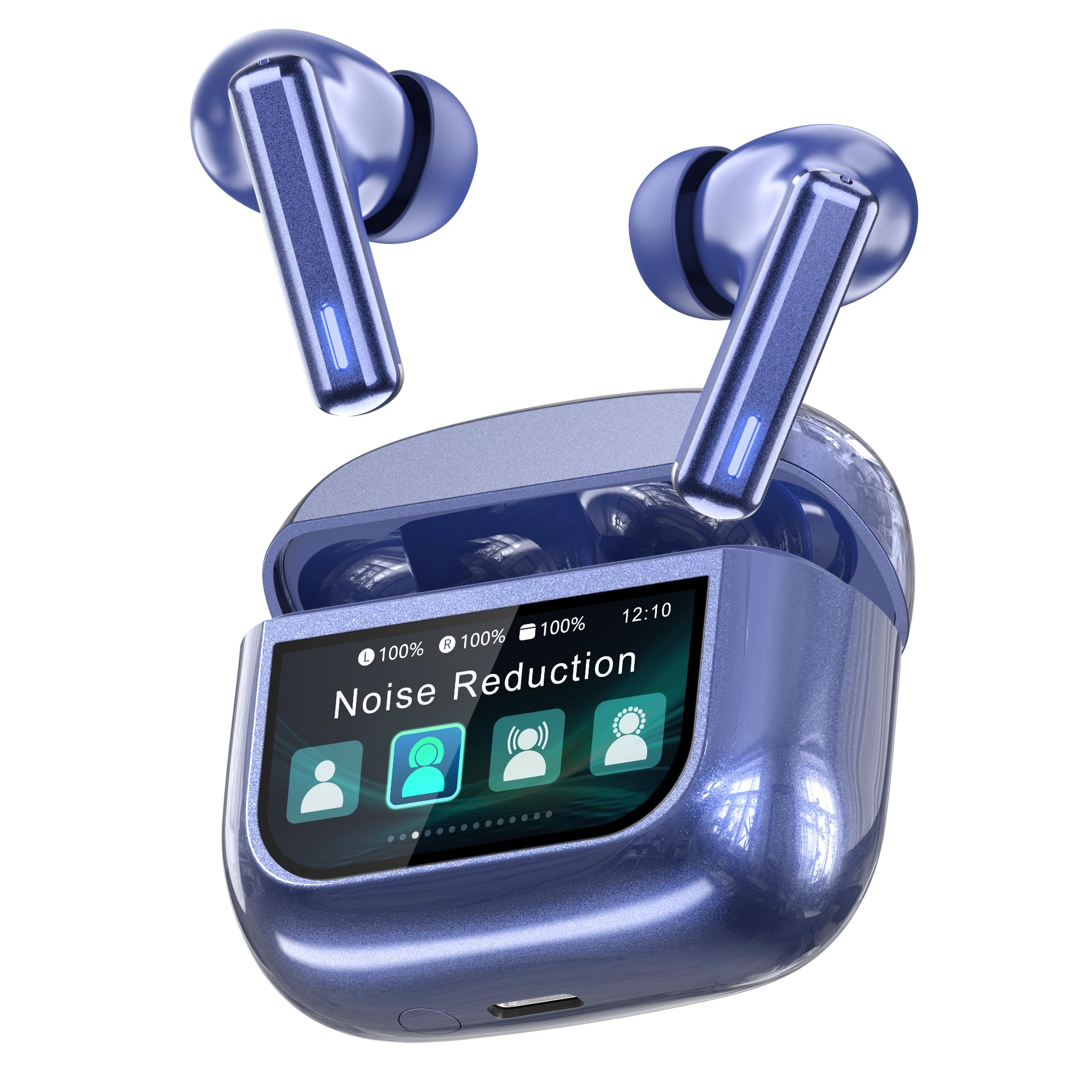
Image: ZIUTY T21 Wireless Earbuds.
Características principales
- Control de pantalla táctil: Manage music, calls, and settings directly from the charging case.
- Hybrid Active Noise Cancelling (ANC) + Environmental Noise Cancellation (ENC): Reduces ambient noise by up to 40dB and filters 90% of call background chatter.
- Controladores dinámicos de 14.2 mm: Delivers deep bass and clear highs.
- Bluetooth 5.3: Garantiza una conectividad inalámbrica estable y rápida.
- Tiempo de juego extendido: Up to 7-8 hours on a single charge, and a total of 40 hours with the charging case.
- IPX7 a prueba de agua: Resistente al sudor y la lluvia.
- Diseño ergonómico: Lightweight (4.2g per earbud) with three eartip sizes for comfortable fit.
- 5 modos de ecualización: Personaliza tu sonido profesionalfile (Normal, Rock, Pop, Classic, Jazz).
- "Find My Earbuds" Feature: Locate misplaced earbuds via the charging case.

Image: Key features of the ZIUTY T21 Wireless Earbuds.
Configuración
1. Carga de los auriculares y el estuche
Before first use, fully charge the earbuds and the charging case. Connect the provided USB-A to USB-C charging cable to the charging port on the case and a power source. The touch screen display will indicate the charging status.
- A full charge provides approximately 7-8 hours of listening time for the earbuds.
- The charging case provides an additional 4 full charges, totaling up to 40 hours of playtime.
- Una carga rápida de 10 minutos puede proporcionar hasta 2 horas de tiempo de reproducción.

Imagen: Indicación de duración de la batería y carga.
2. Emparejamiento con su dispositivo
- Asegúrese de que los auriculares estén cargados y colocados dentro del estuche de carga.
- Abre la tapa del estuche de carga. Los auriculares entrarán automáticamente en modo de emparejamiento.
- En su dispositivo (teléfono inteligente, tableta, etc.), habilite Bluetooth.
- Buscar “T21” en la lista de dispositivos Bluetooth disponibles y selecciónelo para conectarse.
- Once paired, the earbuds will automatically connect to the last paired device when removed from the case.

Image: Bluetooth 5.3 pairing process.
3. Selección de tapones para los oídos
For optimal sound quality and comfort, choose the eartip size (S, M, L) that best fits your ears. A proper seal is crucial for effective noise cancellation and bass response.

Image: Eartip sizes for comfortable fit.
Instrucciones de funcionamiento
Touch Screen Controls on Charging Case
The charging case features a multi-function LCD touch screen for direct control of various settings without needing your phone.

Image: Multi-function LCD touch screen interface.
- Golpe fuerte: Navigate through different screens (e.g., volume, EQ, ANC modes).
- Grifo: Seleccionar opciones o confirmar acciones.
- Ajuste de volumen: Swipe on the screen to adjust playback volume.
- Modos ANC: Tap to switch between Active Noise Cancelling, Transparency Mode, and Normal Mode.
- Preajustes de ecualizador: Select from 5 equalizer modes: Normal, Rock, Pop, Classic, Jazz.
- Encuentra mis auriculares: Use this feature to locate misplaced earbuds.
- Otras funciones: The screen may also offer controls for calls, flashlight, screen lock, language settings, and time display.

Image: Available EQ modes.
Controles táctiles de los auriculares
The earbuds themselves also feature touch-sensitive areas for basic controls:
- Reproducir/Pausa: Un solo toque en cualquiera de los auriculares.
- Pista siguiente: Toque dos veces el auricular derecho.
- Pista anterior: Toque dos veces el auricular izquierdo.
- Responder/Finalizar llamada: Un solo toque en cualquiera de los auriculares.
- Rechazar llamada: Mantenga presionado cualquiera de los auriculares.
- Activar asistente de voz: Toque tres veces cualquiera de los auriculares (la funcionalidad puede variar según el dispositivo).
Active Noise Cancelling (ANC) and Transparency Mode
The ZIUTY T21 earbuds offer three listening modes:
- Cancelación activa de ruido (ANC): Reduces external noise for an immersive audio experience. Ideal for noisy environments.
- Modo de transparencia: Le permite escuchar su entorno mientras disfruta del audio, mejorando la conciencia.
- Modo normal: Reproducción de audio estándar sin cancelación de ruido ni transparencia.
Switch between these modes using the touch screen on the charging case or by tapping the earbuds (refer to specific earbud touch control instructions if available in the product documentation).

Imagen: Cancelación activa de ruido en acción.
Realizar y recibir llamadas
The earbuds are equipped with AI-enhanced Environmental Noise Cancellation (ENC) microphones for clear calls, even in noisy environments.

Image: Clear call quality with ENC.
- Responder/Finalizar llamada: Un solo toque en cualquiera de los auriculares.
- Rechazar llamada: Mantenga presionado cualquiera de los auriculares.
"Find My Earbuds" Feature
If you misplace your earbuds, use the "Find My Earbuds" function on the charging case's touch screen. This feature will cause the earbuds to emit a sound, helping you locate them.

Image: Using the "Find My Earbuds" feature.
Mantenimiento
Limpieza
Regular cleaning helps maintain optimal performance and hygiene. Use a soft, dry, lint-free cloth for the earbuds and charging case. For charging contacts and ear tip mesh, gently clean with an alcohol pad or a dry cotton swab to remove dust or earwax that might affect charging or sound volume.

Image: Cleaning instructions for earbuds.
Resistencia al agua (IPX7)
The ZIUTY T21 earbuds are IPX7 waterproof, meaning they can withstand immersion in water up to 1 meter for 30 minutes. This makes them suitable for workouts and use in light rain. However, the charging case is not waterproof. Do not expose the charging case to water.

Imagen: Característica de resistencia al agua IPX7.
Earbud Removal Gesture
To easily remove the earbuds from the charging case, follow these steps:
- Gently push the earbud inwards towards the center of the case.
- Lift the earbud upwards to remove it.

Image: Easy earbud removal gesture.
Solución de problemas
| Problema | Posible causa | Solución |
|---|---|---|
| Earbuds not charging or low volume. | Dirty charging contacts or ear tip mesh. | Clean the charging contacts on both earbuds and inside the case, and the ear tip mesh, using an alcohol pad or dry cotton swab. |
| Los auriculares no se emparejan con el dispositivo. | Bluetooth not enabled, earbuds not in pairing mode, or previously paired device interference. | Ensure Bluetooth is on. Place earbuds in case, close, then open lid to re-enter pairing mode. Forget "T21" from your device's Bluetooth list and try pairing again. |
| Sonido sólo desde un auricular. | One earbud not connected or low battery. | Place both earbuds back in the charging case, close the lid, then open it again. Ensure both earbuds are charged. Re-pair if necessary. |
| Mala calidad de llamada. | Ruido ambiental, obstrucción del micrófono. | Asegúrese de que los micrófonos no estén tapados. Si es posible, busque un entorno más tranquilo. |
| Los controles táctiles no responden. | Earbuds or case screen may be dirty or wet. | Clean the touch surfaces. Ensure hands are dry. Restart earbuds by placing them in the case and taking them out. |
Presupuesto
| Característica | Detalle |
|---|---|
| Marca | ZIUDAD |
| Número de modelo | T21 |
| Tecnología de conectividad | Bluetooth 5.3 |
| Control de ruido | Cancelación activa de ruido (ANC) + Cancelación de ruido ambiental (ENC) |
| Colocación de orejas | En el oído |
| Tipo de controlador de audio | Controlador dinámico de 14.2 mm |
| Rango de frecuencia | 20 Hz - 20 kHz |
| Duración de la batería (auriculares) | 7-8 horas (una sola carga) |
| Tiempo total de juego (con estuche) | Hasta 40 horas |
| Clasificación de resistencia al agua | IPX7 (solo auriculares) |
| Peso del auricular | 4.2 g (por auricular) |
| Color (modelo actual) | Azul |
Garantía y soporte
The ZIUTY T21 Wireless Earbuds come with a limited warranty. Please refer to the warranty card included in your package for specific terms and conditions. For technical support, troubleshooting assistance, or warranty claims, please contact ZIUTY customer service through the retailer where you purchased the product or visit the official ZIUTY websitio.
Fabricante: Huizhou Tuopule Technology Co., LTD
Descripción de la garantía: 1 year (as per product specifications, specific terms apply)