
Introducción
Thank you for choosing the Grandder 55x28 Inch Electric Standing Desk. This manual provides detailed instructions for assembly, operation, and maintenance to ensure optimal performance and longevity of your desk. Please read this manual thoroughly before assembly and use, and retain it for future reference.
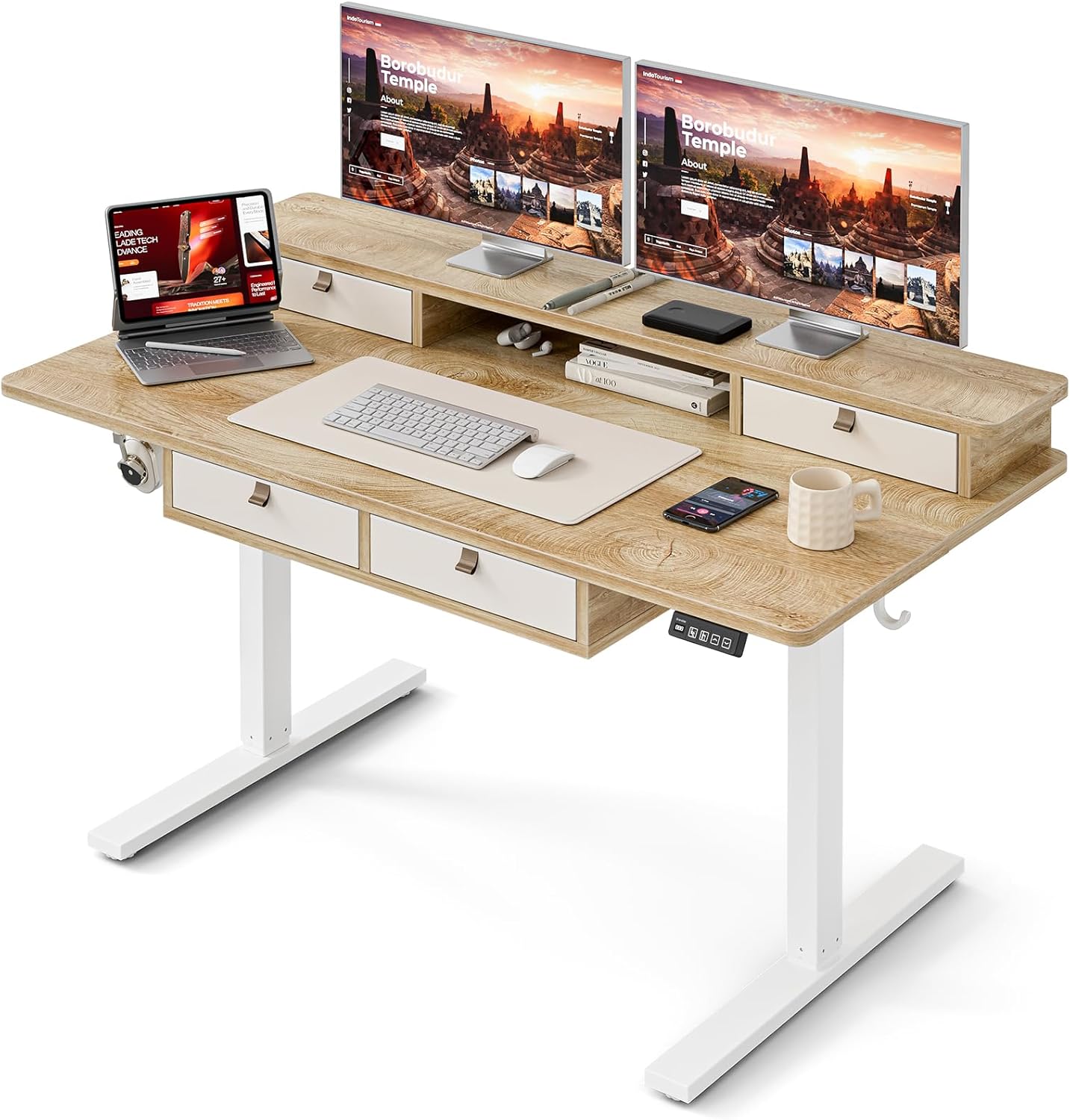
Image: The Grandder electric standing desk, showcasing its spacious desktop, integrated storage, and monitor stand.
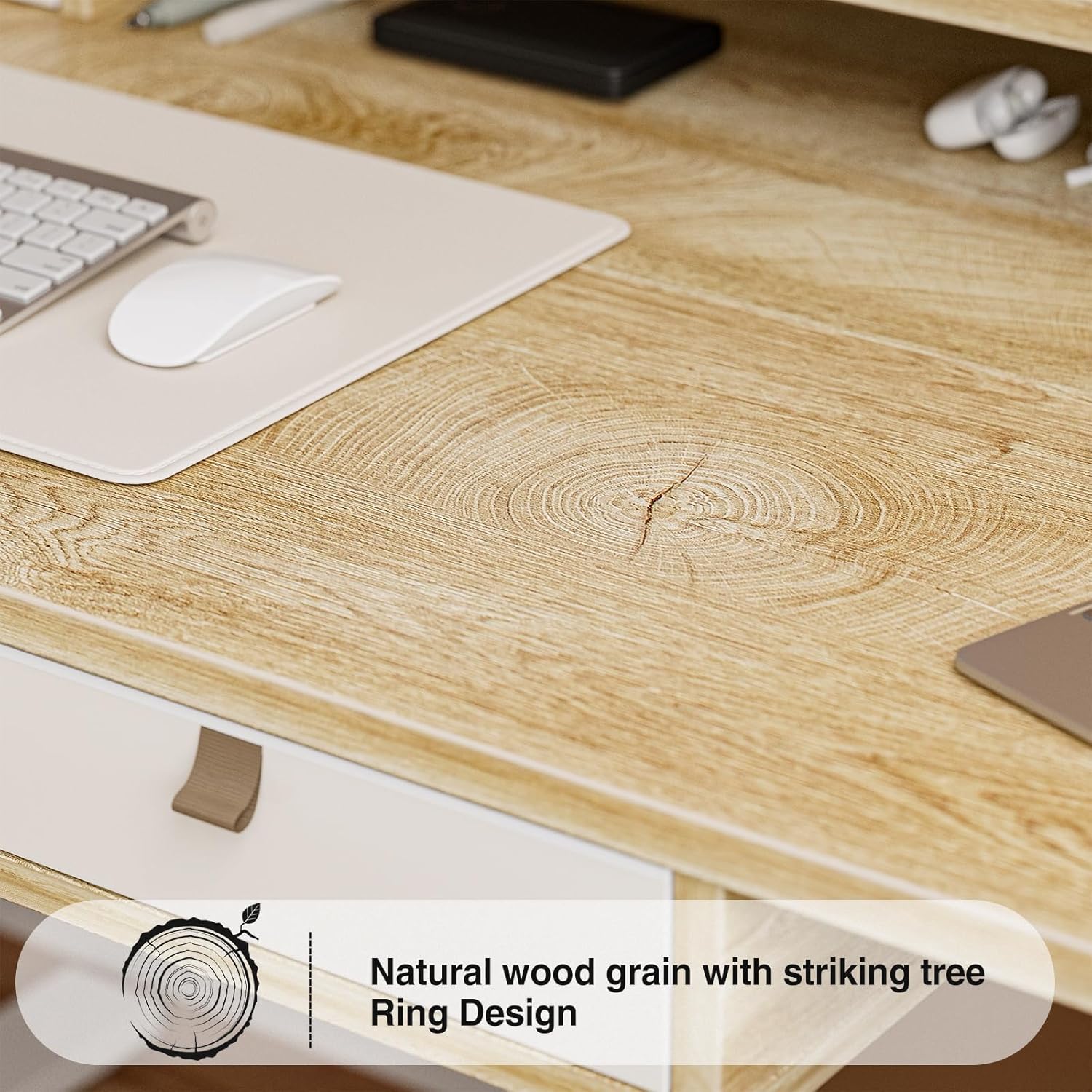
Image: Detail of the natural wood grain desktop finish.

Image: The desk's robust construction, tested for over 50,000 lifts, ensuring stability and durability.
Información de seguridad
Para evitar lesiones o daños a su escritorio, tenga en cuenta las siguientes precauciones de seguridad:
- Asegúrese de que todos los componentes estén bien sujetos antes de su uso.
- Mantenga a los niños y a las mascotas alejados del escritorio durante su funcionamiento.
- No sobrecargue el escritorio. Consulte las especificaciones para conocer la capacidad máxima de peso.
- Evite colocar líquidos directamente sobre el panel de control o los componentes del motor.
- Desconecte la alimentación antes de limpiar o realizar mantenimiento.
- Do not attempt to modify the desk's electrical components.
- Asegúrese de que no haya obstrucciones en el camino del escritorio durante el ajuste de altura.
Contenido del paquete
Verifique que todas las piezas estén presentes antes de comenzar el ensamblaje. Si alguna pieza falta o está dañada, comuníquese con atención al cliente.
- Escritorio (placa de empalme)
- Estructura del escritorio (patas y travesaño)
- Electric Lifting Mechanism (Motor and Control Box)
- Panel de control
- 4 cajones de almacenamiento
- Monitor Stand/Upper Shelf
- Pasacables
- Gancho para auriculares
- Assembly Hardware (Screws, Allen Wrenches, etc.)
- Adaptador de corriente
- Manual de usuario
Instrucciones de montaje
Assembly typically requires two people. Follow the steps below carefully. An estimated assembly time is 50-60 minutes.
- Desempaquetar componentes: Retire con cuidado todas las piezas del embalaje y colóquelas sobre una superficie limpia y suave para evitar rayones. Verifique que todas las piezas coincidan con la lista de contenido del paquete.
- Ensamblar el marco del escritorio: Attach the desk legs to the crossbar using the provided hardware. Ensure all connections are secure.
- Adjuntar escritorio: Carefully place the desktop onto the assembled frame. Align the pre-drilled holes and secure the desktop to the frame with screws.
- Install Electric Mechanism: Mount the motor and control box to the designated areas under the desktop. Connect all necessary cables according to the wiring diagram (refer to specific diagrams in the full manual, if available).
- Instalar el panel de control: Attach the control panel to the underside of the desktop, typically on the right side, and connect its cable to the control box.
- Assemble Storage Elements: Install the four storage drawers into their respective slots. Attach the monitor stand/upper shelf to the desktop.
- Adjuntar accesorios: Install cable grommets and the headphone hook as desired.
- Conecte la electricidad: Conecte el adaptador de corriente a la caja de control y luego a un tomacorriente de pared.
- Prueba inicial: Perform an initial test of the height adjustment function to ensure smooth operation.

Image: Desk dimensions for reference during assembly and placement.
Instrucciones de funcionamiento
Your Grandder electric standing desk features an intuitive control panel for easy height adjustment and memory presets.
Funciones del panel de control

Image: The hand controller for the electric standing desk, showing the digital display and control buttons.
- Flechas arriba/abajo (▲ / ▼): Press and hold to manually adjust the desk height. Release to stop at the desired position.
- Pantalla digital: Muestra la altura actual del escritorio en pulgadas o centímetros.
- Preset Buttons (Icons): Your desk features preset buttons to save and recall preferred sitting and standing heights.
- Para guardar un ajuste preestablecido: Adjust the desk to your desired height using the up/down arrows. Press and hold one of the preset icon buttons (e.g., sitting person icon) until the display flashes or beeps, indicating the height is saved.
- Para recuperar un preajuste: Briefly press the corresponding preset icon button. The desk will automatically move to the saved height.
Ajuste de altura
The desk allows for smooth electric height adjustment, enabling you to switch between sitting and standing positions. The height range is approximately 28 inches to 45.6 inches.
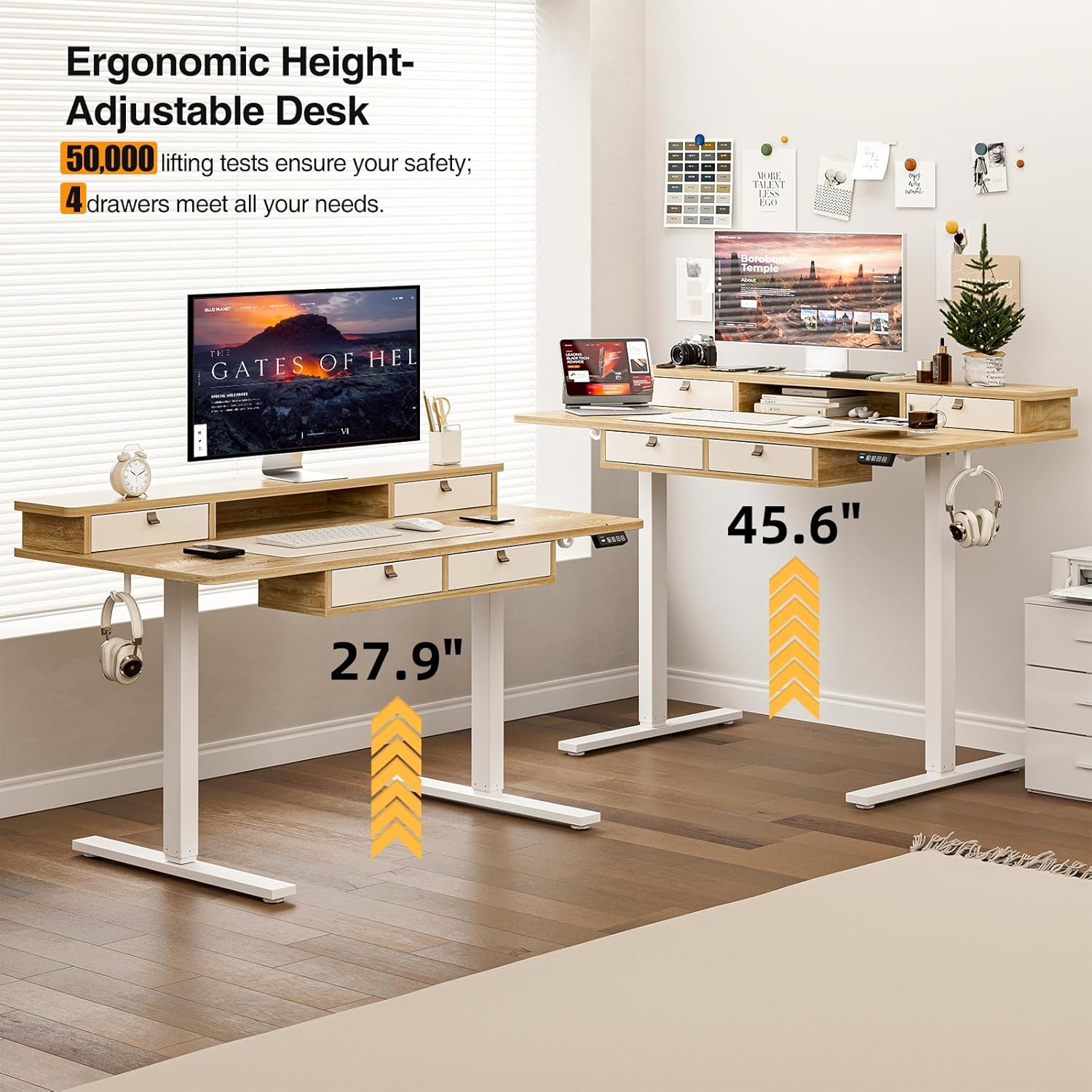
Imagen: Representación visual del rango de altura ajustable del escritorio, desde la posición sentada hasta la de pie.
Características de almacenamiento
The desk includes four integrated drawers and an upper shelf for organized storage of office essentials, helping to maintain a tidy workspace.

Image: The four storage drawers providing ampel espacio para la organización.

Image: Comparison illustrating the enhanced storage capabilities of the Grandder desk.
Características adicionales
- Diseño anticolisión: The desk is equipped with an anti-collision system that automatically stops movement if an obstruction is detected, preventing damage or injury.
- Almohadillas para pies ajustables: The desk features adjustable foot pads to ensure stability on uneven floors.
- Gancho para auriculares: Se incluye un práctico gancho para colgar auriculares u otros accesorios.

Image: Details of the control panel, adjustable foot pads, and anti-collision feature.
Mantenimiento
El mantenimiento regular garantiza la longevidad y el buen funcionamiento de su escritorio.
- Limpieza: Limpie el escritorio y el marco con un paño suave.amp paño. Evite limpiadores abrasivos o productos químicos fuertes que puedan dañar el acabado.
- Sistema de organización de cables: Revise y organice periódicamente los cables para evitar enredos y asegurarse de que no interfieran con el movimiento del escritorio.
- Comprobación del sujetador: Every few months, check all screws and fasteners to ensure they are tight. Retighten if necessary.
- Cuidado del motor: The electric motor is designed for maintenance-free operation. Do not attempt to lubricate or disassemble it.
Solución de problemas
| Problema | Posible causa | Solución |
|---|---|---|
| El escritorio no se mueve. | Cable de alimentación desconectado; sobrecarga del motor; problema en el panel de control. | Check power connections. Unplug and replug the power cable. Reduce weight on the desk. Contact customer support if the issue persists. |
| Ajuste de altura desigual. | Uneven load; loose fasteners. | Distribute weight evenly on the desktop. Check and tighten all assembly fasteners. |
| El escritorio se detiene a mitad del movimiento. | Overload protection activated; anti-collision system triggered. | Reduce weight on the desk. Check for obstructions under or around the desk. Wait a few moments before attempting to adjust again. |
| Control panel display not working. | Power issue; loose cable connection. | Ensure the power cable is securely connected. Check the connection between the control panel and the control box. |
Presupuesto
| Marca | Grandder |
| Número de modelo | A205-55DX |
| Dimensiones del producto (Pr. x An. x Al.) | 27.6"D x 55"W x 37"H (at lowest point, approximate) |
| Rango de altura ajustable | Approx. 28" - 45.6" |
| Material de escritorio | Engineered Wood with Laminated Finish |
| Material del marco | Metal |
| Color | Roble |
| Peso del artículo | 59 libras |
| Capacidad de peso | Hasta 220 libras |
| Características especiales | Ergonomic, 4 Storage Drawers, Monitor Stand, Cable Grommets, Headphone Hook |

Image: The desk's capacity to hold various office items, up to 220 lbs.
Garantía y soporte
Grandder products are designed for quality and durability. For warranty information, technical support, or assistance with missing/damaged parts, please contact Grandder customer service through the retailer's platform or the official Grandder website. Please have your model number (A205-55DX) and purchase date ready when contacting support.